
Vercel Alternative MCP. Audit deployments and domains from your chat window.
 Gemini
 Works with every AI agent you already use
…and any MCP-compatible client









Just plug in your AI agents and start using Vinkius.
Vercel Alternative MCP Server manages your full Vercel deployment pipeline directly through your AI agent. You can list projects, track build status with `list_deployments`, manage custom domains via `list_domains`, and set/delete environment variables (`create_env_var`, `delete_env_var`)—all without touching the dashboard.
It gives your AI client full control to audit build logs, verify SSL records, and cancel running deployments using simple chat commands.
What your AI agents can do
Cancel deployment
Stops a running Vercel build immediately by providing the deployment ID.
Create env var
Adds or updates an environment variable (key and value) for a specified project, targeting one or more environments.
Delete env var
Removes an existing, non-recoverable environment variable from a Vercel project using the variable ID.
Gets a list of every project associated with your account, showing its ID, framework, git repo, and latest deployment status.
Retrieves detailed information for one specific build or deployment using its unique ID.
Creates, reads, and deletes environment variables (like API keys) scoped to a project and target environment.
Lists all configured custom domains, providing verification status, DNS records, and SSL certificate details for each.
Grabs detailed runtime logs for a deployment using timestamps or project IDs, essential for debugging failures.
Forces the termination of any currently running Vercel build process by providing the necessary deployment ID.
Ask AI about this MCP
Supported MCP Clients
Gemini Waiting for input…
Vercel Alternative: 14 Tools for Deployment Ops
These tools let your AI client interact with every core function of a Vercel account—from listing teams to creating environment variables and checking domain health.
019d8498cancel deployment
Stops a running Vercel build immediately by providing the deployment ID.
019d8498create env var
Adds or updates an environment variable (key and value) for a specified project, targeting one or more environments.
019d8498delete env var
Removes an existing, non-recoverable environment variable from a Vercel project using the variable ID.
019d8498get deployment
Pulls all status details for a single deployment ID, including its URL and commit information.
019d8498get domain
Retrieves the detailed configuration—including DNS records and SSL status—for any custom domain name.
019d8498get logs
Fetches historical runtime logs for a Vercel deployment, optionally filtering by time or project ID.
019d8498get project
Retrieves all metadata about a specific Vercel project, including its team association and framework type.
019d8498get user
Authenticates the connection by returning basic details about the connected Vercel account user.
019d8498list aliases
Shows all deployment aliases (custom URLs) configured for a project, mapping them to specific deployments.
019d8498list deployments
Lists every deployed application instance in the account or project, showing status and commit details.
019d8498list domains
Lists all domains configured for a team, detailing verification state and current SSL certificate status.
019d8498list env vars
Retrieves the keys (names) of environment variables set on a project without exposing their sensitive values.
019d8498list projects
Lists every available Vercel project, including its framework and associated repository information.
019d8498list teams
Retrieves a list of all teams under the account, providing team ID and slug for scoped operations.
Choose How to Get Started
Build a custom MCP for your own tools, or connect a ready-made integration from our catalog.
Build Your Own
Turn any API into an MCP. Import a spec, define Agent Skills, or deploy with MCPFusion.
- Import from OpenAPI, Swagger, or YAML specs
- Create Agent Skills with progressive disclosure
- Deploy to edge with MCPFusion framework
- Built in DLP, auth, and compliance on every call
- Real time usage dashboard and cost metering
- Publish to catalog or keep private
Make Your AI Do More
Start with Vercel Alternative, then connect any of our 4,700+ other servers whenever your AI needs more. One click, no limits.
- Use this MCP plus 4,700+ others, all in one place
- Add new capabilities to your AI anytime you want
- Every connection is secured and compliant automatically
- Track usage and costs across all your servers
- Works with Claude, ChatGPT, Cursor, and more
- New servers added to the catalog every week
What you can do with this MCP connector
This MCP server gives your AI agent full control over your Vercel deployment pipeline without you ever touching a dashboard. You'll use this to manage everything—from custom domains to live build logs—just by chatting with your agent. Forget context switching; your AI client handles the devops grunt work.
Project and Team Oversight
You can start by seeing every single project associated with your account using list_projects. This tool lists out all available Vercel projects, showing their ID, what framework they use, where they point to in Git, and the status of their last deployment. If you need deeper details on one specific setup, get_project pulls all the metadata for that project, including which team owns it and its framework type.
If you manage multiple teams under your account, list_teams retrieves a list of every team ID and slug. And if you just need basic confirmation of who’s connected, get_user spits out the core details about your Vercel account user.
Deployment Lifecycle Management
Tracking deployments is straightforward. You can use list_deployments to see every deployed application instance in your whole account or just a specific project. This list shows you the build status and commit details for all of them. If you need the full story on one particular build, get_deployment pulls all the status details for that single deployment ID, giving you its permanent URL and what commit it’s running from.
You don't want a build hanging forever? You can stop any running process immediately by providing the deployment ID to cancel_deployment. It forces the termination of those builds. Furthermore, list_aliases shows every custom URL (alias) you’ve pointed at a project, mapping those public URLs directly to their corresponding deployments.
Debugging and Logging
When things break, you need logs fast. To grab detailed runtime history for any deployment, use get_logs. This tool lets you fetch historical logs using timestamps or by filtering against a specific project ID, which is essential when figuring out what went wrong hours ago. If the issue relates to a single build that failed, you rely on list_deployments first, and then drill down with get_deployment before fetching those critical logs.
Environment Variables Control
Managing secrets shouldn't be a hassle. Your agent handles it: use create_env_var to add or update an environment variable—like setting up a staging API key—for a project, letting you target one or more specific environments at once. If you need to clear out old keys, delete_env_var removes an existing variable using its unique ID.
You can check which variables are already set on a project without seeing the actual sensitive values by calling list_env_vars.
Domain and SSL Auditing
For your custom domains, you've got two tools. First, list_domains shows every domain configured for a team, giving you its verification state and the current status of its SSL certificate right off the bat. If you need the deep technical details—like what DNS records are set up or if the SSL cert is actually validated—you call get_domain.
This pulls the full configuration for any custom domain name you're running.
How Vercel Alternative MCP Works
- 1 First, you subscribe to the server and provide your Vercel Access Token. This lets the agent authenticate against your account.
- 2 Next, you prompt your AI client with a request (e.g., 'What's the status of the staging domain?'). The client translates this into a specific tool call like
list_domains. - 3 The server executes the tool, pulls the data from Vercel, and passes it back to your agent as structured JSON, allowing you to get an immediate answer in plain text.
The bottom line is that your AI client runs specific API calls against Vercel, surfaces the raw data, and presents a clean summary tailored for quick decisions.
Who Is Vercel Alternative MCP For?
This is for developers and ops engineers who spend too much time clicking through dashboards to check status or tweak variables. It's for the person who gets annoyed at 2 AM because a build failed, but they don't want to switch context from their code editor to the Vercel site just to see the logs.
Uses list_deployments and get_logs immediately after a local push to quickly verify build errors or check if the staging environment variable is correctly set.
Runs checks on domain health (get_domain) and audits all project variables across multiple teams using list_env_vars—crucial for security compliance.
Uses list_projects to get a high-level overview of every active application, checking which team owns what and if all critical domains are verified.
What Changes When You Connect
- Stop Context Switching: Instead of jumping between the Vercel dashboard, GitHub, and Slack to check build status, you simply ask your agent. Use
list_deploymentsto get a summary list, then drill down withget_deployment—all in one flow. - Immediate Debugging: When a deployment fails, don't waste time sifting through logs. Call
get_logsdirectly via chat and scope the search by project ID or timestamp. You see exactly where the build broke, instantly. - Security & Compliance Check: Need to audit which keys are set? Use
list_env_vars. It gives you the variable names and target environments without ever showing the actual secret value—critical for compliance checks. - Domain Validation on Demand: Don't wait for a manual report. Ask your agent to run
get_domainon any custom domain name. You immediately know if the SSL certificate is active, which is vital before launch. - Full Project Lifecycle View: From team oversight (
list_teams) to specific project details (get_project), this tool lets you map out the entire application structure and deployment history without leaving your terminal or IDE.
Real-World Use Cases
The Staging Deploy Rollback
A bug hits staging. Instead of manually finding the faulty build ID, the engineer asks: 'What was the last good deployment for Project X?' The agent uses list_deployments to find the healthy commit ID and then executes a targeted rollback or cancellation using cancel_deployment.
The Missing API Key
A feature fails because the environment variable isn't set in production. The developer asks: 'Where is the payment gateway key for production?' The agent uses list_env_vars to confirm if the key exists and then, if needed, runs create_env_var.
Domain Verification Pre-Launch
The team lead is prepping a new domain. They run: 'Check domain example.com status.' The agent uses get_domain, which confirms the SSL certificate, DNS records, and verification state immediately, preventing launch delays.
Project Audit for Team Leads
A manager needs to know all active applications under a team. They ask: 'Show me all projects owned by Marketing.' The agent uses list_projects and list_teams sequentially, providing a comprehensive list of assets and their latest build status.
The Tradeoffs
Assuming the full state is visible.
Just asking 'What's wrong with my app?' and expecting an answer. This vague prompt gives no actionable data, requiring multiple back-and-forth questions to diagnose a build failure.
→
Be specific and sequential. First, run list_deployments for the project ID. Then, use get_deployment on the failed deployment ID. Finally, if logs are needed, call get_logs. This structured approach guarantees you get the necessary data.
Manual key hunting.
Trying to remember if a variable (like API_SECRET) is set for 'staging' or 'production' and running multiple checks. You might forget an environment scope, leading to deployment failure.
→
Always start by calling list_env_vars with the project ID. This shows every key that exists across all environments you need to check, keeping your audit reliable.
Ignoring dependencies.
Attempting to change a domain name or set an environment variable before confirming the associated project and team exist. The API call will fail with a vague 'Resource not found' error.
→
Always validate the scope first. Use list_teams to get the team ID, then use that ID in conjunction with list_projects to ensure both resources are valid before attempting any modification like create_env_var.
When It Fits, When It Doesn't
Use this server if your workflow involves managing state across multiple Vercel resources: deployments, domains, and environment variables. It's necessary when you need to audit, troubleshoot, or programmatically modify the build pipeline.
Don't use it if all you need is a simple list of projects that don't require status checks, or if your core requirement is generating code snippets—for those tasks, stick to standard IDE features. If you only need domain lookups and never touch deployments, get_domain might be enough, but the full server gives you necessary depth.
This tool excels when combining tools: e.g., using list_projects -> identifying Project ID X -> running get_logs for that project -> then calling create_env_var on it. It's a state machine helper, not just an API wrapper.

Independent Platform Disclaimer: Vinkius is an independent platform and is not affiliated with, endorsed by, sponsored by, verified by, or otherwise authorized by Vercel. All third-party trademarks, logos, and brand names are the property of their respective owners. Their use on this website is strictly for informational purposes to identify service compatibility and interoperability.
VINKIUS INFRASTRUCTURE
Cloud Hosted
Managed infra
V8 Isolated
Sandboxed per request
Zero-Trust Proxy
No stored credentials
DLP Enforced
Policy on every call
GDPR Compliant
EU data residency
Token Compression
~60% cost reduction
Works with Claude, ChatGPT, Cursor, and more
The Model Context Protocol standardizes how applications expose capabilities to LLMs. Instead of operating in isolation, your AI gains direct access to external platforms, live data, and real-world actions through secure, standardized connections.
This server provides 14 capabilities that interface natively with Claude, ChatGPT, Cursor, and any MCP client. No middleware. No custom integration required.
Available Capabilities
Debugging builds means switching between 5 tabs and copy/pasting IDs.
Today, if your build fails, you open the Vercel dashboard. You click 'History' to find the bad deployment ID. You then navigate into that ID to check logs, which are often truncated or require filtering by timestamp. If you need to fix it, you have to switch tabs again to manage environment variables.
With this MCP server, your agent handles all those clicks. You just tell it: 'Check the build at 3 PM yesterday for Project Alpha.' It runs `list_deployments`, finds the ID, and calls `get_logs`—giving you the full log output right in your chat window.
Vercel Alternative MCP Server: Full Deployment & Domain Ops
You don't have to run separate API scripts for every task. You can let the agent list all domains (`list_domains`), check one specific domain's SSL status (`get_domain`), and then, if needed, tell it to cancel a rogue deployment using `cancel_deployment`. Everything talks to each other.
The difference now is orchestration. Your AI client doesn't just run isolated tools; it manages the flow from discovery (listing projects) to remediation (setting environment variables or cancelling builds). It’s one conversation, all the power.
Common Questions About Vercel Alternative MCP
How do I create a Vercel Access Token? +
Log in to the Vercel Dashboard, go to Settings > Access Tokens, click Create Token, give it a name, select your team (optional) and scope. Copy the token immediately — it won't be shown again.
Can I manage environment variables via the agent? +
Yes! Use list_env_vars to see all variable keys (values are hidden for security), create_env_var to add new ones with key, value and target environments (production, preview, development), and delete_env_var to remove them.
Can I cancel a running deployment? +
Yes! Use cancel_deployment with the deployment ID to stop a build that is currently in progress. The deployment status will change to CANCELED. You can find the deployment ID from list_deployments.
How do I check my deployment history? +
Use list_deployments optionally filtered by teamId and projectId to see recent deployments. Each entry shows the deployment URL, status (READY, BUILDING, ERROR), framework, git commit and creation date. Use get_deployment with a specific deployment ID for full details including build logs.
How do I use get_logs to debug a failing deployment? +
It pulls detailed runtime logs for any given Vercel deployment. You supply the project ID and optionally set start/end timestamps (Unix ms). This helps you pinpoint exactly when and why a build or run failed.
What specific information does get_domain provide about my custom domains? +
It gives you a full status report on your domain. You'll see the SSL certificate status, if A records point correctly, and if the domain is fully verified. It confirms connectivity details.
How do I use get_project to check app metadata? +
You provide a project ID or name to retrieve core metadata. This includes knowing what framework was used, which Git repository it links to, and its latest deployment status. It's great for auditing projects.
Can I use list_aliases to find all active URLs? +
Yes, this tool lists every alias (URL) connected to a specific Vercel deployment. Each entry maps a live URL back to its associated deployment ID and status. You can filter results by team or project.
Use it with your favorite AI tools
Connect this server to Cursor, Claude, VS Code, and more.
More in this category
Orkes Conductor
Orchestrate microservice workflows via Orkes Conductor — list definitions, track running executions, search workflow history, and inspect task states from any AI agent.
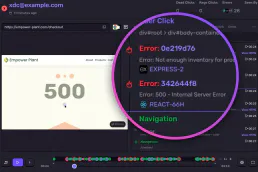
Sentry Alternative
Monitor errors and application health via Sentry — query issues, inspect events, audit releases and check alert rules directly from any AI agent.

Discourse
Equip your AI agent to manage forum topics, track community members, and monitor categories via the Discourse API.
You might also like
Code Climate
Manage code quality and engineering metrics via Code Climate — track repository grades, monitor snapshots, and audit test coverage directly from any AI agent.

Resend
Automate email delivery via Resend — send emails, manage domains, and track audiences directly from any AI agent.
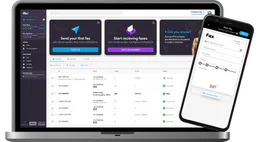
iFax
Send and receive faxes from your phone or computer with cloud-based faxing that eliminates the need for physical machines.