
Vinsight MCP. Manage every batch, vessel, and order in your cellar.
 Gemini
 Works with every AI agent you already use
…and any MCP-compatible client









Just plug in your AI agents and start using Vinkius.
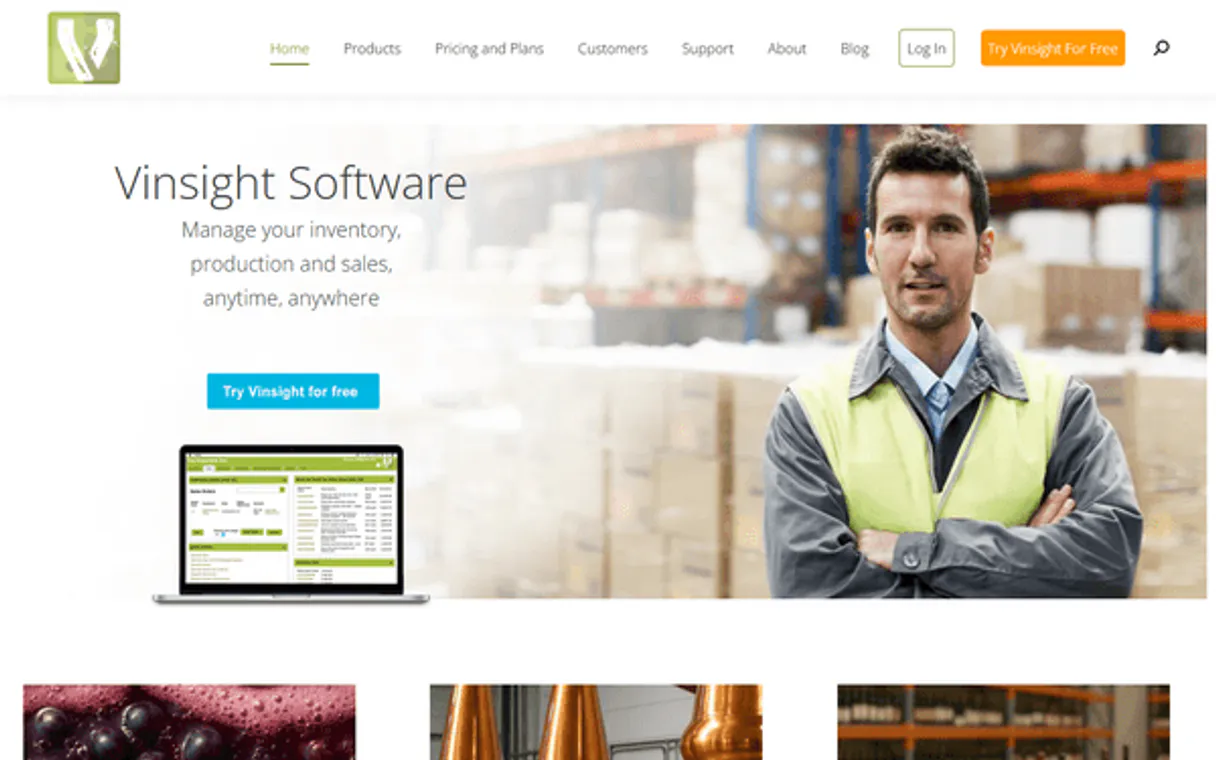
Vinsight connects your entire beverage production business—be it winery, brewery, or distillery—to any AI agent. Use natural conversation to manage inventory levels, track every batch from fermentation through bottling, monitor cellar vessels, and close out sales orders instantly.
What your AI agents can do
Get sales order
Retrieves full details for a specific sales order, including customer information, items sold, totals, and shipping status.
Get stock item
Looks up the definitive product record by SKU or name, providing pricing, tax code, unit of measure, and current stock level.
List batches
Lists all production batches, allowing you to track individual lots through their full history and assigned batch codes.
You ask for product stock (e.g., 'How many bottles of Chardonnay 2024?'); the server checks list_stock_levels and provides available, committed, and total counts.
You need to know where Batch XYZ is; the agent uses list_batches to find its history, current location (vessel), and associated vintage data.
The system retrieves structured lab results (list_lab_results) by date or product name, showing key chemical metrics like pH and dissolved oxygen levels.
You ask to check incoming goods; the server pulls purchase order details (list_purchase_orders), listing expected materials like corks or chemicals.
The agent uses list_vessels to list all tanks in the cellar, giving you immediate data on their maximum volume, current liquid contents, and assigned location.
Ask AI about this MCP
Supported MCP Clients
Gemini Waiting for input…
Vinsight MCP Server: 12 Tools for Operations Control
Use these tools to query product details, manage sales orders, track specific production batches, and monitor all physical assets in your beverage operation.
019d761cget sales order
Retrieves full details for a specific sales order, including customer information, items sold, totals, and shipping status.
019d761cget stock item
Looks up the definitive product record by SKU or name, providing pricing, tax code, unit of measure, and current stock level.
019d761clist batches
Lists all production batches, allowing you to track individual lots through their full history and assigned batch codes.
019d761clist lab results
Retrieves quality control analyses (pH, TA, alcohol, etc.), sorted by date for compliance review.
019d761clist production orders
Lists records of production runs, detailing which input materials were used and what final products came out.
019d761clist purchase orders
Tracks incoming supply chain items (bottles, grapes, chemicals), helping you know when raw materials arrive.
019d761clist sales orders
Provides a core list of all sales orders, necessary for overall revenue tracking and fulfillment status checks.
019d761clist stock levels
Lists current inventory across all warehouses, showing immediate availability, committed stock, and total on-order counts.
019d761clist vessels
Provides a list of all storage assets—tanks, barrels, etc.—with their capacity, current fill level, and physical location.
019d761clist warehouses
Lists all physical warehouse locations for multi-site inventory management.
019d761csearch contacts
Returns a contact profile, including type, addresses, payment terms, and their full order history.
019d761csearch stock items
Searches product catalog details for wine, beer, or spirits products, returning SKU, price, unit of measure, and current stock count.
Choose How to Get Started
Build a custom MCP for your own tools, or connect a ready-made integration from our catalog.
Build Your Own
Turn any API into an MCP. Import a spec, define Agent Skills, or deploy with MCPFusion.
- Import from OpenAPI, Swagger, or YAML specs
- Create Agent Skills with progressive disclosure
- Deploy to edge with MCPFusion framework
- Built in DLP, auth, and compliance on every call
- Real time usage dashboard and cost metering
- Publish to catalog or keep private
Make Your AI Do More
Start with Vinsight, then connect any of our 4,700+ other servers whenever your AI needs more. One click, no limits.
- Use this MCP plus 4,700+ others, all in one place
- Add new capabilities to your AI anytime you want
- Every connection is secured and compliant automatically
- Track usage and costs across all your servers
- Works with Claude, ChatGPT, Cursor, and more
- New servers added to the catalog every week
What you can do with this MCP connector
Vinsight connects your entire beverage operation—whether you're running a winery, brewery, or distillery—to your AI agent. You stop clicking through tabs and start talking directly to the system about your inventory, production runs, and customer orders.
When you ask for product stock, the server checks list_stock_levels to give you real-time counts across every warehouse. It tells you what's immediately available, how much is already committed (like it's on an open sales order), and the total amount currently held. If you need a definitive product record by SKU or name, you use get_stock_item which delivers pricing, tax code, unit of measure, and the current stock level for that item.
For specific searches in your catalog, search_stock_items returns wine, beer, or spirits details, including the SKU, price, unit of measure, and live count.
You can manage raw material intake by pulling purchase order data using list_purchase_orders. This tracks incoming goods—think corks, chemicals, or grapes—and lets you know exactly when those essential materials are expected to arrive. To see what's happening with your finished product lines, the agent uses list_production_orders to detail which input materials went into a run and what final products came out.
For tracking specific lots of goods, you use list_batches. This lets you trace individual batches through their full history and associated batch codes.
When it comes to the cellar, you get an immediate view of your storage assets by calling list_vessels. You can see all tanks, barrels, and fermenters listed—their maximum capacity, how much liquid they currently hold, and where physically they're located. If you operate multiple sites, list_warehouses provides a list of all physical locations for multi-site inventory management.
For sales tracking, the agent pulls a core list of everything through list_sales_orders, which is necessary for keeping track of overall revenue and fulfillment status checks. You can get full details on any specific order using get_sales_order; this provides customer information, items sold, total costs, and shipping status right away.
To handle vendor or client details, you run search_contacts, which returns a contact profile including payment terms, addresses, and the person's full history of placed orders.
Quality control metrics are straightforward using list_lab_results. This retrieves structured analyses—like pH, total acidity (TA), alcohol content, dissolved oxygen, and residual sugar—sorted by date so you can review compliance reports. You also have list_board_materials for reviewing the physical input materials used in production.
Your AI agent handles everything from checking vessel capacity to tracking a specific fermentation batch. When you ask how many bottles of Chardonnay 2024 you've got, it combines data points from list_stock_levels (available vs. committed stock) and search_stock_items. If you need to know the history of Batch XYZ—where it went, which vessel held it, or what vintage it belongs to—you use list_batches combined with list_vessels data.
The system tracks everything from purchase orders (list_purchase_orders) and production runs (list_production_orders) through quality checks (list_lab_results) to final sale status (get_sales_order). You just talk to your agent, and it pulls the necessary data using list_stock_levels, list_batches, list_vessels, list_purchase_orders, and search_contacts to give you a complete picture of where every drop is.
How Vinsight MCP Works
- 1 You tell your AI client what you need; for example, 'I need to know if we have enough stock of Merlot 2023 to fulfill Order #123.'
- 2 Your agent reads the query, identifies the necessary tools (
list_sales_orders,get_stock_item), and calls them in sequence, collecting all relevant data points. - 3 The server sends back structured JSON data for both the order details and current stock levels. Your AI client synthesizes this into a plain-language answer: 'Yes, you have enough stock; 800 bottles available.'
The bottom line is that your agent acts as the middle layer, taking complex business questions and translating them into specific API calls to get one cohesive answer.
Who Is Vinsight MCP For?
This server is for people whose job revolves around physical goods: winemakers, brewmasters, and operations managers. It's built for the person who gets sick of jumping between three different dashboards—one for sales, one for inventory, and a third for cellar levels—just to answer 'Do we have enough?'
You track every single batch from the first fermentation reading (list_lab_results) through blending into specific tanks (list_vessels), making sure compliance codes are met.
You keep an eye on the supply chain, reconciling incoming raw materials via list_purchase_orders against real-time warehouse stock reported by list_warehouses.
You handle client queries about product availability and order status. You check the customer history using search_contacts before confirming if inventory exists via get_stock_item.
What Changes When You Connect
- Stop cross-referencing spreadsheets. With Vinsight, you can combine
list_stock_levelsdata with outstanding sales orders (list_sales_orders) to instantly see if a commitment is actually possible. - Get deep QC insight by calling
list_lab_results. Instead of running separate lab reports, your agent pulls the required metrics (like TA or SO₂) and presents them in one clean summary. - Know exactly where every unit lives. If you need to move product, checking
list_vesselsshows real-time fill levels and capacity across all tanks before scheduling a transfer. - Simplify the supply chain view. You can query
list_purchase_ordersimmediately after running out of stock (checked viaget_stock_item), letting you proactively order new materials. - Streamline client interactions. Use
search_contactsfirst to verify payment terms or account status, then use that context when confirming a large volume sale via the agent.
Real-World Use Cases
The fulfillment bottleneck
A customer calls needing 50 cases of Stout. Instead of manually checking inventory tabs, you ask your agent: 'Can we fulfill a 50-case order for Stout?' The agent immediately runs get_stock_item and cross-references it with list_warehouses, telling you if the stock is available in the correct fulfillment location.
The blending dilemma
You need to blend three different batches of Cabernet. You ask: 'List all viable blending options for Cab.' The agent runs list_batches and cross-references the results with list_vessels, telling you which tanks have space and which batches are ready to move.
Checking compliance before bottling
Before releasing a vintage, you need QC sign-off. You prompt: 'What was the final SO₂ level for Batch 2023?' The agent calls list_lab_results, pulling the exact metric needed to determine if the product can move forward.
Reconciling sales against inventory
It's quarter-end, and you need a report. You ask: 'Show me all orders from clients with poor payment history that are currently out of stock.' The agent combines search_contacts data with live status checks from list_stock_levels, giving management clear action items.
The Tradeoffs
Comparing spreadsheets to reality
Manually updating a spreadsheet inventory count, then trying to reconcile it with the current tank levels shown on paper records.
→
Don't trust manual counts. Ask your agent to call list_vessels and compare its output directly against what you think the stock level is. This keeps everything real-time.
Ignoring production sequence
Calling get_stock_item for a finished product without first checking if the necessary raw materials were actually logged into the system via list_purchase_orders.
→
Always trace back. If you're worried about stock, check both the current level (get_stock_item) and the purchase pipeline (list_purchase_orders) to predict shortages.
Mixing up order types
Assuming that every 'order' means a sale. You might miss tracking materials needed for production.
→
Use list_sales_orders for customer revenue and always use list_production_orders when dealing with internal manufacturing steps or transfers.
When It Fits, When It Doesn't
Use this server if your business relies on the physical movement of goods: from a raw grape shipment to a finished, labeled bottle. This is an operational control layer; you need real-time visibility into inventory (using list_stock_levels and search_stock_items), production flow (list_production_orders, list_batches), AND the physical assets holding the product (list_vessels).
Don't use this if your main goal is just historical reporting, like generating a static P&L statement or running basic tax reports. For those pure accounting tasks, you might need a dedicated financial toolset. But if the report needs to factor in 'Is there enough product left?'—Vinsight handles it.
Independent Platform Disclaimer: Vinkius is an independent platform and is not affiliated with, endorsed by, sponsored by, verified by, or otherwise authorized by Vinsight. All third-party trademarks, logos, and brand names are the property of their respective owners. Their use on this website is strictly for informational purposes to identify service compatibility and interoperability.
VINKIUS INFRASTRUCTURE
Cloud Hosted
Managed infra
V8 Isolated
Sandboxed per request
Zero-Trust Proxy
No stored credentials
DLP Enforced
Policy on every call
GDPR Compliant
EU data residency
Token Compression
~60% cost reduction
Works with Claude, ChatGPT, Cursor, and more
The Model Context Protocol standardizes how applications expose capabilities to LLMs. Instead of operating in isolation, your AI gains direct access to external platforms, live data, and real-world actions through secure, standardized connections.
This server provides 12 capabilities that interface natively with Claude, ChatGPT, Cursor, and any MCP client. No middleware. No custom integration required.
Available Capabilities
Running inventory counts shouldn't require jumping between five different screens.
Right now, updating a stock count means checking the main warehouse dashboard, then opening the sales order module to see what was booked, and finally pulling up the asset management system just to confirm how much liquid is actually in the fermenter. It's clicking through tabs, exporting data into Excel, and spending an hour trying to reconcile discrepancies.
With Vinsight MCP Server, you ask your agent: 'What’s our total available stock for this SKU?' The server calls `list_stock_levels` and cross-checks it against the physical locations via `list_vessels`. You get one definitive number in seconds. Period.
Vinsight MCP Server: See your entire beverage supply chain live.
Before, tracking a batch required logging into the production module, finding the specific lot ID, then manually cross-referencing that against the current vessel assignment and finally checking the QC logs for compliance. It's slow, error-prone, and siloed.
Now, you just ask your agent to track it: 'Give me the status of Batch 44.' The server instantly pulls `list_batches` data, shows its assigned tank (`list_vessels`), confirms its QC standing (`list_lab_results`), and reports the whole story back. It’s integrated.
Common Questions About Vinsight MCP
How do I check inventory levels using list_stock_levels? +
You ask your agent, 'What is our current stock count?' The server calls list_stock_levels and returns the available, committed, and total on-hand counts across all warehouses.
Can I check lab results for a specific batch using list_lab_results? +
Yes. You tell your agent which batch or product you're concerned about. The server uses list_lab_results to pull the relevant QC data, showing metrics like pH and dissolved oxygen.
How do I see what tanks are available in my cellar? +
Use list_vessels. This tool lists all your storage assets—tanks, barrels, etc.—and provides critical details on their capacity, current fill level, and location.
What is the difference between list_sales_orders and get_sales_order? +
list_sales_orders gives you a master list of all orders (a summary view). get_sales_order lets you drill down into one specific order's details, like line items or shipping status.
How do I find product details and pricing when using `search_stock_items`? +
It returns a full product record, including SKU, description, unit of measure, price, and tax code. You can search across all types—wine, beer, spirits, or raw materials—to pinpoint exactly what you need.
What information does `list_purchase_orders` provide regarding incoming supplies? +
You track the entire supply chain for inputs. This tool lists purchase orders and gives details on incoming materials, like bottles or grapes, so you know exactly what's arriving and when.
When I look at `list_production_orders`, how do I track material movement? +
This tracks the full process. It logs both the input materials (like specific batches or yeast) and the resulting output products, letting you see exactly where every material moves during a brew or wine run.
What kind of data can I pull about clients using `search_contacts`? +
It provides a comprehensive profile for customers, suppliers, or distributors. Beyond just contact info, you get their full payment terms, multiple addresses, and even their complete order history.
Does Vinsight work for breweries too? +
Yes! Vinsight manages wine, beer, and spirits production. The same API covers all beverage types — wineries, breweries, and distilleries.
Use it with your favorite AI tools
Connect this server to Cursor, Claude, VS Code, and more.
More in this category

Mews
Manage hotel reservations, guests, rooms, billing, housekeeping, and services for your Mews property through natural conversation.
ApparelMagic
ERP, PLM, and CRM for the apparel industry — manage styles, orders, inventory, and shipments via AI.

Gingr
Retrieve pet owner profiles, track reservations, and oversee check-ins via AI agents with Gingr.
You might also like

LlamaCloud (Managed RAG & Parsing)
Manage RAG pipelines and document parsing via LlamaCloud — orchestrate LlamaParse jobs and audit data ingestion.
ShipBob
Automate your e-commerce fulfillment with ShipBob — manage products, track orders, and monitor inventory levels directly from your AI agent.

AccuLynx
Business management for roofing contractors — manage leads, jobs, and financial data via AI.