
WebScrapingAPI MCP. Extract Structured Data From Any Web Page, No Code Required
 Gemini
 Works with every AI agent you already use
…and any MCP-compatible client









Just plug in your AI agents and start using Vinkius.
WebScrapingAPI lets you pull structured data from any website by scraping raw HTML or rendering JavaScript. It handles e-commerce product details (price, reviews) and pulls search engine results (SERP) from Google, Bing, and Yandex into JSON format.
Use it with your AI client to bypass anti-bot measures using residential proxies—it's industrial-grade data extraction in a chat window.
What your AI agents can do
Custom api scrape
Executes a scrape using advanced parameters like geo-targeting, sessions, and custom headers.
Scrape and auto extract
Scrapes content from news or product pages and automatically extracts the data into structured JSON format.
Scrape as mobile
Runs a scrape by emulating how a mobile device views the website, useful for checking responsive design errors.
The tool pulls structured JSON containing pricing, titles, and customer reviews from major e-commerce sites like Amazon or Walmart.
It renders JavaScript-heavy Single Page Applications (SPAs) using a headless browser to capture the full content state.
The server queries and returns structured data for SERPs from Google, Bing, or Yandex based on a provided query string.
It grabs the basic HTML source code of any URL using high-volume datacenter proxies.
The tool automatically extracts structured data from common web layouts (like articles) without needing manual selectors.
It executes scrapes by simulating a mobile device, which is necessary when websites restrict desktop access.
Ask AI about this MCP
Supported MCP Clients
Gemini Waiting for input…
WebScrapingAPI MCP Server: 10 Tools for Data Extraction
These tools allow your AI client to perform specific scraping tasks—from e-commerce data extraction and JavaScript rendering to structured search engine result retrieval.
019d7621custom api scrape
Executes a scrape using advanced parameters like geo-targeting, sessions, and custom headers.
019d7621scrape and auto extract
Scrapes content from news or product pages and automatically extracts the data into structured JSON format.
019d7621scrape as mobile
Runs a scrape by emulating how a mobile device views the website, useful for checking responsive design errors.
019d7621scrape ecommerce product
Retrieves structured JSON containing price, title, and reviews from major e-commerce sites.
019d7621scrape js rendered
Scrapes dynamic HTML using a headless browser; this method is slower but guarantees capturing all JavaScript output.
019d7621scrape static html
Grabs raw HTML from any URL using datacenter proxies, bypassing JavaScript rendering entirely for basic content.
019d7621scrape via residential proxy
Performs scraping using residential or mobile IP addresses to achieve high anonymity and bypass detection systems.
019d7621search bing serp
Retrieves structured search engine results (SERP) specifically from the Bing platform using a query string.
019d7621search google serp
Retrieves structured search engine results (SERP) specifically from Google based on a provided query string.
019d7621search yandex serp
Retrieves structured search engine results (SERP) specifically from Yandex using a query string.
Choose How to Get Started
Build a custom MCP for your own tools, or connect a ready-made integration from our catalog.
Build Your Own
Turn any API into an MCP. Import a spec, define Agent Skills, or deploy with MCPFusion.
- Import from OpenAPI, Swagger, or YAML specs
- Create Agent Skills with progressive disclosure
- Deploy to edge with MCPFusion framework
- Built in DLP, auth, and compliance on every call
- Real time usage dashboard and cost metering
- Publish to catalog or keep private
Make Your AI Do More
Start with WebScrapingAPI, then connect any of our 4,700+ other servers whenever your AI needs more. One click, no limits.
- Use this MCP plus 4,700+ others, all in one place
- Add new capabilities to your AI anytime you want
- Every connection is secured and compliant automatically
- Track usage and costs across all your servers
- Works with Claude, ChatGPT, Cursor, and more
- New servers added to the catalog every week
What you can do with this MCP connector
WebScrapingAPI lets your AI client pull structured data from any website. You ain't gotta write some complex selectors or manage a bunch of proxy lists yourself; the API handles all that messy crap so you can just talk to it through chat.
Here’s the deal: When you use this server, your agent gets access to industrial-grade tools for data extraction. It handles everything from pulling product details off Amazon to grabbing search engine results in clean JSON format. You run these commands right inside your AI client and get structured data back—it's like having a dedicated web architect on retainer.
How the Scraping Works: Dealing with Anti-Bots and Complexity
You wanna pull data, but the site is rigged with anti-bot measures? No sweat. You use scrape_via_residential_proxy to perform scraping using residential or mobile IP addresses. That keeps your operation high anonymity and lets you bypass detection systems that are designed to block basic scrapers. If you need maximum power and can't risk getting flagged, you run custom_api_scrape, which lets you execute a scrape with advanced parameters like geo-targeting, specific sessions, and custom headers.
For the toughest sites—the ones running Single Page Applications (SPAs) that load content with JavaScript after the page initially loads—you gotta use scrape_js_rendered. This tool runs a headless browser to capture the full rendered state of the site; it’s slower than other methods, but it guarantees you get all the JavaScript output.
If you just need basic content and wanna skip the JS headache, you can grab raw HTML from any URL using datacenter proxies with scrape_static_html. This bypasses rendering entirely for simple source code grabs.
Specific Data Extraction Jobs You Can Run
- E-commerce Details: Pulling product information? Simple. Use
scrape_ecommerce_productto get structured JSON containing the price, title, and customer reviews straight from major e-commerce sites like Walmart or Amazon. It pulls out exactly what you need. - News & Product Pages: If you're dealing with common web layouts—like a news article or a product page that isn't an e-commerce listing—you run
scrape_and_auto_extract. This tool automatically extracts structured data from those common formats without you having to manually define selectors. - Mobile Simulation: Some sites restrict access if they think you're using a desktop. You gotta use
scrape_as_mobileto run the scrape by emulating how a mobile device views the site; this is crucial for checking responsive design or getting blocked content.
Search Engine Results (SERP) Discovery
Need competitive intelligence? Your agent can pull structured search engine results (SERP) directly from Google, Bing, and Yandex using dedicated tools: search_google_serp pulls data from Google based on your query string; search_bing_serp gets you the SERPs specifically from Bing; and search_yandex_serp does the same thing for Yandex. All these return clean, structured JSON.
Bottom Line
Your AI client becomes a complete web data architect. You just tell your agent what data you need—be it raw HTML source code, product pricing, or search results from three different engines—and the API handles the complexity of getting it back in clean, usable JSON.
How WebScrapingAPI MCP Works
- 1 1. Subscribe to the WebScrapingAPI server and provide your API key.
- 2 2. Tell your AI agent what data you need—e.g., 'Find the price and reviews for this product at Amazon.'
- 3 3. Your agent calls the appropriate tool (like
scrape_ecommerce_product), handles proxy rotation, and returns the clean JSON output.
The bottom line is: your AI client manages all the complex scraping logistics; you just talk to it like normal.
Who Is WebScrapingAPI MCP For?
Anyone who needs data from the live web but hates writing Python scrapers. Data scientists, e-commerce managers, and SEO specialists use this when they need massive datasets or real-time competitor intelligence without building infrastructure.
Needs to monitor how competitors change pricing or product availability across multiple marketplaces daily.
Runs structured checks on SERP results from Google, Bing, and Yandex simultaneously to track ranking shifts.
Collects massive datasets (e.g., thousands of product listings) for ML training or market trend analysis via simple chat commands.
What Changes When You Connect
- Get structured JSON output for product data. Instead of manually parsing tables or listings, running
scrape_ecommerce_productdelivers clean price, title, and review fields right into your workflow. - Handle complex websites with
scrape_js_rendered. If the site relies on JavaScript to load content (like a dynamic dashboard), this tool captures everything—not just the initial source code. - Maintain high anonymity using proxies. When scraping sensitive data, running through
scrape_via_residential_proxyminimizes your risk of IP blacklisting from aggressive anti-bot systems. - Analyze search results across multiple engines. Use
search_google_serp,search_bing_serp, andsearch_yandex_serpto get comparable, structured data points for competitive analysis in one go. - Bypass manual selector writing entirely. For news articles or product pages, the
scrape_and_auto_extracttool automatically figures out where the key data lives, saving hours of development time.
Real-World Use Cases
Monitoring competitor pricing changes.
An e-commerce manager needs to know if a rival changed their price on Amazon. They ask their agent: 'Get the product data for X.' The agent uses scrape_ecommerce_product and returns a JSON object with the current price, allowing immediate comparison without visiting the site.
Building market research datasets.
A data scientist needs thousands of raw HTML snippets from niche websites. They use custom_api_scrape, specifying geo-targeting and custom headers to gather massive amounts of targeted, usable content for ML model training.
Checking a dynamic web dashboard.
A developer needs the data from an internal SPA that only loads information via JavaScript. Instead of failing with raw HTML, they run scrape_js_rendered, which captures all elements and makes the data available for testing.
Comprehensive competitive SERP analysis.
An SEO specialist wants to compare search results across three countries. They instruct their agent to use search_google_serp (US), then search_bing_serp (UK), and finally search_yandex_serp (RU) on the same query, getting structured data for all three in one run.
The Tradeoffs
Assuming raw HTML is enough.
The user runs scrape_static_html('https://my-spa.com') and gets a page that looks empty because the content loads after JavaScript executes.
→
Don't use raw scraping for dynamic sites. Instead, run scrape_js_rendered to force the headless browser to execute the code first. This captures all visible data.
Ignoring proxy limitations.
Running simple scrape tasks repeatedly from a single IP address causes immediate rate-limiting or outright blocks by the target site.
→
Always specify high anonymity when scraping sensitive areas. Use scrape_via_residential_proxy to rotate IPs and mimic real user traffic.
Missing structured extraction.
The user extracts a news article via raw HTML, but then has to manually write code to pull out just the title, author, and date from the messy text dump.
→
Use scrape_and_auto_extract. This tool handles the dirty work of finding key data points (like titles or product details) automatically and outputs clean JSON.
When It Fits, When It Doesn't
You should use this server if your goal is to pull structured data from live websites, regardless of whether that site is static HTML, a JavaScript SPA, or an e-commerce listing. This tool handles the messy complexity of web crawling—it's not just about pulling text; it's about accessing and structuring inaccessible data.
Don't use this if your required data lives in a private API endpoint (you need an API key, not scraping) or if you are only retrieving publicly available information that could be scraped with basic web tools. If the data is locked behind advanced behavioral analysis or CAPTCHAs, even scrape_via_residential_proxy might struggle, but it's your best bet.
If you need to compare search results across different countries and engines, always use the specific SERP tools (search_google_serp, etc.) rather than trying to scrape a general Google search page.
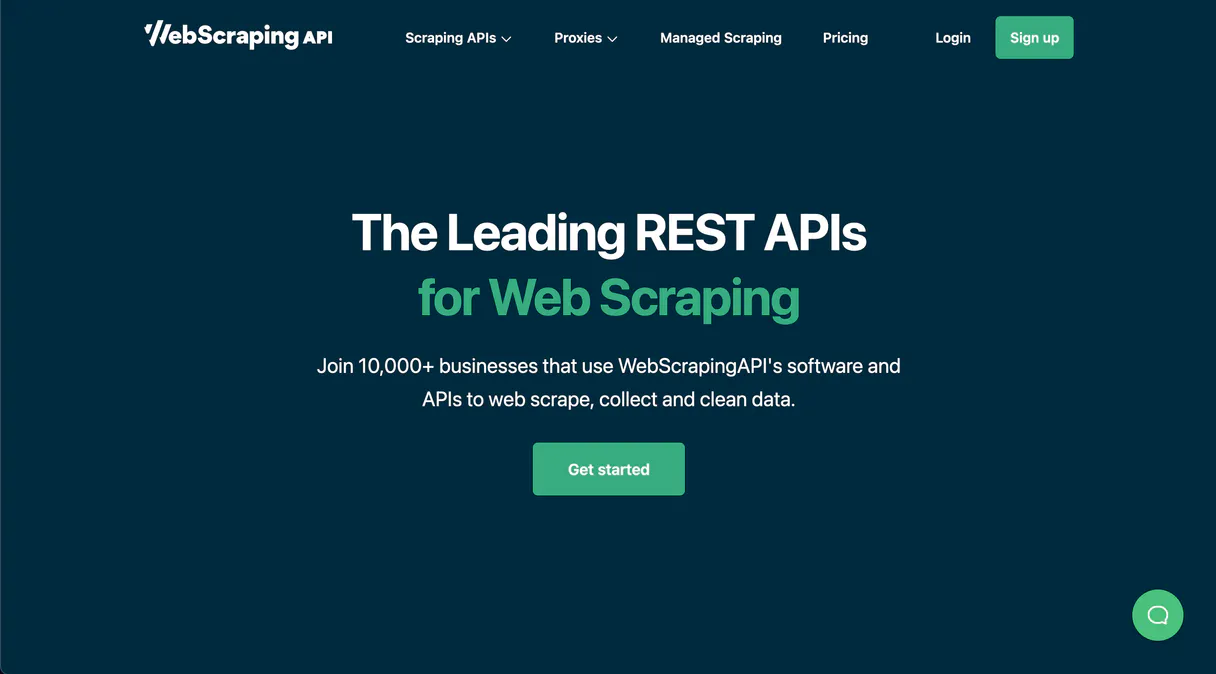
Independent Platform Disclaimer: Vinkius is an independent platform and is not affiliated with, endorsed by, sponsored by, verified by, or otherwise authorized by WebScrapingAPI. All third-party trademarks, logos, and brand names are the property of their respective owners. Their use on this website is strictly for informational purposes to identify service compatibility and interoperability.
VINKIUS INFRASTRUCTURE
Cloud Hosted
Managed infra
V8 Isolated
Sandboxed per request
Zero-Trust Proxy
No stored credentials
DLP Enforced
Policy on every call
GDPR Compliant
EU data residency
Token Compression
~60% cost reduction
Works with Claude, ChatGPT, Cursor, and more
The Model Context Protocol standardizes how applications expose capabilities to LLMs. Instead of operating in isolation, your AI gains direct access to external platforms, live data, and real-world actions through secure, standardized connections.
This server provides 10 capabilities that interface natively with Claude, ChatGPT, Cursor, and any MCP client. No middleware. No custom integration required.
Available Capabilities
Pulling data from modern websites is a nightmare of JavaScript and proxies.
Today, if you need data from an e-commerce site or a company dashboard, you spend hours debugging scrapers. You hit roadblocks: the site loads content with JavaScript, so your initial scrape fails; or you hit rate limits, forcing you to manage complex proxy pools just to get basic product titles.
With WebScrapingAPI, those hurdles vanish. Your agent handles the rendering complexity via `scrape_js_rendered`, and it manages IP rotation when you use `scrape_via_residential_proxy`. You ask for the data; the tool delivers the clean JSON.
WebScrapingAPI MCP Server: Get Structured Data from Any Web Page
You used to have to write separate code paths just to check if a page was static or dynamic. You had to manage different scraping methods (datacenter vs. residential) and worry about the anti-bot rules changing every week.
Now, you simply point your AI agent at the problem. The server intelligently uses tools like `scrape_ecommerce_product` for product data or `search_google_serp` for search results—all without you writing a single line of scraping logic.
Common Questions About WebScrapingAPI MCP
How do I scrape dynamic pages using WebScrapingAPI? +
Use the scrape_js_rendered tool. This method runs the target URL through a headless browser, ensuring that all content generated by JavaScript—like dashboard widgets or interactive menus—is captured and returned to you.
Can I compare search results from different countries with search_google_serp? +
Yes. You can run the search_google_serp tool multiple times, changing only the geo-target or query string each time. This allows you to structure and compare SERP data across regions easily.
What’s the difference between scrape_static_html and scrape_js_rendered? +
The key difference is execution: scrape_static_html grabs what's in the source code immediately (fast, but misses dynamic content). scrape_js_rendered waits for JavaScript to run, giving you a complete snapshot of the visible page.
How do I scrape product data from Amazon? +
Use the specialized scrape_ecommerce_product tool. It's designed specifically to pull structured JSON containing price, title, and reviews directly from major e-commerce platforms like Amazon.
What is the benefit of using `scrape_via_residential_proxy` for scraping? +
It provides high anonymity by routing your requests through residential IP addresses. These IPs make your activity look like it comes from actual home users, which helps bypass aggressive bot detection systems that flag data center proxies.
How can I use `custom_api_scrape` to target specific regions or sessions? +
You control the scrape using advanced parameters in custom_api_scrape. You can specify geo-targeting, manage user sessions, and set custom headers. This lets you run highly controlled scrapes that wouldn't work with basic requests.
Does `scrape_and_auto_extract` require me to write complex parsing selectors? +
No. The tool handles structured data extraction automatically for content like news or product pages. You send the URL, and it figures out the key pieces of information—like names, prices, or dates—and returns them in clean JSON.
Why should I use `scrape_as_mobile` instead of a standard scrape? +
Using scrape_as_mobile emulates a phone device during the scraping process. This is crucial because some websites display different content or layouts for mobile users, and you need to capture that specific rendered state.
Can I scrape websites that heavily use JavaScript? +
Yes. Use the scrape_js_rendered tool. It utilizes a headless browser to execute the JavaScript on the target page and returns the full rendered HTML, making it ideal for SPAs built with React, Vue, or Angular.
How do I get structured data from Google search results? +
You can use the search_google_serp tool. Simply provide your search query, and WebScrapingAPI will return a structured JSON object containing organic results, titles, URLs, snippets, and even ads.
What if a website blocks standard scraping attempts? +
Use the scrape_via_residential_proxy tool. This routes your request through real residential IP addresses, providing maximum anonymity and allowing you to bypass aggressive bot protection systems.
Use it with your favorite AI tools
Connect this server to Cursor, Claude, VS Code, and more.
More in this category

Zippopotam.us Alternative
Free geocoding and postal code lookup — retrieve city, state, and coordinates for any zip code or find postal codes by city.
HashiCorp Nomad
Manage workloads and orchestration via Nomad — track jobs, nodes, and deployments directly from your AI agent.

WordPress
Build and manage websites with the CMS that powers over 40 percent of the web through posts, pages, plugins, and themes.
You might also like
Afosto
Retail and e-commerce engine — manage orders, inventory, products, and customers via AI.

Pagar.me
Create orders, manage subscriptions, and process Pix/Boleto payments via Pagar.me API.

COR
Optimize creative agency profitability with project tracking, resource allocation, and real-time margin analysis for every job.