
Wenjuanxing MCP. Manage and analyze questionnaire data via conversation.
 Gemini
 Works with every AI agent you already use
…and any MCP-compatible client









Just plug in your AI agents and start using Vinkius.
Wenjuanxing / 问卷星 connects your AI agent directly to China’s leading survey platform. It lets you run full research cycles—from listing surveys and creating new ones, to monitoring real-time responses, and generating high-level statistical reports.
You don't need to click through a web UI; you just ask your agent for the data.
What your AI agents can do
Create survey
Starts the process of building and creating an entirely new questionnaire structure.
Get account info
Retrieves high-level metadata about your Wenjuanxing account usage.
Get report
Pulls a summary, narrative report detailing the overall results of a specific survey.
Retrieves a list of all questionnaires you own in the platform.
Finds questionnaires by name or keyword, narrowing down your search results quickly.
Initiates a new questionnaire structure within the platform.
Pulls lists of submitted responses to audit participation rates and raw data.
Calculates quantitative metrics (like percentages or averages) from completed survey data.
Changes the operational status of a questionnaire, such as pausing it or publishing an update.
Ask AI about this MCP
Supported MCP Clients
Gemini Waiting for input…
Wenjuanxing / 问卷星: 10 Tools for Survey Management
Use these ten specialized tools to create, manage, list, search, and analyze every aspect of your survey data within the Wenjuanxing platform.
019d849ccreate survey
Starts the process of building and creating an entirely new questionnaire structure.
019d849cget account info
Retrieves high-level metadata about your Wenjuanxing account usage.
019d849cget report
Pulls a summary, narrative report detailing the overall results of a specific survey.
019d849cget stats
Calculates and returns quantitative statistics (percentages, averages) for a given questionnaire ID.
019d849cget survey
Fetches the full details and structure of one specific questionnaire.
019d849clist groups
Retrieves a list of survey groups you have set up within your account.
019d849clist responses
Lists the raw data submitted in responses to a specific questionnaire ID.
019d849clist surveys
Provides an exhaustive list of all questionnaires currently managed by your account.
019d849cquery surveys
Searches for specific questionnaires using keywords or filters.
019d849cupdate survey status
Changes the operational status of a survey (e.g., publishing it, pausing it).
Choose How to Get Started
Build a custom MCP for your own tools, or connect a ready-made integration from our catalog.
Build Your Own
Turn any API into an MCP. Import a spec, define Agent Skills, or deploy with MCPFusion.
- Import from OpenAPI, Swagger, or YAML specs
- Create Agent Skills with progressive disclosure
- Deploy to edge with MCPFusion framework
- Built in DLP, auth, and compliance on every call
- Real time usage dashboard and cost metering
- Publish to catalog or keep private
Make Your AI Do More
Start with Wenjuanxing / 问卷星, then connect any of our 4,700+ other servers whenever your AI needs more. One click, no limits.
- Use this MCP plus 4,700+ others, all in one place
- Add new capabilities to your AI anytime you want
- Every connection is secured and compliant automatically
- Track usage and costs across all your servers
- Works with Claude, ChatGPT, Cursor, and more
- New servers added to the catalog every week
What you can do with this MCP connector
You're connecting your AI agent straight into Wenjuanxing, China’s major survey platform. It lets you run a whole research cycle—from building new surveys to checking raw responses and pulling high-level reports—without ever touching the web interface. Your agent acts like a dedicated research assistant; it doesn't just give you data, it handles the mechanics of getting that data for you.
When you need to manage forms, your agent first lists everything: use list_surveys to get an exhaustive roster of all questionnaires in your account. If you know what you're looking for, you can narrow it down fast by running query_surveys, which lets you search specific forms using keywords or filters.
Need to build something new? You kick off the process with create_survey to start structuring an entirely new questionnaire. To check out a form that already exists, you'll use get_survey to fetch its full details and structure. If you need to change how a survey works—like going from draft mode to published—you run update_survey_status.
For organizational oversight, you can also grab a list of all groups you've set up using list_groups.
For account health checks, your agent handles the metadata. Use get_account_info to retrieve high-level details about your Wenjuanxing usage. If you need to audit what responses came in, you run list_responses, which lists all the raw data submitted for a specific questionnaire ID.
To actually understand the findings, there are three key data endpoints. First, if you want simple counts and averages—the numbers that matter—you call get_stats to calculate quantitative metrics like percentages or means from a given questionnaire ID. If you need an overall picture, get_report pulls a summary, narrative report detailing the whole result set.
Finally, for detailed access to all submissions, you use list_responses. You'll also find that if you just want to see which forms are active and ready to go, running list_surveys is your starting point.
How Wenjuanxing MCP Works
- 1 1. Subscribe to this server on Vinkius and provide your Wenjuanxing App ID and App Key.
- 2 2. Tell your AI client what you need—for example, 'List all active surveys' or 'What are the stats for survey 9920?'
- 3 3. Your agent uses the appropriate tool (like
list_surveysorget_stats) to pull the data and presents it in natural language.
The bottom line is: you manage your entire research process using conversation, not clicks.
Who Is Wenjuanxing MCP For?
Market researchers who get bogged down manually exporting CSVs. HR managers running annual employee pulse checks. Marketing leads needing to audit customer feedback fast. If you spend too much time clicking between dashboards just to answer 'How many people responded?', this is for you.
Runs comparative studies, using get_stats and list_responses to compare results across different groups or time periods.
Manages employee feedback cycles. Uses the server to monitor response rates and track engagement metrics without leaving their main workspace.
Coordinates customer satisfaction research. Runs get_report when a campaign finishes, pulling summary data immediately for executive review.
What Changes When You Connect
- Stop clicking through tabs just to count submissions. Use
list_responsesorget_statsto immediately get the total number of participants for a survey. - Need to audit raw user input? Running
list_responsespulls the actual submitted data, letting your agent show you specific details without needing an export file first. - Don't waste time checking if a form is live. Use
update_survey_statusto publish or pause a questionnaire directly from your chat window—it’s instant control. - Instead of skimming multiple dashboards, run
get_report. This pulls the high-level summary report and quantitative statistics in one go for quick decision-making. - Searching is faster than browsing. Use
query_surveyswhen you only remember a keyword, letting your agent find the right questionnaire instantly.
Real-World Use Cases
Auditing Q3 Employee Feedback
The HR Manager needs to know if employees are responding to the new engagement survey. They ask their agent: 'List all responses for activity 8821.' The agent runs list_responses and confirms there are 450 submissions, instantly validating the campaign’s reach.
Quick Market Check
A Marketing Lead wants to see how many people responded to a specific product feedback form. They ask: 'What's the count for my Product Feedback V2 survey?' The agent uses get_stats, returning the total response number and key metrics in seconds.
Form Maintenance
A Researcher finishes a pilot study questionnaire but needs to take it offline temporarily. They run update_survey_status via their agent, pausing the survey without having to navigate into the settings page and find the toggle switch.
Comparing Initiatives
A manager needs data from two different surveys (Customer Satisfaction vs. Website UX). They ask the agent to run get_stats on both IDs, allowing them to compare average scores side-by-side for a quick meeting prep.
The Tradeoffs
Treating the server like a simple list
Trying to get all data by just calling list_surveys and expecting every detail. You'll only get basic metadata, not actual responses or stats.
→
To get raw responses, use list_responses. To get calculated metrics like percentages, you must call get_stats. Don't mix these calls—use them for their intended data type.
Over-relying on the general report
Calling only get_report when you need to know why a metric is low. The summary might be high-level, but it won't show specific question breakdowns.
→
If you need deep dives into quantitative metrics (e.g., 'What percentage selected option A?'), use the get_stats tool instead of just relying on the general report.
Forgetting to search
When a user has 50 surveys, manually listing them all using list_surveys and scrolling through is inefficient. You might miss the one you need.
→
If you know a keyword or part of the title, always use query_surveys. It's designed to filter results immediately for better accuracy.
When It Fits, When It Doesn't
Use this server if your primary job involves collecting structured feedback—market research, HR audits, customer satisfaction. You need tools that manage the entire survey lifecycle: creation (create_survey), status changes (update_survey_status), and multi-level data retrieval (from raw responses via list_responses to summary metrics via get_stats).
Don't use this if you are simply trying to connect to a general database of unstructured text or images. For that, you need a pure document storage connector. Also, don't rely solely on list_surveys; always check the specific tool documentation for filtering options, as it only provides metadata, not the content itself.

Independent Platform Disclaimer: Vinkius is an independent platform and is not affiliated with, endorsed by, sponsored by, verified by, or otherwise authorized by Wenjuanxing / 问卷星. All third-party trademarks, logos, and brand names are the property of their respective owners. Their use on this website is strictly for informational purposes to identify service compatibility and interoperability.
VINKIUS INFRASTRUCTURE
Cloud Hosted
Managed infra
V8 Isolated
Sandboxed per request
Zero-Trust Proxy
No stored credentials
DLP Enforced
Policy on every call
GDPR Compliant
EU data residency
Token Compression
~60% cost reduction
Works with Claude, ChatGPT, Cursor, and more
The Model Context Protocol standardizes how applications expose capabilities to LLMs. Instead of operating in isolation, your AI gains direct access to external platforms, live data, and real-world actions through secure, standardized connections.
This server provides 10 capabilities that interface natively with Claude, ChatGPT, Cursor, and any MCP client. No middleware. No custom integration required.
Available Capabilities
Manual data auditing takes hours of clicking through dashboards.
Today, to audit responses—say, tracking participation for a quarterly survey—you have to navigate into the platform, click 'Responses,' then filter by date range, and finally export the data just to count how many people answered. That process is slow, prone to misclicks, and requires you to constantly jump between tabs.
With Wenjuanxing MCP, your agent handles it all in one query. You simply ask: 'Show me who responded last week.' It runs `list_responses` and gives you the list right away—no dashboard navigation, no manual exporting required.
Wenjuanxing / 问卷星 MCP Server: Get quantitative insights instantly.
Before this server, getting a clean comparison of average ratings across two different surveys meant pulling two separate reports and doing the math manually in Excel. It was tedious, and if you misread one number, your whole analysis failed.
Now, you ask your agent to run `get_stats` on both survey IDs simultaneously. You get structured, quantitative data—percentages, averages, counts—delivered directly into your chat window. The difference is simple: reliable numbers in seconds.
Common Questions About Wenjuanxing MCP
How do I list all my surveys using the Wenjuanxing / 问卷星 MCP Server? +
Run list_surveys. This tool pulls an exhaustive metadata list of every questionnaire associated with your account. It's a good starting point to see what forms you have available.
What is the difference between `get_stats` and `get_report`? +
get_stats returns raw, quantitative numbers (like percentages or average scores). get_report provides a high-level, summary narrative that interprets the results for you.
Can I pause a survey using the Wenjuanxing / 问卷星 MCP Server? +
Yes. Use update_survey_status. This tool lets you change the status of an existing questionnaire—publishing it, pausing it, or making other necessary changes directly through your agent.
How do I search for a specific form name? +
Use query_surveys. Instead of listing all 50 forms with list_surveys, running query_surveys with keywords instantly filters the list, saving you time.
How does the `get_account_info` tool confirm that my API credentials are working? +
It immediately verifies your connection using the provided App ID and App Key. The tool returns specific metadata about your Wenjuanxing account, confirming successful authentication before you run any data retrieval commands.
What level of detail does `list_responses` provide for submitted surveys? +
It lists individual submissions, not just counts. You get crucial response metadata like the submission timestamp and unique user identifiers. This allows you to audit who answered and exactly when.
Can I use `create_survey` to build a new questionnaire structure? +
Yes, that's its primary function. You define the desired questionnaire in your prompt payload—including question types and field requirements—and the tool handles creating the initial survey draft.
If I only have an ID, how can I use the `get_survey` tool to find out more about a questionnaire? +
It retrieves comprehensive metadata for that specific form. You'll get details like its creator, status (published/draft), and the full structural definition of every question it contains.
How do I find my Wenjuanxing App ID and Key? +
Log in to your Wenjuanxing account (Enterprise/Flagship version), go to the Open API Platform (openapi.wjx.cn) or check the 'API/SSO' section in your user settings to find your App ID and Key.
Can I see quantitative statistics for survey questions? +
Yes. Use the get_stats tool with your activity ID to retrieve counts and percentages for each answer option in your survey.
Is it possible to search questionnaires by keyword? +
Yes! You can use the query_surveys tool to find specific questionnaires in your account based on their title or activity keyword.
Use it with your favorite AI tools
Connect this server to Cursor, Claude, VS Code, and more.
More in this category
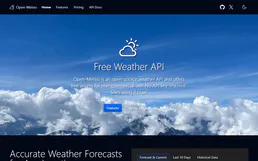
Open-Meteo Full Access
The ultimate weather Mega-Server: 15 tools covering forecast, historical (84 years), marine, air quality, pollen, climate projections (to 2100), flood, geocoding, and elevation — all in one zero-auth integration.

watsonx Discovery
Search and analyze complex data with AI-powered insights on IBM watsonx Discovery — the cognitive search engine.

Junta de Andalucía (Portal)
Access the official Open Data Portal of the Junta de Andalucía. Explore datasets, resources, and public records directly from your AI agent.
You might also like
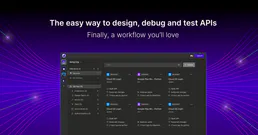
Insomnia (Collaborative API Design)
Manage API designs and collections via Insomnia — list organizations, projects, and files, and audit API specs.

GiveWP
Manage donation forms, track donors, and oversee fundraising stats via AI agents with GiveWP.

Aurorascan (Aurora Network L2 Block Explorer API)
Access Aurora Network L2 blockchain data—query balances, transaction history, and token transfers directly from your AI agent.