
Winevybe MCP. Query your cellar inventory or find perfect food pairings from chat.
 Gemini
 Works with every AI agent you already use
…and any MCP-compatible client









Just plug in your AI agents and start using Vinkius.
Winevybe gives your AI agent sommelier intelligence access. You can query global wine catalogs, check specific vineyard ratings, and manage an entire virtual cellar—all from a single chat interface.
It handles everything from finding perfect food pairings to tracking bottle quantities against historical vintage scores.
What your AI agents can do
Add wine to cellar
Adds a purchased bottle's record into your virtual cellar tracker.
Compare wines
Generates a detailed side-by-side comparison of two specific wine bottles.
Get pairings
Provides food pairing recommendations for a specified type of wine.
Check the current count of bottles in your virtual cellar using get_user_cellar, or add new purchases with add_wine_to_cellar.
Get specific food pairing recommendations for any wine you specify using the get_pairings tool.
Generate a side-by-side contrast of two or more distinct bottles by invoking the compare_wines function.
Retrieve profound tasting notes, scores, and statistics on any wine using get_wine_detail, or search the global catalog with search_wines.
Get historical context by retrieving vineyard profiles (get_winery_info) or learning about regional appellations (get_region_info).
Ask AI about this MCP
Supported MCP Clients
Gemini Waiting for input…
Winevybe MCP Server: 10 Tools for Sommelier Intelligence
Use these tools to manage inventory, run comparisons, get tasting notes, and research everything about the world of wine through your AI agent.
019d849eadd wine to cellar
Adds a purchased bottle's record into your virtual cellar tracker.
019d849ecompare wines
Generates a detailed side-by-side comparison of two specific wine bottles.
019d849eget pairings
Provides food pairing recommendations for a specified type of wine.
019d849eget region info
Retrieves details and background information on global wine-making appellations.
019d849eget reviews
Gathers community tasting reviews and ratings for specific wines.
019d849eget user cellar
Examines the current inventory records of your authenticated virtual wine cellar.
019d849eget vintage scores
Gets an overview of harvest quality and scores linked to a specific year.
019d849eget wine detail
Retrieves profound tasting notes, stats, and technical data on one particular wine.
019d849eget winery info
Gets background profiles and history details for major producers or vineyards.
019d849esearch wines
Searches the entire Winevybe database for bottles matching specific criteria.
Choose How to Get Started
Build a custom MCP for your own tools, or connect a ready-made integration from our catalog.
Build Your Own
Turn any API into an MCP. Import a spec, define Agent Skills, or deploy with MCPFusion.
- Import from OpenAPI, Swagger, or YAML specs
- Create Agent Skills with progressive disclosure
- Deploy to edge with MCPFusion framework
- Built in DLP, auth, and compliance on every call
- Real time usage dashboard and cost metering
- Publish to catalog or keep private
Make Your AI Do More
Start with Winevybe, then connect any of our 4,700+ other servers whenever your AI needs more. One click, no limits.
- Use this MCP plus 4,700+ others, all in one place
- Add new capabilities to your AI anytime you want
- Every connection is secured and compliant automatically
- Track usage and costs across all your servers
- Works with Claude, ChatGPT, Cursor, and more
- New servers added to the catalog every week
What you can do with this MCP connector
You're giving your AI agent sommelier intelligence access. You can query global wine catalogs, check specific vineyard ratings, and manage an entire virtual cellar—all from a single chat interface. It handles everything from finding perfect food pairings to tracking bottle quantities against historical vintage scores.
Inventory Management & Cellar Tracking
When you need to know what's actually in your rack, you use get_user_cellar to examine the current inventory records of your virtual wine cellar. If you buy a new stash and want to keep track of it, just run add_wine_to_cellar to record that purchased bottle into your tracker.
Deep Wine Lookup & Research
Need the nitty-gritty on a specific pour? Use get_wine_detail to pull profound tasting notes, technical stats, and detailed data points on any wine. If you don't know what you want yet, you can run search_wines to query the entire Winevybe database for bottles matching whatever criteria you throw at it.
For background context, you can use get_winery_info to get deep profiles and history details on major producers or vineyards. Want to know more about where the grapes came from? You'll run get_region_info to pull background details and historical info on global wine-making appellations.
Comparative Analysis & Pairing
Want to see how two bottles stack up? You generate a detailed side-by-side comparison by invoking compare_wines. It breaks down the differences between specific wines. When you're trying to figure out what goes with your meal, use get_pairings to get specific food pairing recommendations for any wine you name. To gauge market sentiment or quality, you can run get_reviews to gather community tasting reviews and ratings for a particular bottle.
Historical Context & Quality Scores
Need to know if the year was good? You use get_vintage_scores to get an overview of the harvest quality and scores linked to a specific year. If you want to compare that historical score against modern market availability, you can start with search_wines. To deepen your understanding of a region's history beyond just its appellation, you'll use the wine data points gathered from get_wine_detail or get_winery_info.
You can also check for general background profiles on producers using get_winery_info, which works in tandem with checking regional details via get_region_info.
How It Works In Practice
Your agent doesn't just search; it coordinates. For example, you might first run search_wines to find three candidates, then use get_wine_detail on the best one to get its tasting notes. You can immediately compare that wine against a second bottle using compare_wines, and then ask for food pairings with get_pairings.
If you decide to buy it, you track it right away by calling add_wine_to_cellar to update your inventory via get_user_cellar. It's one conversation thread doing the work of a whole wine library. You don’t gotta jump between ten different websites; your agent handles all that heavy lifting for you.
How Winevybe MCP Works
- 1 Subscribe to this server and provide your Winevybe API Key.
- 2 Connect the credentials to any MCP-compatible client (like Claude or Cursor).
- 3 Ask your agent a question: 'What are good food pairings for a Bordeaux Blend?' The agent runs
get_pairingsand gives you the answer.
The bottom line is, it lets your AI agent use expert wine knowledge without you ever leaving the chat window.
Who Is Winevybe MCP For?
This is for people who deal with high-end inventory and complex data daily. If your job requires knowing a wine's history, its optimal pairing, or how many bottles you have left without opening five different browser tabs—you need this. Stop cross-referencing spreadsheets; let the agent do it.
You use get_user_cellar to check inventory and add_wine_to_cellar when you acquire new bottles, keeping detailed records of your collection's size and value.
You use the agent to instantly find optimal food pairings (get_pairings) or pull key wine characteristics for staff without having to open separate vendor apps.
You run compare_wines and gather specific regional scores using get_reviews to build a detailed, data-backed comparison piece.
What Changes When You Connect
- Track everything in
get_user_cellar, knowing exactly how many bottles you have across different varietals. You never lose track of your private collection again. - Stop guessing on dinner menus. Use
get_pairingsto instantly get expert food pairing suggestions for any wine, perfect for hospitality staff. - Need to compare two expensive vintages? Running
compare_winesgives you a structured side-by-side analysis of pricing and structure right away. - Don't rely on memory. Use
get_wine_detailto pull up deep tasting notes, stats, and high scores for any wine without leaving the chat. - Research is fast: You can quickly gather regional context using
get_region_infoor research a producer’s background withget_winery_info.
Real-World Use Cases
The Journalist needs to write a comparison review.
A journalist is writing about two rival Bordeaux blends. Instead of opening two separate tabs, they ask their agent to compare_wines(Bordeaux A, Bordeaux B). The server runs the check and gives them immediate data on price variance, structure, and community scores for a clean article draft.
The Collector is auditing an old bottle.
A collector finds a dusty 2014 vintage bottle in their cellar. They prompt the agent with get_vintage_scores(2014) to check the harvest quality and then use get_wine_detail on that specific wine ID to determine if it's mature enough for drinking.
The Manager plans a corporate tasting event.
A manager needs pairing ideas for 12 different wines. Instead of emailing a sommelier, they use get_pairings(Wine X). The agent runs the tool and sends back an immediate list of recommended dishes, saving hours of coordination.
The Agent tracks inventory after a big party.
After hosting a large dinner, the manager needs to know which bottles were consumed. They run get_user_cellar to see current stock and then use add_wine_to_cellar when they get new acquisitions back.
The Tradeoffs
Manual web research for pairings
The user opens Google, types 'pairing ideas for Pinot Noir,' clicks the first result, and then has to scroll through 10 pages of unrelated articles.
→
Just ask your agent directly: 'What are good food pairings for a Pinot Noir?' The agent runs get_pairings and gives you actionable results immediately.
Forgetting cellar updates
The user physically adds bottles to the cellar but forgets to log them in a spreadsheet, meaning their inventory count is always wrong.
→
After purchasing, run add_wine_to_cellar for every new bottle. This keeps your digital record accurate alongside what’s actually on the rack.
Mixing up search and detail lookup
The user searches broadly using a general web query to find 'French wines.' They get thousands of links, none of which provide structured data.
→
Use search_wines first to narrow down the options, then use get_wine_detail on the specific ID you are interested in. That’s where the real stats live.
When It Fits, When It Doesn't
You should use Winevybe if your core problem involves tracking wine inventory (use get_user_cellar), analyzing historical data or regions (get_vintage_scores, get_region_info), or generating highly specific pairing/comparison reports. It’s essential when the required information is structured (e.g., 'What does this vintage score mean?').
Don't use this if you just need general knowledge, like 'Tell me about wine.' For broad definitions, a standard search tool works better. If your goal is simply to talk about wine without needing data points—skip it. But if the task requires comparing two wines (compare_wines) or matching food to wine (get_pairings), this server is mandatory.

Independent Platform Disclaimer: Vinkius is an independent platform and is not affiliated with, endorsed by, sponsored by, verified by, or otherwise authorized by Winevybe. All third-party trademarks, logos, and brand names are the property of their respective owners. Their use on this website is strictly for informational purposes to identify service compatibility and interoperability.
VINKIUS INFRASTRUCTURE
Cloud Hosted
Managed infra
V8 Isolated
Sandboxed per request
Zero-Trust Proxy
No stored credentials
DLP Enforced
Policy on every call
GDPR Compliant
EU data residency
Token Compression
~60% cost reduction
Works with Claude, ChatGPT, Cursor, and more
The Model Context Protocol standardizes how applications expose capabilities to LLMs. Instead of operating in isolation, your AI gains direct access to external platforms, live data, and real-world actions through secure, standardized connections.
This server provides 10 capabilities that interface natively with Claude, ChatGPT, Cursor, and any MCP client. No middleware. No custom integration required.
Available Capabilities
Checking a cellar inventory shouldn't take logging into three different apps.
Before Winevybe, if you wanted to know what was sitting in your private collection, you had to open the physical ledger (or the spreadsheet you built last year). Then you might need to cross-reference a separate online app just to check that wine's current market value or its regional origin. It was tedious copy-pasting across multiple dashboards.
Now? You ask your agent: 'Show me the inventory for my Bordeaux collection.' The agent runs `get_user_cellar`, and you get an immediate, comprehensive list right in the chat window—complete with current status and key data points. It just works.
Using Winevybe MCP Server: Instant Pairings and Vintage Scores
Previously, planning a dinner party meant opening the wine guide for pairings, then running to a separate database to check if that vintage was strong enough. You had to jump between resources—a process that guaranteed you'd forget half the details by the time you were done.
The agent handles all of it in one go. Ask for `get_pairings` and get restaurant-ready suggestions. It’s not just information; it's an immediate, actionable plan.
Common Questions About Winevybe MCP
Can my AI automatically pull tasting notes and pairings out of a single bottle search? +
Yes! Use the get_wine_detail and get_pairings tools. Your agent will respond with complete metadata regarding aromas, tannin complexity, and best foods to match with the queried bottle.
How do I easily update the inventory inside my virtual cellar? +
Simply ask the agent to run the add_wine_to_cellar action providing the Wine ID and Quantity. It will modify your inventory database safely without manually clicking through menus.
Are there any destructive capabilities regarding regional scores or public metrics? +
No. The core set of tools dealing with global data limits itself strictly to querying records like get_vintage_scores. All write operations are firmly locked to your private user cellar.
How does the `compare_wines` tool analyze differences between two bottles? +
The comparison workflow analyzes both structural data and user-submitted ratings. It highlights key variances in varietal blend, average price point, and overall community reception scores.
If I only know the name of a vineyard, how do I use `get_winery_info`? +
You just provide the producer's name or location. The tool returns detailed profiles including history, primary regions, and notable varietals associated with that specific winery.
What does the `get_vintage_scores` tool show about a given year? +
It provides an overview of the harvest quality for a specific region during that year. This score helps you assess if climate conditions generally supported good yields or challenged production.
When I use `search_wines`, what data points can I expect to see in the results? +
The search returns basic metadata, including the wine's full title, primary region, and its Winevybe ID. You then need a second command like get_wine_detail for the deep tasting notes.
What information can I get about an appellation using `get_region_info`? +
You retrieve detailed geographical and historical context of wine-making regions. This includes the specific grapes allowed, typical soil types, and general climate characteristics.
Use it with your favorite AI tools
Connect this server to Cursor, Claude, VS Code, and more.
More in this category
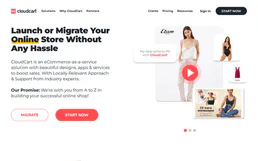
CloudCart
Manage e-commerce and store operations via CloudCart — track products, monitor orders, and manage customers directly from any AI agent.

Megaventory
Track inventory across multiple warehouses, manage purchase orders, and coordinate manufacturing with a cloud ERP for SMBs.

Best Buy
Search products, check store availability, read reviews, and explore categories via Best Buy — execute retail inquiries directly from any AI agent.
You might also like

ZenRows
Scrape HTML, bypass anti-bots, and extract structured data using ZenRows' advanced proxy and browser network.

Vimeo
Manage your Vimeo account — audit videos, folders, and showcases via AI.
Flystack
Manage cloud infrastructure — audit deployments, clusters, and metrics via AI.