
WMATA MCP Server for LlamaIndex 12 tools — connect in under 2 minutes
LlamaIndex specializes in data-aware AI agents that connect LLMs to structured and unstructured sources. Add WMATA as an MCP tool provider through Vinkius and your agents can query, analyze, and act on live data alongside your existing indexes.
ASK AI ABOUT THIS MCP SERVER
Vinkius supports streamable HTTP and SSE.
import asyncio
from llama_index.tools.mcp import BasicMCPClient, McpToolSpec
from llama_index.core.agent.workflow import FunctionAgent
from llama_index.llms.openai import OpenAI

async def main():
    # Your Vinkius token. get it at cloud.vinkius.com
    mcp_client = BasicMCPClient("https://edge.vinkius.com/[YOUR_TOKEN_HERE]/mcp")
    mcp_tool_spec = McpToolSpec(client=mcp_client)
    tools = await mcp_tool_spec.to_tool_list_async()

    agent = FunctionAgent(
        tools=tools,
        llm=OpenAI(model="gpt-4o"),
        system_prompt=(
            "You are an assistant with access to WMATA. "
            "You have 12 tools available."
        ),
    )

    response = await agent.run(
        "What tools are available in WMATA?"
    )
    print(response)

asyncio.run(main())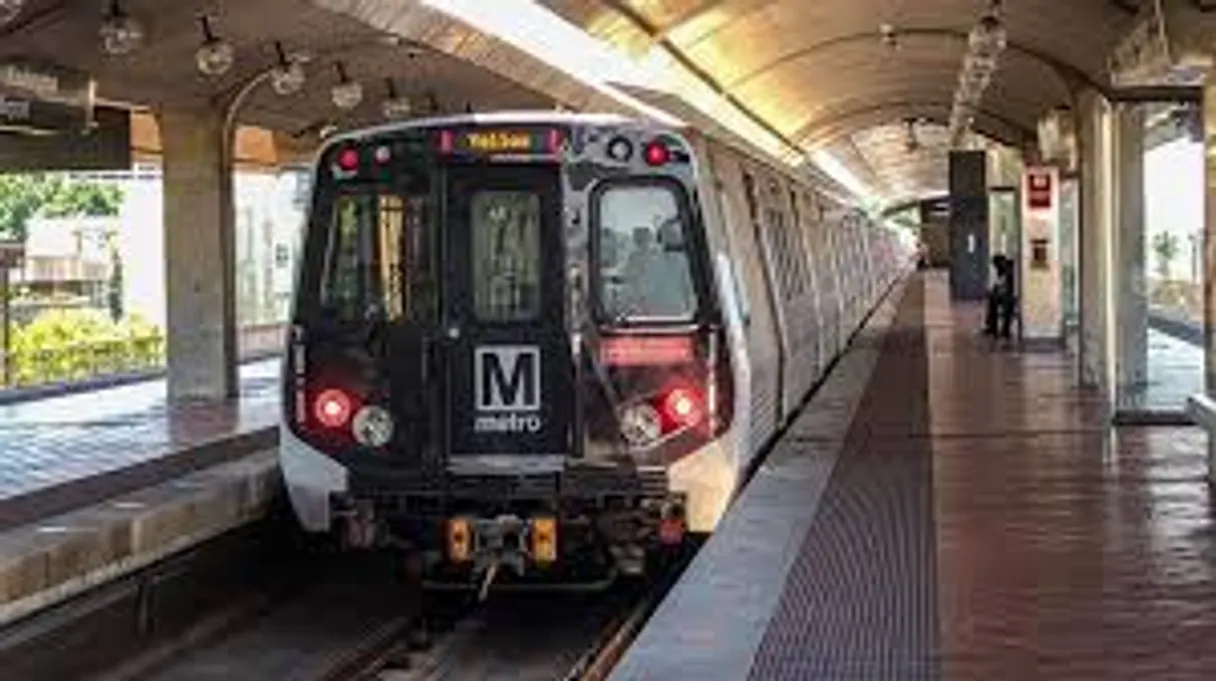
* Every MCP server runs on Vinkius-managed infrastructure inside AWS - a purpose-built runtime with per-request V8 isolates, Ed25519 signed audit chains, and sub-40ms cold starts optimized for native MCP execution. See our infrastructure
About WMATA MCP Server
Connect your WMATA API Washington DC public transit data platform to any AI agent and take full control of real-time Metrorail and Metrobus tracking, incident monitoring, and station information through natural conversation.
LlamaIndex agents combine WMATA tool responses with indexed documents for comprehensive, grounded answers. Connect 12 tools through Vinkius and query live data alongside vector stores and SQL databases in a single turn. ideal for hybrid search, data enrichment, and analytical workflows.
What you can do
- Next Rail Predictions — Get real-time next train predictions system-wide or at specific Metrorail stations
- Station Discovery — List all Metrorail stations with codes, addresses, coordinates, and line affiliations
- Station Predictions — Get detailed next train arrivals at any specific Metrorail station
- Metrobus Tracking — Track real-time GPS positions of all Metrobus vehicles or filter by route
- Bus Route Details — Get complete route information including stop sequences for any Metrobus route
- Rail Incidents — Monitor active service disruptions affecting Metrorail lines and stations
- Bus Incidents — Check current incidents and detours affecting Metrobus service
- Elevator Outages — Track elevator and escalator outages for accessibility planning
- Station Entrances — Get street-level entrance information for any Metrorail station
- Parking Lots — Find station parking availability, fees, and amenities for park-and-ride planning
- Bus Routes — Browse all Metrobus routes operating across DC, Maryland, and Virginia
- Bus Predictions — Get next bus arrival predictions at stations and stops
The WMATA MCP Server exposes 12 tools through the Vinkius. Connect it to LlamaIndex in under two minutes — no API keys to rotate, no infrastructure to provision, no vendor lock-in. Your configuration, your data, your control.
How to Connect WMATA to LlamaIndex via MCP
Follow these steps to integrate the WMATA MCP Server with LlamaIndex.
Install dependencies
Run pip install llama-index-tools-mcp llama-index-llms-openai
Replace the token
Replace [YOUR_TOKEN_HERE] with your Vinkius token
Run the agent
Save to agent.py and run: python agent.py
Explore tools
The agent discovers 12 tools from WMATA
Why Use LlamaIndex with the WMATA MCP Server
LlamaIndex provides unique advantages when paired with WMATA through the Model Context Protocol.
Data-first architecture: LlamaIndex agents combine WMATA tool responses with indexed documents for comprehensive, grounded answers
Query pipeline framework lets you chain WMATA tool calls with transformations, filters, and re-rankers in a typed pipeline
Multi-source reasoning: agents can query WMATA, a vector store, and a SQL database in a single turn and synthesize results
Observability integrations show exactly what WMATA tools were called, what data was returned, and how it influenced the final answer
WMATA + LlamaIndex Use Cases
Practical scenarios where LlamaIndex combined with the WMATA MCP Server delivers measurable value.
Hybrid search: combine WMATA real-time data with embedded document indexes for answers that are both current and comprehensive
Data enrichment: query WMATA to augment indexed data with live information before generating user-facing responses
Knowledge base agents: build agents that maintain and update knowledge bases by periodically querying WMATA for fresh data
Analytical workflows: chain WMATA queries with LlamaIndex's data connectors to build multi-source analytical reports
WMATA MCP Tools for LlamaIndex (12)
These 12 tools become available when you connect WMATA to LlamaIndex via MCP:
get_bus_incidents
Returns incident descriptions, affected route IDs, detour information, bus stop closures, incident types (accident, road closure, construction, mechanical), start timestamps, and alternative service recommendations. Essential for bus service disruption awareness, alternative route planning, and passenger communication. AI agents should use this when users ask "are there any bus delays", "is route 30N running normally", or need to check Metrobus service reliability. Get current incidents affecting Metrobus service
get_bus_positions
Returns bus vehicle IDs, route IDs, latitude/longitude coordinates, trip IDs, destination names, deviation from schedule in seconds, and direction. Can query all buses system-wide or filter by specific route ID. Essential for real-time bus tracking, passenger wait time estimation, and bus arrival prediction. AI agents should reference this when users ask "where is the X2 bus", "show all buses on route 30N", or need to track Metrobus vehicles in real-time. Route IDs are typically 2-5 character identifiers (e.g., "30N", "X2", "L2"). Use getBusRoutes first to find route IDs if unknown. Get real-time positions of Metrobus vehicles, optionally filtered by route
get_bus_route_details
Returns all stops served by the route in order, trip headsigns, and route path information. Essential for route planning, understanding bus service coverage, stop discovery, and passenger journey preparation. AI agents should use this when users ask "what stops does the 30N bus serve", "show me the route details for X2", or need complete route structure including stop sequences for trip planning. Get detailed information about a specific Metrobus route
get_bus_routes
Returns route IDs, route names, descriptions, and route types. Covers all WMATA-operated bus routes including limited-stop, local, and express services across DC, Maryland, and Virginia. Essential for route discovery, service area analysis, transit network understanding, and identifying route IDs for use in bus position and route detail queries. AI agents should reference this when users ask "list all bus routes", "what bus routes serve DC", or need to identify route IDs for subsequent Metrobus queries. List all Metrobus routes in the WMATA system
get_circuit_predictions
Returns bus route IDs, destination names, predicted arrival times in minutes, trip IDs, and vehicle IDs. Supports filtering by station code for station-specific predictions or system-wide queries. Essential for bus trip planning, real-time bus arrival awareness, and connection coordination between Metrorail and Metrobus. AI agents should use this when users ask "when is the next bus at Union Station", "show bus predictions for Foggy Bottom", or need real-time bus arrival predictions at a specific station or stop. Get next bus arrival predictions for Metrobus Circuit routes
get_elevator_incidents
Returns affected station codes and names, elevator/escalator identifiers, outage descriptions, estimated repair times, outage start timestamps, and accessibility impact information. Essential for accessibility planning, wheelchair route verification, senior and disability passenger support, and station accessibility awareness. AI agents should use this when users ask "are there any elevator outages at Gallery Place", "is the elevator working at Union Station", or need to verify station accessibility before planning journeys for passengers with mobility needs. Get current elevator and escalator outages at Metrorail stations
get_next_rail
Returns train destination names, lines (Red, Orange, Silver, Blue, Yellow, Green), predicted arrival times in minutes, car counts, group numbers, and train direction. Can query all trains system-wide or filter by specific station code. Essential for commuter trip planning, real-time arrival awareness, and station crowd management. AI agents should use this when users ask "when is the next train", "show upcoming trains at Gallery Place", or need real-time Metrorail arrival predictions. Station codes are 3-letter identifiers (e.g., "A01" for Metro Center, "B36" for Gallery Place). Use getRailStations first to find station codes if unknown. Get next train predictions across the entire Metrorail system or at a specific station
get_parking_lots
Can query all parking lots system-wide or filter by specific station code. Essential for park-and-ride trip planning, commuter parking availability, station selection for driving passengers, and transportation mode choice analysis. AI agents should use this when users ask "which stations have parking", "how many spaces are at Shady Grove", or need to plan park-and-ride journeys from suburban areas into DC. Get Metrorail station parking lot information
get_rail_incidents
Returns incident descriptions, affected station codes, line impacts, incident types (delay, power problem, medical, police activity, track maintenance), severity indicators, start timestamps, and estimated resolution times. Essential for service disruption awareness, alternative route planning, passenger communication, and understanding system reliability. AI agents should reference this when users ask "are there any delays on the Red Line", "is Metro running normally", or need to check service reliability before planning Metrorail journeys. Get current incidents affecting Metrorail service
get_rail_stations
Can filter by line code (RD=Red, OR=Orange, SV=Silver, BL=Blue, YL=Yellow, GR=Green) to show only stations on that line. Essential for station discovery, route planning, understanding line structure, and mapping the Metrorail network. AI agents should reference this when users ask "list all stations on the Red Line", "what is the station code for Foggy Bottom", or need to understand station sequences and line geography. Station codes are required for subsequent queries like next trains, predictions, entrances, and parking. List all Metrorail stations, optionally filtered by line
get_station_entrances
Returns entrance names, street addresses, latitude/longitude coordinates, entrance descriptions, and whether the entrance has escalator or elevator access. Essential for station navigation, first-time visitor guidance, street-level wayfinding, accessible entrance identification, and trip end planning. AI agents should reference this when users ask "where are the entrances to Metro Center", "find the closest entrance to Gallery Place", or need street-level navigation guidance for reaching a Metrorail station. Get entrance information for a specific Metrorail station
get_station_prediction
Returns trains with destination names, line colors, predicted arrival times, car counts, and train direction. More targeted than system-wide next rail queries. Essential for passenger waiting at a specific station, connection planning, and real-time arrival boards. AI agents should use this when users ask "when is the next train at Silver Spring", "show trains coming to Shady Grove", or need station-specific arrival predictions. Requires station code from getRailStations results. Get next train predictions at a specific Metrorail station
Example Prompts for WMATA in LlamaIndex
Ready-to-use prompts you can give your LlamaIndex agent to start working with WMATA immediately.
"Show me the next trains arriving at Gallery Place station."
"Are there any incidents affecting the Red Line right now?"
"Where is the closest entrance to Metro Center station from 12th Street?"
Troubleshooting WMATA MCP Server with LlamaIndex
Common issues when connecting WMATA to LlamaIndex through the Vinkius, and how to resolve them.
BasicMCPClient not found
pip install llama-index-tools-mcpWMATA + LlamaIndex FAQ
Common questions about integrating WMATA MCP Server with LlamaIndex.
How does LlamaIndex connect to MCP servers?
Can I combine MCP tools with vector stores?
Does LlamaIndex support async MCP calls?
Connect WMATA with your favorite client
Step-by-step setup guides for every MCP-compatible client and framework:
Anthropic's native desktop app for Claude with built-in MCP support.
AI-first code editor with integrated LLM-powered coding assistance.
GitHub Copilot in VS Code with Agent mode and MCP support.
Purpose-built IDE for agentic AI coding workflows.
Autonomous AI coding agent that runs inside VS Code.
Anthropic's agentic CLI for terminal-first development.
Python SDK for building production-grade OpenAI agent workflows.
Google's framework for building production AI agents.
Type-safe agent development for Python with first-class MCP support.
TypeScript toolkit for building AI-powered web applications.
TypeScript-native agent framework for modern web stacks.
Python framework for orchestrating collaborative AI agent crews.
Leading Python framework for composable LLM applications.
Data-aware AI agent framework for structured and unstructured sources.
Microsoft's framework for multi-agent collaborative conversations.
Connect WMATA to LlamaIndex
Get your token, paste the configuration, and start using 12 tools in under 2 minutes. No API key management needed.