
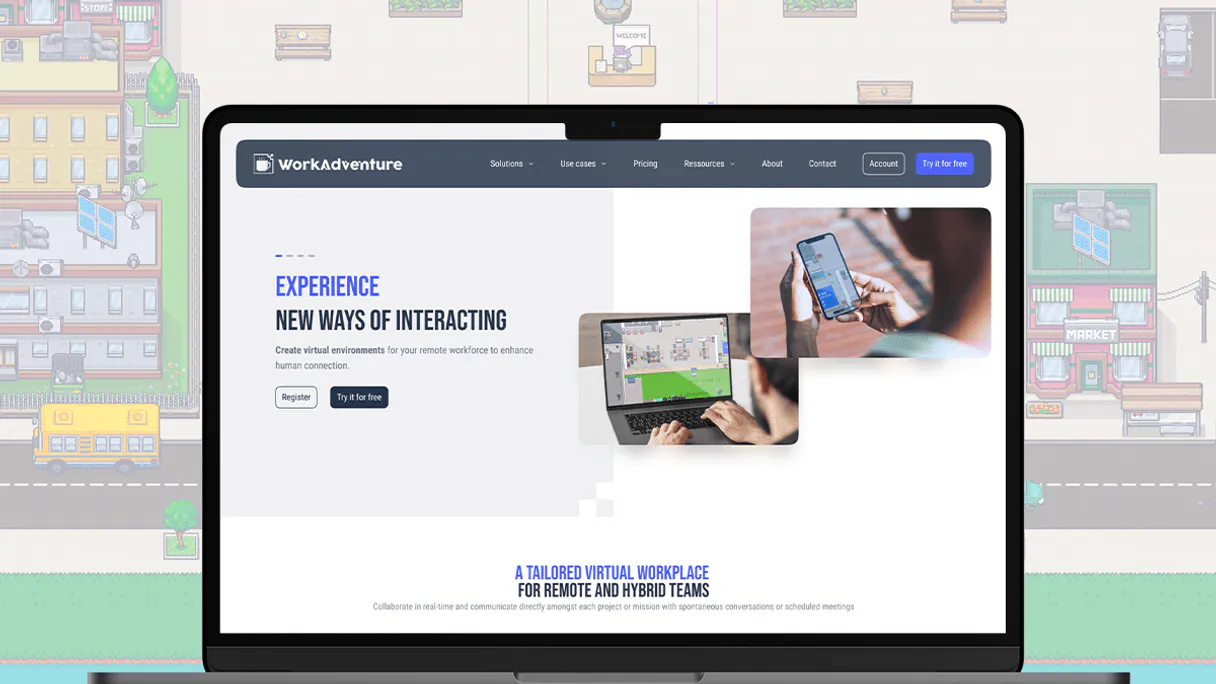
WorkAdventure MCP for AI. Manage team presence and virtual locations.
 Gemini
 Works with every AI agent you already use
…and any MCP-compatible client









How this MCP server connects to your AI agent
WorkAdventure lets you manage virtual office spaces and remote team presence. Use it to simulate digital offices where people can 'walk around,' bump into colleagues, and collaborate spontaneously without leaving their desks.
It simplifies managing everything from member access lists to dynamic room settings for large-scale events or permanent company hubs.
What AI agents can do with WorkAdventure Automation
Create member
Adds a new user account into the virtual world.
Delete member
Removes a specific member from the virtual world entirely.
Get map details
Retrieves detailed information about a specific map within the system.
Add new users to the virtual world or remove existing members instantly.
Get details about specific maps, rooms, and overall world configuration metadata.
List all active rooms and retrieve the current environmental variables for a specific space.
Ask an AI about this
Waiting for input…
What AI agents can do with WorkAdventure: 10 Tools for Space & Member Mgmt
Use this collection of tools to control every aspect of your digital space, from managing who belongs there to updating the mood in any room.
Make your AI actually useful.
Add this MCP to Claude, Cursor, or Windsurf and your AI stops guessing. It gets real tools to look things up, take action, and handle the stuff you keep doing by hand.
Start using WorkAdventure on VinkiusCreate Member
Adds a new user account into the virtual world.
Delete Member
Removes a specific member from the virtual world entirely.
Get Map Details
Retrieves detailed information about a specific map within the system.
Get Member Details
Fetches the current profile and status of an existing member.
Get Room Variables
Reads all customizable settings for a given room, like messages or themes.
Get World Info
Gathers overall status and configuration details about the entire virtual world.
List Maps
Provides a complete list of all available maps in the system.
List Members
Generates a directory showing every current member in the virtual world.
List Rooms
Lists all currently active rooms and their basic status.
Update Room Variable
Changes a specific, customizable setting within an active room.
Security and governance baked right in.
Pick your AI client below to get set up. Just create a Vinkius account, subscribe, and you're instantly up and running. We handle the entire backend infrastructure, delivering out-of-the-box support for HTTPS Streamable, SSE, and OAuth2—zero messy routing required.
Claude AI
Open Claude Settings
Go to claude.ai, click your profile icon, then navigate to Customize → Connectors.
Add Custom Connector
Click the "+" button and select Add custom connector. Paste your Vinkius endpoint URL:
https://edge.vinkius.com/[YOUR_TOKEN_HERE]/mcp
Replace [YOUR_TOKEN_HERE] with your token
from cloud.vinkius.com. For OAuth-protected servers, expand
Advanced settings to add credentials.
Start a conversation
Open a new chat. The WorkAdventure integration is available immediately — no restart needed.
Choose How to Get Started
Build a custom MCP for your own tools, or connect a ready-made integration from our catalog.
Build Your Own
Turn any API into an MCP. Import a spec, define Agent Skills, or deploy with MCPFusion.
- Import from OpenAPI, Swagger, or YAML specs
- Create Agent Skills with progressive disclosure
- Deploy to edge with MCPFusion framework
- Built in DLP, auth, and compliance on every call
- Real time usage dashboard and cost metering
- Publish to catalog or keep private
Make Your AI Do More
Start with WorkAdventure, then connect any of our 5,100+ other servers whenever your AI needs more. One click, no limits.
- Use this MCP plus 5,100+ others, all in one place
- Add new capabilities to your AI anytime you want
- Every connection is secured and compliant automatically
- Track usage and costs across all your servers
- Works with Claude, ChatGPT, Cursor, and more
- New servers added to the catalog every week
Independent Platform Disclaimer: Vinkius is an independent platform and is not affiliated with, endorsed by, sponsored by, verified by, or otherwise authorized by WorkAdventure. All third-party trademarks, logos, and brand names are the property of their respective owners. Their use on this website is strictly for informational purposes to identify service compatibility and interoperability.
VINKIUS INFRASTRUCTURE
Cloud Hosted
Managed infra
V8 Isolated
Sandboxed per request
Zero-Trust Proxy
No stored credentials
DLP Enforced
Policy on every call
GDPR Compliant
EU data residency
Token Compression
~60% cost reduction
Built on the Model Context Protocol (MCP) for Claude, ChatGPT, Cursor, and more
The Model Context Protocol standardizes how applications expose capabilities to LLMs. Instead of operating in isolation, your AI gains direct access to external platforms, live data, and real-world actions through secure, standardized connections.
This connection provides 10 powerful capabilities that interface natively with Claude, ChatGPT, Cursor, and other compatible AI platforms. No middleware. No custom integration required.
Managing virtual attendance used to be a mess of spreadsheets and manual updates., Solved with Vinkius AI Gateway
Right now, if you're running a big digital event or onboarding a new department, you spend hours toggling between member lists, map viewers, and room settings. You have to manually check who is logged in, update the lobby message when the keynote starts, and make sure every single map link works. It’s clicking through tabs until your eyes glaze over.
With this MCP, you tell your agent what needs to happen—'Set the main hall status to intermission.' The system handles checking which rooms are active, updating the variables using `update_room_variable`, and making sure every user sees the change instantly. You just talk to it.
Getting a real-time directory with list_members
Previously, finding out who was present meant exporting a raw data dump and cross-referencing names against multiple source systems. It's slow, error-prone, and always behind the current minute.
Now you can just ask your agent to run `list_members`. You get an immediate, authoritative directory of everyone currently in the world. That’s all you need.
What your AI can actually do with this
You need a way to run an office that never has physical walls—a virtual space your remote team can actually interact with. This MCP connects your virtual world to any AI agent, letting you handle the logistics of digital presence through natural conversation. Need to know who was in the conference room at 2 pm? You can query current occupancy and track where people are.
Want to change the vibe in the main lobby for a special presentation? Update environmental variables on the fly. Because this MCP handles membership control, map details, and real-time room settings, you don't have to juggle five different dashboards just to run an event or manage your digital headquarters. If you need to combine presence data with other systems—say, linking who attended a virtual meeting to their CRM record—you can chain this WorkAdventure MCP with others right through Vinkius.
This means that even if your agent is calling a billing service and then updating the room variables for an event, all those actions happen together, secured by the zero-trust proxy on Vinkius.
019dd189-ebc2-715f-b1fb-6cc94505550f 
Here's how it actually works
The bottom line is you talk to your agent like talking to an admin—it handles the API calls and updates the virtual space for you.
Subscribe to this MCP and enter your WorkAdventure Admin API Key.
Connect your preferred AI client (like Claude or Cursor) to Vinkius.
Ask your agent to perform actions, such as listing active rooms or updating a specific room variable.
Who is this actually for?
It's for anyone managing large-scale remote operations or complex live events. Think event coordinators, dedicated ops engineers, or development teams building proof-of-concept digital spaces.
Manages team access and updates office settings (like setting a 'Welcome' message) across the entire virtual campus.
Automates attendee registration and changes room interactivity during live, multi-day virtual conferences.
Tests the system by querying map metadata and updating room variables to ensure infrastructure stability before launch.
What Changes When You Connect
Control access to your digital spaces instantly. Use create_member or delete_member to manage who can enter the world.
Get a full picture of your environment with get_world_info. This gives you metadata on everything, from maps to global settings.
Keep room interactivity live and dynamic by calling update_room_variable. Change the welcome message or theme in real time for an event.
Know who's where. You can use list_members to get a directory of every attendee registered in your virtual space.
Test your setup thoroughly. Query map metadata using get_map_details before you ever go live with the system.
Build complex automations by chaining this MCP with others, linking who attended an event (via list_members) directly to a CRM record.
See it in action
The Conference Lobby Needs Updating
A major speaker is starting in the main lobby. Instead of physically sending an announcement, ask your agent to call update_room_variable for the 'lobby' room, setting the variable 'event_status' to 'LIVE NOW'. The change instantly notifies everyone inside the virtual space.
Auditing Old Attendees
The legal team needs a list of everyone who logged in during Q3. Use list_members first, and then run get_member_details for each one to gather necessary historical presence data.
Onboarding New Team Members
A new hire starts remotely. Your agent runs the command to create_member, giving them immediate virtual access and a proper profile, completing their setup in seconds.
Checking World Integrity
Before running the global event, you run list_maps and then get_world_info. This ensures all the necessary maps are active and that no critical environment variables were accidentally deleted or changed.
The honest tradeoffs
Assuming a room exists
Telling your agent, 'Update the variable in the main conference hall.' The system fails because it doesn't know if that room is even active or what its ID is.
First, call list_rooms to get all IDs. Then, use the specific room name found in the list when calling update_room_variable. Always confirm existence first.
Confusing world data with member data
Trying to find out if a person is active by querying map details. The two things are separate: maps describe space, not people.
Use list_members or get_member_details for all personnel status checks. Use get_map_details when you need to know about the physical environment itself.
Overlooking dependencies
Trying to update a room variable without first checking if that room is even listed as active.
Always run list_rooms before attempting any modification. This confirms the target room name and prevents API failures.
When It Fits, When It Doesn't
Use this MCP if your core problem revolves around physical presence, location data, or environmental state in a virtual space. Think: 'Who was here?' or 'What was the mood like when they were here?'. You need it for managing team access and dynamic event settings.
Don't use it if you just need simple calendar management (use an email/calendar MCP) or if your data is purely transactional (like billing records—use a financial MCP). If all you need to do is send a basic notification, don't bother running list_members; just send the message directly. This tool is about location and state, not simple communication.
Questions you might have
How do I know what rooms are active using list_rooms? +
Calling list_rooms provides a simple inventory of every room that is currently running in the world. It's your starting point for checking status.
Can I update variables without knowing the map name? (update_room_variable) +
No, you need to know both the room ID and the variable key beforehand. The system requires specific details to make sure it's updating the right place.
What is the difference between list_members and get_member_details? +
Use list_members when you want a quick roster of everyone in the world. Use get_member_details if you need deep info—like their profile or current status—on one specific person.
Is get_world_info comprehensive enough for development? +
Yes, get_world_info pulls together the overall system configuration and metadata. It's a good check to ensure your environment is set up correctly before deployment.
When I use `get_world_info`, what specific permissions does my Admin API Key need to access all available data? +
The key must have read access across the entire virtual environment. This ensures your agent can pull comprehensive metadata, room variables, and member lists without hitting permission walls.
If I use `list_maps` and find a map ID, how do I get its full set of details using `get_map_details`? +
You pass the specific Map ID to the tool. This call returns detailed configuration data, including unique URL endpoints and any embedded metadata for that exact map.
What happens if I try to run `create_member` with a member name that already exists in the world? +
The system will return an error code indicating a duplicate entry. This means you'll need to use a different user identifier or update the existing record instead.
Does `get_room_variables` show every possible variable, or just those currently set in the room? +
It only shows variables that are active and configured for the specified room. You must use a separate tool call to check the environmental limits of the space.
Can I change a sign's text in a room using the AI? +
Yes! If the sign is controlled by a room variable, you can use the update_room_variable tool to change its value and update the text in real-time.
How do I see who is currently in my virtual world? +
You can use the list_members query to get a directory of all registered members, and list_rooms to see active instances and potentially occupancy data.
Is it possible to grant specific access tags to a new member? +
Absolutely. When using the create_member tool, you can provide a comma-separated list of tags to define their permissions and visibility in the world.
We've already built the connector for WorkAdventure. Just plug in your AI agents and start using Vinkius.
No hosting. No infrastructure. No complex setup.
All 10 tools are live and waiting.
You're up and running in seconds.
Gemini Vinkius gives your AI agents access to the full catalog of app connectors, all fully managed, secure, and enterprise-ready. One subscription, every tool you need.
Built, hosted, and secured by Vinkius. You just connect and go.