
Zenedu MCP. Query Your Entire Bot Ecosystem From Chat.
 Gemini
 Works with every AI agent you already use
…and any MCP-compatible client









Just plug in your AI agents and start using Vinkius.
Zenedu connects your AI client directly to your messenger marketing platform's data layer. This MCP Server lets your agent read, query, and display all operational details for bots, funnels, products, and subscribers without ever leaving your chat window.
You can list every bot with `list_bots`, monitor active funnels via `list_bot_funnels`, check recent sales using `list_bot_orders`, or pull subscriber lists with `list_bot_subscribers`.
It centralizes marketing data access for automated workflows.
What your AI agents can do
List bot funnels
Lists all active marketing funnels linked to a specific messenger bot.
List bot offers
Retrieves all current promotional offers configured for a given messaging bot.
List bot orders
Lists recent customer purchase orders and their transaction statuses for a specific bot.
The agent runs list_bots to retrieve the names and metadata for every messenger bot you manage.
Using list_bot_funnels, the agent pulls a list of active sales funnels associated with a given bot ID.
The agent executes list_bot_orders to retrieve transaction details and statuses for specific bots.
It calls list_bot_products to list every product associated with a given marketing bot.
The agent runs list_bot_subscribers to pull the current member roster and engagement data for any specified bot.
Ask AI about this MCP
Supported MCP Clients
Gemini Waiting for input…
Zenedu MCP Server: 6 Tools for Bot Management
Use these six tools—from listing bots to checking recent orders—to gather comprehensive marketing data in a single query.
019d7627list bot funnels
Lists all active marketing funnels linked to a specific messenger bot.
019d7627list bot offers
Retrieves all current promotional offers configured for a given messaging bot.
019d7627list bot orders
Lists recent customer purchase orders and their transaction statuses for a specific bot.
019d7627list bot products
Retrieves the full catalog of products associated with a given messenger bot.
019d7627list bot subscribers
Lists all current subscribers and their engagement details for a specific messaging bot.
019d7627list bots
Retrieves a directory of every active messenger bot within your Zenedu account.
Choose How to Get Started
Build a custom MCP for your own tools, or connect a ready-made integration from our catalog.
Build Your Own
Turn any API into an MCP. Import a spec, define Agent Skills, or deploy with MCPFusion.
- Import from OpenAPI, Swagger, or YAML specs
- Create Agent Skills with progressive disclosure
- Deploy to edge with MCPFusion framework
- Built in DLP, auth, and compliance on every call
- Real time usage dashboard and cost metering
- Publish to catalog or keep private
Make Your AI Do More
Start with Zenedu, then connect any of our 4,700+ other servers whenever your AI needs more. One click, no limits.
- Use this MCP plus 4,700+ others, all in one place
- Add new capabilities to your AI anytime you want
- Every connection is secured and compliant automatically
- Track usage and costs across all your servers
- Works with Claude, ChatGPT, Cursor, and more
- New servers added to the catalog every week
What you can do with this MCP connector
Look, this server connects your AI client straight into Zenedu's data layer. You don't gotta bounce out of the chat window to check on anything—your agent can read, query, and display every single detail about your bots, funnels, products, and subscribers right where you are.
When you use this MCP Server, your AI client operates like a dedicated analyst that knows exactly how your marketing machine runs. It gives you direct access to the raw data, meaning you can run complex checks with simple natural language prompts.
Checking Your Bot Infrastructure
You start by getting a full directory of everything you manage. The agent runs list_bots, pulling back the names and metadata for every single messenger bot in your Zenedu account. That gives you an immediate overview of what's active. Once you know which bots you got, you can deep-dive into their operations.
For any specific bot ID, the agent pulls a comprehensive list of all its current marketing funnels using list_bot_funnels. You’ll see exactly which sales paths are live and running for that particular bot. If you need to know what incentives are driving those funnels, it'll pull every active promotional offer configured for that bot when you call list_bot_offers.
Reviewing Inventory and Sales
Want to see what customers are buying? The agent executes list_bot_orders, returning a list of recent customer purchases, showing the transaction details and current status for that specific bot. It's how you check sales at a glance.
If you need to know what merchandise or services your bots sell, calling list_bot_products retrieves the full catalog associated with any given messaging bot. This keeps your product inventory accessible right in the conversation flow.
Managing Your Audience Data
When it comes to people—your subscribers—the agent runs list_bot_subscribers. You'll get a complete roster of every current member, along with their engagement details. This lets you track who's paying attention and who needs a nudge.
This whole setup centralizes your marketing data access so your automated workflows don't hit a dead end. Your agent handles the messy work of querying multiple systems and gives you clean, structured data output every time.
How Zenedu MCP Works
- 1 Subscribe to the Zenedu MCP Server using your Vinkius Marketplace client.
- 2 Enter your valid Zenedu API Token in the server settings.
- 3 Prompt your AI agent with a natural language query (e.g., "List all bot funnels and recent orders").
The bottom line is: you get a single, structured response from the chat containing data pulled from multiple specialized Zenedu endpoints.
Who Is Zenedu MCP For?
This server is for digital marketers and e-commerce ops engineers who hate bouncing between dashboards. If your job involves knowing 'how many people are subscribed' and 'what orders were placed yesterday'—you need this. It centralizes the data access, stopping you from having to copy-paste reports across three different tabs.
Checks list_bot_orders and list_bot_products daily to confirm transaction volume and inventory alignment with current marketing campaigns.
Uses list_bots and list_bot_funnels to verify that new campaign flows are correctly set up before launch, without logging into the main Zenedu dashboard.
Queries list_bot_subscribers to pull detailed user rosters and engagement metrics for targeted campaigns or support follow-ups.
What Changes When You Connect
- Check sales instantly. Instead of navigating to a separate dashboard, use
list_bot_ordersto pull recent revenue data directly into your chat session. You see the transaction details right away. - Verify marketing setup fast. When you run
list_bots, you get an immediate overview of every bot instance. This is faster than clicking through multiple settings pages just to confirm a name or status. - Understand audience health. Use
list_bot_subscribersto quickly pull the size and engagement metrics for your user base, letting you know exactly who needs nurturing right now. - Map out campaign flows easily. Running
list_bot_funnelsshows all active automation paths linked to a bot—you can see if that new product offer is even connected yet. - Manage inventory visibility. The
list_bot_productstool lets you check the entire catalog of items tied to your marketing bots, confirming pricing and availability in one query.
Real-World Use Cases
The Monday Morning Performance Check
A marketer needs a quick performance snapshot. They prompt their agent: "What's the status of my main bot?" The agent uses list_bots first, then checks list_bot_funnels to ensure all flows are active. Finally, it runs list_bot_orders to pull last night's sales count—all in one conversation.
Validating a New Product Launch
An e-commerce owner is prepping a new campaign. They ask the agent to cross-reference: "Show me all products and offers for the Support Bot." The agent runs list_bot_products alongside list_bot_offers, confirming that the correct SKUs are linked before any code deployment.
Auditing Subscriber Growth
A team member needs to know who is engaging with which bot. They use list_bot_subscribers for a specific ID, getting names and engagement data. This helps them segment the list before running targeted promotions via messaging.
Debugging Bot Connections
A developer suspects a bot isn't running its flow correctly. They ask to see all funnels for that specific bot ID (list_bot_funnels) and compare the output against the expected process map, immediately identifying broken or outdated automation paths.
The Tradeoffs
Trying to 'update' data
Typing: "Hey agent, please update the price for Product X and list the new orders."
→
This server is read-only. It can only pull information. To get current product details, use list_bot_products. Then, separately query recent sales with list_bot_orders.
Ignoring bot context
Asking: "What are the funnels?" without specifying which bot. The agent fails because it needs a target ID to run list_bot_funnels.
→
Always start by identifying the scope. First, call list_bots to get all IDs. Then, specify in your prompt: "List the funnels for Bot ID [specific bot name]."
Assuming a single data source
Expecting one tool to return both subscriber names and order history. This won't work.
→
You need multiple calls. Run list_bot_subscribers for the list of contacts, and then run list_bot_orders using the bot ID that handles those transactions.
When It Fits, When It Doesn't
Use this MCP server if your core problem is data visibility: you need to read status reports (funnels, orders, subs) across multiple connected marketing tools without leaving a chat interface. You should use it when you need to answer questions like, 'Who has bought X product and which bot handled that?'
Don't use this if your goal is data modification. This server only provides read-only access. If you need to create records (e.g., write a new subscriber or change an offer price), you need a different, dedicated writing API endpoint.
It’s perfect for combining tools: run list_bots to find the ID, then use that ID in list_bot_funnels and list_bot_orders within the same prompt. It's your single source of truth for bot data.
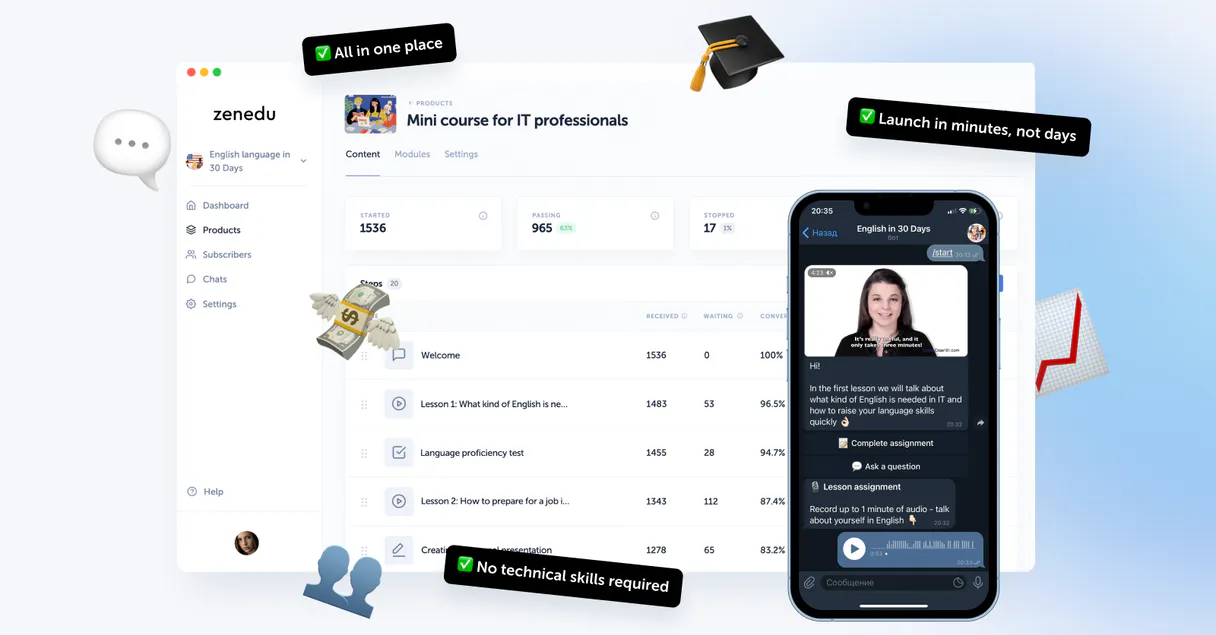
Independent Platform Disclaimer: Vinkius is an independent platform and is not affiliated with, endorsed by, sponsored by, verified by, or otherwise authorized by Zenedu. All third-party trademarks, logos, and brand names are the property of their respective owners. Their use on this website is strictly for informational purposes to identify service compatibility and interoperability.
VINKIUS INFRASTRUCTURE
Cloud Hosted
Managed infra
V8 Isolated
Sandboxed per request
Zero-Trust Proxy
No stored credentials
DLP Enforced
Policy on every call
GDPR Compliant
EU data residency
Token Compression
~60% cost reduction
Works with Claude, ChatGPT, Cursor, and more
The Model Context Protocol standardizes how applications expose capabilities to LLMs. Instead of operating in isolation, your AI gains direct access to external platforms, live data, and real-world actions through secure, standardized connections.
This server provides 6 capabilities that interface natively with Claude, ChatGPT, Cursor, and any MCP client. No middleware. No custom integration required.
Available Capabilities
Juggling dashboards just to answer one question shouldn't take ten clicks.
Today, checking a simple metric—like 'how many people bought X product last week?'—means logging into the Zenedu dashboard, switching tabs to Analytics, filtering by date range, and then maybe cross-referencing a spreadsheet of subscriber IDs. It's slow, tedious, and you lose context.
With this MCP server, you just ask your agent: "What were my top 5 orders last week?" The agent executes `list_bot_orders` and presents the clean data right there in the chat. You get the answer instantly without touching a dashboard.
Zenedu MCP Server lets you query all bot data with list_bots.
Before this, if you wanted to know what bots were active, you had to manually check the settings page for every single channel. If a team member set up a new test bot, it often went unnoticed until performance dipped.
Now, just ask your agent to run `list_bots`. You get an immediate, accurate directory of everything running under Zenedu. It’s simple data access that saves hours of manual oversight.
Common Questions About Zenedu MCP
How do I list all the bots with the Zenedu MCP Server? +
You run list_bots. This tool returns a directory listing of every messenger bot active in your account. It's the first step if you don't know which ID to target next.
Does list_bot_orders show me raw sales data? +
Yes, it provides recent transaction details and statuses. The output from list_bot_orders lets you see exactly what was purchased and the current state of that order.
What if I want to check funnels for multiple bots? +
The best practice is to first use list_bots to gather all bot IDs. Then, prompt your agent sequentially or in a list format: 'Check funnels for Bot A and Bot B.' The agent handles the necessary calls.
Can I get subscriber lists using list_bot_subscribers? +
Yes, list_bot_subscribers pulls the current roster. This is what you use when you need to segment your audience or check engagement for a specific campaign run.
If I run `list_bots` but my Zenedu API token has expired, what error do I receive? +
You'll get an authentication failure code immediately. Your agent stops the call and returns a clear status message indicating invalid credentials. You simply need to update your Vinkius settings with a fresh, active Zenedu API key.
When using `list_bot_products`, how do I filter results for only specific product categories? +
The tool supports category ID filtering. You pass the desired category IDs as parameters to narrow down the output list significantly. This is useful when your bot manages many distinct types of goods.
If I call `list_bot_funnels` multiple times in a row, are there any rate limits? +
Yes, Zenedu enforces standard API rate limits. For reliable performance, we recommend your agent implements small delays or uses batch processing for checking numerous funnels sequentially.
What metadata does `list_bot_offers` provide regarding an offer's status and expiration? +
The output includes specific fields detailing the offer's active start date and its official expiration date. This lets your agent automatically detect and flag promotions that are about to lapse.
How do I find my Bot ID? +
Use the list_bots tool to see a comprehensive list of all bots in your account along with their unique IDs.
Can I see recent orders for a specific bot? +
Yes, the list_bot_orders tool retrieves recent customer transactions and their current status for a target bot.
Is it possible to list subscribers via the agent? +
Absolutely. Use the list_bot_subscribers tool with a bot ID to see the users who have interacted with your messenger bot.
Use it with your favorite AI tools
Connect this server to Cursor, Claude, VS Code, and more.
More in this category

DingTalk
Alibaba's B2B office platform — manage users, departments, send notifications, track attendance, and automate approval workflows.
Close
Close more deals with a CRM that puts calling, emailing, and pipeline management in one fast interface built for inside sales.

SMS Mobile API
Send SMS and WhatsApp messages directly from your Android devices with AI agents.
You might also like

Haystack (deepset Cloud)
Build and manage AI-powered search and RAG pipelines via deepset Cloud — search documents, run pipelines, and manage workspaces.
Kingdee / 金蝶
Comprehensive enterprise ERP platform — manage materials, customers, and business flows via AI.

NVIDIA AI
Access LLMs, embeddings, code generation, and reasoning via NVIDIA API Catalog.