
ZIP Codes API MCP. Audit locations and calculate distances by asking questions.
 Gemini
 Works with every AI agent you already use
…and any MCP-compatible client









Just plug in your AI agents and start using Vinkius.
ZIP Codes API manages location data for the US and Canada, allowing your agent to audit boundaries, calculate precise distances, and locate regional clusters using natural language queries.
You can find ZIP codes by state, county, city, or within a specific mile radius of any starting point.
What your AI agents can do
Find zips by city
Finds all ZIP codes linked to a specified city and state combination.
Find zips by county
Gathers every ZIP code associated with a given county name.
Find zips by state
Lists all 5-digit ZIP codes within an entire state or province.
Retrieves all associated 5-digit ZIP codes based on a specified US or Canadian state code.
Gathers every ZIP code linked to a specific governmental county boundary.
Lists all ZIP codes associated with a defined city and state combination.
Calculates and returns every ZIP code that falls within a specified mile distance of a starting point.
Pulls geographic data, including city, state, county, latitude, and longitude, for a single ZIP code.
Determines the precise driving or straight-line mileage between any pair of provided ZIP codes.
Ask AI about this MCP
Supported MCP Clients
Gemini Waiting for input…
ZIP Codes API: 6 Tools for Geographic Data Lookup
These tools let you programmatically query US and Canadian location data. Use them together to perform structured lookups, audit boundaries, or calculate precise distances.
019d84a3find zips by city
Finds all ZIP codes linked to a specified city and state combination.
019d84a3find zips by county
Gathers every ZIP code associated with a given county name.
019d84a3find zips by state
Lists all 5-digit ZIP codes within an entire state or province.
019d84a3find zips in radius
Identifies and lists all ZIP codes that fall within a specific mile radius of a starting ZIP code.
019d84a3get zip details
Retrieves detailed geographic and demographic information for one exact ZIP code.
019d84a3get zip distance
Calculates the distance between two specified ZIP codes.
Choose How to Get Started
Build a custom MCP for your own tools, or connect a ready-made integration from our catalog.
Build Your Own
Turn any API into an MCP. Import a spec, define Agent Skills, or deploy with MCPFusion.
- Import from OpenAPI, Swagger, or YAML specs
- Create Agent Skills with progressive disclosure
- Deploy to edge with MCPFusion framework
- Built in DLP, auth, and compliance on every call
- Real time usage dashboard and cost metering
- Publish to catalog or keep private
Make Your AI Do More
Start with ZIP Codes API, then connect any of our 4,700+ other servers whenever your AI needs more. One click, no limits.
- Use this MCP plus 4,700+ others, all in one place
- Add new capabilities to your AI anytime you want
- Every connection is secured and compliant automatically
- Track usage and costs across all your servers
- Works with Claude, ChatGPT, Cursor, and more
- New servers added to the catalog every week
What you can do with this MCP connector
ZIP Codes API connects your AI client straight to authoritative location data covering the whole US and Canada. This isn't just a lookup sheet; it lets your agent run serious geographic queries—think market analysis or complex logistics planning—without you having to manually cross-reference maps or call anyone. It gives you the raw data, period.
Finding Locations by Jurisdiction:
You can pinpoint areas using several reliable methods. If you know a state or province, your agent uses find_zips_by_state to list every single 5-digit ZIP code in that entire area. Need to narrow it down further? You've got the option to pull all codes based on a governmental county boundary by calling find_zips_by_county.
Better yet, if you know both the city and state, your agent can use find_zips_by_city to grab only the ZIPs tied to that specific combination. These tools let you filter down huge areas quickly.
Targeting by Proximity or Detail:
Want to find everything within a certain area? You tell it a starting ZIP code and a mile radius, and find_zips_in_radius returns every single ZIP that falls inside that circle. For deep dives on a single location, you can get the full picture for one exact ZIP with get_zip_details. This tool pulls all the metadata: city, state, county, latitude, and longitude—all in one go.
Need to know how far apart two spots are? You just pass two different ZIPs to get_zip_distance, and it calculates the precise straight-line or driving mileage between them.
How Your Agent Uses This Data:
Your agent doesn't just run a single query; it chains these tools together based on your request. Say you ask, "Show me all delivery zones within 10 miles of 90210 that are in Los Angeles County." The agent won't guess—it knows it has to first use find_zips_in_radius with the starting point and the distance limit.
Then, it takes those results and filters them using data from a call to find_zips_by_county. It synthesizes all that geographic junk into one clean answer for you.
You talk to your agent naturally; it handles the whole geography stack. You can combine multiple calls—like getting an initial list of ZIPs by state, then passing those results through a radius check, and finally fetching detailed metadata on the top five results—all in one go. It's about making verifiable decisions with hard data.
Advanced Use Cases:
If you need to compare two separate areas for logistics planning, your agent can use get_zip_distance repeatedly across many pairs of ZIP codes and compile a full matrix of distances. This saves hours compared to checking mileage on a map yourself. You're not limited by what one tool does; the combination is where the power is.
You can pull all location data in layers: first, you define the boundaries using find_zips_by_state, then refine those results by county using find_zips_by_county, and finally narrow that down to a specific city group via find_zips_by_city. This layered approach lets you audit boundaries with extreme precision. If your initial query is too broad, say for an entire state, you can immediately limit the scope by calculating distances from a key metropolitan area using find_zips_in_radius to get actionable results fast.
If you need verification that a ZIP code actually exists and what its full demographic profile is—including latitude and longitude—you rely on get_zip_details. This single function serves as the ultimate data check for any specific 5-digit code.
The system supports complex, multi-step reasoning: You could ask your agent to identify all ZIP codes in a state that are also within five miles of another specific ZIP code, and then give you the detailed county information for each one. The API handles this entire chain: find_zips_by_state -> (Filter/Pass) -> find_zips_in_radius -> (Result Set) -> get_zip_details / find_zips_by_county.
It's rock solid. You feed it the request, and it spits out usable geographic metrics for US and Canadian locations every time.
How ZIP Codes API MCP Works
- 1 Start by giving your agent a high-level query, like 'I need to audit delivery areas around 90210'.
- 2 The agent selects the necessary tools (e.g.,
find_zips_in_radius) and executes them, passing parameters like the radius and starting ZIP. - 3 Your AI client receives the structured results—a list of related ZIP codes and their metadata—and presents it to you in plain text.
The bottom line is that your agent handles the multi-step geographic research process; you just ask a question about locations.
Who Is ZIP Codes API MCP For?
Anyone dealing with location data needs this. Think logistics managers who are tired of cross-referencing spreadsheets to map out delivery zones, or market researchers stuck in manual database lookups. If your job involves knowing where things are and how far apart they are, you need this.
Uses get_zip_distance to plan optimal delivery routes and runs find_zips_by_radius to verify coverage gaps in new zones.
Runs find_zips_by_state or find_zips_by_county to audit demographic distribution across large areas before launching a campaign.
Uses the agent to rapidly verify lead locations, running checks like get_zip_details on specific addresses found in a CRM.
What Changes When You Connect
- You get instant distance metrics. Instead of calculating miles manually, the agent runs
get_zip_distanceto tell you the exact separation between any two ZIP codes. This is critical for logistics planning. - Regional auditing becomes simple. Use
find_zips_by_countyorfind_zips_by_stateto quickly pull thousands of associated ZIP codes, giving you a full view of boundaries without touching spreadsheets. - Pinpoint micro-clusters using radius searches. The
find_zips_in_radiustool lets you define a 10-mile circle around a point and instantly get every related ZIP code—ideal for sales territory mapping. - All metadata is verified on demand. When you call
get_zip_details, the agent retrieves city, state, county, latitude, and longitude simultaneously, keeping your data clean and precise. - Complex queries resolve naturally. You don't need to run three separate tools; you just ask, "What are the ZIP codes in this county near X?" and the agent chains
find_zips_by_countyandfind_zips_in_radiusfor you.
Real-World Use Cases
Vetting a new sales territory
A sales rep needs to know how many potential clients exist in a county that spans two states. The agent first runs find_zips_by_county to capture all codes, then uses get_zip_details on the resulting list to filter for specific state flags. This process confirms coverage and density instantly.
Checking delivery feasibility
An e-commerce company needs to know if their current hub can service a new neighborhood. They ask the agent to run find_zips_in_radius from their warehouse ZIP code, immediately identifying all accessible codes and checking which ones are outside the desired coverage area.
Competitive analysis of location density
A market researcher needs to compare product presence between two cities. They use find_zips_by_city for both locations, then feed the lists into a comparison tool that uses get_zip_distance to quantify how far apart the clusters are.
Cross-referencing old address data
You have a list of ZIP codes from an old source and need to verify their current status. You use get_zip_details on each code one by one, confirming the current county and state information before trusting the data for a new campaign.
The Tradeoffs
Treating location data as simple text.
Just searching Google Maps with 'ZIP codes near 10001' and accepting whatever map pop-up shows you, which may lack county or state specifics.
→
Don't rely on visual searches. Use the agent to run find_zips_in_radius from a starting ZIP. This forces the retrieval of structured data that includes verified metadata for every returned code.
Assuming all locations are contained.
Trying to find all related codes just by knowing two cities, but failing because you don't know the encompassing county or state boundaries.
→
Start broad. Run find_zips_by_state first. Then narrow down using find_zips_by_county. This structured approach ensures you capture all potential codes in that region.
Mixing up distance and containment.
Thinking that because two ZIP codes are close on a map, they are related or share the same county. They might be 1 mile apart but belong to different administrative regions.
→
Always cross-reference proximity with boundaries. Use find_zips_in_radius for closeness, and then use get_zip_details on the results to verify if they share a specific county.
When It Fits, When It Doesn't
Use this API if your core problem is defined by location boundaries (state/county) or precise mileage. You need to know how far two points are, or you need to restrict a search to an administrative area like a county.
Don't use it if you just need general information about a city—though find_zips_by_city helps. More importantly, don't use this if your problem is purely conceptual (e.g., 'Is the market growing?'). For that, you need financial or demographic APIs.
If you have coordinates but no ZIP code, you might need a different service to reverse-geocode first. If your query requires analyzing data streams over time, an event logging tool is better. This server excels at static, verified geographic lookups using structured inputs.
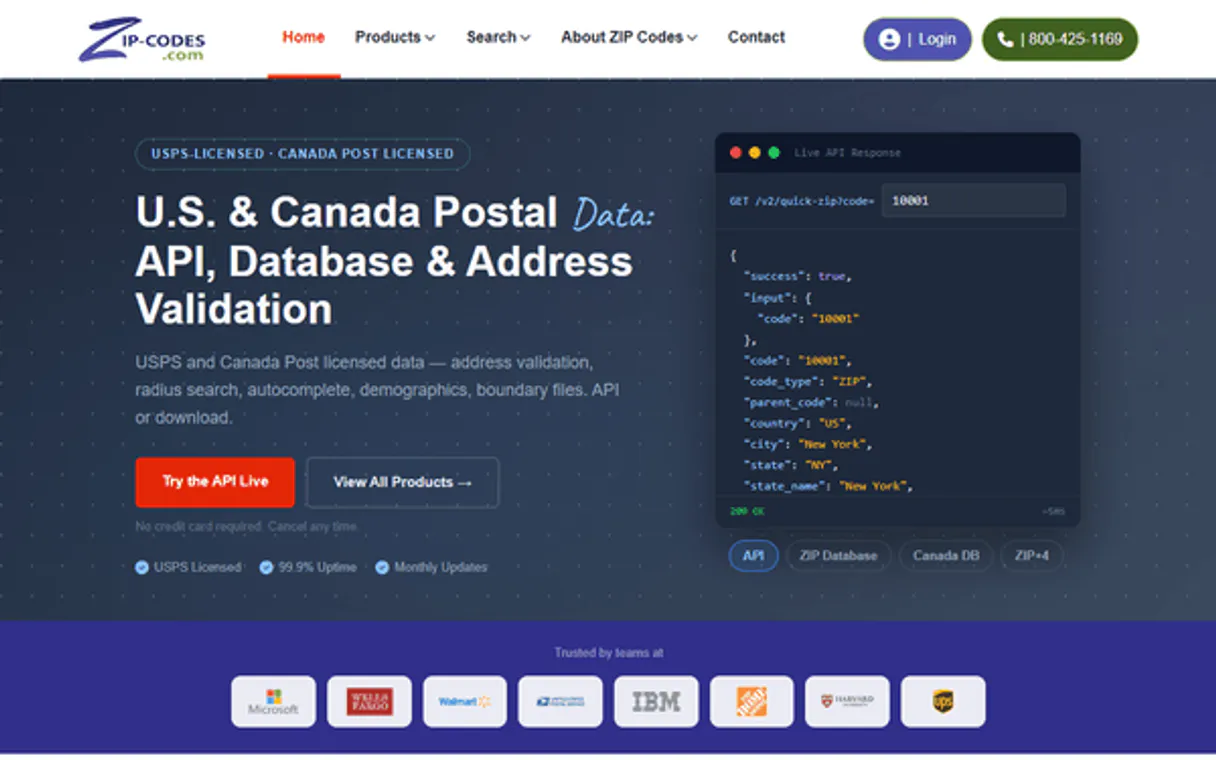
Independent Platform Disclaimer: Vinkius is an independent platform and is not affiliated with, endorsed by, sponsored by, verified by, or otherwise authorized by ZIP Codes API. All third-party trademarks, logos, and brand names are the property of their respective owners. Their use on this website is strictly for informational purposes to identify service compatibility and interoperability.
VINKIUS INFRASTRUCTURE
Cloud Hosted
Managed infra
V8 Isolated
Sandboxed per request
Zero-Trust Proxy
No stored credentials
DLP Enforced
Policy on every call
GDPR Compliant
EU data residency
Token Compression
~60% cost reduction
Works with Claude, ChatGPT, Cursor, and more
The Model Context Protocol standardizes how applications expose capabilities to LLMs. Instead of operating in isolation, your AI gains direct access to external platforms, live data, and real-world actions through secure, standardized connections.
This server provides 6 capabilities that interface natively with Claude, ChatGPT, Cursor, and any MCP client. No middleware. No custom integration required.
Available Capabilities
Auditing location boundaries shouldn't require cross-referencing three separate government websites.
Today, figuring out a region’s full coverage is painful. You start by finding the state code, then you have to find the county name for that state. Then, using a third tool, you search for ZIP codes in that specific county. If you miss one step or use an outdated manual lookup, your entire regional audit falls apart.
With this MCP server, you just ask: "What are all the ZIP codes within Los Angeles County?" The agent handles the multi-step process automatically—it pulls the state context, filters by county name, and returns a verified list. You get the full picture in one go.
ZIP Codes API MCP Server: Pinpoint exact locations and distances.
The biggest manual loss is distance auditing. If you need to know if a delivery truck can make it from ZIP A to ZIP B, you shouldn't guess or use an online estimator that ignores traffic patterns. You have to copy both codes into a spreadsheet and run separate lookups for mileage.
Now, the agent runs `get_zip_distance` directly in conversation. It gives you the precise distance instantly, treating it as just another piece of data alongside county names and coordinates. That's how accurate your planning is now.
Common Questions About ZIP Codes API MCP
How do I find all ZIP codes for a large region using `find_zips_by_county`? +
You pass the exact county name to find_zips_by_county. This tool returns every associated 5-digit ZIP code, regardless of how many cities or sub-regions it covers within that county.
Can I find all codes near a specific point using `find_zips_in_radius`? +
Yes. You pass the starting ZIP and the desired mile radius (e.g., 10 miles). The tool returns every valid ZIP code within that exact circular boundary.
What is the difference between `find_zips_by_city` and `get_zip_details`? +
find_zips_by_city lists all potential codes for a given city/state pair. get_zip_details requires an exact, single ZIP code input to retrieve its detailed metadata (like county or coordinates).
Do I need to call multiple tools to calculate distance? +
No. You only use the get_zip_distance tool and provide it with two distinct ZIP codes as parameters. It handles the calculation directly.
How do I get precise coordinates for a single location using `get_zip_details`? +
The get_zip_details tool returns latitude and longitude alongside other metadata. You simply pass the target ZIP code, and the tool gives you the exact spatial context needed for mapping or advanced calculations.
If I need to find all related ZIP codes in a large area, should I use `find_zips_by_state`? +
Yes, using find_zips_by_state is the most direct way to get a comprehensive list. It pulls every associated ZIP code for that state into one searchable dataset, making regional mapping easy.
What happens if I try to calculate a distance between two invalid or partial ZIP codes using `get_zip_distance`? +
The tool will return an error message specifying the invalid input. You must provide complete, 5-digit US/Canadian ZIP codes for accurate results; it won't guess or approximate.
Does `find_zips_in_radius` use real-world road networks or simple straight-line distances? +
The tool calculates geographic proximity based on defined radii, giving you all ZIP codes within a specific mile circle. This is useful for identifying immediate coverage areas, but it's not a complex routing engine.
How do I find my Zip-codes.com API Key? +
Log in to your Zip-codes.com account, and you will find your API Key under the 'API Settings' or 'My Account' section. Copy and paste it below.
Does it support Canadian postal codes? +
Yes. Zip-codes.com provides extensive data for both United States ZIP codes and Canadian Postal Codes (forward sortation areas).
Can the agent calculate distances? +
Yes. The get_zip_distance tool calculates the point-to-point distance in miles between any two valid ZIP codes instantly.
Use it with your favorite AI tools
Connect this server to Cursor, Claude, VS Code, and more.
More in this category

Ayuntamiento de Barcelona (CKAN)
Access the Open Data BCN portal to query urban datasets, environmental records, and public statistics directly through AI.

TimezoneDB
Manage global time — audit timezones and offsets via AI.
Baidu Map Web Service API
Dominant mapping and LBS platform in China — retrieve coordinates, routing, and POI data via AI.
You might also like

World Bank Labor & Trade
Analyze global unemployment, labor forces, trade balances (imports/exports), and FDI directly from the World Bank API.

Mistral AI
Access Mistral AI models via API — chat with Claude alternatives, generate embeddings, moderate content and manage batch jobs from any AI agent.

Certify (Emburse)
Manage expenses and invoices via Certify (Emburse) — track reports, receipts, and employee spend directly from any AI agent.