
Chroma (Vector DB) MCP. Query knowledge with embeddings, not keywords.
 Gemini
 Works with every AI agent you already use
…and any MCP-compatible client









Just plug in your AI agents and start using Vinkius.
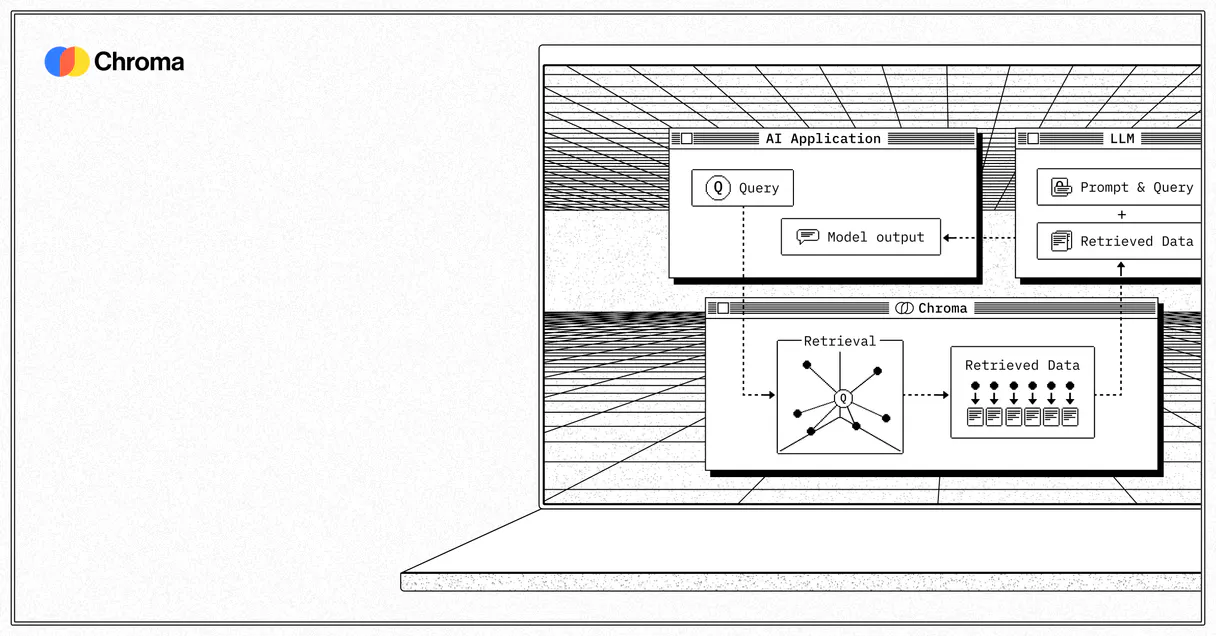
Chroma (Vector DB) connects your AI client directly to a semantic vector database, allowing natural language queries against high-dimensional embeddings.
You can list collections, query specific document segments, and audit the total volume of stored data without writing complex Python code.
It gives your agent full control over context retrieval.
What your AI agents can do
Check heartbeat
Checks if the Chroma API connection is alive and responsive to basic network pings.
Count documents
Gets an explicit count of how many total documents are stored in a given collection.
Get collection
Reads the specific, bounded configuration details for one vector collection.
Validate the fundamental network availability of your Chroma API nodes.
Get an exact count of total documents stored within a collection.
List and check the detailed configuration settings for all vector collections.
Search high-dimensional vectors to find context relevant to a natural language query.
Extract and display a preview of the data stored within defined database limits.
Retrieve complete physical documents, including their semantic context, from known arrays.
Ask AI about this MCP
Supported MCP Clients
OAuth 2.0 Compatible Gemini Waiting for input…
Chroma (Vector DB) with 7 Tools
These tools give your agent full control over your vector database, allowing it to list collections, query embeddings, and audit document volumes using simple commands.
Make your AI actually useful.
Add this MCP to Claude, Cursor, or Windsurf and your AI stops guessing. It gets real tools to look things up, take action, and handle the stuff you keep doing by hand.
Start using Chroma (Vector DB) on Vinkius019d756fcheck heartbeat
Checks if the Chroma API connection is alive and responsive to basic network pings.
019d756fcount documents
Gets an explicit count of how many total documents are stored in a given collection.
019d756fget collection
Reads the specific, bounded configuration details for one vector collection.
019d756fget documents
Retrieves the full content and context of documents from specified arrays.
019d756flist collections
Lists every defined vector collection available within your database tenant.
019d756fpeek documents
Extracts a limited, visible preview of the data stored in a specified database segment.
019d756fquery embeddings
Finds documents by matching high-dimensional semantic vectors to user input context.
Choose How to Get Started
Build a custom MCP for your own tools, or connect a ready-made integration from our catalog.
Build Your Own
Turn any API into an MCP. Import a spec, define Agent Skills, or deploy with MCPFusion.
- Import from OpenAPI, Swagger, or YAML specs
- Create Agent Skills with progressive disclosure
- Deploy to edge with MCPFusion framework
- Built in DLP, auth, and compliance on every call
- Real time usage dashboard and cost metering
- Publish to catalog or keep private
Make Your AI Do More
Start with Chroma (Vector DB), then connect any of our 4,800+ other servers whenever your AI needs more. One click, no limits.
- Use this MCP plus 4,800+ others, all in one place
- Add new capabilities to your AI anytime you want
- Every connection is secured and compliant automatically
- Track usage and costs across all your servers
- Works with Claude, ChatGPT, Cursor, and more
- New servers added to the catalog every week
Independent Platform Disclaimer: Vinkius is an independent platform and is not affiliated with, endorsed by, sponsored by, verified by, or otherwise authorized by Chroma. All third-party trademarks, logos, and brand names are the property of their respective owners. Their use on this website is strictly for informational purposes to identify service compatibility and interoperability.
VINKIUS INFRASTRUCTURE
Cloud Hosted
Managed infra
V8 Isolated
Sandboxed per request
Zero-Trust Proxy
No stored credentials
DLP Enforced
Policy on every call
GDPR Compliant
EU data residency
Token Compression
~60% cost reduction
Works with Claude, ChatGPT, Cursor, and more
The Model Context Protocol standardizes how applications expose capabilities to LLMs. Instead of operating in isolation, your AI gains direct access to external platforms, live data, and real-world actions through secure, standardized connections.
This server provides 7 capabilities that interface natively with Claude, ChatGPT, Cursor, and any MCP client. No middleware. No custom integration required.
Manually checking document counts and collection settings is a pain.
Today, auditing your vector database means clicking through multiple admin dashboards. You navigate to one tab for volume stats, another for schema details, and yet another just to see if the service is even up. It's slow copy-pasting across five different screens just to get a single status report.
With this MCP, you tell your agent what data points you need—like 'Show me the document count and list all available collections.' The agent handles the sequence of calls automatically, giving you clean, consolidated answers instantly.
Use Chroma (Vector DB) to query embeddings.
Previously, if a user asked about 'advanced data structures,' you were limited to exact matches in the database. Now, by using `query_embeddings`, your agent interprets that phrase and searches for related semantic vectors across all relevant collections.
The difference is massive. You're no longer matching strings; you're connecting concepts. Your AI client reads contextually accurate answers directly from the source.
What you can do with this MCP connector
This connector lets you bring unstructured knowledge—like internal documents or massive datasets—into conversation with your AI client. Instead of asking an LLM to guess based on its training data, you query the actual source material stored in Chroma. Your agent can perform deep semantic searches, finding relevant context even when a user doesn't use specific keywords.
Need to know what’s available? You can list all collections and check their metadata. Want to verify how many records you have? A quick count gives you the total document volume. If you need to inspect a small sample of data, you can peek at documents directly or retrieve entire physical records by ID.
This capability is crucial for building reliable RAG systems. When you build multi-platform automation—say, chaining this MCP with a billing system and a messaging MCP—the power comes from knowing that the AI agent is referencing real, audited data every time. This reliability across multiple services is managed by Vinkius's zero-trust proxy, ensuring your keys are used only in transit, never stored on disk.
019d756f-4ffd-70e6-a58d-1ab35cbe3608 
How Chroma (Vector DB) MCP Works
- 1 Subscribe to this MCP and enter your Chroma URL (Cloud or self-hosted) along with your API Key.
- 2 Your agent uses natural language instructions to call the relevant tool, like asking for a document count or requesting semantic searches.
- 3 The MCP executes the query against Chroma and returns structured data containing the requested documents or metadata directly to your client.
The bottom line is: you get direct, conversational access to deep knowledge retrieval without writing boilerplate code.
Who Is Chroma (Vector DB) MCP For?
ML engineers and data scientists who are tired of building brittle, keyword-only search pipelines. This MCP lets them test complex semantic logic against real data using natural language, cutting out hours of manual scripting.
Uses the MCP to debug vector search logic and inspect context flow in a playground environment, avoiding writing temporary Python scripts.
Runs list_collections and count_documents across different environments (staging vs. production) to audit data volume consistency before deployment.
Inspects what context is being fed to the AI agent by using peek_documents, ensuring the system isn't referencing outdated information.
What Changes When You Connect
- You gain full visibility into your data assets. Use
list_collectionsto see every defined vector collection andget_collectionto understand its specific settings. - Stop relying on simple keyword matches. The
query_embeddingstool performs high-dimensional searches, pulling context that actually relates semantically to the query. - Auditing data volume is fast. Running
count_documentsgives you a single number for total document capacity without running a full read operation. - Debug context retrieval easily. Instead of writing code, use
peek_documentsto pull small, visible samples and check if the right metadata is attached. - Validate your setup instantly. The
check_heartbeattool confirms that the entire Chroma instance is up and running before you start any complex queries.
Real-World Use Cases
Onboarding a new knowledge source
A data engineer needs to verify if all staging documents have been indexed. They ask their agent: 'First, run list_collections to see the names, then use count_documents on the 'staging-docs' collection to confirm the volume.' The agent runs both tools and reports back.
Finding obscure documentation
A product manager asks: 'Find me articles that discuss authentication flows for API v2.' The agent uses query_embeddings, which bypasses keyword limitations, pulling up relevant segments from the correct collection.
Checking data integrity before launch
A developer wants to confirm if a production database is connected. They ask their agent: 'Is the Chroma instance healthy?' The agent runs check_heartbeat, confirming connectivity in milliseconds, allowing development to proceed.
Debugging context limits
A user thinks an AI response is wrong because it missed a detail. They instruct their agent: 'Show me five examples from the knowledge base.' The agent uses peek_documents and displays the raw, visible sample for review.
The Tradeoffs
Treating all data equally
Trying to use a general search tool when you only care about the metadata structure or total count of records.
→
Don't just query; check first. Use list_collections to map out your available data pools, and then run get_collection on the specific pool that holds the required configuration.
Assuming connection status
Running complex searches (query_embeddings) without first checking if the underlying database is operational.
→
Always check network availability first. Call check_heartbeat before attempting any read or count operation to guarantee service uptime.
Over-relying on full reads
When you just need a quick look at what's in the database, running get_documents is overkill and slow.
→
For simple validation, use peek_documents. It gives you a small, visible sample without the overhead of retrieving every single physical document.
When It Fits, When It Doesn't
Use this MCP if your primary goal involves semantic search or auditing large pools of stored data. If you need to find information based on meaning rather than exact keywords (e.g., 'security protocols' instead of 'OAuth 2.0'), you must use query_embeddings. Don't use it if you just want to check a simple API status—check_heartbeat is better for that. If your goal is purely data governance, stick to list_collections and count_documents because they provide the necessary metadata without complex reads.
Common Questions About Chroma (Vector DB) MCP
How do I list all available vector collections using Chroma (Vector DB)? +
Use list_collections. This tool runs against your database tenant and returns a clean list of every defined collection name, letting you see what data sources are accessible.
Does count_documents give the true total volume? +
Yes, count_documents provides an explicit structural enumeration of the total documents within a specific collection. This is faster than attempting to retrieve every single record for counting purposes.
What's the difference between peek_documents and get_documents? +
Use peek_documents when you just need a quick, visible sample of data without the overhead. Use get_documents when you need the full, complete physical document content for processing.
I need to check if my Chroma connection is working; should I use check_heartbeat? +
Yes, run check_heartbeat. It's the fastest way to validate network availability against your API nodes, confirming the service is operational before you try running any complex queries.
How do I use `query_embeddings` to find relevant context for my application? +
You provide the agent with a query vector, and it executes high-dimensional semantic searches against your database. This tool finds the most conceptually similar documents stored in your collections.
When should I use `get_collection` versus just listing all available data structures? +
get_collection lets you inspect a collection's specific structure, metadata, and configuration settings. Use it when you need to verify the boundaries or rules of one particular collection before querying it.
If I know an exact document ID, how do I retrieve just that record using `get_documents`? +
You can target specific records by their unique IDs. This is useful for precise auditing because you don't have to sift through large arrays of data to find one piece.
Do I need to worry about separating my production and staging environments when using this MCP? +
Yes, it’s critical. You should use the collection management tools, like get_collection, to ensure your agent interacts only with the intended tenant or environment.
Multi-server workflows that include Chroma (Vector DB) MCP
MCP Servers for AI-Powered Trend Detection
By the time a trend reaches your Twitter feed it is too late to act , Tavily detects signals from primary sources, Chroma builds a semantic map that reveals connections between weak signals, and Notion tracks emerging trends weeks before they go mainstream
MCP Servers to Build AI Training Datasets
You need a dataset of 10,000 product listings for your RAG system but there is no API , Apify scrapes them, Chroma stores them as searchable embeddings, and Notion tracks every data source with quality scores
Use it with your favorite AI tools
Connect this server to Cursor, Claude, VS Code, and more.