
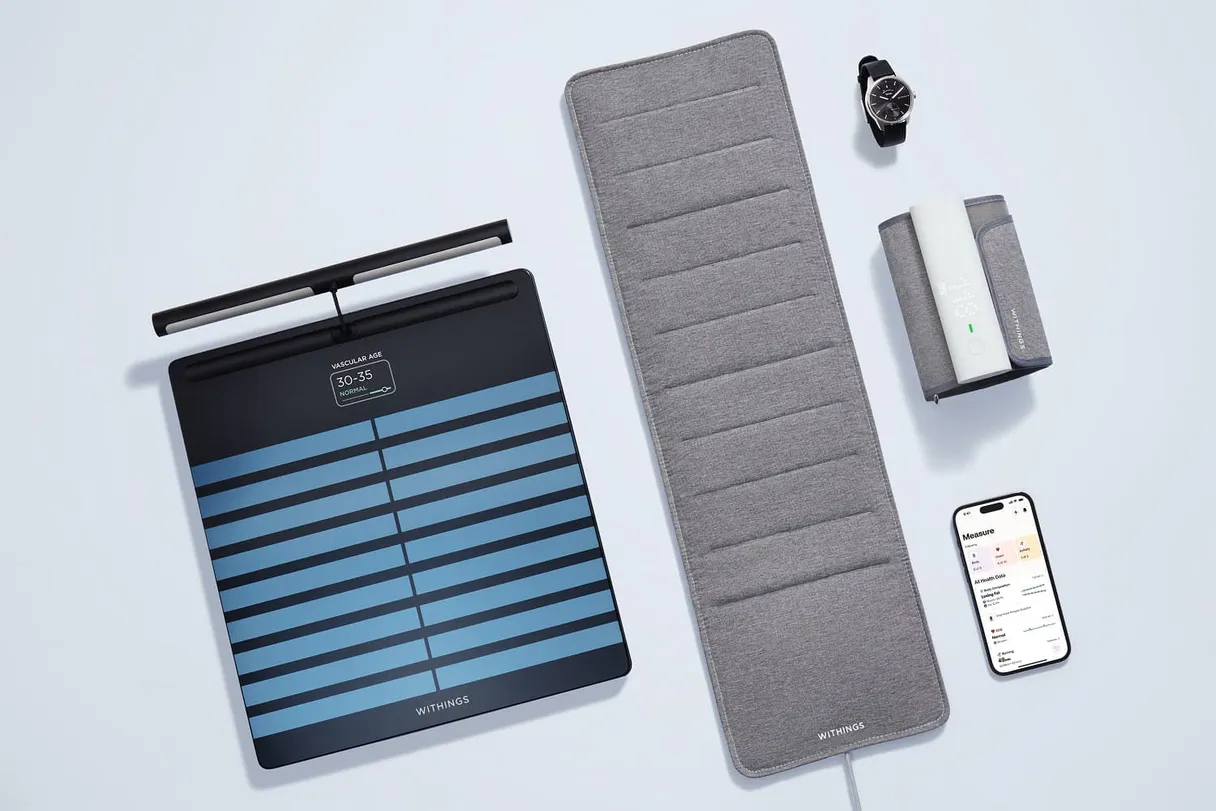
Withings MCP. Correlate sleep, activity, and vital signs data.
 Gemini
 Works with every AI agent you already use
…and any MCP-compatible client









Just plug in your AI agents and start using Vinkius.
Withings MCP connects any AI agent to health data from Withings devices. It lets you pull longitudinal records covering weight trends, blood pressure readings, detailed sleep cycles, step counts, heart rate metrics, and workout logs over time.
This is for deep analysis of personal biometric patterns.
What your AI agents can do
Get activity
Pulls daily summaries of steps taken and calories burned.
Get heart rate
Retrieves specific heart rate measurements for a given date range.
Get intraday activity
Gets high-frequency activity data points throughout the day, useful for detailed movement analysis.
The agent retrieves historical readings for weight, body fat percentage, and other core metrics.
You can get detailed breakdowns of your sleep, including time spent in deep, light, and REM stages.
The agent pulls granular data on movement throughout the day, going beyond simple step counts.
You can retrieve historical measurements for heart rate and blood pressure readings.
The agent pulls records of completed workouts, including distance, duration, and calories burned.
You can set up webhooks so the system sends instant notifications when new readings occur (like a morning weigh-in).
Ask AI about this MCP
Supported MCP Clients
OAuth 2.0 Compatible Gemini Waiting for input…
Withings: 10 Tools for Biometric Tracking
These tools let you manage every aspect of physiological tracking, from device status checks to detailed analysis of sleep stages and daily activity levels.
Make your AI actually useful.
Add this MCP to Claude, Cursor, or Windsurf and your AI stops guessing. It gets real tools to look things up, take action, and handle the stuff you keep doing by hand.
Start using Withings on Vinkius019d849eget activity
Pulls daily summaries of steps taken and calories burned.
019d849eget heart rate
Retrieves specific heart rate measurements for a given date range.
019d849eget intraday activity
Gets high-frequency activity data points throughout the day, useful for detailed movement analysis.
019d849eget measurements
Fetches key physiological measurements like weight, body temperature, and blood pressure using specific codes (e.g., 1=Weight).
019d849eget sleep details
Provides a deep dive into sleep data, including the exact duration of REM, light, and deep sleep stages.
019d849eget sleep summary
Retrieves a simplified view of daily sleep metrics, like total hours slept and overall score.
019d849eget user devices
Lists all Withings hardware devices associated with the user's account.
019d849eget user goals
Retrieves pre-set health and fitness goals established by the user.
019d849eget workouts
Pulls records of completed exercise sessions, including distance, duration, and category (running, swimming, cycling).
019d849esubscribe notifications
Sets up webhooks to receive instant alerts when critical measurements are logged by the user.
Choose How to Get Started
Build a custom MCP for your own tools, or connect a ready-made integration from our catalog.
Build Your Own
Turn any API into an MCP. Import a spec, define Agent Skills, or deploy with MCPFusion.
- Import from OpenAPI, Swagger, or YAML specs
- Create Agent Skills with progressive disclosure
- Deploy to edge with MCPFusion framework
- Built in DLP, auth, and compliance on every call
- Real time usage dashboard and cost metering
- Publish to catalog or keep private
Make Your AI Do More
Start with Withings, then connect any of our 4,800+ other servers whenever your AI needs more. One click, no limits.
- Use this MCP plus 4,800+ others, all in one place
- Add new capabilities to your AI anytime you want
- Every connection is secured and compliant automatically
- Track usage and costs across all your servers
- Works with Claude, ChatGPT, Cursor, and more
- New servers added to the catalog every week
Independent Platform Disclaimer: Vinkius is an independent platform and is not affiliated with, endorsed by, sponsored by, verified by, or otherwise authorized by Withings. All third-party trademarks, logos, and brand names are the property of their respective owners. Their use on this website is strictly for informational purposes to identify service compatibility and interoperability.
VINKIUS INFRASTRUCTURE
Cloud Hosted
Managed infra
V8 Isolated
Sandboxed per request
Zero-Trust Proxy
No stored credentials
DLP Enforced
Policy on every call
GDPR Compliant
EU data residency
Token Compression
~60% cost reduction
Works with Claude, ChatGPT, Cursor, and more
The Model Context Protocol standardizes how applications expose capabilities to LLMs. Instead of operating in isolation, your AI gains direct access to external platforms, live data, and real-world actions through secure, standardized connections.
This server provides 10 capabilities that interface natively with Claude, ChatGPT, Cursor, and any MCP client. No middleware. No custom integration required.
Tracking changes across multiple health metrics is a manual nightmare.
Right now, tracking your progress means logging into an app for sleep scores, switching to another dashboard for weight trends, and then opening a third platform just for heart rate data. You end up copy-pasting numbers across three different spreadsheets—it's tedious, slow, and you always miss the correlation between two metrics.
With this MCP, your agent pulls all that information into one stream. You stop copying and pasting; instead, you ask a single question—like 'Why did my blood pressure spike last Tuesday?'—and get an immediate answer based on combining data from `get_measurements` with the activity history.
Get Deep Sleep Details
You used to only see a general 'Sleep Score' that just told you if you slept well or poorly. You couldn't tell *why* it was poor, or what specific stage needed attention.
Now, `get_sleep_details` gives you the breakdown: how many minutes were spent in deep sleep versus REM. This specificity changes everything; your agent can now recommend targeted behavioral changes instead of just saying 'Sleep better.'
What you can do with this MCP connector
This connection gives your agent access to everything recorded by Withings smart scales and watches—from daily activity summaries to specific medical measurements like systolic and diastolic blood pressure. You can query detailed sleep scores, analyze how many steps you took intraday, or review full workout logs for swimming, running, and cycling.
The real value shows up when your agent chains these data streams together. For instance, correlating a week's worth of high-intensity workouts with subsequent deep sleep stages creates immediate insight that manual dashboard viewing misses. Because the process runs on Vinkius, you get full visibility into every tool call, seeing exactly which measurements influenced the final analysis—nothing happens in the dark.
This capability lets you build complex automations spanning multiple data types using one agent connection.
019d849e-890b-72d2-b9c3-9cb80e23b3fe 
How Withings MCP Works
- 1 Subscribe to this MCP, then register an app at the Withings Developer Portal to get your OAuth Access Token.
- 2 Provide that access token to your AI client; it connects the agent directly to the physiological data stream.
- 3 Your agent queries the relevant tools—for example, asking for sleep summaries and comparing them against workout logs.
The bottom line is you get a single connection point into decades of personal health records that your AI client can query using structured calls.
Who Is Withings MCP For?
This MCP is for the bioengineer or physical therapist who needs to analyze longitudinal patient data, or the coach who tracks compliance across multiple metrics. It’s for anyone tired of stitching together spreadsheets from different dashboards.
You use this MCP to programmatically review client adherence—checking if a missed workout (using get_workouts) correlates with poor sleep scores (get_sleep_summary).
The agent pulls historical measurements, like weight and blood pressure using get_measurements, to track patient progress against treatment goals.
You prototype integrations by pulling raw data streams, such as intraday activity (get_intraday_activity), into a custom application backend.
What Changes When You Connect
- See trends over time. Instead of just looking at today's weight, you can use
get_measurementsto track body fat percentage changes across months, giving a clear picture of progress. - Connect cause and effect. You can correlate the activity level reported by
get_workoutswith sleep quality details fromget_sleep_details, identifying if intense exercise impacts deep REM cycles. - Stay in the loop automatically. By setting up notifications via
subscribe_notifications, your agent gets an instant alert when a critical metric, like blood pressure, changes significantly. - Analyze movement intensity. Don't just check steps using
get_activity. Useget_intraday_activityto analyze patterns of high-frequency movement throughout the day for deeper insights. - Build comprehensive client views. By chaining together data from
get_user_goals,get_workouts, andget_activities, you get a single view showing compliance relative to set targets.
Real-World Use Cases
A runner needs to know if their long-distance training affects sleep.
The agent combines data from the get_workouts tool (for running distance) with the get_sleep_details tool. The resulting analysis pinpoints a consistent drop in deep sleep stages following workouts over 15 miles.
A coach needs to check if weight loss is stalled.
The agent runs comparisons using get_measurements (weight and body fat) against the user's established target goals from get_user_goals, immediately flagging a stagnation trend that requires intervention.
A developer needs to build an automated daily health report.
The agent is configured via subscribe_notifications to trigger on morning weigh-ins. This instantly feeds the new reading into a larger system for historical charting, eliminating manual data entry.
A researcher needs longitudinal biometric analysis.
By calling get_measurements for systolic/diastolic BP and combining it with heart rate from get_heart_rate, the agent builds a multi-month dataset to track cardiovascular health trends.
The Tradeoffs
Asking for a simple count of activity.
The user asks, 'How many times did I exercise?' and receives only a raw list without context or comparison to goals. This is useless.
→
To get useful data, you must cross-reference the get_workouts tool with the specific metrics provided by get_user_goals. This shows if the activity was sufficient relative to what the user intended.
Ignoring context for vitals.
The agent pulls a blood pressure reading via get_measurements but cannot tell the user if that reading is high or low compared to their usual range. It's just one number.
→
Always run get_measurements alongside historical data and reference the relevant goals from get_user_goals. This provides necessary context.
Treating sleep as a single score.
The agent only retrieves the Sleep Score using get_sleep_summary, giving an overall 'Good' grade without explaining why. The user still doesn't know how to improve.
→
Always use get_sleep_details instead. This gives specific data on which stages were lacking (e.g., 'low REM sleep') so the agent can provide actionable advice.
When It Fits, When It Doesn't
Use this MCP if your task requires tracking multiple, disparate physiological metrics over weeks or months. You need to correlate movement patterns with vitals or sleep quality; for example, comparing get_workouts data against get_sleep_details. Don't use it if you just need a single piece of static information, like 'What was my weight today?' In that case, the simpler tools will suffice. However, if your analysis requires checking user compliance against predefined targets, always include get_user_goals in the call chain to make the output actionable.
Common Questions About Withings MCP
How do I check my weight and body fat trends using the Withings MCP? +
You use get_measurements. This tool lets you query historical data for multiple metrics, so your agent can show a trend line of both weight and body fat percentage over time.
Can I get my workout history with the Withings MCP? +
Yes. Call get_workouts. This tool pulls all recorded exercise sessions, giving you distance, duration, and category for running, swimming, or cycling.
Does the Withings MCP handle real-time alerts? +
It does. Use subscribe_notifications to set up webhooks. This means when a new reading occurs on your device, the system sends an instant alert that your agent can process.
Which tool do I use for general daily movement data? +
The best tools are get_activity and get_intraday_activity. Use the former for a simple total, but use the latter if you need high-frequency details on how your movement spread throughout the day.
How does using `get_sleep_details` give me insights into my sleep stages? +
It returns a deep breakdown of your night's rest. You get specific data points for light, deep, and REM phases, which gives context beyond just the daily sleep score.
What information does `get_user_devices` provide about my Withings hardware? +
It lists every connected Withings device tied to your account. You'll see the model and connection status for all hardware, allowing you to audit your entire setup.
If I use `get_measurements`, how do I track my blood pressure trends? +
It provides separate data points for both systolic and diastolic values. This structured output lets your agent compare these key metrics over time to spot patterns.
How can I check the goals I'm working toward using `get_user_goals`? +
It fetches your current health objectives set in the Withings app. Your agent can then compare real-time metrics against these stated targets for compliance analysis.
Use it with your favorite AI tools
Connect this server to Cursor, Claude, VS Code, and more.