
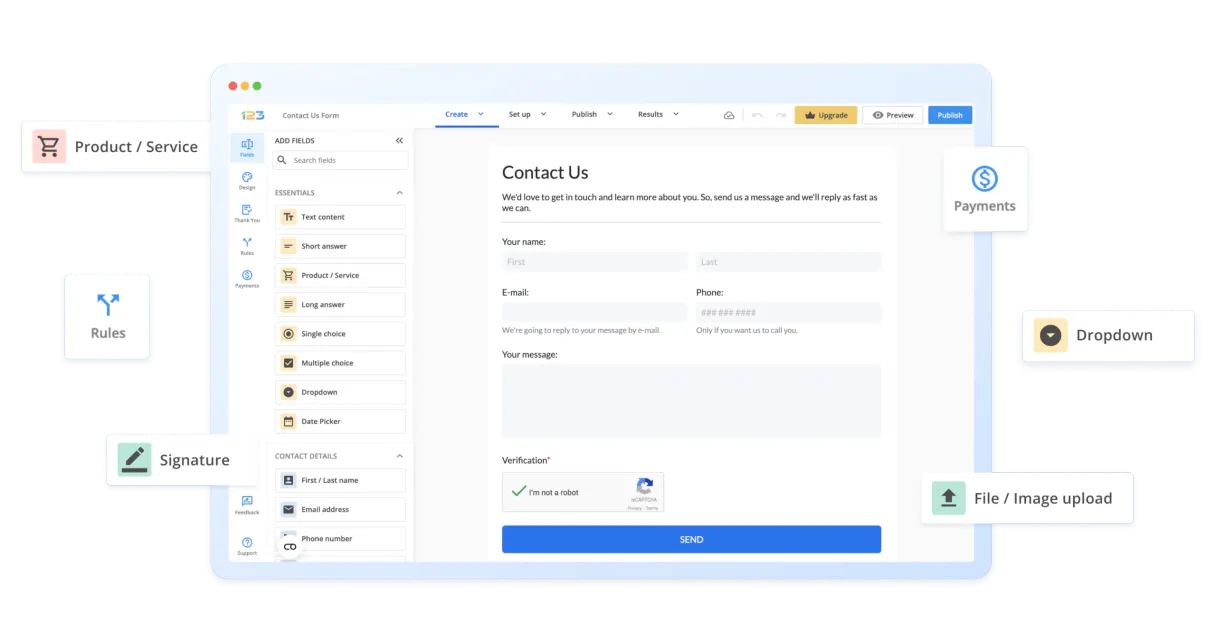
123FormBuilder MCP. Stop copy-pasting data from submission reports.
 Gemini
 Works with every AI agent you already use
…and any MCP-compatible client









Just plug in your AI agents and start using Vinkius.
123FormBuilder connects your data collection into your workflow. It lets you build, manage, and analyze online forms—from simple surveys to complex lead capture tools—using natural conversation with your AI client.
Instead of manually exporting CSVs and wrestling spreadsheets, you can query form structures, retrieve specific user submissions, and monitor the entire lifecycle of your data directly through an AI agent.
Manage all your company's critical input sources from one place.
What your AI agents can do
Create new form
Adds an empty container for a brand new online form into your account.
Remove form
Deletes an entire form container and all its associated submissions permanently.
Remove entry
Permanently deletes a specific user submission or entry record from the system.
Create brand-new forms or retrieve the full technical configuration details for existing ones.
Query user data, fetching paginated lists of submissions or pulling specific entry records by ID.
Read the internal structure of any form to understand exactly what inputs are available for collection.
Verify the connection health and check configured webhook endpoints in your account settings.
Update form names or permanently delete both entire forms and individual submission records.
Ask AI about this MCP
Supported MCP Clients
OAuth 2.0 Compatible Gemini Waiting for input…
123FormBuilder: Form & Submission Tools (12)
These twelve tools let you control the entire lifecycle of your data collection process, from building new forms to querying historical submissions and deleting bad records.
Make your AI actually useful.
Add this MCP to Claude, Cursor, or Windsurf and your AI stops guessing. It gets real tools to look things up, take action, and handle the stuff you keep doing by hand.
Start using 123FormBuilder on Vinkius019dd0b0create new form
Adds an empty container for a brand new online form into your account.
019dd0b0remove form
Deletes an entire form container and all its associated submissions permanently.
019dd0b0remove entry
Permanently deletes a specific user submission or entry record from the system.
019dd0b0get api status
Checks the current connection status between your AI client and 123FormBuilder.
019dd0b0get form details
Retrieves detailed information and metadata about an entire form container.
019dd0b0get entry details
Reads all the specific data points from a single user submission entry.
019dd0b0list form fields
Retrieves the technical definition and structure of all input fields for a given form.
019dd0b0list active forms
Lists all the forms that are currently published and active in your account.
019dd0b0list form entries
Gets a paginated list of recent submissions across specified forms or date ranges.
019dd0b0list form webhooks
Lists all configured webhooks, showing where your forms send event data when submitted.
019dd0b0test formbuilder auth
Runs a test to verify that the API key and credentials are valid for immediate use.
019dd0b0update form info
Changes the visible name or primary information associated with an existing form.
Choose How to Get Started
Build a custom MCP for your own tools, or connect a ready-made integration from our catalog.
Build Your Own
Turn any API into an MCP. Import a spec, define Agent Skills, or deploy with MCPFusion.
- Import from OpenAPI, Swagger, or YAML specs
- Create Agent Skills with progressive disclosure
- Deploy to edge with MCPFusion framework
- Built in DLP, auth, and compliance on every call
- Real time usage dashboard and cost metering
- Publish to catalog or keep private
Make Your AI Do More
Start with 123FormBuilder, then connect any of our 5,000+ other servers whenever your AI needs more. One click, no limits.
- Use this MCP plus 5,000+ others, all in one place
- Add new capabilities to your AI anytime you want
- Every connection is secured and compliant automatically
- Track usage and costs across all your servers
- Works with Claude, ChatGPT, Cursor, and more
- New servers added to the catalog every week
Independent Platform Disclaimer: Vinkius is an independent platform and is not affiliated with, endorsed by, sponsored by, verified by, or otherwise authorized by 123FormBuilder. All third-party trademarks, logos, and brand names are the property of their respective owners. Their use on this website is strictly for informational purposes to identify service compatibility and interoperability.
VINKIUS INFRASTRUCTURE
Cloud Hosted
Managed infra
V8 Isolated
Sandboxed per request
Zero-Trust Proxy
No stored credentials
DLP Enforced
Policy on every call
GDPR Compliant
EU data residency
Token Compression
~60% cost reduction
Works with Claude, ChatGPT, Cursor, and more
The Model Context Protocol standardizes how applications expose capabilities to LLMs. Instead of operating in isolation, your AI gains direct access to external platforms, live data, and real-world actions through secure, standardized connections.
This server provides 12 capabilities that interface natively with Claude, ChatGPT, Cursor, and any MCP client. No middleware. No custom integration required.
Handling Data From Multiple Sources is a Nightmare
Right now, if your company collects feedback through surveys, web signups, and event check-ins, you're dealing with three separate platforms. To get one clean report, someone has to log into each system, manually download the data, open a spreadsheet, and spend hours copying fields like 'Email Address' or 'Project Name' from different tabs just so it matches up.
With this MCP, your AI agent handles all that clicking for you. You simply ask: 'Give me every lead who filled out either the survey form or the event registration.' The system talks to 123FormBuilder and pulls everything into one conversational data stream.
Getting Form Structure with list_form_fields
Today, if you need to know exactly what fields a form contains—say, for building an integration or writing documentation—you have to click into the form's settings page and scroll through every input type. It’s slow, tedious reading.
Now, you just ask your agent to run `list_form_fields`. The AI instantly returns the complete schema definition, listing every field name and its intended data type. It cuts out all the guesswork.
What you can do with this MCP connector
Collecting good data is messy work. You build a form to capture information, but then you have to manually check that data—making sure every field was filled out, organizing the results by date, and linking it back to a specific campaign. This MCP handles all of that automatically. It lets your AI client talk directly to your 123FormBuilder account so you don't have to click through dozens of dashboards.
You can ask the agent to list every form you own or pull up only the submissions from last Tuesday for 'Marketing Leads'. The system manages both the raw data and the metadata, letting you analyze what users submitted without ever touching an export file. Because Vinkius hosts this connector, your AI client gets instant access to all these capabilities—from basic querying of entries to verifying form settings.
019dd0b0-ea41-7216-951e-9ca4b2cb21f2 
How 123FormBuilder MCP Works
- 1 Subscribe to this MCP on Vinkius and enter your 123FormBuilder API key in the connection settings.
- 2 Your AI client uses the provided credentials to authenticate against your account, establishing a secure data channel.
- 3 You prompt your agent with natural language requests—like 'list all forms' or 'show submissions for Q4'—and it executes the necessary actions.
The bottom line is you tell the AI what data you need, and it handles the connection steps to get it for you.
Who Is 123FormBuilder MCP For?
This MCP is built for anyone whose job involves converting messy human input into clean, actionable data. It targets roles that spend too much time jumping between form builders, spreadsheets, and database views just to get a single report.
Needs to pull historical submission records or check the structure of old forms without manual dashboard navigation.
Must quickly assess lead quality by querying submissions from multiple active campaigns and analyzing which fields are frequently left blank.
Manages internal forms, needing to check account status or update form names when a business process changes.
What Changes When You Connect
- Instantly audit your setup. Instead of digging through documentation, you can use the
list_form_fieldstool to understand the exact structure of a form and what kinds of data it collects. - Control messy records. If a submission is wrong or outdated, you don't need an admin login; you simply tell the agent to run
remove_entryand delete the bad record immediately. - Save time on maintenance. When a marketing campaign changes its focus, you can use
update_form_infoto rename the form without needing to log into the web dashboard. - Verify connectivity quickly. Before running complex queries, always run
get_api_status. This confirms your credentials are active and ready for action. - Handle full data retrieval. You don't just get a summary; you can use
list_form_entriesto pull down the actual, detailed submission records right into your workflow.
Real-World Use Cases
Auditing Form Drift
A system admin notices that an old form seems to be collecting unnecessary data. They ask their agent to run list_form_fields on the problematic form, immediately seeing exactly which inputs are live and if anything needs retiring.
Post-Event Data Cleanup
After a conference, an operations specialist finds 50 duplicate entries. They instruct their agent to query list_form_entries to identify the duplicates, then use remove_entry for each one, cleaning up the dataset in minutes.
Campaign Performance Check
A marketing manager needs to know which of her three recent campaigns generated the most leads. She asks their agent to run list_active_forms and then query submissions for each one using list_form_entries, getting a comparative report.
Pre-Deployment Check
Before launching a major new form, the development team runs get_api_status to confirm connectivity. They then use test_formbuilder_auth to ensure their keys are valid and ready for production load.
The Tradeoffs
Assuming stable form structure
A developer relies on internal knowledge of a form's fields, assuming they will always be present. When the business changes the required input, the code breaks because the field ID changed.
→
Don't assume anything. Always start by running list_form_fields to get the current structure definition before writing any retrieval logic.
Ignoring form governance
A department creates a new, redundant version of an existing survey just because it's easier for them, fragmenting your source of truth.
→
Before creating anything, use list_active_forms to see what already exists. If the data needs adjusting, use update_form_info on the original form instead.
Querying submissions without checking status
You run a massive query via list_form_entries, but fail to check if your API key has expired or if webhooks are broken, leading to incomplete data sets.
→
First, run get_api_status to confirm the connection is green. Then, proceed with listing entries.
When It Fits, When It Doesn't
Use this MCP if your primary need is managing structured data capture and its lifecycle. It's perfect when you need an AI agent to interact directly with form containers—listing them, checking their fields, or retrieving submissions from them. Don't use it if your problem is general database management; for that, a generic SQL connector is better. Also, don't rely on this MCP for data validation outside of the submitted field types. If you need to cross-reference submission data with external systems (like CRM records), you'll still need another tool, but this MCP gets the foundational clean data ready for those steps.
Common Questions About 123FormBuilder MCP
How do I check if my API key works with 123FormBuilder? (get_api_status) +
You run get_api_status. This immediately verifies your credentials and tells you if the connection is live, saving you from trying to build complex queries on a dead link.
Can I delete an entry using list_form_entries? (remove_entry) +
No. While list_form_entries gets you the data, you use remove_entry to actually delete it. You must first run list_form_entries to get the specific ID of the record before attempting deletion.
How do I change a form's name? (update_form_info) +
You use the update_form_info tool. You just tell your agent what the old name and the new desired name are, and it handles the modification in place.
What if I need to see all my existing forms? (list_active_forms) +
Run list_active_forms. This gives you an immediate list of every form container that is currently published and accessible for data collection in your account.
I need to check what fields are available on a form; how do I use `list_form_fields`? +
It gives you the full structure of any form, listing every input type and data point. This is key for validating exactly what kind of information users can submit.
If I have a submission ID, how do I use `get_entry_details` to read the full record? +
You just provide the specific entry ID, and this MCP returns all associated data points for that single submission. It's perfect for deep analysis without retrieving everything else.
How do I monitor or manage my external integrations using `list_form_webhooks`? +
This tool shows every webhook endpoint currently set up on your account. You use this list to verify that data is correctly flowing from the forms to your necessary third-party services.
I want to start a new survey quickly; how do I use `create_new_form`? +
It immediately adds a blank form container to your account. This lets you kick off data collection right away without having to navigate the dashboard first.
Can I see all the fields in a specific form via AI? +
Yes! Use the list_form_fields tool and provide the Form ID. Your agent will retrieve the complete structure, including labels and field types.
How do I retrieve the latest submissions for a form? +
Run the list_form_entries query with your Form ID. The agent will return a paginated list of user submissions, which you can then inspect individually using get_entry_details.
Is it possible to check the API connection status? +
Absolutely. Use the get_api_status or test_formbuilder_auth tools to verify your credentials and ensure the agent can communicate with the 123FormBuilder service.
Use it with your favorite AI tools
Connect this server to Cursor, Claude, VS Code, and more.