
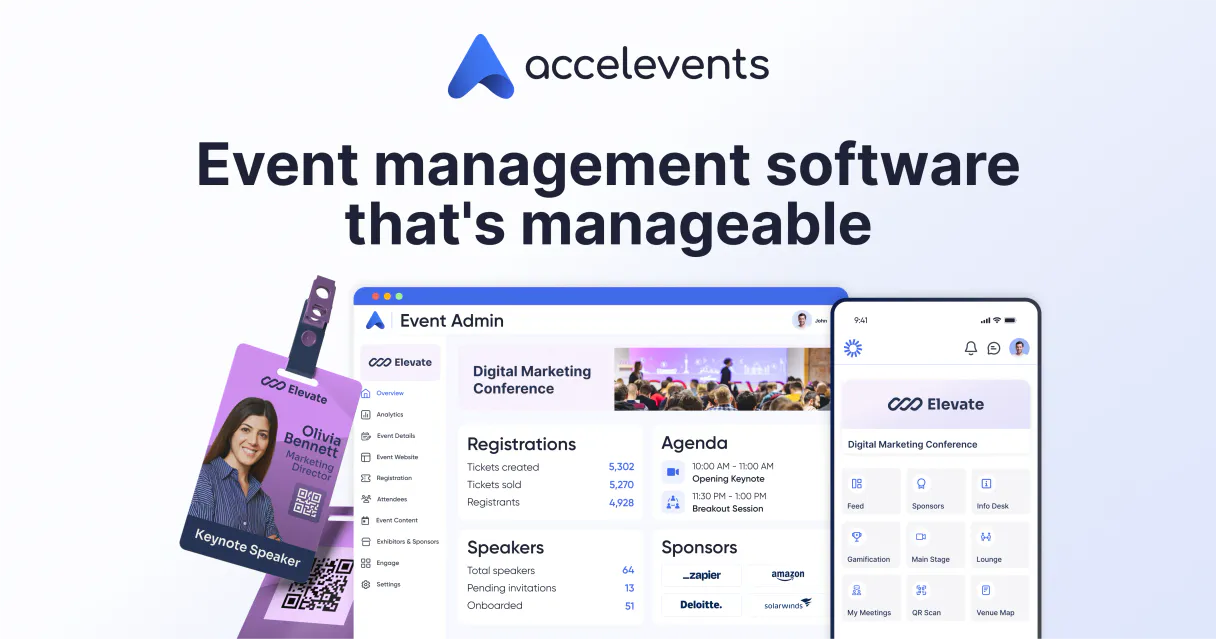
Supercharge your AI with Accelevents. Get a single view of your conference data, from attendees to vendors.
 Gemini
 Works with every AI agent you already use
…and any MCP-compatible client









Connect to your AI in seconds.
Accelevents MCP connects your AI agent directly to a professional event management system. You can list every active or upcoming conference, pull full attendee rosters with ticket type details, map out session schedules, and retrieve exhibitor information for any specific event—all in one conversation.
What your AI can do
List events
Pulls a complete list of all active, past, or upcoming events managed in Accelevents.
List attendees
Retrieves the participant roster and associated ticket types for a given event URL.
List sessions
Fetches the full schedule and details for all sessions within an event.
Get an overview of every event—past, present, or future—that you manage.
Pull the full list of attendees and their specific ticket types for a designated event URL.
Fetch the complete schedule, including details on each session, for your chosen event.
Pull detailed information about every company that is exhibiting at a specific conference location.
Ask an AI about this
Compatible AI Apps
OAuth 2.0 Compatible Gemini Waiting for input…
Accelevents: 4 Tools for Event Logistics
These tools allow your AI client to gather all necessary data about events, participants, sessions, and vendors directly from the Accelevents platform.
Make your AI actually useful.
Add this MCP to Claude, Cursor, or Windsurf and your AI stops guessing. It gets real tools to look things up, take action, and handle the stuff you keep doing by hand.
Start using Accelevents on VinkiusList Events
Pulls a complete list of all active, past, or upcoming events managed in Accelevents.
List Attendees
Retrieves the participant roster and associated ticket types for a given event URL.
List Sessions
Fetches the full schedule and details for all sessions within an event.
List Exhibitors
Retrieves detailed information on companies exhibiting at a specific event URL.
Connect to your AI in seconds. Security and governance baked right in.
Pick your AI client below to get set up. Just create a Vinkius account, subscribe, and you're instantly up and running. We handle the entire backend infrastructure, delivering out-of-the-box support for HTTPS Streamable, SSE, and OAuth2—zero messy routing required.
Claude AI
Open Claude Settings
Go to claude.ai, click your profile icon, then navigate to Customize → Connectors.
Add Custom Connector
Click the "+" button and select Add custom connector. Paste your Vinkius endpoint URL:
https://edge.vinkius.com/[YOUR_TOKEN_HERE]/mcp
Replace [YOUR_TOKEN_HERE] with your token from
cloud.vinkius.com. For OAuth-protected servers, expand Advanced
settings to add credentials.
Start a conversation
Open a new chat. The Accelevents integration is available immediately — no restart needed.
Choose How to Get Started
Build a custom MCP for your own tools, or connect a ready-made integration from our catalog.
Build Your Own
Turn any API into an MCP. Import a spec, define Agent Skills, or deploy with MCPFusion.
- Import from OpenAPI, Swagger, or YAML specs
- Create Agent Skills with progressive disclosure
- Deploy to edge with MCPFusion framework
- Built in DLP, auth, and compliance on every call
- Real time usage dashboard and cost metering
- Publish to catalog or keep private
Make Your AI Do More
Start with Accelevents, then connect any of our 5,000+ other servers whenever your AI needs more. One click, no limits.
- Use this MCP plus 5,000+ others, all in one place
- Add new capabilities to your AI anytime you want
- Every connection is secured and compliant automatically
- Track usage and costs across all your servers
- Works with Claude, ChatGPT, Cursor, and more
- New servers added to the catalog every week
Independent Platform Disclaimer: Vinkius is an independent platform and is not affiliated with, endorsed by, sponsored by, verified by, or otherwise authorized by Accelevents. All third-party trademarks, logos, and brand names are the property of their respective owners. Their use on this website is strictly for informational purposes to identify service compatibility and interoperability.
VINKIUS INFRASTRUCTURE
Cloud Hosted
Managed infra
V8 Isolated
Sandboxed per request
Zero-Trust Proxy
No stored credentials
DLP Enforced
Policy on every call
GDPR Compliant
EU data residency
Token Compression
~60% cost reduction
Works with Claude, ChatGPT, Cursor, and more
The Model Context Protocol standardizes how applications expose capabilities to LLMs. Instead of operating in isolation, your AI gains direct access to external platforms, live data, and real-world actions through secure, standardized connections.
This connection provides 4 powerful capabilities that interface natively with Claude, ChatGPT, Cursor, and other compatible AI platforms. No middleware. No custom integration required.
Today, getting all your conference information feels like juggling four different portals.
Right now, if you want to know who attended the 'AI Summit' and what they saw, you’re doing a series of manual logins. You check the registration dashboard for participant names, then switch tabs to the session schedule view to see timings, and finally open a third report just for vendors to get their product details. It's tedious clicking across different platforms, often requiring copy-pasting IDs just to keep the data connected.
With this MCP, you tell your agent what you need. You ask it about attendees and sessions for one event URL, and it pulls all that structured data back to you in a single response. The result isn't a set of screenshots; it’s actionable information compiled from multiple sources.
Managing Registration Data with list_attendees
Before, figuring out who was attending and what they paid for meant running reports on the registration side. You’d get a raw dump of names and IDs, but matching those names to specific ticket categories—like 'Gold Sponsor' versus 'Standard Pass'—required manual cross-referencing against another sheet.
Now, when you request participant lists using `list_attendees`, the agent provides that combined data structure immediately. You get the name *and* the specific ticket type in one go. No more guessing what those IDs mean; you know exactly who's there and how they got tickets.
What your AI can actually do with this
This MCP lets you manage complex event logistics using only natural language. Instead of jumping between multiple internal dashboards to gather data, your agent handles the heavy lifting. Need to know who's coming? You can pull a full list of attendees and see exactly what ticket type they bought. Want to plan the day's flow? Just ask for the session schedule to check capacity or spot potential bottlenecks.
You can also get details on every company exhibiting at your event, pulling together vendor data with participant lists. It’s about getting all that scattered information—the people, the programs, and the vendors—into a single, actionable conversation. When you connect this MCP through Vinkius, your agent treats it like one unified source of truth for everything happening at your conference.
019d7545-bcd7-7329-a49d-0c293eee0e00 
Here's how it actually works
The bottom line is: you never have to manually jump between different data tabs again; you just ask for what you need.
First, you tell your agent which event URL you want to focus on. This sets the context for all subsequent data retrieval.
Next, you ask it to perform a specific task, like getting participant lists or finding out what sessions are scheduled that day.
Finally, your agent compiles and delivers the targeted information—be it a list of names, ticket types, or session timings—to you.
Who is this actually for?
Event Operations Managers, Conference Coordinators, and Marketing Directors. You're the person who wakes up at 6 AM needing a full count of registrations against session capacity, or someone staring at dozens of tabs trying to figure out which exhibitors are showing up.
You use this MCP to audit check-in workflows and compare the active attendee list against the scheduled sessions for capacity planning.
You pull exhibitor details and participant lists together so you can segment groups by ticket type before sending out targeted follow-up emails.
You use it to list all upcoming events, ensuring no critical date or technical metadata is missed while planning multi-year conference cycles.
What Changes When You Connect
Stop managing event data manually. Instead of opening separate reports for registrations and schedules, you just ask your agent for the details using list_sessions or list_attendees.
Never worry about forgetting a future date again. Use list_events to pull metadata on every single conference—active, past, or upcoming—in one go.
Quickly understand who is attending and what they paid for. Running list_attendees gives you the full roster plus ticket type details instantly.
Need vendor info? Run list_exhibitors against an event URL to get every company's product details, which is crucial for sponsorship follow-up.
The agent consolidates data that used to require cross-referencing four separate dashboards. You pull all the people and programs together without writing complex queries.
See it in action
Auditing a large conference day
A planner needs to verify if enough attendees are showing up for the main keynote. They prompt their agent: 'Show me attendee check-in data and all sessions scheduled.' The agent combines the information from list_attendees and list_sessions to give a real-time capacity report.
Planning next year's vendor showcase
A marketing director wants to know which exhibitors are most popular. They use list_events first, then run list_exhibitors on the top event URL, giving them a clean list of companies and their products.
Investigating ticket sales issues
An operations manager notices an issue with VIP passes. They ask the agent to 'Check the participant list for all users who bought the Gold Pass.' This uses list_attendees and immediately flags potential discrepancies.
Building a master event catalog
A team needs an inventory of every conference held over five years. They simply run list_events, getting all technical metadata for active, past, or upcoming events without having to manually compile records.
The honest tradeoffs
Searching by vague keywords
Asking the agent: 'Tell me about the conference.' This is too broad; it doesn't know which event you mean, and the output will be useless.
You must start with a specific context. First, use list_events to find the correct URL, then run list_sessions or list_attendees using that exact URL.
Copy-pasting large data sets
Trying to manually copy a list of attendees into a spreadsheet and then separately pulling exhibitor info. This is prone to version control errors.
Let the agent handle it. Run list_attendees for one event, then run list_exhibitors for that same event URL. The agent keeps the data linked conceptually.
Assuming cross-tool functionality
Asking 'Show me attendees who are also exhibitors.' While logically sound, the tools treat these as separate calls and need distinct inputs.
You have to run list_attendees one time, and then separately run list_exhibitors. You review both lists in your head; the agent doesn't link them automatically.
When It Fits, When It Doesn't
Use this MCP if your job requires building a comprehensive picture of event logistics—namely, connecting people (attendees), programs (sessions), and vendors (exhibitors). It’s perfect for end-to-end conference planning and auditing. Don't use it if you need to do something outside the core data retrieval functions; for example, if you need to actually change a ticket type or send an email reminder. For those actions, you'd need a messaging tool or a CRM integration, not just event data access.
Questions you might have
How do I use list_events to find an event? +
You simply ask your agent for a list of all events. The list_events tool returns metadata on every active, past, or upcoming conference you manage.
What does the list_attendees tool need to run? +
The list_attendees function requires a specific event URL. You must provide this context so the agent knows which participant pool you want data from.
Can I get session details using list_sessions? +
Yes, that’s exactly what list_sessions does. Give it an event URL, and it pulls the entire schedule—the time, title, and description for every session.
Do I need a special key to run list_exhibitors? +
No, you just need the correct event URL. The list_exhibitors tool uses that URL to pull all the details on companies showing up at that specific conference.
When I run `list_exhibitors`, how does the MCP handle my event URL security? +
The connection credentials are managed securely by Vinkius. You don't need to pass sensitive keys directly; your agent handles authentication and ensures the data retrieval process is protected.
What happens if I use `list_attendees` with an event URL that isn't active? +
The MCP will return a specific error code indicating the invalid or inactive URL. This allows your agent to immediately flag the issue instead of running the query and failing silently.
Are there any rate limits when I use `list_sessions` for multiple events? +
The system enforces standard API rate limits, which are designed to keep usage stable. If you exceed a set threshold, your agent will receive a clear 'rate limit exceeded' message and prompt you to wait.
What fields does `list_events` return for metadata about an event? +
The tool provides core technical details including the start date, end date, primary location, and a unique internal ID. This lets your agent categorize and filter events efficiently.
How do I list all attendees for a specific event? +
Use the list_attendees tool and provide the event URL (identifier). Your agent will retrieve the full list of participants, including their ticket types.
Are there extra limits for custom integrations? +
No, Accelevents provides public REST APIs and webhooks with no additional access fees for building your custom event workflows.
Can I receive real-time updates on ticket sales? +
Yes, you can configure webhooks to receive real-time notifications for specific topics, including ticket purchases and attendee check-ins.
We've already built the connector for Accelevents. Just plug in your AI agents and start using Vinkius.
No hosting. No infrastructure. No complex setup.
All 4 tools are live and waiting.
You're up and running in seconds.
Gemini Vinkius gives your AI agents access to the full catalog of app connectors, all fully managed, secure, and enterprise-ready. One subscription, every tool you need.
Built, hosted, and secured by Vinkius. You just connect and go.