
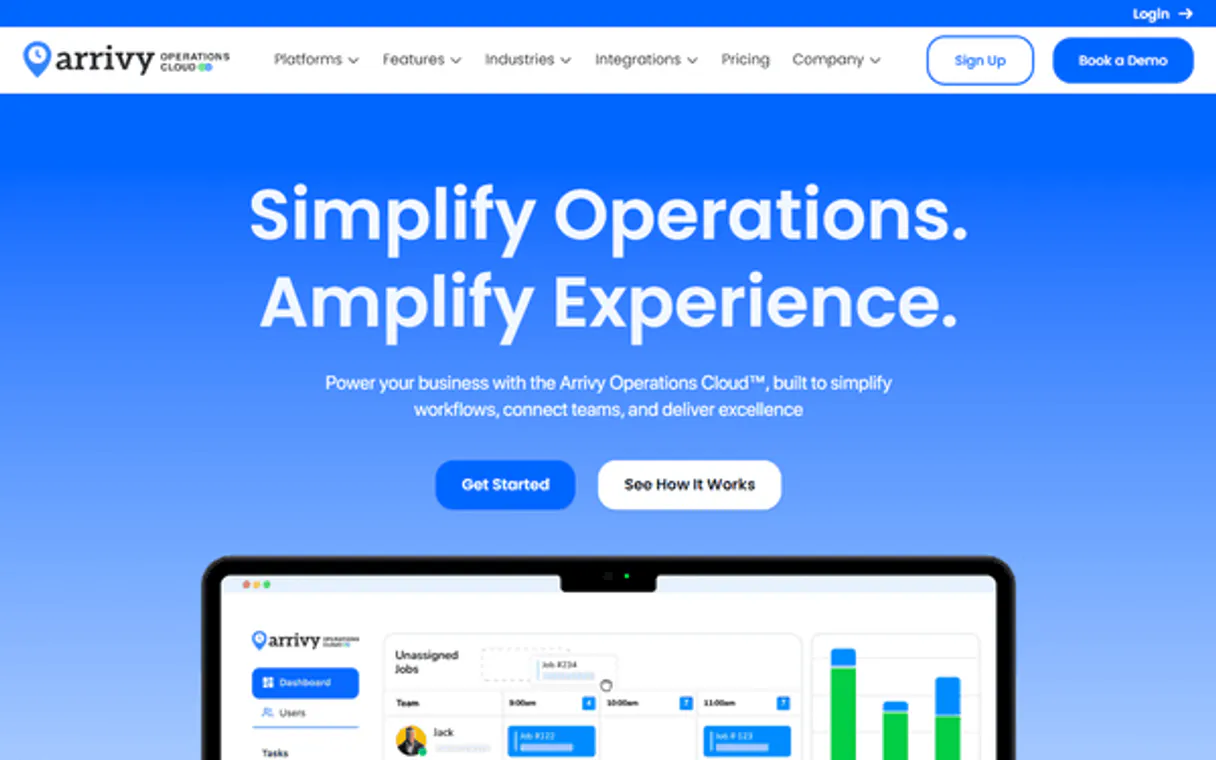
Supercharge your AI with Arrivy. Coordinate last-mile jobs and field crews via AI.
 Gemini
 Works with every AI agent you already use
…and any MCP-compatible client









Connect to your AI in seconds.
Arrivy MCP helps your AI agent manage all field service operations and last-mile delivery tasks. You can run everything from scheduling new jobs to tracking crews in real time, handling customer records, and updating job status right through natural conversation.
What your AI can do
Create customer
Creates and adds a new customer record into the system.
Create task
Schedules and creates a new service task for a specific location or date.
Get account check
Verifies that the Arrivy account connection is active and ready to run tasks.
Create new customer records or retrieve lists of existing customers for project context.
List, create, get details on, and update specific service tasks or delivery jobs.
View a list of all available field crews and personnel assigned to work.
Retrieve real-time data points from tracked locations across the service area.
Ask an AI about this
Compatible AI Apps
OAuth 2.0 Compatible Gemini Waiting for input…
Arrivy: 9 Tools for Field Operations
These tools give you full control over the job lifecycle in Arrivy, letting you manage everything from scheduling to tracking locations via natural language.
Make your AI actually useful.
Add this MCP to Claude, Cursor, or Windsurf and your AI stops guessing. It gets real tools to look things up, take action, and handle the stuff you keep doing by hand.
Start using Arrivy on VinkiusCreate Customer
Creates and adds a new customer record into the system.
Create Task
Schedules and creates a new service task for a specific location or date.
Get Account Check
Verifies that the Arrivy account connection is active and ready to run tasks.
Get Task
Pulls detailed information for one specific task using its unique ID.
List Crews
Provides a list of all field crews and personnel available for deployment.
List Customers
Retrieves a list of all existing customers in the Arrivy database.
List Locations
Retrieves current data points from all tracked locations in the service area.
List Tasks
Gets a comprehensive list of all current scheduled services and jobs.
Update Task
Changes the status, assignment, or notes on an existing service task.
Connect to your AI in seconds. Security and governance baked right in.
Pick your AI client below to get set up. Just create a Vinkius account, subscribe, and you're instantly up and running. We handle the entire backend infrastructure, delivering out-of-the-box support for HTTPS Streamable, SSE, and OAuth2—zero messy routing required.
Claude AI
Open Claude Settings
Go to claude.ai, click your profile icon, then navigate to Customize → Connectors.
Add Custom Connector
Click the "+" button and select Add custom connector. Paste your Vinkius endpoint URL:
https://edge.vinkius.com/[YOUR_TOKEN_HERE]/mcp
Replace [YOUR_TOKEN_HERE] with your token from
cloud.vinkius.com. For OAuth-protected servers, expand Advanced
settings to add credentials.
Start a conversation
Open a new chat. The Arrivy integration is available immediately — no restart needed.
Choose How to Get Started
Build a custom MCP for your own tools, or connect a ready-made integration from our catalog.
Build Your Own
Turn any API into an MCP. Import a spec, define Agent Skills, or deploy with MCPFusion.
- Import from OpenAPI, Swagger, or YAML specs
- Create Agent Skills with progressive disclosure
- Deploy to edge with MCPFusion framework
- Built in DLP, auth, and compliance on every call
- Real time usage dashboard and cost metering
- Publish to catalog or keep private
Make Your AI Do More
Start with Arrivy, then connect any of our 5,000+ other servers whenever your AI needs more. One click, no limits.
- Use this MCP plus 5,000+ others, all in one place
- Add new capabilities to your AI anytime you want
- Every connection is secured and compliant automatically
- Track usage and costs across all your servers
- Works with Claude, ChatGPT, Cursor, and more
- New servers added to the catalog every week
Independent Platform Disclaimer: Vinkius is an independent platform and is not affiliated with, endorsed by, sponsored by, verified by, or otherwise authorized by Arrivy. All third-party trademarks, logos, and brand names are the property of their respective owners. Their use on this website is strictly for informational purposes to identify service compatibility and interoperability.
VINKIUS INFRASTRUCTURE
Cloud Hosted
Managed infra
V8 Isolated
Sandboxed per request
Zero-Trust Proxy
No stored credentials
DLP Enforced
Policy on every call
GDPR Compliant
EU data residency
Token Compression
~60% cost reduction
Works with Claude, ChatGPT, Cursor, and more
The Model Context Protocol standardizes how applications expose capabilities to LLMs. Instead of operating in isolation, your AI gains direct access to external platforms, live data, and real-world actions through secure, standardized connections.
This connection provides 9 powerful capabilities that interface natively with Claude, ChatGPT, Cursor, and other compatible AI platforms. No middleware. No custom integration required.
Dispatching a crew used to feel like running around with sticky notes and phone calls.
Today, coordinating field services involves jumping between job boards, customer databases, and mapping apps. You manually copy client names into one system, then track the crew assignment in another, all while trying to piece together a timeline of where everyone is supposed to be at any given moment.
With this MCP, your agent handles that mess. It connects Arrivy's core functions right through your chat interface. You talk about the job—the customer, the task, the crew—and it executes all those steps behind the scenes.
Getting full visibility with Arrivy MCP
The manual work of listing tasks, cross-referencing client IDs from list_customers, and then updating status fields disappears. You tell your agent, 'Show me all high-priority jobs for this week,' and it pulls the combined data for you.
Now, coordinating field operations is a conversation, not a series of manual clicks across half a dozen different tabs.
What your AI can actually do with this
This connector lets your agent handle the entire lifecycle of a field operation. Need to set up a new client? Use the tool to create their record first. Then you can schedule service tasks or delivery jobs directly into Arrivy. The system tracks these jobs, allowing you to check details for specific tasks and even update them once they're in progress.
You don't have to manually coordinate crew assignments; your agent handles that by listing all field crews and personnel. If you need location data, the tool can list tracked locations, giving real-time visibility into where everyone is. This integration connects Arrivy operations directly to your AI workflow via Vinkius, letting you manage everything without ever switching apps.
019d7552-99c4-72f7-a757-cbf7ef0fbdff 
Here's how it actually works
The bottom line is, your AI client handles the sequence of API calls—from gathering data to creating records—so you just talk to it.
First, tell your agent what needs to happen. For example, 'Schedule a repair for John Smith at 123 Main Street.'
The MCP identifies the need, so it might first use the tool to list customers and create a new record if needed. Then, it calls the tool to create the service task.
You get back a confirmed job ID and an update on the status, allowing you to tell your agent, 'Now assign Crew Alpha to that task.'
Who is this actually for?
Operations managers and dispatchers who are sick of juggling five different dashboards. If you spend time manually cross-referencing job status, crew availability, and customer history across multiple systems, this is for you.
Uses the MCP to quickly audit active jobs using list_tasks, ensuring every dispatched worker has current location data.
Spends time creating and assigning new tasks. They use create_task and can then update_task once the job is confirmed.
Retrieves past work history or estimated times of arrival for clients by calling get_task on a specific ID.
What Changes When You Connect
Dispatchers can assign new work fast. Instead of filling out forms, you just tell your agent to create a task using the create_task tool, pointing it at the customer record.
Operations staff get instant visibility. Use list_tasks or list_locations to see every job and where every crew is without leaving your chat window.
Customer updates are simple. Need an ETA for a client? Your agent uses get_task to pull up the exact status, giving you accurate info immediately.
Never lose track of who works where. You can list crews or check location data to ensure the right team is assigned to the job that needs it most.
Your workflow stays contained. Because this MCP handles everything from listing customers to updating tasks, all your core operations run through one connection.
See it in action
Emergency Call Out
A client calls about a leak and needs service immediately. The agent uses the tool to create_task for an 'Emergency Repair' job, checks list_crews to see who is closest, and then updates_task once the crew arrives on site.
End-of-Day Audit
The manager needs to know if all 50 scheduled deliveries completed today were marked finished. The agent calls list_tasks for the date range and flags any that are still 'In Progress'.
New Client Onboarding
A sales team member gets a new client name and address. They use create_customer first, then immediately schedule their initial service call using create_task.
Route Planning Check
Before deploying drivers, the dispatcher checks list_locations to confirm that all required checkpoints are accurately tracked before sending out crews for a major job run.
The honest tradeoffs
Handling status changes manually
Writing down an update on a whiteboard or calling a team member to say, 'Hey, the task is done.' This means manual data entry and lost records.
You use the MCP's update_task tool. Just tell your agent, 'Mark job ID T12345 as Complete,' and the status updates instantly in Arrivy.
Ignoring initial setup
Trying to list tasks before confirming that the connection is active, leading to vague errors or incomplete data.
Always start by running get_account_check. This confirms your agent has permission and a live connection to Arrivy.
Mixing up customer lists
Trying to schedule a job for someone who doesn't exist in the system, resulting in an immediate workflow stop.
First, use list_customers or create_customer. This guarantees the client record exists before you attempt to schedule any service tasks.
When It Fits, When It Doesn't
Use this MCP if your primary challenge is coordinating physical workers and services across multiple locations. You need a single point of truth for job status, crew location, and customer history. If you only manage digital data—say, tracking support tickets or inventory levels—this isn't the right tool; look into dedicated ticketing systems. However, if your process requires creating tasks (create_task) based on who is available (list_crews) and updating that work (update_task), this MCP handles the full operational loop.
Questions you might have
How do I check if Arrivy can connect to my AI client using the get_account_check tool? +
Yes, use get_account_check first. This confirms that your agent has a live and active connection to Arrivy before you attempt any other scheduling or data retrieval.
Can I list all crews using the list_crews tool? +
Yes, list_crews returns a complete roster of available field personnel. This lets your agent know who's on site and who can be assigned to a job.
What is the difference between create_task and update_task? +
create_task builds the service job from scratch, setting up the initial details. update_task modifies an existing job—for instance, changing its status or adding notes after it's been assigned.
How do I get data for a specific customer? +
You first use list_customers to find the client ID, then you can pass that information into get_task if there are associated jobs.
What happens if I try to use `get_task` with a task ID that doesn't exist? +
The MCP returns a specific error code indicating the resource was not found. This is helpful because you don't need to guess IDs; your agent will catch the failure and let you know immediately.
How can I filter or paginate results when using the `list_tasks` tool? +
You pass parameters like date ranges, status filters, or a limit count directly in your request. This stops you from having to download thousands of records just to find one job.
What kind of location data does `list_locations` provide? +
It provides detailed coordinates (latitude and longitude), the name, and the associated status for any tracked field site. You get enough detail to build accurate maps or routing plans.
When using `create_customer`, what mandatory information do I need to include? +
You must provide a unique customer identifier and at least one primary contact email address. This ensures the record is valid and linked correctly before you can assign tasks.
How do I find my Arrivy API Key? +
Log in to your Arrivy account, go to Settings > Integrations, and you will find your API Key under the Developer or API section.
Can I assign a crew to a task via this server? +
Yes, you can use the update_task tool and provide the crew IDs in the update body to assign or reassign tasks.
Does Arrivy support real-time ETAs? +
Yes, Arrivy calculates real-time ETAs based on field personnel location. You can retrieve these via the get_task or list_locations tools.
We've already built the connector for Arrivy. Just plug in your AI agents and start using Vinkius.
No hosting. No infrastructure. No complex setup.
All 9 tools are live and waiting.
You're up and running in seconds.
Gemini Vinkius gives your AI agents access to the full catalog of app connectors, all fully managed, secure, and enterprise-ready. One subscription, every tool you need.
Built, hosted, and secured by Vinkius. You just connect and go.