
Supercharge your AI with Docdown. Generate structured documents from any data.
 Gemini
 Works with every AI agent you already use
…and any MCP-compatible client









Connect to your AI in seconds.
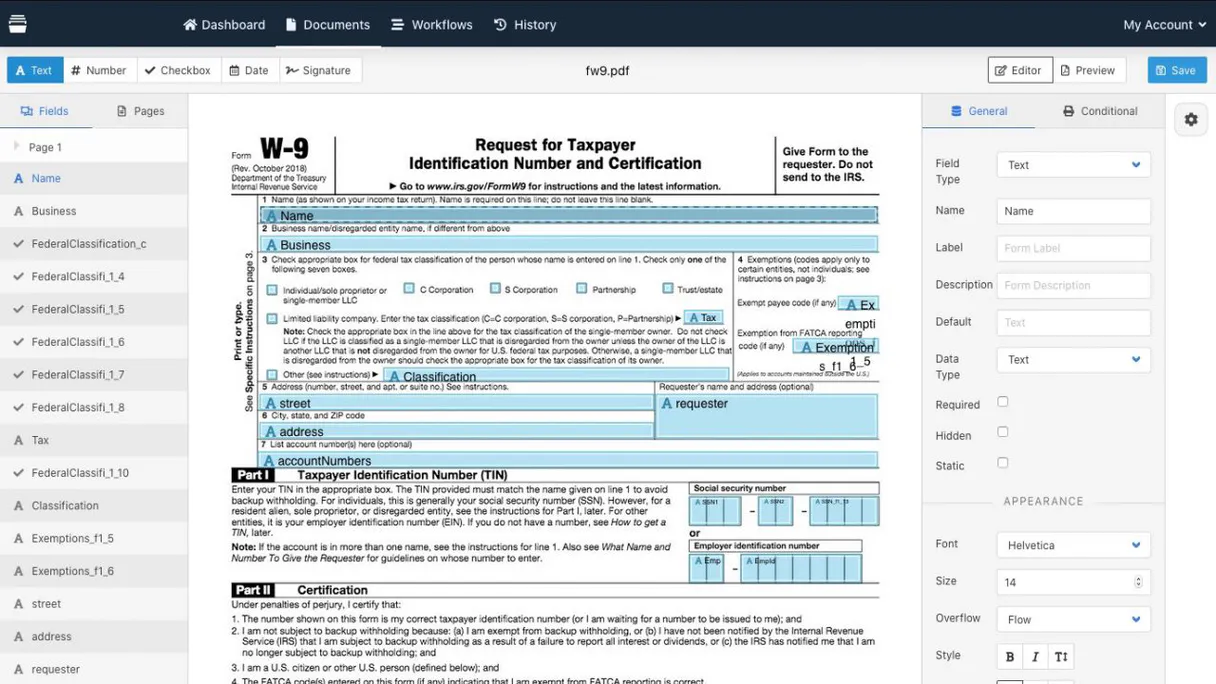
Docdown lets your AI agent manage entire document lifecycles—from checking template requirements to generating final PDFs and Word files using structured data.
It's built for automating repeatable paperwork, making sure every contract or report follows a strict format every single time.
What your AI can do
Generate new document
Creates a finished document file by merging provided data with a selected template.
Get docdown account metadata
Retrieves usage limits and general metadata about your Docdown account.
Get document status
Checks if a generated document is finished, providing the download link when available.
Retrieves a list of all document templates you have stored in the Docdown account.
Identifies the precise data fields and rules needed to populate any specific template accurately.
Creates a brand-new document file (PDF or Word) instantly using a selected template and provided data payload.
Checks the current processing status of a generated document, providing a download link when ready.
Narrows down template results using a keyword search against the template names.
Ask an AI about this
Compatible AI Apps
OAuth 2.0 Compatible Gemini Waiting for input…
Docdown: 10 Tools for Document Automation
These tools allow your agent to perform every step of the document lifecycle: listing templates, checking field requirements, generating files, and tracking status.
Make your AI actually useful.
Add this MCP to Claude, Cursor, or Windsurf and your AI stops guessing. It gets real tools to look things up, take action, and handle the stuff you keep doing by hand.
Start using Docdown on VinkiusGenerate New Document
Creates a finished document file by merging provided data with a selected template.
Get Docdown Account Metadata
Retrieves usage limits and general metadata about your Docdown account.
Get Document Status
Checks if a generated document is finished, providing the download link when...
Get Template Field Schema
Pinpoints exactly which data fields are required to populate a template correctly.
Get Template Details
Pulls all detailed information and field schemas for one specific template ID.
List Published Templates
Filters the list to show only templates marked as 'Published' and usable for generation.
List Generated Documents
Lists every document that has been created from any template.
List Recently Generated Docs
Shows a list of documents created within the last 24 hours for quick review.
List Doc Templates
Provides a full list of all templates stored in your account.
Search Templates By Name
Searches and returns templates that match a specific keyword or name fragment.
Connect to your AI in seconds. Security and governance baked right in.
Pick your AI client below to get set up. Just create a Vinkius account, subscribe, and you're instantly up and running. We handle the entire backend infrastructure, delivering out-of-the-box support for HTTPS Streamable, SSE, and OAuth2—zero messy routing required.
Claude AI
Open Claude Settings
Go to claude.ai, click your profile icon, then navigate to Customize → Connectors.
Add Custom Connector
Click the "+" button and select Add custom connector. Paste your Vinkius endpoint URL:
https://edge.vinkius.com/[YOUR_TOKEN_HERE]/mcp
Replace [YOUR_TOKEN_HERE] with your token from
cloud.vinkius.com. For OAuth-protected servers, expand Advanced
settings to add credentials.
Start a conversation
Open a new chat. The Docdown integration is available immediately — no restart needed.
Choose How to Get Started
Build a custom MCP for your own tools, or connect a ready-made integration from our catalog.
Build Your Own
Turn any API into an MCP. Import a spec, define Agent Skills, or deploy with MCPFusion.
- Import from OpenAPI, Swagger, or YAML specs
- Create Agent Skills with progressive disclosure
- Deploy to edge with MCPFusion framework
- Built in DLP, auth, and compliance on every call
- Real time usage dashboard and cost metering
- Publish to catalog or keep private
Make Your AI Do More
Start with Docdown, then connect any of our 5,000+ other servers whenever your AI needs more. One click, no limits.
- Use this MCP plus 5,000+ others, all in one place
- Add new capabilities to your AI anytime you want
- Every connection is secured and compliant automatically
- Track usage and costs across all your servers
- Works with Claude, ChatGPT, Cursor, and more
- New servers added to the catalog every week
Independent Platform Disclaimer: Vinkius is an independent platform and is not affiliated with, endorsed by, sponsored by, verified by, or otherwise authorized by Docdown. All third-party trademarks, logos, and brand names are the property of their respective owners. Their use on this website is strictly for informational purposes to identify service compatibility and interoperability.
VINKIUS INFRASTRUCTURE
Cloud Hosted
Managed infra
V8 Isolated
Sandboxed per request
Zero-Trust Proxy
No stored credentials
DLP Enforced
Policy on every call
GDPR Compliant
EU data residency
Token Compression
~60% cost reduction
Works with Claude, ChatGPT, Cursor, and more
The Model Context Protocol standardizes how applications expose capabilities to LLMs. Instead of operating in isolation, your AI gains direct access to external platforms, live data, and real-world actions through secure, standardized connections.
This connection provides 10 powerful capabilities that interface natively with Claude, ChatGPT, Cursor, and other compatible AI platforms. No middleware. No custom integration required.
The struggle of turning data into professional documents.
Right now, creating anything formal is a mess of tabs and clicks. You pull the client list from one sheet, copy the amounts from another, and paste it all into a master template. Then you run through 20 manual checks to make sure every field—like the proper date format or required signature line—is actually populated correctly.
With this MCP, your agent takes over that whole sequence. You simply give it the data sources; it uses the right templates and runs all those validation steps automatically behind the scenes. What you get is a finished PDF ready to share, without touching a single formatting rule.
Generate Documents with Docdown
The tedious parts that vanish? The manual process of checking field requirements, the headache of confirming which template version is current, and the time spent waiting for a human to finalize formatting. These steps are all automated by using `list_doc_templates` before you even start.
You just talk to your agent. It handles the complexity—the schema checks, the file creation, the status tracking. Done.
What your AI can actually do with this
Need to generate reports that always look right? This MCP connects your AI client directly to Docdown, an automation platform for creating documents from templates. Instead of manually filling out data sheets and hoping the formatting holds up, you tell your agent what document you need—say, a quarterly performance report—and it handles the rest.
It reads your stored templates, identifies exactly which pieces of information are required, and then takes raw JSON data to spit out a finished file format like PDF or Word.
When you connect this via Vinkius, your agent can list all available document types in your account, check the status of previous generations, and even track where those final files landed. It's about turning complex paperwork into simple conversations with your AI client.
019d7587-262f-7107-a71d-c868f8b781c0 
Here's how it actually works
The bottom line is: it lets structured conversation replace manual file creation.
Connect your AI client to this MCP and authenticate with your Docdown API Key.
Tell your agent what document you need—for example, 'I need a service agreement for Client XYZ'.
The agent automatically checks the template requirements, gathers the necessary data, executes the generation, and returns the download URL.
Who is this actually for?
Anyone who spends time turning spreadsheets into professional documents. Think legal teams drafting contracts, operations managers building client reports, or marketing staff generating pitch decks. It’s for people who are tired of formatting errors and version control nightmares.
Uses the MCP to ensure every contract generated uses the correct, up-to-date template schema before signing.
Generates client status reports or internal audit documents on demand by feeding it structured operational data.
Needs to confirm if a new report requires fields the company hasn't collected yet, using template metadata checks.
What Changes When You Connect
Stop guessing what fields you need. Use get_template_field_schema to check a template and instantly know which data points are mandatory before generating anything, saving time and preventing errors.
Never manually recreate a report. You can use generate_new_document to take structured inputs (like JSON) and automatically produce professional PDFs or Word files using your existing templates.
Keep tabs on everything with simple status checks. After triggering a document, run get_document_status to monitor its progress until it's ready for download.
Don't sift through hundreds of files. Use list_recently_generated_docs or list_generated_documents to quickly find and access the most recent reports.
If you know what name you need, skip the list view. Run search_templates_by_name to pinpoint a template instantly without scrolling through everything.
See it in action
Client Onboarding Reporting
The ops manager needs to create a 'New Client Summary' package. They first use list_doc_templates to confirm the correct template exists, then use get_template_field_schema to make sure they have all required contact details, and finally call generate_new_document with the collected data.
Legal Audit Trail
A legal team needs to prove a specific contract was generated correctly. They use list_generated_documents to find all documents associated with a client and then check the status of the most recent one using get_document_status.
Finding Master Documents
A specialist needs to know if they have a template for 'Annual Review'. Instead of listing all 100 templates, they use search_templates_by_name, which immediately narrows the results down to what they need.
Scheduled Batch Processing
The admin team runs a daily batch job. They trigger document creation using generate_new_document for dozens of accounts, and then use list_recently_generated_docs to verify that every single one completed successfully within the last few hours.
The honest tradeoffs
Generating without validation
Calling generate_new_document with data that is missing a critical field (like a client ID). The document fails and you spend 15 minutes figuring out why.
Before generating, always run get_template_field_schema to confirm the exact data structure required. This prevents failed runs and saves time.
Searching by vague keywords
Trying to find 'client reports' by asking your agent to search all templates without specifying a name keyword, resulting in too many irrelevant options.
Use search_templates_by_name and include the specific template prefix or client type you are looking for. Be precise.
Ignoring document status
Calling generate_new_document and assuming the file is instantly available, only to find out later that it's still 'Processing' and unusable.
Always follow up a generation call by using get_document_status until you receive a 'Completed' status code. Don't assume anything.
When It Fits, When It Doesn't
Use this MCP if your workflow involves creating formal, structured documents—contracts, invoices, reports—where the input data is always JSON or similar structured format. The core mechanism relies on templates; if you can copy-paste the content into a Word document and it still looks right, this tool works. Don't use it if your goal is to generate freeform text (like an article draft) or process unstructured notes from meetings. For those tasks, you need a pure LLM generation tool that doesn't rely on templates.
Questions you might have
How do I find out which fields a template needs using get_template_field_schema? +
You run get_template_field_schema and provide it with the specific Template ID. The output is a list of required data points, telling you exactly what information your agent must gather before generating the document.
Is there a way to check if my documents are ready after using generate_new_document? +
Yes. After initiating generation, use get_document_status and provide the unique Document ID. This tells you if it's still processing or if you can download it now.
What should I do if I need to find a template by its name? +
Don't use list_doc_templates and scroll through hundreds. Instead, run search_templates_by_name with the keyword you know—it pulls up only relevant results.
How do I confirm that a template is active for use? +
Run list_published_templates. This filters out any draft versions, ensuring your agent only tries to generate documents using official templates.
How do I check my account usage limits using get_docdown_account_metadata? +
You use get_docdown_account_metadata to retrieve your current operational limits and billing information. This tool is essential for monitoring usage quotas before running large batch generations, so you don't hit an unexpected limit.
What should I do if I need a full list of all available document templates? Should I use list_doc_templates? +
Yes, list_doc_templates provides a comprehensive catalog view of every template you own. This function shows the names and basic statuses of all documents in your account, regardless of whether they are published or draft.
How do I get a complete history of all generated documents using list_generated_documents? +
list_generated_documents retrieves an archive of every document you've ever created. This is different from listing recently generated files; it gives you the full historical record for auditing purposes.
Before checking field requirements, how do I get a general overview of a template using get_template_details? +
get_template_details provides deep information about a specific template, including its description and owner metadata. Use this when you need context on the document before determining exactly which fields are required.
How do I get a Docdown API Key? +
Log in to your Docdown account, navigate to the API section in your settings, and you can generate or retrieve your unique API Key from there.
Which document formats are supported? +
Docdown primarily supports generating high-quality PDF and Microsoft Word (.docx) files from your templates and data.
Can the agent show me the required fields for a template? +
Yes, you can use the get_template_field_schema tool to retrieve exactly which data keys and types are needed to populate a specific template.
We've already built the connector for Docdown. Just plug in your AI agents and start using Vinkius.
No hosting. No infrastructure. No complex setup.
All 10 tools are live and waiting.
You're up and running in seconds.
Gemini Vinkius gives your AI agents access to the full catalog of app connectors, all fully managed, secure, and enterprise-ready. One subscription, every tool you need.
Built, hosted, and secured by Vinkius. You just connect and go.