
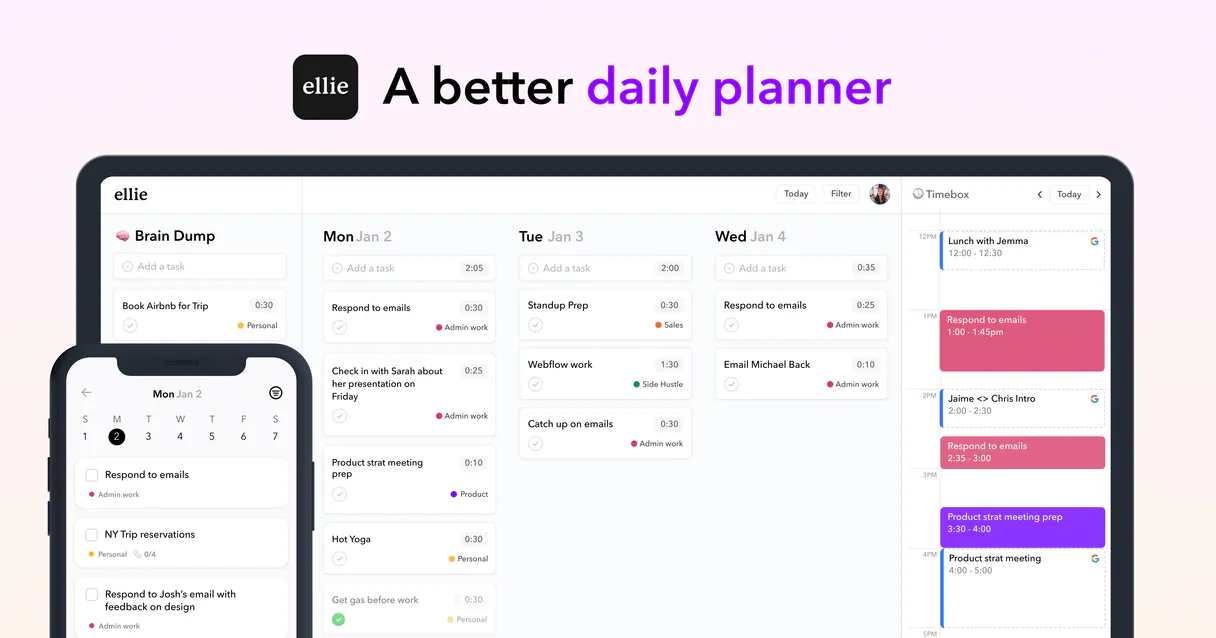
Ellie Planner MCP. Manage projects and daily tasks via conversation.
 Gemini
 Works with every AI agent you already use
…and any MCP-compatible client









Just plug in your AI agents and start using Vinkius.
Ellie Planner lets your AI client take over daily task management and time-blocking. Instead of jumping between tabs, you talk to your agent to create tasks, mark items as finished, or check on project status.
It keeps track of everything in your brain dump and organizes it into structured lists and labels.
What your AI agents can do
Complete task
Marks a specified task within your planner as finished.
Create task
Adds a new task to your plan, letting you include an optional due date or labels with the title.
Delete task
Permanently removes a task from your planner.
Tell your agent to create a task, giving it a title and optionally setting due dates or labels.
Mark an existing item as complete or modify its priority and deadline with simple instructions.
Ask for the details of one particular task, confirming exactly what it is and when it's due.
Get a full directory listing all available labels or all existing project lists in your plan.
List every single active task across your entire planner to see what's on the table.
Ask AI about this MCP
Supported MCP Clients
OAuth 2.0 Compatible Gemini Waiting for input…
Ellie Planner: 8 Tools for Task Management
These tools let your AI client perform every action required in task management, from creating new ideas to marking complex projects as complete.
Make your AI actually useful.
Add this MCP to Claude, Cursor, or Windsurf and your AI stops guessing. It gets real tools to look things up, take action, and handle the stuff you keep doing by hand.
Start using Ellie Planner on Vinkius019dd0e8complete task
Marks a specified task within your planner as finished.
019dd0e8create task
Adds a new task to your plan, letting you include an optional due date or labels with the title.
019dd0e8delete task
Permanently removes a task from your planner.
019dd0e8get task
Retrieves all details for one specific, named task.
019dd0e8list labels
Shows every custom label you've created and used in your planning process.
019dd0e8list lists
Retrieves a complete list of all task categories (or 'Lists') you maintain.
019dd0e8list tasks
Provides an inventory view of every active task in your planner.
019dd0e8update task
Modifies the details, priority, or date of an existing task.
Choose How to Get Started
Build a custom MCP for your own tools, or connect a ready-made integration from our catalog.
Build Your Own
Turn any API into an MCP. Import a spec, define Agent Skills, or deploy with MCPFusion.
- Import from OpenAPI, Swagger, or YAML specs
- Create Agent Skills with progressive disclosure
- Deploy to edge with MCPFusion framework
- Built in DLP, auth, and compliance on every call
- Real time usage dashboard and cost metering
- Publish to catalog or keep private
Make Your AI Do More
Start with Ellie Planner, then connect any of our 5,000+ other servers whenever your AI needs more. One click, no limits.
- Use this MCP plus 5,000+ others, all in one place
- Add new capabilities to your AI anytime you want
- Every connection is secured and compliant automatically
- Track usage and costs across all your servers
- Works with Claude, ChatGPT, Cursor, and more
- New servers added to the catalog every week
Independent Platform Disclaimer: Vinkius is an independent platform and is not affiliated with, endorsed by, sponsored by, verified by, or otherwise authorized by Ellie Planner. All third-party trademarks, logos, and brand names are the property of their respective owners. Their use on this website is strictly for informational purposes to identify service compatibility and interoperability.
VINKIUS INFRASTRUCTURE
Cloud Hosted
Managed infra
V8 Isolated
Sandboxed per request
Zero-Trust Proxy
No stored credentials
DLP Enforced
Policy on every call
GDPR Compliant
EU data residency
Token Compression
~60% cost reduction
Works with Claude, ChatGPT, Cursor, and more
The Model Context Protocol standardizes how applications expose capabilities to LLMs. Instead of operating in isolation, your AI gains direct access to external platforms, live data, and real-world actions through secure, standardized connections.
This server provides 8 capabilities that interface natively with Claude, ChatGPT, Cursor, and any MCP client. No middleware. No custom integration required.
Juggling tasks means jumping between apps.
Right now, if you want to update your plan, you open Ellie Planner. You find the tab for that project list. You scroll down until you spot the task. If it's not there, you have to run through every label and list just to check if it exists. Then, you manually change the date or mark it done, often copying data into a separate tracking sheet afterward.
With this MCP, that manual process disappears. You talk to your agent: 'Mark the marketing plan task as complete.' Done. No clicking through tabs, no searching lists—your AI handles the status change and updates everything instantly. It's just conversational control over complex data.
Ellie Planner MCP gives you total command of your task flow.
The ability to run list_labels, followed by list_lists, and then use get_task means you can audit your entire plan's structure in minutes. You confirm what exists before making any changes, preventing accidental deletions or miscategorization that used to happen.
It gives you a single source of truth for all things planned. Your agent doesn't just read data; it actively manages the lifecycle—from creation via create_task to final completion using complete_task.
What you can do with this MCP connector
Managing a complex schedule shouldn't mean switching between five different browser windows. This MCP connects your personal productivity system directly to your agent, letting you handle tasks through natural conversation. You can tell it to create an idea as a task, or ask it to check the status of something you started last week.
It manages everything from basic daily checklists to complex project timelines, keeping track of which labels apply and what needs to be done next. If you're already using Vinkius for other services, adding Ellie Planner means getting one central point for managing your day without ever leaving your workflow.
Your agent becomes a dedicated coordinator, allowing you to update task statuses or adjust deadlines just by asking. It handles the details—like making sure every thought gets labeled correctly and placed in the right list—so you can focus on the work itself.
019dd0e8-c34b-72cd-bc3b-69dc9af1bda5 
How Ellie Planner MCP Works
- 1 First, subscribe to this MCP and grab your API Token from Ellie Planner settings.
- 2 Second, connect that token in your preferred agent client (Claude, Cursor, etc.).
- 3 Third, you just talk to it. Ask your agent anything—'What tasks did I set for today?' or 'Mark the API design task as done.'—and get an immediate update.
The bottom line is: your AI acts like a personal assistant that lives inside your chat window, managing your schedule instantly.
Who Is Ellie Planner MCP For?
This MCP is for anyone whose day involves juggling multiple projects and constantly switching between idea generation and execution. If you're tired of manual data entry or having to check five different places just to see what needs doing, this is built for you.
Needs to create tasks, update deadlines, and mark progress across multiple team deliverables without leaving their main communication tool.
Uses the brain dump function to capture random ideas, then uses labels and lists to organize them into actionable phases for a client project.
Requires quick access to all tasks and the ability to change priorities or mark features as complete when development milestones are hit.
What Changes When You Connect
- Stop manually switching between browser tabs. Your agent handles task creation, updating status, and retrieving details—all in one chat window.
- Keep track of your ideas without losing them. Use the brain dump capability to instantly turn random thoughts into structured, actionable tasks.
- Never lose context on a project again. You can list all labels or check every single task across your planner just by asking your agent.
- Manage complex changes effortlessly. Instead of finding and editing an item, use the update_task tool to adjust deadlines or priorities instantly.
- Maintain clean data integrity. Need to remove a bad idea? Use delete_task and keep your plan tidy without manually deleting it in the UI.
Real-World Use Cases
The week-end brainstorming session
A consultant has 50 random ideas. Instead of writing them down on sticky notes, they ask their agent to create a task for each idea using the 'Brain Dump' capability. The agent structures these raw inputs into new tasks, ready for the next phase of organization.
The progress check-in
A Project Manager needs to update 12 team members on their task status across three separate projects. They ask the agent to list_tasks and then use complete_task for each completed item, updating the dashboard without opening the planner app.
The urgent scope change
A Product Owner realizes a deadline is impossible. Instead of logging into Ellie Planner, they ask their agent to update_task on the specific feature, extending the due date and lowering its priority in one command.
Onboarding new hires
A team lead needs to show a new hire how tasks are organized. They ask the agent to list_lists first, then use list_labels to explain the categorization system before showing them how to get_task on an example item.
The Tradeoffs
Treating it like a simple checklist
Just listing tasks without thinking about dependencies or labels. You end up with a huge, unorganized list that doesn't tell you what matters most.
→ Always use the agent to review your organization first by calling list_lists and then list_labels. This ensures every task is properly categorized before you try to complete_task.
Manually updating every single field
Opening a task, changing the due date, saving, opening another tab, and repeating this process for 20 items. It's slow and error-prone.
→ Use update_task to modify multiple parameters on one item at once. Tell your agent exactly what needs changing (e.g., 'Update task X: new due date is Y, priority is Z').
Forgetting the source of truth
Making notes about tasks in a separate document and then forgetting to transfer them into Ellie Planner.
→ When you have an idea or need to capture something, always use create_task and specify which list it belongs to. This keeps your plan centralized.
When It Fits, When It Doesn't
Use this MCP if the core pain point is context switching between a planning tool and your AI agent. You need reliable CRUD operations—specifically creating new tasks or marking them as completed. Don't use this if you are just looking for simple data storage, like a static database; those tools won't help with timelines or organization. Instead, look at specialized internal databases or simpler form-filling tools. If your workflow requires advanced scheduling logic (like dependency mapping across different services), you might need to pair this MCP with dedicated automation platforms. But for day-to-day task execution and status tracking, this is the right fit.
Common Questions About Ellie Planner MCP
How do I update task status using the update_task tool? +
You tell your agent exactly what needs changing. For example, 'Update task X: extend the deadline to Friday and mark it high priority.' The agent handles the rest of the data structure changes.
Can I list all my current tasks for today in Ellie Planner? +
Yes, your agent can run the list_tasks tool. It gives you an inventory view and helps pinpoint which items need attention or completion right now.
Is there a way to create multiple related tasks at once? (create_task) +
Yes, simply provide all the titles when asking your agent to run create_task. You can add them to specific labels like 'Phase 2' or assign them to different lists.
What if I want to delete a task but need proof first? (get_task) +
Before deleting, always use get_task. This pulls up all the current details, letting you confirm that it is truly the item you want gone before running the delete_task command.
Before I start creating tasks, how do I use `list_labels` to see all the organizational labels available in my account? +
It immediately retrieves a list of every label applied across your plan. This lets you check which categories are already set up, ensuring your new task fits into the right structure from day one.
What if I need to know what project lists or folders exist before I use `create_task`? +
Running list_lists pulls a full directory of every custom list you've created. You can confirm the correct container name, which prevents errors when creating new tasks in specific projects.
If I try to run `update_task` but provide an incorrect task ID or status value, what happens? +
The MCP will return a clear error message detailing the problem. This tells your AI agent exactly which piece of data is wrong so you can fix it and retry without guesswork.
How do I use `list_tasks` to pull a complete history or archive dump, rather than just today’s items? +
You specify the desired date range in the prompt. This retrieves all tasks within that period, giving you a comprehensive view of your project's full timeline and historical progress.
How do I find my API Token? +
Log in to your account, go to Settings, enable the 'Toggle power features' option, and you will see the API Token field.
Is a Pro plan required? +
Yes, API access and automation features are exclusively available for Ellie Planner Pro subscribers.
Can the agent manage my labels? +
The agent can list your labels using the list_labels tool. To create or edit labels, please use the Ellie Planner web application.
Use it with your favorite AI tools
Connect this server to Cursor, Claude, VS Code, and more.