
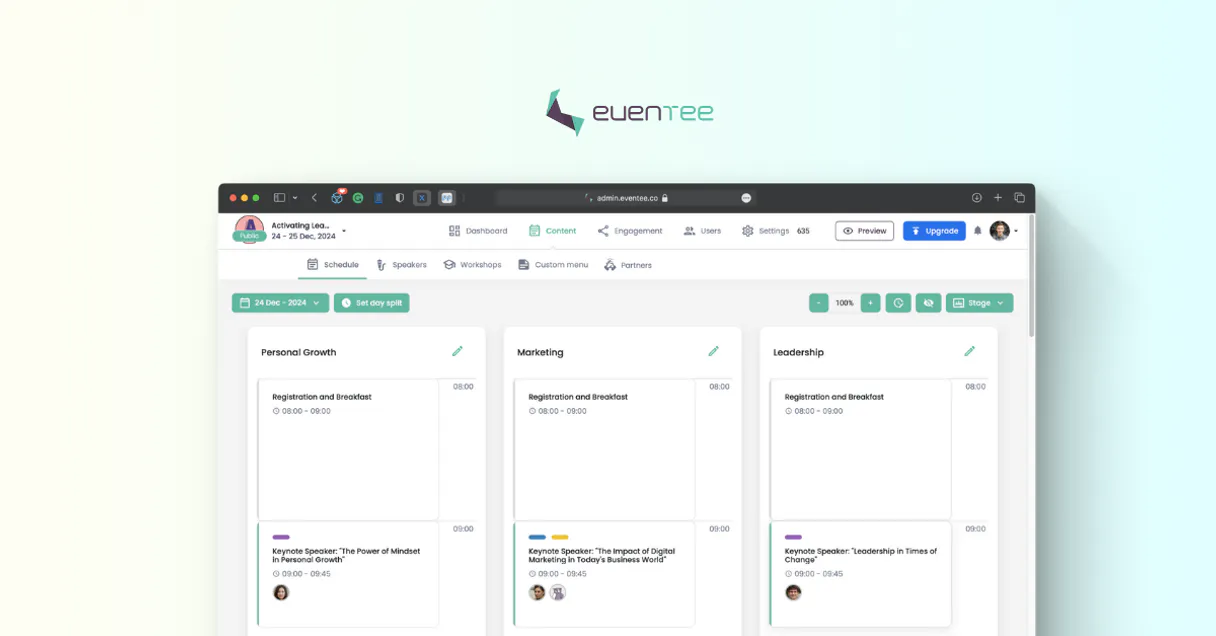
Supercharge your AI with Eventee. Manage every event detail from chat.
 Gemini
 Works with every AI agent you already use
…and any MCP-compatible client









Connect to your AI in seconds.
Eventee MCP manages every detail of your live or virtual event, from speaker bios to audience questions. Your AI agent can list all projects, check session schedules, find registered attendees, and audit engagement metrics using natural conversation.
What your AI can do
Get eventee account metadata
Checks the usage limits and general metadata for your Eventee account.
Get event detailed data
Retrieves specific settings and detailed information for one event project.
Quick event engagement audit
Calculates and retrieves a high-level summary covering sessions, speakers, and attendees instantly.
List every project you manage in Eventee, checking dates and overall status for quick oversight.
Get detailed lists of registered speakers and all scheduled session times for a specific conference.
Access the live feed of questions submitted by attendees or retrieve historical question data.
List all people who registered for an event, or get details on the sponsors and partners involved in that specific conference.
Run an instant audit to summarize key metrics like speaker diversity, session volume, and attendance numbers.
Ask an AI about this
Compatible AI Apps
OAuth 2.0 Compatible Gemini Waiting for input…
Eventee: 10 Tools for Event Management
These ten tools let you orchestrate every aspect of an event—from checking initial project details to auditing final engagement scores.
Make your AI actually useful.
Add this MCP to Claude, Cursor, or Windsurf and your AI stops guessing. It gets real tools to look things up, take action, and handle the stuff you keep doing by hand.
Start using Eventee on VinkiusGet Eventee Account Metadata
Checks the usage limits and general metadata for your Eventee account.
Get Event Detailed Data
Retrieves specific settings and detailed information for one event project.
Quick Event Engagement Audit
Calculates and retrieves a high-level summary covering sessions, speakers, and...
List Currently Active Events
Identifies and lists all events that are happening right now.
List Event Registered Attendees
Generates a list of every person who has registered for an event.
List All Events
Provides a list of every single event project managed in your account.
List Event Partners And Sponsors
Lists all partners and sponsors associated with one specific event.
List Event Audience Questions
Retrieves every question submitted by the audience for a specified event.
List Event Sessions
Gets all scheduled sessions and time slots for one specific event.
List Event Speakers
Retrieves a list of every speaker registered to present at the event.
Connect to your AI in seconds. Security and governance baked right in.
Pick your AI client below to get set up. Just create a Vinkius account, subscribe, and you're instantly up and running. We handle the entire backend infrastructure, delivering out-of-the-box support for HTTPS Streamable, SSE, and OAuth2—zero messy routing required.
Claude AI
Open Claude Settings
Go to claude.ai, click your profile icon, then navigate to Customize → Connectors.
Add Custom Connector
Click the "+" button and select Add custom connector. Paste your Vinkius endpoint URL:
https://edge.vinkius.com/[YOUR_TOKEN_HERE]/mcp
Replace [YOUR_TOKEN_HERE] with your token from
cloud.vinkius.com. For OAuth-protected servers, expand Advanced
settings to add credentials.
Start a conversation
Open a new chat. The Eventee integration is available immediately — no restart needed.
Choose How to Get Started
Build a custom MCP for your own tools, or connect a ready-made integration from our catalog.
Build Your Own
Turn any API into an MCP. Import a spec, define Agent Skills, or deploy with MCPFusion.
- Import from OpenAPI, Swagger, or YAML specs
- Create Agent Skills with progressive disclosure
- Deploy to edge with MCPFusion framework
- Built in DLP, auth, and compliance on every call
- Real time usage dashboard and cost metering
- Publish to catalog or keep private
Make Your AI Do More
Start with Eventee, then connect any of our 5,000+ other servers whenever your AI needs more. One click, no limits.
- Use this MCP plus 5,000+ others, all in one place
- Add new capabilities to your AI anytime you want
- Every connection is secured and compliant automatically
- Track usage and costs across all your servers
- Works with Claude, ChatGPT, Cursor, and more
- New servers added to the catalog every week
Independent Platform Disclaimer: Vinkius is an independent platform and is not affiliated with, endorsed by, sponsored by, verified by, or otherwise authorized by Eventee. All third-party trademarks, logos, and brand names are the property of their respective owners. Their use on this website is strictly for informational purposes to identify service compatibility and interoperability.
VINKIUS INFRASTRUCTURE
Cloud Hosted
Managed infra
V8 Isolated
Sandboxed per request
Zero-Trust Proxy
No stored credentials
DLP Enforced
Policy on every call
GDPR Compliant
EU data residency
Token Compression
~60% cost reduction
Works with Claude, ChatGPT, Cursor, and more
The Model Context Protocol standardizes how applications expose capabilities to LLMs. Instead of operating in isolation, your AI gains direct access to external platforms, live data, and real-world actions through secure, standardized connections.
This connection provides 10 powerful capabilities that interface natively with Claude, ChatGPT, Cursor, and other compatible AI platforms. No middleware. No custom integration required.
The struggle of piecing together conference data by hand.
Today, planning an event means logging into Eventee, then switching to your spreadsheet tool, and constantly copying names and dates. You're running between tabs to check speaker bios, cross-reference the session schedule against who is registered, and manually track down which sponsors paid for what. It’s slow, it’s frustrating, and you always worry about missing a critical detail.
With this MCP, your AI agent does that heavy lifting. You tell it, 'Pull the full roster of speakers for next week'—it runs `list_event_speakers` instantly. You get organized data without opening a single tab or copy-pasting a single name.
List event sessions and speaker details with the Eventee MCP.
Manual scheduling requires you to check `list_event_sessions` for times, then jump over to another view to find the corresponding speakers. It's a two-step process that adds time and friction every single time.
Now, your agent handles it in one go. You ask about the schedule, and it uses both `list_event_sessions` and `list_event_speakers` to give you the complete picture immediately. The coordination is built right into the chat.
What your AI can actually do with this
This connector gives you direct access to Eventee, letting your AI client manage the entire lifecycle of an event—it's like having a dedicated operations manager who never sleeps. You tell it what you need, and it pulls data on everything: current schedules, speaker profiles, partner sponsorships, and real-time questions submitted by attendees.
It handles complex coordination across different aspects of the conference without you needing to jump through multiple dashboards. Through your AI client connected via Vinkius, you can orchestrate event planning strategies just by talking to your agent. Whether you're running a massive annual summit or a small product launch, this MCP keeps all the data—the schedules, the people, and the engagement scores—in one conversational flow.
019d7592-9f3b-7336-a2a5-e97a039aa903 
Here's how it actually works
The bottom line is, you talk to your AI client and it handles all the back-and-forth with Eventee.
Connect the Eventee MCP using your preferred AI client.
Authorize access by providing your unique Eventee API Key in the Vinkius catalog.
Ask your agent a question—for example, 'What are the speakers for tomorrow's session?'—to get immediate data.
Who is this actually for?
Event planners who need a single pane of glass for massive conferences. Marketing staff tracking live engagement. Operations teams monitoring registration numbers across multiple venues.
Needs to cross-reference speaker bios, session schedules, and project status to ensure everything runs on time.
Uses the MCP during a live event to pull up sponsor details or track audience questions for immediate social media posts.
Monitors registration count (list_event_registered_attendees) and overall organizational metadata instantly, especially when troubleshooting attendance issues.
What Changes When You Connect
Stop compiling data across five different tabs. You can use quick_event_engagement_audit to get a high-level summary of sessions, speakers, and attendees in one go.
You'll never lose track of who spoke when. Use list_event_speakers and list_event_sessions together to build instant schedules for any conference.
No more guessing if someone is registered. Running list_event_registered_attendees gives you a clean, current list of all attendees for immediate reporting.
If you need to check who paid for the coffee station, use list_event_partners_and_sponsors. It's faster than digging through spreadsheets.
Need to know what people are asking? Running list_event_audience_questions lets your agent track live Q&A submissions in real time.
See it in action
Checking last-minute scheduling changes
An Operations Lead needs to confirm the schedule for a key speaker immediately. Instead of logging into Eventee and clicking through multiple menus, they ask their agent: 'What are the sessions and speakers scheduled for tomorrow?' The MCP runs list_event_sessions and list_event_speakers, giving them a complete, actionable list instantly.
Auditing post-conference performance
A Marketing Manager wants to report the health of last week's summit. They prompt their agent: 'Give me a high-level summary of the event.' The MCP runs quick_event_engagement_audit, providing data on session volume, speaker count, and overall participation without any manual effort.
Handling press inquiries
A Planner needs to quickly confirm who sponsored a specific track. They ask their agent: 'Who are the partners for the AI Track?' The MCP runs list_event_partners_and_sponsors, providing the names and tiers right away.
Preparing attendee reports
An Ops Lead needs to generate a list of all attendees who registered last month. They ask their agent for 'the full roster.' The MCP runs list_event_registered_attendees, pulling the entire contact list into one clean output.
The honest tradeoffs
Asking about a speaker by name only
The user just types: 'Tell me about John Doe.' The agent fails because it doesn't know which event or what role to check.
To find the right info, first run list_event_sessions to define the context (the date/topic), then ask for the speaker list. This gives the AI enough data to search correctly.
Checking event status manually
The user has to navigate to the main dashboard and click through 'All Events' just to see if a project is live.
Use list_all_events for an overview, or use list_currently_active_events if you only care about what's happening right now.
Trying to get all event data in one go
The user asks: 'Give me everything about the conference.' This is too vague, and the agent won't know where to start.
Break it down. First, run get_eventee_account_metadata to confirm your access limits. Then use specific tools like list_event_speakers.
When It Fits, When It Doesn't
Use this MCP if your job involves coordinating multiple moving parts—people, sessions, and sponsors—across a single large event. If you frequently need to check 'Who is speaking when?' or 'How many people registered?' then this is for you. Don't use it if all you need is one piece of static data, like simply viewing a user profile that doesn't relate to an event; in those cases, a basic directory lookup tool will be simpler. If your goal is just simple reporting on attendee records without context, check if there’s a dedicated CRM integration instead.
Questions you might have
How do I list all events using the list_all_events tool? +
You simply ask your agent, 'List all my projects.' This runs list_all_events and gives you a full directory of every event managed in your account.
Can I check attendee questions using the list_event_audience_questions tool? +
Yes. To use this, you must first specify which event you're talking about. Your agent will then run list_event_audience_questions and pull all submitted Q&A for that specific date or conference.
What is the quick_event_engagement_audit tool used for? +
This tool provides an instant, high-level summary. It runs a comprehensive check on sessions, speakers, and attendees so you don't have to run multiple reports yourself.
If I want to see the sponsors, do I use list_event_partners_and_sponsors? +
Yes. You need to specify which event you mean, and then your agent will execute list_event_partners_and_sponsors to retrieve all details on who sponsored that specific conference.
How do I check my API usage and rate limits using the get_eventee_account_metadata tool? +
The tool retrieves your current account metadata and operational limits. This is crucial for understanding quotas before running large data pulls, helping you avoid service interruptions.
Does the list_currently_active_events tool filter out planned or past events? +
Yes, it only returns event records marked as live or ongoing. This ensures your queries focus exclusively on sessions happening right now, saving you API calls.
What information do I get when calling get_event_detailed_data for a specific event? +
You retrieve granular configuration settings for that exact event. This includes setup details like venue capacity or required technical specifications, far beyond just the schedule.
How can I narrow down attendee lists when using list_event_registered_attendees? +
You pass specific criteria like 'group affiliation' or 'ticket tier'. This filters the full roster, letting you pull data only for the attendees you need right now.
How do I get an Eventee API Key? +
Log in to your Eventee dashboard, navigate to Administration > API, and you can generate or retrieve your unique API Key from there. API access may be restricted to certain plans.
Can the agent manage live polls? +
This integration currently focuses on listing and auditing events, sessions, and questions. Managing live polls or reacting to real-time interactions should be handled via the Eventee mobile app or administration console.
Does the integration show attendee details? +
Yes, you can use the list_event_registered_attendees tool to retrieve names and basic registration metadata for all participants of a specific event.
We've already built the connector for Eventee. Just plug in your AI agents and start using Vinkius.
No hosting. No infrastructure. No complex setup.
All 10 tools are live and waiting.
You're up and running in seconds.
Gemini Vinkius gives your AI agents access to the full catalog of app connectors, all fully managed, secure, and enterprise-ready. One subscription, every tool you need.
Built, hosted, and secured by Vinkius. You just connect and go.