
Supercharge your AI with SIDRA Dados Censitários. Pull Brazil's GDP, Population & Inflation Data.
 Gemini
 Works with every AI agent you already use
…and any MCP-compatible client









Connect to your AI in seconds.
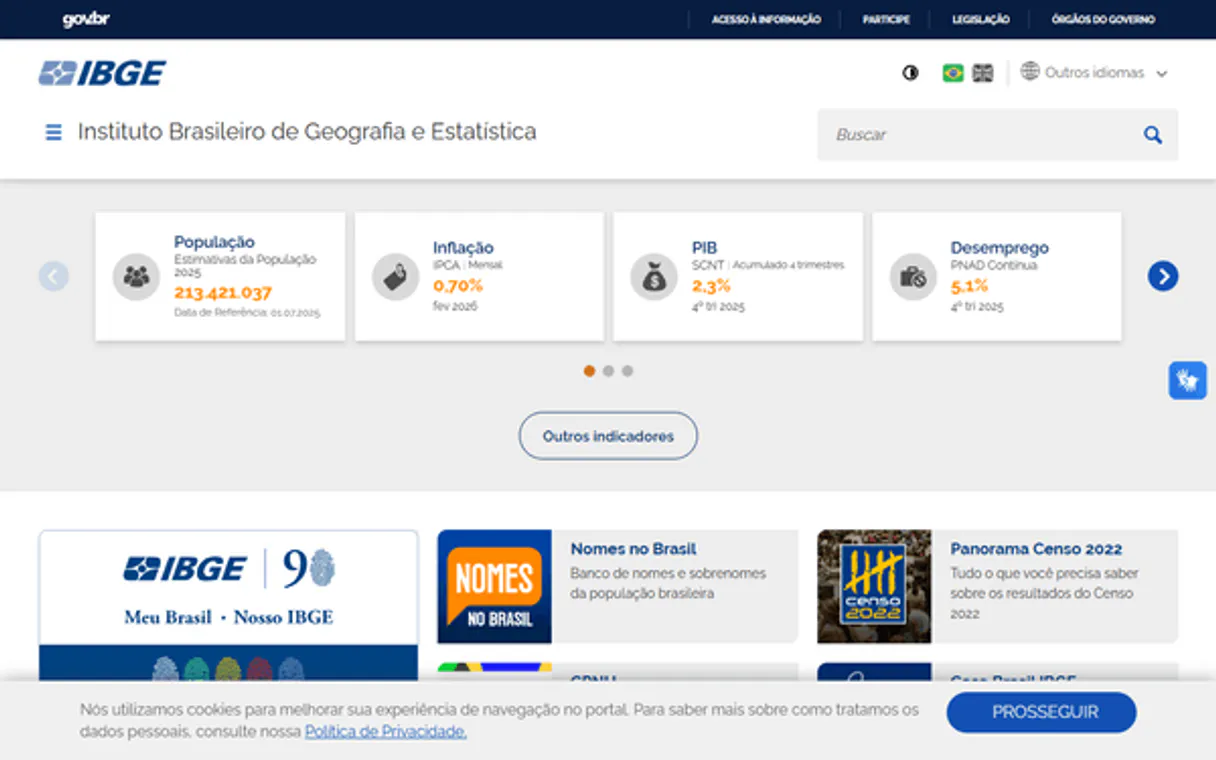
IBGE Censo & SIDRA — Dados Censitários gives you instant access to Brazil's official statistical records. Pull national and regional data covering GDP, demographics, labor force stats, inflation (IPCA), and agriculture production—all from one API.
This is the foundational layer for any deep dive into Brazilian economic or population trends.
What your AI can do
List agregados
Provides an index of all available SIDRA aggregate tables, grouped by the survey or topic they cover.
Get agregado data
Retrieves specific statistical figures from an aggregate table using defined variables, time periods, and geographic levels.
Get agregado metadados
Pulls the schema and field descriptions for a given SIDRA dataset so you know exactly what data points are available.
Pull historical and current data points like GDP or per capita income for specific states or municipalities.
Access census results, allowing you to track population changes based on age, sex, or educational levels across different years.
Get the monthly IPCA index and see exactly which goods—like food or transport—are driving price increases.
Find out what data is even available by listing all the core SIDRA aggregate tables grouped by survey type.
Ask an AI about this
Compatible AI Apps
OAuth 2.0 Compatible Gemini Waiting for input…
IBGE Censo & SIDRA: 4 Tools
Use these four tools to map out the full process of data retrieval—from listing available datasets to pulling final statistical payloads.
Make your AI actually useful.
Add this MCP to Claude, Cursor, or Windsurf and your AI stops guessing. It gets real tools to look things up, take action, and handle the stuff you keep doing by hand.
Start using IBGE Censo & SIDRA — Dados Censitários on VinkiusList Agregados
Provides an index of all available SIDRA aggregate tables, grouped by the survey or topic they cover.
Get Agregado Data
Retrieves specific statistical figures from an aggregate table using defined...
Get Agregado Metadados
Pulls the schema and field descriptions for a given SIDRA dataset so you know...
Get Agregado Periodos
Checks which specific time ranges (e.g., 2018 to 2023) are valid for a chosen...
Connect to your AI in seconds. Security and governance baked right in.
Pick your AI client below to get set up. Just create a Vinkius account, subscribe, and you're instantly up and running. We handle the entire backend infrastructure, delivering out-of-the-box support for HTTPS Streamable, SSE, and OAuth2—zero messy routing required.
Claude AI
Open Claude Settings
Go to claude.ai, click your profile icon, then navigate to Customize → Connectors.
Add Custom Connector
Click the "+" button and select Add custom connector. Paste your Vinkius endpoint URL:
https://edge.vinkius.com/[YOUR_TOKEN_HERE]/mcp
Replace [YOUR_TOKEN_HERE] with your token from
cloud.vinkius.com. For OAuth-protected servers, expand Advanced
settings to add credentials.
Start a conversation
Open a new chat. The SIDRA Dados Censitários integration is available immediately — no restart needed.
Choose How to Get Started
Build a custom MCP for your own tools, or connect a ready-made integration from our catalog.
Build Your Own
Turn any API into an MCP. Import a spec, define Agent Skills, or deploy with MCPFusion.
- Import from OpenAPI, Swagger, or YAML specs
- Create Agent Skills with progressive disclosure
- Deploy to edge with MCPFusion framework
- Built in DLP, auth, and compliance on every call
- Real time usage dashboard and cost metering
- Publish to catalog or keep private
Make Your AI Do More
Start with IBGE Censo & SIDRA — Dados Censitários, then connect any of our 5,000+ other servers whenever your AI needs more. One click, no limits.
- Use this MCP plus 5,000+ others, all in one place
- Add new capabilities to your AI anytime you want
- Every connection is secured and compliant automatically
- Track usage and costs across all your servers
- Works with Claude, ChatGPT, Cursor, and more
- New servers added to the catalog every week
Independent Platform Disclaimer: Vinkius is an independent platform and is not affiliated with, endorsed by, sponsored by, verified by, or otherwise authorized by IBGE. All third-party trademarks, logos, and brand names are the property of their respective owners. Their use on this website is strictly for informational purposes to identify service compatibility and interoperability.
VINKIUS INFRASTRUCTURE
Cloud Hosted
Managed infra
V8 Isolated
Sandboxed per request
Zero-Trust Proxy
No stored credentials
DLP Enforced
Policy on every call
GDPR Compliant
EU data residency
Token Compression
~60% cost reduction
Works with Claude, ChatGPT, Cursor, and more
The Model Context Protocol standardizes how applications expose capabilities to LLMs. Instead of operating in isolation, your AI gains direct access to external platforms, live data, and real-world actions through secure, standardized connections.
This connection provides 4 powerful capabilities that interface natively with Claude, ChatGPT, Cursor, and other compatible AI platforms. No middleware. No custom integration required.
The Manual Data Crawl
Right now, if you need to compare Brazil's unemployment rate with its inflation index for three different states over the last decade, you spend hours jumping between IBGE websites. You copy tables from one page, paste them into a spreadsheet, and then manually write formulas to normalize the data. It’s tedious, prone to human error, and slow.
With this MCP, your agent handles the entire process. You ask for the comparison—by state, by year. The system figures out which tables are needed, checks the variables against the schema, pulls all the raw numbers, and gives you a single, structured data object ready to analyze.
Accessing SIDRA Dados Censitários
The biggest time sink disappears: You never have to remember which specific code corresponds to 'agricultural output' or the correct regional abbreviation for a particular state. The MCP manages that massive internal mapping for you.
You just ask your agent what you need, and it handles the complex sequence of calls, returning clean data without forcing you to interact with multiple APIs manually. It’s a huge time save.
What your AI can actually do with this
Need solid macro data? This MCP connects your agent directly to SIDRA, which manages Brazil's core statistics since 1940. You don't have to jump through multiple government websites just to get a reliable figure. Your AI client pulls everything—from national GDP figures down to municipal employment rates; from monthly IPCA indices to specific crop yields.
It’s the backbone for anyone working with Brazilian economic intelligence.
Whether you're tracking how inflation impacts regional purchasing power or need demographic breakdowns by age and race, this MCP handles it. You can filter data by geography (state, region) and define exact time periods using your agent. If you use Vinkius to connect your preferred AI client, you get access to this massive catalog of tools alongside everything else.
It's pure statistical power, structured for modern development.
019d75b6-8a1b-725a-a427-5b72e844ad50 
Here's how it actually works
The bottom line is, you move from identifying the dataset to retrieving the structured data payload in three defined steps.
First, use list_agregados to see a high-level list of all available statistical datasets and identify the one you need.
Next, call get_agregado_metadados to confirm the specific variables, fields, and data structure for that dataset. You're defining your parameters here.
Finally, use get_agregado_data, providing the required geography (state/municipality), time range, and variable codes to pull the actual figures.
Who is this actually for?
This MCP is for anyone who needs hard economic numbers. Think policy researchers tired of cross-referencing disparate government reports or journalists needing rapid, reliable stats on everything from inflation to regional population shifts.
Needs to compare historical trends for unemployment rates across different Brazilian states and map those changes against national GDP growth.
Requires rapid access to reliable, granular economic data like sector-specific revenue or commodity price indexes to model investment risk in local markets.
Must cross-reference demographic census data with labor force surveys (PNAD) to build predictive models for regional growth areas.
What Changes When You Connect
You don't spend time on manual data cleaning or cross-referencing multiple IBGE sites. The structured access lets your agent pull clean, ready-to-use figures directly into your workflow.
The list_agregados tool lets you quickly scope out the entire statistical universe—from labor statistics to agricultural yields—before writing a single query.
You get precise control over variables and geography. Instead of general trends, you can pull data for 'São Paulo' specifically, or just the 'Nordeste' region using get_agregado_data.
The system handles complexity: You don't need to know how SIDRA organizes its 10,000+ tables. Your agent manages that mapping automatically.
You can check data validity upfront. Using get_agregado_periodos prevents your script from failing because you requested a date range the dataset never recorded.
See it in action
Comparing inflation across regions
A user needs to know if IPCA rates in Rio de Janeiro are stable compared to São Paulo. They use list_agregados to find the correct index, then run get_agregado_data specifying 'Rio de Janeiro' and 'São Paulo' while filtering for the last 12 months of data.
Building a demographic report
A researcher needs to track population growth segmented by age group and race. They use get_agregado_metadados first, confirming the available census variables, before pulling the full dataset with get_agregado_data.
Auditing a market report
An analyst needs to verify if a competitor's claim about agricultural output is accurate. They use list_agregados to find the crop production table, check available years with get_agregado_periodos, and finally pull the data using get_agregado_data.
Analyzing labor market shifts
A consulting firm needs to model job changes. They use the MCP to retrieve PNAD labor force survey data by sector, enabling them to map recent employment trends across various Brazilian regions.
The honest tradeoffs
Treating all data as one source
Trying to pull inflation rates (IPCA) using the same function call that gets population census data. The variables and schemas are entirely different.
Always start by calling list_agregados to find the correct dataset for your topic, then use get_agregado_metadados before attempting to pull the payload with get_agregado_data. Keep the data types separate.
Forgetting time scope
Requesting a dataset for 2024 without checking if the source has finalized that year's statistics. The call fails or returns incomplete, misleading results.
Run get_agregado_periodos first. This ensures your agent only attempts to pull data in years and months where the IBGE officially published figures.
Over-specifying variables
Attempting to define a variable that doesn't exist within the dataset schema, which leads to vague errors or incomplete records.
Always run get_agregado_metadados after identifying your aggregate. This confirms the exact field codes and limits for variables before you build your final query.
When It Fits, When It Doesn't
Use this MCP if your goal is deep, verifiable statistical analysis of Brazilian macroeconomics, demographics, or agriculture. You need to calculate rates of change, compare regional performance (e.g., São Paulo vs. Bahia), or track historical trends like IPCA over decades. Don't use it if you just need a simple fact check; for that, an indexed search tool is better. If your goal is merely finding the contact info for IBGE, don't bother—use their direct site. You must be prepared to treat data retrieval as a multi-step process: list -> metadata -> period -> data.
Questions you might have
How do I find out what datasets are available using list_agregados? +
Use list_agregados first; it gives you an index of all SIDRA aggregate tables, grouping them by their survey topic. This is your starting point for knowing what data exists.
What should I do if my chosen dataset has multiple years? +
You must run get_agregado_periodos to confirm the exact available date range for that specific aggregate. This prevents your agent from querying invalid time periods.
Does get_agregado_data require me to know all the field codes? +
No, but it helps. You should first call get_agregado_metadados to review the schema and find the correct variable and level codes before running get_agregado_data.
Is this data suitable for investment modeling? +
Yes. It provides granular economic indicators like GDP, employment (PNAD), and IPCA decomposition, which are standard inputs for advanced financial modeling.
When I run `get_agregado_data`, what happens if my requested combination of variables or regions doesn't exist? +
The tool returns a structured JSON error message. It won't just fail; it will specify exactly which parameter is invalid, like an unavailable variable code or an uncombined region pairing.
Do I need to run `list_agregados` first to know how to use the other tools? +
It's highly recommended. Using list_agregados gives your AI client a structured inventory of all available tables grouped by survey, helping you scope your query before hitting the data retrieval tools.
If I need to analyze multiple different surveys, is there a way to use one tool for everything? +
No. Each aggregate dataset must be queried individually using its specific code. You'll need to run get_agregado_metadados for each survey you intend to combine.
What is the best way to handle performance and avoid rate limits when retrieving large datasets with `get_agregado_data`? +
Querying data in logical chunks helps. Plan your requests by identifying key variables first, then use a sequence of focused calls rather than one massive request.
How many aggregate tables are available? +
SIDRA contains over 10,000 aggregate tables spanning all IBGE surveys since the 1940s. Each table can be filtered by geographic level (Brazil, region, state, municipality), time period, and dozens of classification variables.
We've already built the connector for SIDRA Dados Censitários. Just plug in your AI agents and start using Vinkius.
No hosting. No infrastructure. No complex setup.
All 4 tools are live and waiting.
You're up and running in seconds.
Gemini Vinkius gives your AI agents access to the full catalog of app connectors, all fully managed, secure, and enterprise-ready. One subscription, every tool you need.
Built, hosted, and secured by Vinkius. You just connect and go.