
Jitbit MCP. Manage Tickets, Knowledge & SLAs from Chat.
 Gemini
 Works with every AI agent you already use
…and any MCP-compatible client









Just plug in your AI agents and start using Vinkius.
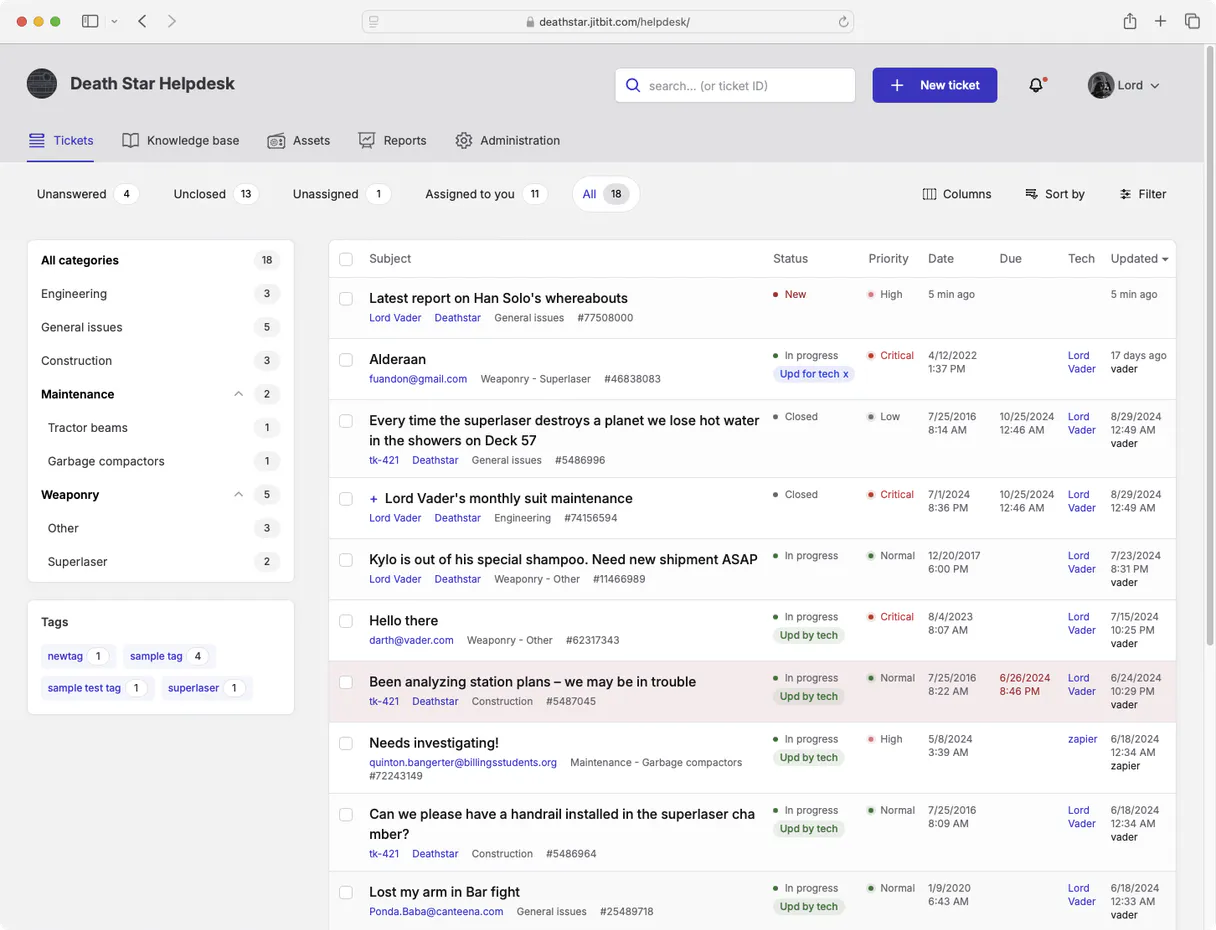
Jitbit helps you manage IT support tickets, knowledge bases, and Service Level Agreements (SLAs) directly from your AI client. It lets agents create new requests, check user accounts, pull relevant documentation, and track ticket status without ever leaving their chat window.
What your AI agents can do
Create support ticket
This tool generates a brand new support ticket within the helpdesk system.
Get ticket details
Retrieves all information about one specific, existing support ticket number.
List kb articles
Retrieves titles and summaries from the internal knowledge base articles.
You can pull a full list of open tickets, sort them by priority, or check the status of one specific ticket number.
The MCP pulls account data to confirm who is submitting a request, which is key for triage and escalation.
Retrieve relevant solutions or procedures from your internal knowledge base using simple search queries.
If the conversation reveals a totally new issue, you can generate and submit a formal ticket right away.
The system tracks response times and flags tickets that are nearing or have passed their required resolution deadlines.
Ask AI about this MCP
Supported MCP Clients
OAuth 2.0 Compatible Gemini Waiting for input…
Jitbit: 6 Tools for Helpdesk Management
These tools let you manage the full lifecycle of a helpdesk ticket: listing issues, checking user accounts, retrieving knowledge, and filing new requests.
Make your AI actually useful.
Add this MCP to Claude, Cursor, or Windsurf and your AI stops guessing. It gets real tools to look things up, take action, and handle the stuff you keep doing by hand.
Start using Jitbit on Vinkius019dd10ecreate support ticket
This tool generates a brand new support ticket within the helpdesk system.
019dd10eget ticket details
Retrieves all information about one specific, existing support ticket number.
019dd10elist kb articles
Retrieves titles and summaries from the internal knowledge base articles.
019dd10elist ticket categories
Displays all predefined categories used to classify incoming support requests.
019dd10elist tickets
Generates a comprehensive list of existing helpdesk tickets, allowing you to filter by status or date.
019dd10elist account users
Pulls a list of all user accounts managed by the helpdesk system.
Choose How to Get Started
Build a custom MCP for your own tools, or connect a ready-made integration from our catalog.
Build Your Own
Turn any API into an MCP. Import a spec, define Agent Skills, or deploy with MCPFusion.
- Import from OpenAPI, Swagger, or YAML specs
- Create Agent Skills with progressive disclosure
- Deploy to edge with MCPFusion framework
- Built in DLP, auth, and compliance on every call
- Real time usage dashboard and cost metering
- Publish to catalog or keep private
Make Your AI Do More
Start with Jitbit, then connect any of our 5,000+ other servers whenever your AI needs more. One click, no limits.
- Use this MCP plus 5,000+ others, all in one place
- Add new capabilities to your AI anytime you want
- Every connection is secured and compliant automatically
- Track usage and costs across all your servers
- Works with Claude, ChatGPT, Cursor, and more
- New servers added to the catalog every week
Independent Platform Disclaimer: Vinkius is an independent platform and is not affiliated with, endorsed by, sponsored by, verified by, or otherwise authorized by Jitbit. All third-party trademarks, logos, and brand names are the property of their respective owners. Their use on this website is strictly for informational purposes to identify service compatibility and interoperability.
VINKIUS INFRASTRUCTURE
Cloud Hosted
Managed infra
V8 Isolated
Sandboxed per request
Zero-Trust Proxy
No stored credentials
DLP Enforced
Policy on every call
GDPR Compliant
EU data residency
Token Compression
~60% cost reduction
Works with Claude, ChatGPT, Cursor, and more
The Model Context Protocol standardizes how applications expose capabilities to LLMs. Instead of operating in isolation, your AI gains direct access to external platforms, live data, and real-world actions through secure, standardized connections.
This server provides 6 capabilities that interface natively with Claude, ChatGPT, Cursor, and any MCP client. No middleware. No custom integration required.
Managing support requests means constantly jumping between different systems.
Today, dealing with a single complex ticket is a multi-step process. You open the ticketing system to view history; you switch to your internal wiki to find an answer; and then you might have to open a separate user management console just to confirm if the account was deactivated. It's constant tab switching, copy/pasting usernames into forms, and reading through five different dashboards.
With this MCP, all that context is available in one place. Your agent pulls together ticket details using `get_ticket_details`, instantly cross-references it with user data via `list_account_users`, and retrieves the solution from your knowledge base—all without you ever leaving the chat interface.
Jitbit MCP gives you control over ticket creation.
Previously, if a conversation revealed a new issue or required follow-up action, you had to stop your flow. You'd switch context, navigate to the 'New Ticket' button, fill out mandatory fields, and hope it was routed correctly. That friction kills momentum.
Now, when that moment comes, simply ask your agent to create a ticket using `create_support_ticket`. The system handles the form filling and routing logic for you. It makes sure the request is filed correctly the first time.
What you can do with this MCP connector
You can use this MCP to treat your helpdesk like a natural conversation. Instead of navigating through multiple tabs and forms, you just tell your agent what needs doing. Need to know if an account is active? Check the user details first. Running into a bug report? Pull up relevant knowledge articles so you have the fix right away.
If the problem requires more action, you can create a new ticket or reply directly to an existing one, all from within your AI client. This setup connects your entire support workflow—from checking account status to monitoring SLA compliance—and makes it available through Vinkius, placing Jitbit's functionality at your fingertips.
It handles the whole cycle: listing open tickets, inspecting deep details on a single ticket number, and even keeping track of which team members are assigned what workload. It’s about getting all that structured support data to flow naturally into conversation.
019dd10e-faf7-72be-9848-5935b9358be7 
How Jitbit MCP Works
- 1 Subscribe to this MCP, then enter your Jitbit Help Desk URL along with the necessary username and password.
- 2 Your AI client authenticates. It now has access to all ticket data, user records, and knowledge base articles.
- 3 You prompt your agent with a task—for example, 'What are the open critical tickets?'—and it returns structured data immediately.
The bottom line is you tell your AI client what support action you need; this MCP finds the right tool and executes it for you.
Who Is Jitbit MCP For?
Support Leads, IT Operations Managers, and Tier 2 Support Agents. If you're tired of switching between the ticketing system UI, your knowledge base, and a separate spreadsheet just to get context on one issue, this is for you.
They use it constantly: checking user accounts via list_account_users, pulling the most recent knowledge base article using list_kb_articles, and then replying to the ticket using conversation prompts.
They monitor performance by listing tickets with list_tickets and checking for SLA risks, letting them know which agents need help or where processes are failing.
They use it to maintain compliance by monitoring ticket categories using list_ticket_categories, ensuring every department's needs are captured and tracked properly.
What Changes When You Connect
- You instantly know the account context. Instead of manually looking up a user's status in another system, you simply ask your agent to check the user details using
list_account_usersand get an immediate answer. - Avoid losing time on research. When troubleshooting, pull relevant solutions straight from your knowledge base by calling
list_kb_articles, so you can draft a reply instantly without switching tabs. - Keep track of everything with one prompt. Use
list_ticketsto see all open items and get an immediate breakdown of who is assigned what and how many tickets exist in each category usinglist_ticket_categories. - Never miss a deadline again. The MCP monitors your SLAs, flagging critical issues that are approaching breach status so you can prioritize work immediately.
- Seamless follow-up actions. If the conversation dictates it, you can create a new ticket with
create_support_ticketor update an existing one usingget_ticket_details, all without leaving your AI client.
Real-World Use Cases
A customer calls about a billing error.
The agent first checks the user's account details with list_account_users to verify their subscription status. They then check the knowledge base using list_kb_articles for known billing issues, and finally use get_ticket_details to ensure all past communications are reviewed before replying.
Running a daily shift report.
The lead uses list_tickets to get the master list of open requests. They then cross-reference this data with list_ticket_categories to see if 'Security' tickets are growing faster than 'Billing' tickets, helping them allocate staff time.
A feature request needs tracking.
Instead of manually opening a form, the agent uses the MCP to create a new ticket with create_support_ticket, ensuring it gets routed into the correct category and assigned to the right internal team.
Handling an urgent outage report.
The agent runs a check using list_tickets filtered by 'Critical' status. If they find an issue with login errors, they use get_ticket_details to pull the full history and immediately reply to the client.
The Tradeoffs
Trying to update ticket info without context
A user tries to tell their agent, 'Change #1234's status to closed.' The agent fails because the tool doesn't have enough data and needs specific details first.
→
First, use get_ticket_details with the ticket number. This retrieves the full context (status, assignments, history). Then, instruct your agent to update the status using that verified information.
Over-relying on manual data entry
The support team copies and pastes user names or category lists into a spreadsheet after every shift. This is slow and prone to formatting errors.
→
Use list_account_users and list_ticket_categories. These tools pull the current, definitive data directly from Jitbit, eliminating manual copy/paste work.
Ignoring ticket classification
A user creates a new support ticket without specifying if it's a 'Bug Report' or 'Feature Request,' leading to delayed assignment.
→
Before creating the ticket, use list_ticket_categories to review all available options. This ensures you choose the most precise category for routing.
When It Fits, When It Doesn't
Use this MCP if your support workflow is complex and requires constant cross-referencing between user accounts, ticketing history, and documentation. You need an agent that can act as a unified control panel for Jitbit.
Don't use this if you only ever need to write one single type of content (e.g., just writing internal notes). In those cases, a simpler messaging tool might suffice. Also, don't try to process data outside the helpdesk ecosystem; if you are moving ticket information into a completely separate reporting database like a custom analytics platform, you may need a dedicated export or ETL-type integration instead of relying solely on list_tickets.
This MCP excels when your job is reactive: 'Here's an issue. What do I know about it? Who owns it? How do I fix it?'
Common Questions About Jitbit MCP
How do I use the list_tickets tool with Jitbit? +
The list_tickets tool provides a master view of all tickets. You can ask your agent to filter this list by status (open/closed) or category, which is better than trying to manually sort through hundreds of entries.
Can I find out if a user exists using the Jitbit MCP? +
Yes. The list_account_users tool checks your helpdesk database for active accounts. This is useful before you attempt to create a ticket, as it verifies account viability.
What happens when I run list_kb_articles? +
This calls the knowledge base and returns summaries of articles related to your current topic. It doesn't just give you titles; it gives you actionable context that helps draft a precise reply.
Does Jitbit MCP track SLA breaches? +
It does. The system constantly monitors response and resolution times, allowing you to easily check which tickets are nearing or have passed their service level agreement deadlines.
What happens when I use get_ticket_details for a ticket ID that doesn't exist? +
The tool returns a specific 'Not Found' error message. Your agent can interpret this failure and prompt the user to check their input ID or try listing tickets first.
Are there rate limits when I run list_tickets, and how do I manage them? +
The MCP handles throttling automatically. If your calls exceed the API limit, your agent receives a specific HTTP error code. You should implement retries with exponential backoff.
How can I filter results when calling list_account_users to check for roles or groups? +
You pass optional filters directly into the tool call parameters. This allows your agent to narrow down users based on specific criteria, like 'admin' or 'support staff'.
What information does create_support_ticket require before I can submit a new ticket? +
You must provide at least a title, description, and priority level. The tool will validate these inputs to ensure the ticket is correctly formatted for Jitbit.
Can I manage tickets and reply to customers through the AI agent? +
Yes. List tickets with filters, inspect individual tickets with full history, create new tickets, update status, and reply to customers or add internal notes.
Does Jitbit require a self-hosted URL? +
Yes. Jitbit can be self-hosted or cloud-hosted. Provide your instance URL (e.g., https://helpdesk.company.com), username, and password. Authentication uses HTTP Basic Auth (Base64 encoded) against {url}/api.
Can I track SLA compliance across tickets? +
Yes. Tickets include response and resolution time metadata. Monitor SLA compliance by checking time-to-first-response and time-to-resolution against your SLA targets.
Use it with your favorite AI tools
Connect this server to Cursor, Claude, VS Code, and more.