
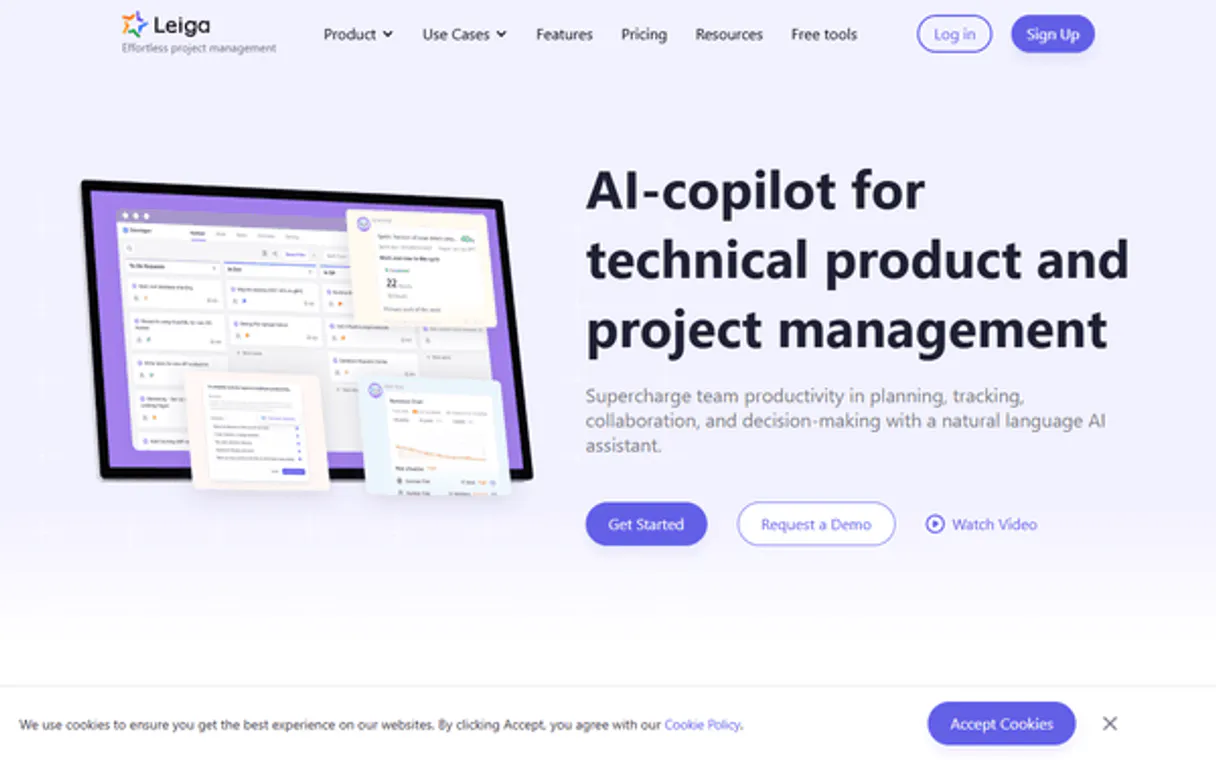
Leiga MCP. Track tasks, balance team capacity, and manage sprints.
 Gemini
 Works with every AI agent you already use
…and any MCP-compatible client









Just plug in your AI agents and start using Vinkius.
Leiga MCP manages agile project lifecycles by letting your AI agent interact directly with the Leiga platform. This connector handles everything from listing active projects and inspecting their full details, to creating new tasks and tracking team workload capacity in real time.
You can list all configured teams or browse existing sprints with built-in velocity data—it's designed for continuous project oversight without leaving your chat window.
What your AI agents can do
Create task
Adds a new item to the project backlog with necessary details like priority and assignment.
Get project details
Retrieves all metadata for one specific Leiga project ID.
Get task details
Fetches the full status, assignee, and description for a single task.
You can request detailed metadata for any specific Leiga project.
The agent can create new tasks or retrieve the full details of existing ones, including current assignees and priority levels.
Get an overview of assigned work for every team member in a department to check for overload or open slots.
Retrieve a list of all projects configured within your Leiga account.
Fetch filtered lists of tasks, optionally narrowing the scope by project ID or date range.
Ask AI about this MCP
Supported MCP Clients
OAuth 2.0 Compatible Gemini Waiting for input…
Leiga MCP: 8 Tools for Agile Management
Use these tools to query everything from specific task details and team rosters to overall project lists and automated workflows.
Make your AI actually useful.
Add this MCP to Claude, Cursor, or Windsurf and your AI stops guessing. It gets real tools to look things up, take action, and handle the stuff you keep doing by hand.
Start using Leiga on Vinkius019dd117create task
Adds a new item to the project backlog with necessary details like priority and assignment.
019dd117get project details
Retrieves all metadata for one specific Leiga project ID.
019dd117get task details
Fetches the full status, assignee, and description for a single task.
019dd117list team members
Shows a roster of all user accounts currently configured in your Leiga workspace.
019dd117list projects
Retrieves the names and basic status for every project configured in Leiga.
019dd117list tasks
Lists multiple tasks, letting you filter the results by a specific project ID or date range.
019dd117list organizational teams
Provides a list of all structured teams within your organization.
019dd117list workflows
Lists any automated workflows set up to trigger actions based on project events.
Choose How to Get Started
Build a custom MCP for your own tools, or connect a ready-made integration from our catalog.
Build Your Own
Turn any API into an MCP. Import a spec, define Agent Skills, or deploy with MCPFusion.
- Import from OpenAPI, Swagger, or YAML specs
- Create Agent Skills with progressive disclosure
- Deploy to edge with MCPFusion framework
- Built in DLP, auth, and compliance on every call
- Real time usage dashboard and cost metering
- Publish to catalog or keep private
Make Your AI Do More
Start with Leiga, then connect any of our 5,000+ other servers whenever your AI needs more. One click, no limits.
- Use this MCP plus 5,000+ others, all in one place
- Add new capabilities to your AI anytime you want
- Every connection is secured and compliant automatically
- Track usage and costs across all your servers
- Works with Claude, ChatGPT, Cursor, and more
- New servers added to the catalog every week
Independent Platform Disclaimer: Vinkius is an independent platform and is not affiliated with, endorsed by, sponsored by, verified by, or otherwise authorized by Leiga. All third-party trademarks, logos, and brand names are the property of their respective owners. Their use on this website is strictly for informational purposes to identify service compatibility and interoperability.
VINKIUS INFRASTRUCTURE
Cloud Hosted
Managed infra
V8 Isolated
Sandboxed per request
Zero-Trust Proxy
No stored credentials
DLP Enforced
Policy on every call
GDPR Compliant
EU data residency
Token Compression
~60% cost reduction
Works with Claude, ChatGPT, Cursor, and more
The Model Context Protocol standardizes how applications expose capabilities to LLMs. Instead of operating in isolation, your AI gains direct access to external platforms, live data, and real-world actions through secure, standardized connections.
This server provides 8 capabilities that interface natively with Claude, ChatGPT, Cursor, and any MCP client. No middleware. No custom integration required.
Tracking project status used to mean dashboard hopping and copy-pasting spreadsheets.
Today, keeping tabs on a complex agile program is a mess. You open the main project management tool, check out sprint progress, then switch over to the team roster just to see if someone's overloaded. If you need task details for another project, it’s another tab, another log-in, and usually some painful manual filtering of dates or owners.
With this MCP, that whole sequence collapses into a single query. You talk to your agent and ask the question—like 'What are the top three blockers on Project X?'—and you get the data back immediately, structured and ready to use. It’s about getting answers without ever leaving your chat window.
Leiga MCP lets you manage projects directly with `list_projects`.
You no longer need separate reports or manual emails to get a high-level view. You can ask the agent to run `list_projects`, get the names, and then drill down into any single project using `get_project_details`. The system handles all the linking between these different data sets for you.
The result is that your entire project overview lives in one conversation thread. It just works.
What you can do with this MCP connector
Need to keep up with multiple projects, tasks, and who is doing what? This MCP lets you talk to Leiga like it’s just another tool in the stack. Instead of logging into a dashboard and clicking through five different tabs just to get a status update, you ask your agent directly: 'What's the status of Mobile App?' It pulls that data instantly.
You can use natural language conversations to list all active projects, drill down on specific task assignments, or check team member availability before assigning work. The whole thing works via Vinkius, giving you access to Leiga’s full set of tools right alongside your other services. This isn't just reading data; it lets you run structured queries—like finding out if Sarah has capacity for a new assignment—and even create those tasks directly.
It cuts down the friction between knowing something needs doing and actually documenting it.
019dd117-9406-71e2-91cd-6ee63137b834 
How Leiga MCP Works
- 1 First, you subscribe to this MCP and enter your unique Leiga API Key.
- 2 Next, you tell your AI client what data you need—for example, 'Show me all projects and who's blocked on the Mobile App.'
- 3 The agent calls the relevant tools (like
list_projectsandget_task_details), compiles the structured data, and gives it back to you in a clean, conversational format.
The bottom line is, your AI client handles all the API calling; you just talk to it naturally.
Who Is Leiga MCP For?
Project Managers who are sick of context switching between Jira and Slack. Team Leads who spend too much time manually calculating team bandwidth. Anyone whose job requires seeing a holistic, real-time view of project health across multiple moving parts.
They use list_projects to compare current scope against historical velocity data and plan the next quarter's sprints.
They check team capacity by listing all team members and then checking for blocked tasks to keep the sprint moving.
When they need a quick task update, they use get_task_details instead of hunting through ticket numbers.
What Changes When You Connect
- You stop losing time manually checking status updates. When you need to know if a task is blocked or who owns it, your agent uses
get_task_detailsinstantly. - Team Leads get real-time visibility into resource allocation. By calling
list_team_members, you can immediately see which team members are at capacity before assigning new work. - Project Managers no longer need to jump through hoops for status reports. Listing projects with
list_projectsand tracking progress gives you a high-level overview in one chat turn. - Need to create something? Instead of logging into the UI, just say 'Create task' using
create_task. The agent handles all the necessary fields right away. - The MCP allows you to query historical data easily. You can run
list_tasksfiltered by a specific date range to review past sprints without any manual filtering.
Real-World Use Cases
Checking resource load for the next sprint
A team lead needs to figure out if the design team has bandwidth. They ask their agent to call list_team_members and then check current task assignments against capacity, preventing burnout before they even start planning.
Updating scope after a meeting
A PM just finished a requirements meeting. Instead of opening the system and navigating menus, they prompt their agent to create_task for 'Implement new billing logic' and assign it immediately.
Investigating project delays
The team hits a roadblock. A developer asks the agent to run get_project_details and then cross-reference that with all related tasks via list_tasks to pinpoint exactly which dependency is causing the holdup.
Understanding automation gaps
An engineer wants to see what actions are automated. They ask their agent to use list_workflows so they can determine if a certain project event already triggers an action, saving them development time.
The Tradeoffs
Trying to get everything in one massive query.
Asking 'Show me the status of all tasks for all projects and tell me if Sarah is busy'—This overloads the agent with too many variables, leading to incomplete or unactionable data dumps.
→
Break it down. First, run list_projects to narrow scope. Then use get_project_details on the target project. Finally, ask for team load using list_team_members to keep queries focused.
Manually listing every single task name.
Copying and pasting a list of 50 tasks into a spreadsheet just to see their current owner or status—This is tedious, error-prone work that wastes minutes per day.
→
Use list_tasks with filters. Tell the agent: 'List all tasks assigned in the last week.' It pulls the data and formats it directly for you.
Forgetting to check team roles.
Assigning a task to someone who doesn't actually exist or is currently on leave. This creates immediate, unrecoverable blockers in the sprint cycle.
→
Always run list_team_members first. Verify the correct user ID before attempting any assignment via create_task.
When It Fits, When It Doesn't
Use this MCP if your workflow requires constant, conversational status checks across multiple projects and team members. Specifically, it's perfect for when you need to compare project metadata (get_project_details) against real-time resource capacity (list_team_members). Don't use this if your primary need is purely documentation storage or static knowledge retrieval; those cases are better handled by dedicated search indexing tools. If you just need a simple checklist of available users, list_team_members handles that fine. But if you need to act on the data—like creating the follow-up task after checking capacity—you need this full suite.
Common Questions About Leiga MCP
How do I use `list_projects` with Leiga MCP? +
Just ask your agent to list projects; it pulls the names and basic status of every project configured in Leiga. It's a quick way to get an overview before deep diving into any single one.
Can I create tasks using `create_task`? +
Yes, you can use the agent to write and submit new tasks directly through your chat. You just need to specify what the task is, who it's for, and its priority.
Does `list_team_members` show active users only? +
It shows all configured team members in your Leiga workspace. It’s useful for verifying roles before you attempt to assign work using the MCP tools.
What does `get_task_details` provide? +
This tool gives full context on one task, including its current status, who it's assigned to, and a detailed description of what needs doing.
When I run `get_project_details`, what key metrics about the project are included? +
The tool pulls critical information including current sprint status, total task counts, and assigned team leads. This gives you a comprehensive overview needed to assess overall project health.
How does `list_workflows` handle filtering by status or criteria? +
It lists all automated workflows configured for your account. You can pass filters, such as a specific project ID or trigger type, to narrow down the results and see only relevant automation rules.
Can the `list_tasks` tool group tasks by team member or due date? +
Yes, you filter tasks using parameters like assignee name, status labels, or specific project IDs. This allows your agent to quickly review only items assigned to a certain person or overdue.
If there is an issue with my Leiga credentials, how does the MCP handle errors when using `list_organizational_teams`? +
The MCP returns a specific HTTP error code and detailed message. This immediately tells your agent why access failed (e.g., invalid key), letting you fix authentication without guesswork.
Can I manage tasks and sprints? +
Yes. Create, update, and assign tasks. Browse sprints with capacity data, velocity metrics, and completion tracking.
Can I monitor team workload? +
Yes. Track assignments per team member, availability, and workload distribution across projects.
What API does Leiga use? +
Bearer authentication against api.leiga.com/v1.
Use it with your favorite AI tools
Connect this server to Cursor, Claude, VS Code, and more.