
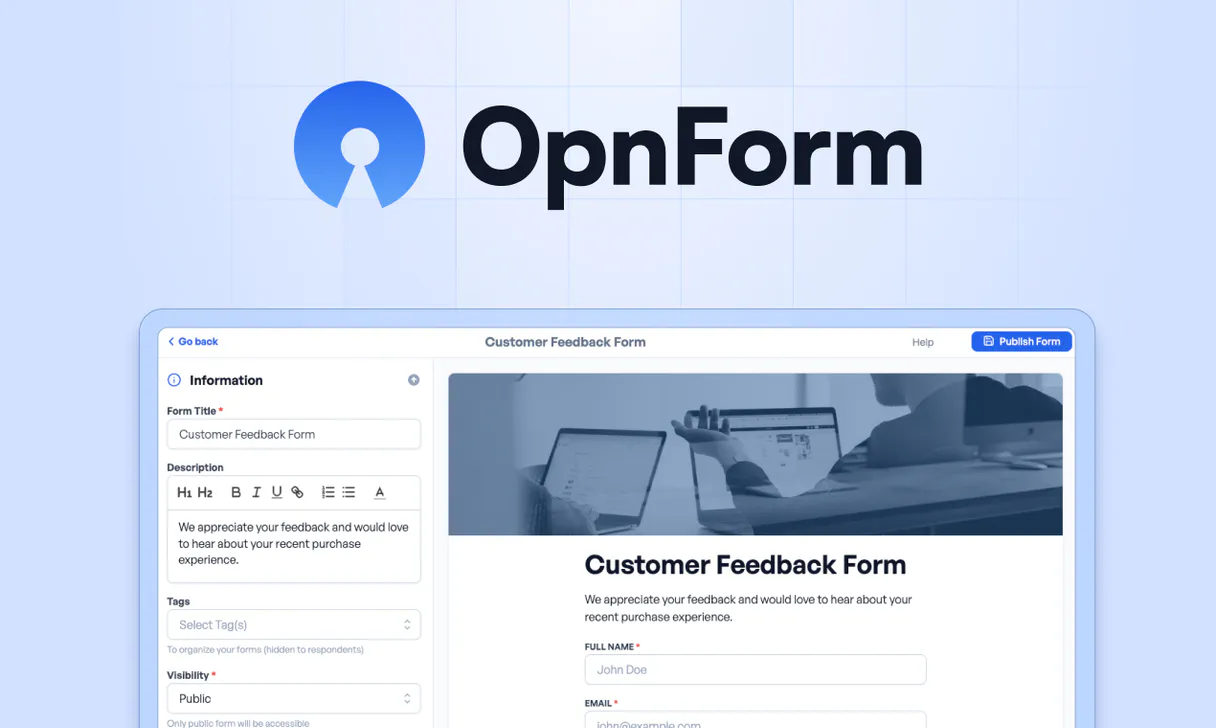
OpnForm MCP. Orchestrate complex data collection flows from chat.
 Gemini
 Works with every AI agent you already use
…and any MCP-compatible client









Just plug in your AI agents and start using Vinkius.
OpnForm gives your AI client full command over form data collection. You use it to create new forms, update existing fields, and retrieve submissions from specific workspaces—all without touching a dashboard.
It lets you orchestrate entire data pipelines using natural conversation.
What your AI agents can do
Create form
Builds and publishes an entirely new form within OpnForm.
Delete form
Removes a specified form from the system.
Delete submission
Deletes a single, specific data entry (submission).
Generate new OpnForm structures using create_form or adjust existing ones with update_form.
Use list_workspaces to see all available project containers, or list_forms to get a rundown of forms within a workspace.
Pull specific form data using get_submission, or list multiple responses from one form using list_submissions.
Delete forms (delete_form) or clean up individual entries (delete_submission) with simple commands.
Check your profile info via get_me, or get details on a specific project area using get_workspace.
Ask AI about this MCP
Supported MCP Clients
OAuth 2.0 Compatible Gemini Waiting for input…
OpnForm MCP Server: 11 Tools for Form Management
Use these tools to programmatically manage the entire lifecycle of OpnForm assets—from creating new forms to analyzing historical submissions.
Make your AI actually useful.
Add this MCP to Claude, Cursor, or Windsurf and your AI stops guessing. It gets real tools to look things up, take action, and handle the stuff you keep doing by hand.
Start using OpnForm on Vinkius019dd133create form
Builds and publishes an entirely new form within OpnForm.
019dd133delete form
Removes a specified form from the system.
019dd133delete submission
Deletes a single, specific data entry (submission).
019dd133get form
Retrieves all details for one particular form.
019dd133get submission
Fetches the detailed data payload of a single, specific submission.
019dd133get workspace
Retrieves all metadata and details for one defined workspace.
019dd133list forms
Lists all active forms within the current scope or specified workspace.
019dd133list submissions
Lists multiple submitted records for a given form, providing summary data.
019dd133list workspaces
Gets an overview of all available workspaces managed by the account.
019dd133get me
Returns current user account and profile information.
019dd133update form
Modifies fields, settings, or content on an existing form structure.
Choose How to Get Started
Build a custom MCP for your own tools, or connect a ready-made integration from our catalog.
Build Your Own
Turn any API into an MCP. Import a spec, define Agent Skills, or deploy with MCPFusion.
- Import from OpenAPI, Swagger, or YAML specs
- Create Agent Skills with progressive disclosure
- Deploy to edge with MCPFusion framework
- Built in DLP, auth, and compliance on every call
- Real time usage dashboard and cost metering
- Publish to catalog or keep private
Make Your AI Do More
Start with OpnForm, then connect any of our 5,000+ other servers whenever your AI needs more. One click, no limits.
- Use this MCP plus 5,000+ others, all in one place
- Add new capabilities to your AI anytime you want
- Every connection is secured and compliant automatically
- Track usage and costs across all your servers
- Works with Claude, ChatGPT, Cursor, and more
- New servers added to the catalog every week
Independent Platform Disclaimer: Vinkius is an independent platform and is not affiliated with, endorsed by, sponsored by, verified by, or otherwise authorized by OpnForm. All third-party trademarks, logos, and brand names are the property of their respective owners. Their use on this website is strictly for informational purposes to identify service compatibility and interoperability.
VINKIUS INFRASTRUCTURE
Cloud Hosted
Managed infra
V8 Isolated
Sandboxed per request
Zero-Trust Proxy
No stored credentials
DLP Enforced
Policy on every call
GDPR Compliant
EU data residency
Token Compression
~60% cost reduction
Works with Claude, ChatGPT, Cursor, and more
The Model Context Protocol standardizes how applications expose capabilities to LLMs. Instead of operating in isolation, your AI gains direct access to external platforms, live data, and real-world actions through secure, standardized connections.
This server provides 11 capabilities that interface natively with Claude, ChatGPT, Cursor, and any MCP client. No middleware. No custom integration required.
Dealing with forms across five different dashboards sucks.
Think about it. You're running a big campaign, so you have lead capture forms in the 'Marketing' tab, user feedback surveys in the 'Product' tab, and event sign-ups in the 'Events' tab. To check if everything is working, you open five different tabs, navigate through each one, and manually confirm that all fields are correct—just to get a status update.
With OpnForm MCP, you just ask your agent: 'Show me the list of forms for Q4.' The agent runs `list_forms` across the necessary workspaces. You get a single, structured report back instantly, telling you exactly which form is active and where it lives—no clicking required.
OpnForm MCP Server: Full control over submissions.
Normally, if you need to analyze a submission, you have to go into the form's settings, find the specific ID, and then download the data—a process that takes three clicks and involves switching windows. It’s slow, messy, and prone to failure.
Now? You just tell your AI client: 'Get me all submissions from the contact form last week.' The agent runs `list_submissions` and returns a clean, digestible summary directly into the chat. Done.
What you can do with this MCP connector
Forget clicking through dashboards or building complex API calls just to check a form's status. This server gives your AI client full, direct command over OpnForm data collection and infrastructure management. You won't need to touch a single UI element; your agent handles the whole data pipeline using natural conversation.
Managing Environments & Workspaces
You can start by seeing what containers you've got going on. Use list_workspaces to pull an overview of every project area managed under your account. If you need details on one specific area, call get_workspace with the appropriate workspace ID. This gives you all the necessary metadata for that whole section.
Handling Forms Structure
When it comes to forms themselves, you've got total control over the lifecycle. You can ask your agent to build and publish an entirely new form using create_form. Need to tweak an existing setup? Use update_form to modify fields, settings, or content on any current structure without rebuilding it.
If a form is obsolete, you delete it outright with delete_form, removing the specified form from the system.
To keep tabs on everything, you can list all active forms within your scope using list_forms. If you only need to see details for one specific setup, call get_form to retrieve every detail about that particular structure.
Retrieving and Managing Submissions
This is where the data magic happens. You've got two ways to look at submitted records. First, you can use list_submissions to get a summary list of multiple responses attached to one specific form—you see all the raw counts and general data points without getting bogged down in every single field value.
If you need deep detail on just one entry, call get_submission. This fetches the full, detailed payload for that singular submission. For tracking user context, your agent can check your profile details by using get_me, which returns all current account and user information.
Data Cleanup & Maintenance
Keeping data clean is half the battle. If a specific record gets corrupted or needs to be removed entirely, you delete it with delete_submission, removing that single data entry. Remember that cleanup applies not just to submissions; you've also got full power to remove entire forms using delete_form.
Your AI client uses this suite of tools to orchestrate complex data workflows: it can list all available projects via list_workspaces, get the details for a specific project area with get_workspace, then use list_forms and get_form to verify the form structure, build new forms using create_form, or modify old ones with update_form.
When data comes in, it uses list_submissions for summaries and get_submission for granular inspection. It can also manage user context via get_me. Finally, if you need to wipe something clean—whether it's an entire form structure using delete_form, or just one bad record with delete_submission—you've got the commands ready.
019dd133-6b9b-70e7-9b02-4fd37a70b3ef 
How OpnForm MCP Works
- 1 Subscribe to the OpnForm server and input your Personal Access Token from your dashboard settings.
- 2 Instruct your AI client (e.g., 'List all active forms in the Marketing workspace').
- 3 The agent calls the appropriate tool (
list_forms) and returns structured data about your form assets.
The bottom line is: Your agent gets full programmatic access to OpnForm's API, treating form management like a conversation.
Who Is OpnForm MCP For?
The Ops Engineer who spends too much time clicking through dashboards at 2 am. The Product Manager who needs to collect user feedback without setting up an entirely new survey tool. Or the Marketing Lead who needs to quickly generate and track lead magnets across multiple campaigns.
Uses list_forms to check for outdated surveys, then uses create_form to spin up a new feedback mechanism with specific fields.
Runs scripts that call list_workspaces and get_form repeatedly to sync campaign data across multiple lead capture forms.
Uses the agent to filter submissions by date or type, running complex queries via list_submissions without exporting a CSV first.
What Changes When You Connect
- Manage multiple environments quickly. Use
list_workspacesto see all your project containers, so you don't have to guess where a form lives. - Instant deployment is possible. Need a new survey? Call
create_formand get the basic structure running in seconds, bypassing UI setup. - Deep data access via tools. Instead of exporting CSVs, run
list_submissionsto get real-time summaries and insights directly in your chat window. - Centralized control flow. Use
get_formorupdate_formto modify form logic (like adding a conditional field) without logging into the builder. - Clean up fast. When a campaign ends, use
delete_formto remove the asset entirely, keeping your data infrastructure clean. - See everything in one place. Running
list_formsand thenlist_submissionslets you check status and content simultaneously.
Real-World Use Cases
Checking Campaign Status Across Sites
The Marketing Manager needs to know if the new 'Q4 Feedback' form is live on all 5 regional sites. Instead of checking five different dashboards, they ask their agent to run list_workspaces and then iterate through them using list_forms. The agent returns a status report listing all active forms in one response.
Analyzing High-Volume Leads
The Sales Director wants a count of how many partnership proposals came in last week. They instruct the agent to use list_submissions on the 'Contact Us' form and filter by metadata (e.g., 'Proposal'). The agent processes the data and gives a summary: 12 general, 7 sales-focused.
Updating Form Logic Mid-Campaign
The Product Owner realizes the sign-up form is missing an optional field for product usage. They use get_form to verify the existing structure, then call update_form, telling the agent exactly where and what new field code to insert.
Cleaning Up Dead Data
The Ops Engineer notices three abandoned pilot forms that are cluttering the system. They use list_forms to get a list of candidates, then call delete_form for each one systematically, keeping the workspace tidy.
The Tradeoffs
Trying to find data by name only
The user types: 'Show me all submissions from my contact form.' The agent fails because it needs a specific ID, not just a generic description.
→
First, run list_forms or list_workspaces to get the exact Form ID. Then, use that ID in conjunction with get_submission or list_submissions. Context is everything.
Running deletion calls without confirmation
The user asks the agent to 'clean up old forms,' and the agent immediately runs delete_form, potentially nuking a live, necessary form.
→
Always ask the agent to run list_forms first. Review the output list of IDs and only then authorize deletion calls like delete_form. Manual review is mandatory.
Over-relying on vague prompts
The user asks: 'What's wrong with my data?' The agent can't answer because it doesn't know which form or workspace to check.
→
Be specific. Start by calling get_workspace to confirm the scope, and then use tools like list_submissions on a specific form ID to isolate the problem area.
When It Fits, When It Doesn't
Use this server if your primary job involves managing multiple data collection assets (forms, workspaces) or requires programmatic interaction with submission records. If you need to build static forms that never change and only collect basic text/email inputs, a simple form widget might be enough. Don't use this if all you ever do is create one single, fixed survey. You must use it when the workflow involves listing assets (list_workspaces), checking status (get_form), or processing stored data (list_submissions). If your requirement is purely read-only viewing of a form’s current settings and no interaction with submissions, you might only need get_form. But for any real operation—creation, deletion, or listing—this suite of tools is necessary.
Common Questions About OpnForm MCP
How do I list every single workspace using OpnForm MCP Server? +
You call list_workspaces. This tool gives you an overview of all containers managed by your account, letting you see the scope of data available before targeting any specific form.
Can I update a field on a form using OpnForm MCP Server? +
Yes. Use the update_form tool. You pass the Form ID and details of the fields you want to change, like adding an optional phone number field.
What's the difference between list_submissions and get_submission? +
Use list_submissions when you need a summary (e.g., 'How many entries came in?'). Use get_submission when you need all the raw detail for one specific entry, like digging into a single applicant's full record.
I want to create a new form using OpnForm MCP Server. What do I use? +
You call create_form. You just need to specify the intended purpose and any initial fields, and it handles the creation process for you.
How do I check my current API token credentials or profile details using the `get_me` tool? +
The get_me tool immediately retrieves your account's core user data. This confirms that your AI client is connected with the correct permissions and provides necessary metadata about your active OpnForm account.
What happens when I use the `delete_submission` tool? Does it recover the data? +
Using delete_submission permanently removes a specific form response. This action is irreversible and deletes the record from your OpnForm workspace entirely.
If I run into an issue while calling `list_forms`, what might be causing the error? +
Errors usually point to either insufficient API permissions or incorrect workspace IDs. Always check that the token used by your agent has read access across all necessary form environments.
How does `get_workspace` help me understand the context of my forms? +
get_workspace provides top-level metadata for a container, confirming which specific set of forms and submissions belong together. This is crucial when managing related data flows across different projects.
Can my AI automatically create a new form by describing it? +
Yes! Use the create_form tool. Provide a title and optional fields, and your agent will generate the form in your workspace instantly. You can then refine it via natural language.
How do I find my OpnForm Personal Access Token? +
Log in to OpnForm, navigate to Settings > API Keys, and click 'Create a new token'. Copy the generated key immediately as it will only be shown once.
Does it support listing all submissions? +
Yes, use the list_submissions tool with your Form ID. The AI can then help you search, filter, or summarize the results directly in the chat.
Use it with your favorite AI tools
Connect this server to Cursor, Claude, VS Code, and more.