
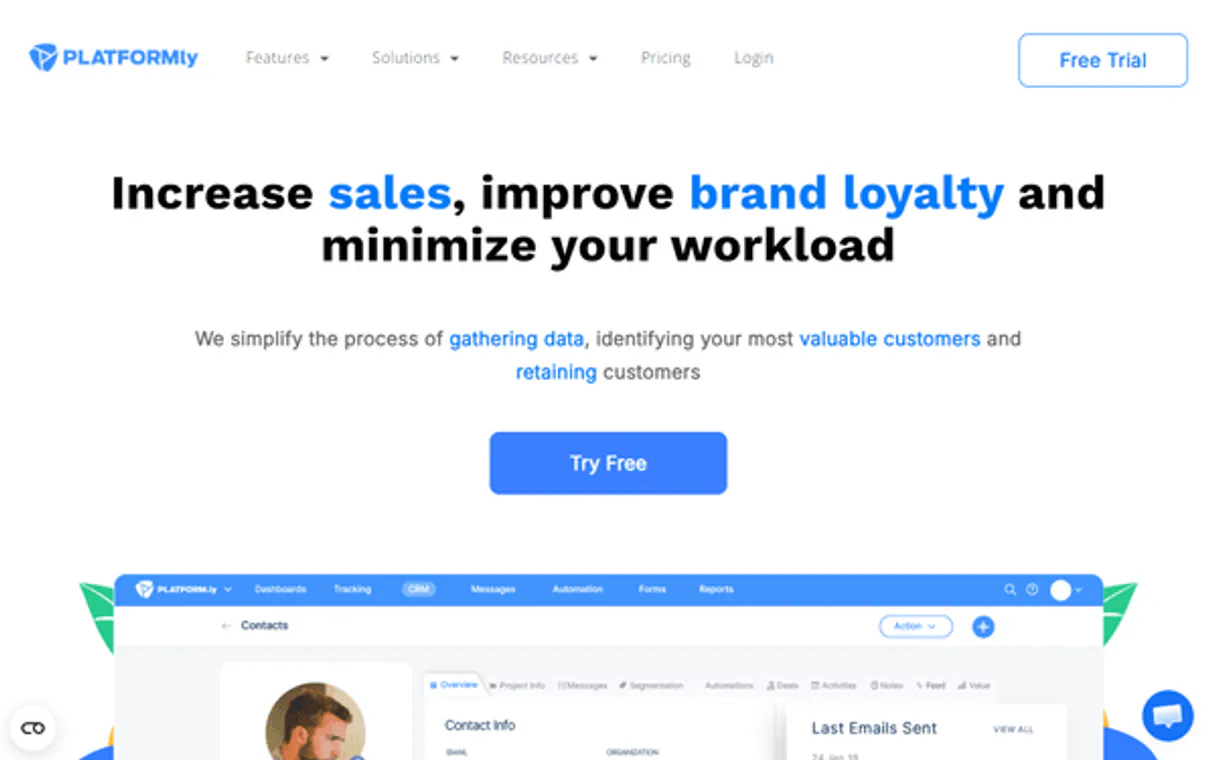
Platform.ly MCP. Manage contacts, segments, and deals in your chat.
 Gemini
 Works with every AI agent you already use
…and any MCP-compatible client









Just plug in your AI agents and start using Vinkius.
Platformly MCP Server connects your AI agent directly to your marketing automation and CRM backend. It lets you manage contacts, update sales deals, apply tags, and monitor pipelines—all through natural chat conversation.
Use it to keep your customer data current without ever leaving your messaging client.
What your AI agents can do
Create new contact
Creates an entirely new contact record using the provided email and project ID.
Add note to contact
Adds a plain text note to an existing contact record.
Apply tag to contact
Applies one or more defined tags to a specific contact profile.
Fetch full details on a contact, list all contacts in a project, or search for profiles using an email address.
Create new leads with required metadata, modify existing profile information, and add internal notes to any contact record.
Apply or remove tags from contacts and list available segments and tags within a project for precise targeting.
View all defined sales pipelines and create new deals immediately when you identify an opportunity.
List available segments, tags, and project metadata to verify your current automation setup.
Ask AI about this MCP
Supported MCP Clients
OAuth 2.0 Compatible Gemini Waiting for input…
Platform.ly: 12 Tools for CRM & Contact Management
Use these twelve tools to perform every common task in marketing automation and CRM management—from finding a single contact to creating a new sales deal.
Make your AI actually useful.
Add this MCP to Claude, Cursor, or Windsurf and your AI stops guessing. It gets real tools to look things up, take action, and handle the stuff you keep doing by hand.
Start using Platform.ly on Vinkius019dd13dcreate new contact
Creates an entirely new contact record using the provided email and project ID.
019dd13dadd note to contact
Adds a plain text note to an existing contact record.
019dd13dapply tag to contact
Applies one or more defined tags to a specific contact profile.
019dd13dcreate new sales deal
Initializes a brand new deal within one of your defined sales pipelines.
019dd13dget contact details
Retrieves the complete, full metadata profile for any given contact ID.
019dd13dlist crm contacts
Generates a list of all contacts within a specified project ID.
019dd13dlist sales pipelines
Displays a list of all sales pipelines configured in the system.
019dd13dlist project segments
Returns a list of every defined segment available in the current project.
019dd13dlist project tags
Shows all currently active tags and categories within your project.
019dd13dremove tag from contact
Removes one or more tags from an existing contact record, cleaning up stale data.
019dd13dsearch contact by email
Finds and returns the profile ID for a contact based only on their email address.
019dd13dupdate existing contact
Modifies specific fields of an existing contact record using its unique ID.
Choose How to Get Started
Build a custom MCP for your own tools, or connect a ready-made integration from our catalog.
Build Your Own
Turn any API into an MCP. Import a spec, define Agent Skills, or deploy with MCPFusion.
- Import from OpenAPI, Swagger, or YAML specs
- Create Agent Skills with progressive disclosure
- Deploy to edge with MCPFusion framework
- Built in DLP, auth, and compliance on every call
- Real time usage dashboard and cost metering
- Publish to catalog or keep private
Make Your AI Do More
Start with Platform.ly, then connect any of our 5,000+ other servers whenever your AI needs more. One click, no limits.
- Use this MCP plus 5,000+ others, all in one place
- Add new capabilities to your AI anytime you want
- Every connection is secured and compliant automatically
- Track usage and costs across all your servers
- Works with Claude, ChatGPT, Cursor, and more
- New servers added to the catalog every week
Independent Platform Disclaimer: Vinkius is an independent platform and is not affiliated with, endorsed by, sponsored by, verified by, or otherwise authorized by Platform.ly. All third-party trademarks, logos, and brand names are the property of their respective owners. Their use on this website is strictly for informational purposes to identify service compatibility and interoperability.
VINKIUS INFRASTRUCTURE
Cloud Hosted
Managed infra
V8 Isolated
Sandboxed per request
Zero-Trust Proxy
No stored credentials
DLP Enforced
Policy on every call
GDPR Compliant
EU data residency
Token Compression
~60% cost reduction
Works with Claude, ChatGPT, Cursor, and more
The Model Context Protocol standardizes how applications expose capabilities to LLMs. Instead of operating in isolation, your AI gains direct access to external platforms, live data, and real-world actions through secure, standardized connections.
This server provides 12 capabilities that interface natively with Claude, ChatGPT, Cursor, and any MCP client. No middleware. No custom integration required.
Updating CRM records shouldn't require logging into three different apps.
Right now, updating a single contact record means jumping between your email marketing platform to add a note, then opening the main CRM dashboard to update their status field, and finally switching to the analytics tool just to confirm the segment changed. It’s slow, it's messy, and someone always misses one step.
With this server, you tell your agent: 'Update Contact X.' The AI handles finding the ID (`search_contact_by_email`), adding a note (`add_note_to_contact`), and modifying the status field (`update_existing_contact`)—all in sequence. You get immediate confirmation that the record is fully synchronized.
Using `create_new_sales_deal` gives you instant revenue tracking.
Before, when a deal was verbally confirmed or agreed upon in an internal chat, someone had to stop what they were doing, open the CRM, find the right pipeline, and manually enter all the details: client name, dollar value, expected close date. This step is often forgotten or delayed.
Now, you just tell your agent: 'Create a deal for Acme Corp in the Enterprise pipeline.' The transaction is logged instantly, giving you real-time visibility into potential revenue that was previously stuck in chat history.
What you can do with this MCP connector
You connect your agent directly to your marketing automation and CRM backend using the Platformly MCP Server. This lets you handle everything—contact data, sales deals, tags, notes—right from your chat window. You keep customer records accurate without ever having to switch tabs or leave your messaging client.
We grouped all the necessary tools into one place for your AI agent. It knows exactly which function to run when you ask it to do something. Here’s what you can get done:
Getting Contact Info and Lists
Need to find someone? You don't have to guess their ID. Use search_contact_by_email; your agent finds the profile ID just from an email address. If you're building a list, list_crm_contacts generates every contact in a specific project for you to review. For full details on any person, get_contact_details pulls up their entire metadata profile.
You can also get an overview of everything configured by calling list_project_segments or list_project_tags, which gives you lists of all active tags and segments for the current project.
Creating and Modifying Records
If a lead walks in, you can spin up a new record instantly using create_new_contact. You just need to provide their email and the project ID. When you have an existing contact, you don't have to manually click through pages: update_existing_contact lets you modify specific fields of that person’s profile using their unique ID.
Need to log something important? Use add_note_to_contact to attach a plain text note right to the contact record for internal reference. Remember, if data gets messy or stale, you can clean it up by calling remove_tag_from_contact to strip tags from an account.
Handling Deals and Pipelines
When you spot a sales opportunity, you don't wait until Monday. First, run list_sales_pipelines so your agent shows you every pipeline set up in the system. Once you know where it belongs, use create_new_sales_deal to initialize an entirely new deal right from the chat. You’ll manage and track those deals without ever leaving this conversation.
Tagging and Segmentation Control
Targeting is key, and your AI agent manages that for you. To mark up a contact, apply_tag_to_contact attaches one or more defined tags to their profile. It keeps your data clean and segmented so the right people see the right things.
Basically, this server lets your AI client act like you're sitting in front of every tab—the contact list, the deal board, the note section—all at once. You just talk to it, and it runs the necessary functions using tools like list_project_segments, search_contact_by_email, or create_new_sales_deal to get the job done.
019dd13d-4ec0-72d0-834e-b6eea293e125 
How Platform.ly MCP Works
- 1 Subscribe to the server on Vinkius and input your Platform.ly API Key into your client settings.
- 2 Tell your AI agent what you need, referencing a specific action (e.g., 'Find all contacts in project X who lack tag Y').
- 3 The agent invokes the necessary tools (like
list_crm_contactsthenapply_tag_to_contact) and presents the resulting data directly back to you.
The bottom line is, your AI agent acts as a dedicated marketing operations manager that lives inside your chat window.
Who Is Platform.ly MCP For?
Marketing Operations leads who spend half their day updating spreadsheets and the sales team stuck clicking between the CRM and email platform. If you're tired of data falling out of sync because someone forgot to add a note, this is for you.
Needs to quickly pull up a prospect's full history and create a new sales deal right after a qualifying call.
Manages contact segmentation, ensuring every lead has the correct tags and notes before an automation sequence fires.
Wants a single view of organizational health—checking segment performance or listing contacts without logging into three different dashboards.
What Changes When You Connect
- You can instantly update contact records (e.g., adding a key meeting note via
add_note_to_contact) without leaving your messaging client or opening the CRM UI. - When an opportunity comes up, use
create_new_sales_dealto launch a deal in the pipeline immediately. You track revenue growth right where you're talking. - Instead of guessing which segment to target, run
list_project_segmentsand see every available list name in one command. Targeted marketing is instant. - Forget manually searching for contacts. Use
search_contact_by_emailto find a profile ID instantly, even if you don't know the contact’s internal record name. - Maintain clean data hygiene by running
remove_tag_from_contact. This lets you systematically strip out stale tags across hundreds of profiles. - Track all your lead sources and segment criteria. By using
list_project_tagsandlist_crm_contacts, you verify exactly who is in scope for a campaign.
Real-World Use Cases
The Hot Lead Follow-Up
A BDR just finished a call with 'Jane Doe.' Instead of opening the CRM, they tell their agent: 'Find Jane's profile and add notes about our pricing discussion.' The agent uses search_contact_by_email to find her ID, then runs add_note_to_contact. Jane's record is updated instantly with all the context needed for the next step.
The Quarterly Audit
The Marketing Ops Manager needs to know which contacts are in a specific segment but haven't been active in 90 days. They tell their agent: 'List contacts who have the tag 'Q3-Lead' but whose last activity date is before YYYY.' The agent uses list_crm_contacts combined with metadata filtering.
Closing a Deal from Chat
A Sales Director confirms an agreement in Slack. They prompt their agent: 'Create a new deal for Acme Corp, value $50k.' The agent uses create_new_sales_deal, ensuring the revenue tracking is live and accurate without any manual form filling.
Cleaning Up Old Tags
The team decides to retire the '2023-Webinar' tag. Instead of manually finding every contact, they instruct their agent: 'Remove the '2023-Webinar' tag from all contacts in Project Alpha.' The agent executes remove_tag_from_contact across the entire list.
The Tradeoffs
Trying to update contact info by name
Asking the AI: 'Update John Smith's phone number.' The agent fails because names are not unique identifiers, leading to data loss or incorrect updates.
→
You must first use search_contact_by_email with a verified email address. Once you have the contact ID, then run update_existing_contact using that specific ID.
Ignoring segment structure
Trying to target users based on a tag the system doesn't recognize. You end up running complex queries that fail.
→
Before targeting, always run list_project_tags and list_project_segments. This confirms the exact names the platform recognizes for your automation runs.
Running a deal creation without context
Simply asking: 'Make a new sales deal.' The agent can't proceed because it needs to know which pipeline and what value to assign.
→ You must specify the intent, like: 'Using the 'Enterprise' pipeline, create a new deal for Acme Corp with $150k value.'
When It Fits, When It Doesn't
Use this MCP Server if your primary bottleneck is moving data between marketing/sales tools and the manual steps involved. You need an automated layer that executes complex sequences—like 'find contact by email, update notes, then apply tag'—without a human opening multiple browser tabs.
Don't use it if you are simply looking for raw reporting or deep analysis on data already exported to a BI tool (like Tableau). For pure analytics, exporting the list via the platform UI is faster. Use this when your goal is action and state change. If you need to know what tags exist, run list_project_tags; if you need to apply them, use apply_tag_to_contact. Never confuse listing with modifying.
Common Questions About Platform.ly MCP
How do I find a contact ID using the `search_contact_by_email` tool? +
The agent uses your email address to look up the unique identifier. It returns the profile ID in plain text, which you then use for all subsequent actions like updating notes or changing tags.
`list_crm_contacts` vs `search_contact_by_email`: when should I use both? +
Use list_crm_contacts when you want to see a whole group of people (e.g., 'all contacts in Project ID 123'). Use search_contact_by_email when you know the exact email and need one single profile.
Can I update multiple tags at once using `apply_tag_to_contact`? +
Yes. You specify all the desired tags in your prompt, and the agent sends them to the API to apply simultaneously. It handles adding or overwriting existing tags.
Which tool do I use if a contact changes their company email? +
First, run search_contact_by_email with the old email to get the ID. Then, use update_existing_contact, passing the correct ID and the new email address in the update payload.
When I use `create_new_contact`, what specific project ID or metadata must I provide? +
You must supply a valid Project ID and the contact's email address. These parameters are required to correctly link the new record into your existing CRM structure.
How does `add_note_to_contact` differ from modifying details using `update_existing_contact`? +
Adding a note logs an activity comment without altering core data. Use notes for quick updates or follow-up reminders, while update_existing_contact changes permanent fields like titles or company names.
If I want to track potential revenue, what steps are involved when using `create_new_sales_deal`? +
You must provide the associated contact ID and define the deal value. This action initiates a new record in your sales pipeline, allowing immediate tracking of projected revenue growth.
Is there a way to use `list_project_segments` to build a targeted list for an automation campaign? +
Yes, listing segments provides the necessary IDs and criteria for targeting. You then pass these segment identifiers directly into your marketing automation tools for deployment.
Can my AI automatically find the details for a specific contact just by providing their email? +
Yes! Use the get_contact tool. Provide the contact email or ID, and your agent will respond with complete metadata, including tags, custom fields, and pipeline status in seconds.
How do I find my Platform.ly API Key? +
Log in to your Platform.ly account, click on your profile name at the top right, navigate to API Docs & Keys, and generate your unique secret key.
Can I use the AI to trigger a specific automation? +
Yes, by using the apply_tag_to_contact or fire_event tools, you can trigger any automated workflow you have configured in your account.
Use it with your favorite AI tools
Connect this server to Cursor, Claude, VS Code, and more.