
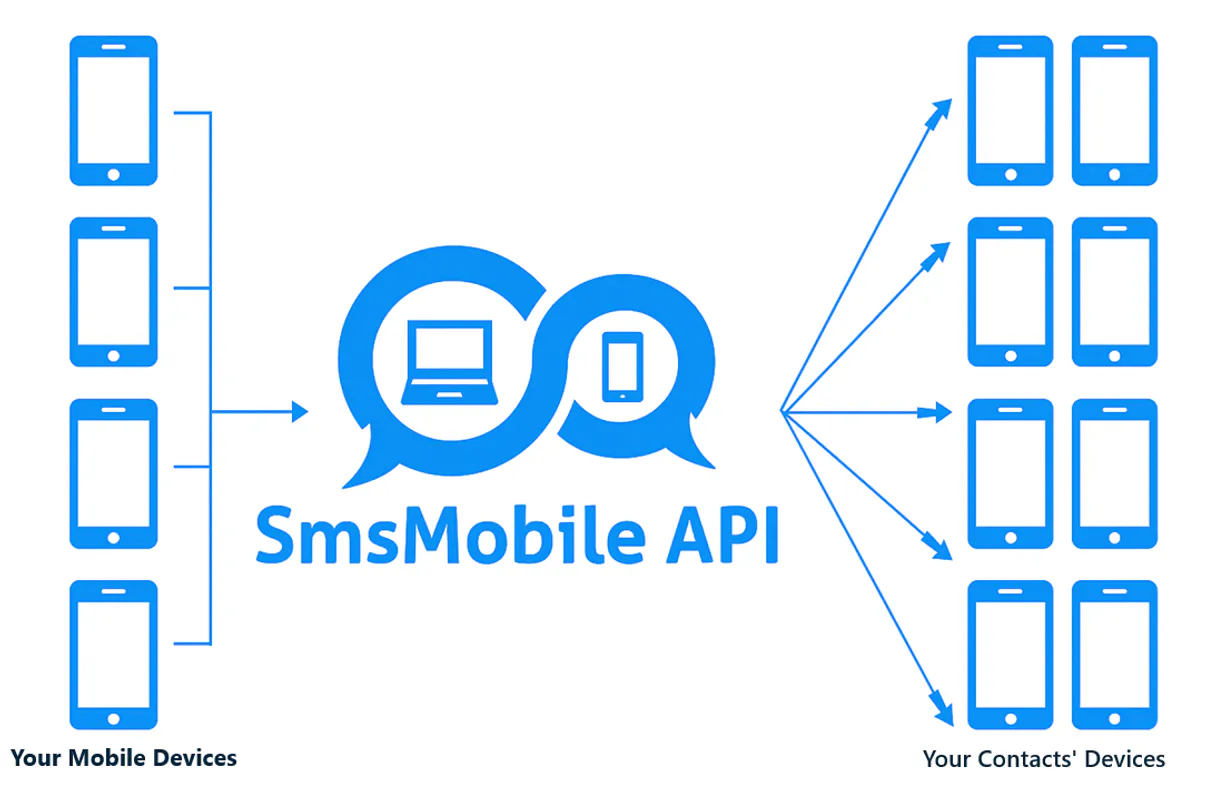
Supercharge your AI with Smsmobile. Send and read texts/WhatsApp chats from any client.
 Gemini
 Works with every AI agent you already use
…and any MCP-compatible client









Connect to your AI in seconds.
Smsmobile connects your AI agent directly to your phone's communication services. It lets you read incoming SMS and WhatsApp messages, send replies from either channel, track call logs, and manage contacts—all through natural conversation with no need for manual app switching.
What your AI can do
Check whatsapp number
Verifies if a given number is currently registered on WhatsApp.
Delete gateway mobile
Removes a specific mobile device connection from the SMS Gateway management panel.
Delete sms
Clears specific SMS messages from the server's internal log records.
Dispatch SMS messages, WhatsApp chats, and emails from your phone number directly through natural language requests.
Retrieve grouped message threads (SMS/WhatsApp), full call logs, and detailed conversation archives to maintain a complete record of interactions.
Pull unread SMS messages from your phone and mark them as read within the API status after retrieval.
Ask an AI about this
Compatible AI Apps
OAuth 2.0 Compatible Gemini Waiting for input…
Smsmobile MCP Server: 26 Tools for Messaging & Call Management
Use these tools to send messages across channels, retrieve conversation history, manage gateway settings, and audit all call and text events.
Make your AI actually useful.
Add this MCP to Claude, Cursor, or Windsurf and your AI stops guessing. It gets real tools to look things up, take action, and handle the stuff you keep doing by hand.
Start using Smsmobile on VinkiusCheck Whatsapp Number
Verifies if a given number is currently registered on WhatsApp.
Delete Gateway Mobile
Removes a specific mobile device connection from the SMS Gateway management panel.
Delete Sms
Clears specific SMS messages from the server's internal log records.
Get Emails
Retrieves email addresses associated with your account.
Get Received Sms
Pulls any SMS messages that were recently received on the connected smartphone.
Get Sms Logs
Retrieves historical records of all SMS messages that passed through the API, including status codes.
Get Unsubscribed Emails
Lists contacts who have unsubscribed from email communications.
Get Whatsapp Messages
Retrieves the latest WhatsApp messages received on your connected device.
List Gateway Mobiles
Shows and manages all mobile devices currently attached to the SMS Gateway.
List Incoming Calls
Retrieves a list of calls that arrived on your phone number.
List Missed Calls
Lists call records for missed or unanswered calls.
List Mobile Sent Sms
Retrieves a list of SMS messages sent directly using the mobile device itself.
List Notifications
Lists general system notifications related to your gateway account.
List Outgoing Calls
Retrieves logs for calls that were initiated by the connected phone number.
List Sms Conversations
Pulls grouped conversation data, showing both incoming and outgoing messages in one...
Mark Sms Read
Changes the status of a retrieved SMS message to 'read' within the API system...
Resend Sms
Attempts to resend an SMS that previously failed delivery (must be flagged as error).
Resend Whatsapp
Retries sending a WhatsApp message that failed or was queued.
Send Email
Sends an email to a specified recipient address.
Send Notification
Creates and pushes a specific push notification alert to a target mobile device.
Send Sms
Sends a new SMS message from your connected phone number.
Send Whatsapp
Dispatches a WhatsApp message to a specific contact.
Set Whatsapp Active
Activates or deactivates the WhatsApp sending/receiving feature for your gateway...
Sync Whatsapp
Must be run first to download and synchronize all pending WhatsApp messages before retrieval tools work.
Update Gateway Mobile
Modifies the label or status of a mobile device connected to your SMS Gateway.
Update Sms Alias
Changes the display name (alias) shown for a received SMS message in the system logs.
Connect to your AI in seconds. Security and governance baked right in.
Pick your AI client below to get set up. Just create a Vinkius account, subscribe, and you're instantly up and running. We handle the entire backend infrastructure, delivering out-of-the-box support for HTTPS Streamable, SSE, and OAuth2—zero messy routing required.
Claude AI
Open Claude Settings
Go to claude.ai, click your profile icon, then navigate to Customize → Connectors.
Add Custom Connector
Click the "+" button and select Add custom connector. Paste your Vinkius endpoint URL:
https://edge.vinkius.com/[YOUR_TOKEN_HERE]/mcp
Replace [YOUR_TOKEN_HERE] with your token from
cloud.vinkius.com. For OAuth-protected servers, expand Advanced
settings to add credentials.
Start a conversation
Open a new chat. The Smsmobile integration is available immediately — no restart needed.
Choose How to Get Started
Build a custom MCP for your own tools, or connect a ready-made integration from our catalog.
Build Your Own
Turn any API into an MCP. Import a spec, define Agent Skills, or deploy with MCPFusion.
- Import from OpenAPI, Swagger, or YAML specs
- Create Agent Skills with progressive disclosure
- Deploy to edge with MCPFusion framework
- Built in DLP, auth, and compliance on every call
- Real time usage dashboard and cost metering
- Publish to catalog or keep private
Make Your AI Do More
Start with Smsmobile, then connect any of our 5,000+ other servers whenever your AI needs more. One click, no limits.
- Use this MCP plus 5,000+ others, all in one place
- Add new capabilities to your AI anytime you want
- Every connection is secured and compliant automatically
- Track usage and costs across all your servers
- Works with Claude, ChatGPT, Cursor, and more
- New servers added to the catalog every week
Independent Platform Disclaimer: Vinkius is an independent platform and is not affiliated with, endorsed by, sponsored by, verified by, or otherwise authorized by Smsmobile. All third-party trademarks, logos, and brand names are the property of their respective owners. Their use on this website is strictly for informational purposes to identify service compatibility and interoperability.
VINKIUS INFRASTRUCTURE
Cloud Hosted
Managed infra
V8 Isolated
Sandboxed per request
Zero-Trust Proxy
No stored credentials
DLP Enforced
Policy on every call
GDPR Compliant
EU data residency
Token Compression
~60% cost reduction
Works with Claude, ChatGPT, Cursor, and more
The Model Context Protocol standardizes how applications expose capabilities to LLMs. Instead of operating in isolation, your AI gains direct access to external platforms, live data, and real-world actions through secure, standardized connections.
This connection provides 26 powerful capabilities that interface natively with Claude, ChatGPT, Cursor, and other compatible AI platforms. No middleware. No custom integration required.
Tracking client messages is a nightmare of context switching.
Right now, if you need to know what happened with a client—did they call? Did they text? Was it WhatsApp or standard SMS?—you have to jump between your phone's native app, your ticketing system, and maybe an email inbox. You spend five minutes just compiling the timeline.
With Smsmobile MCP Server, you tell your agent what happened, and it runs `list_sms_conversations` and checks call logs in one go. The AI gets a single, unified data feed telling it everything that passed through the number.
Smsmobile MCP Server: Automate follow-ups using real phone numbers.
Manually sending out status updates or appointment reminders means logging into a dedicated SMS platform, writing the message body, entering 50 different recipients, and hitting 'send' fifty times. It’s slow and prone to errors.
Now, your agent handles it. You ask it to send an update; it uses `send_sms` or `send_whatsapp`, manages the recipient list internally, and logs every successful delivery for you.
What your AI can actually do with this
Smsmobile hooks up your AI agent directly to your phone’s communication services. This server treats your smartphone like a full-featured gateway, letting you manage texting, WhatsApp chats, emails, and calls—all through natural conversation with no manual app switching.
Sending Messages: SMS, WhatsApp, and Email
You can send new messages using
send_sms, which sends an SMS from your connected phone number. You also usesend_whatsappto dispatch a chat message to any contact. For email communications, you just callsend_emailwith the recipient address. When things go sideways and a message fails delivery, you'll need to runresend_smsto try sending that SMS again, or hitresend_whatsappif the WhatsApp send failed or got stuck in the queue.Sending Alerts & Notifications: You can push specific alerts using
send_notification, which creates and pushes a notification right to a target mobile device.
Managing Communications History: Texts, Chats, and Calls
To read texts, you first pull any unread SMS messages from your phone using
get_received_sms. Once you grab them, you can mark their status as 'read' in the API system records viamark_sms_read. For WhatsApp, remember you gotta runsync_whatsappfirst; that downloads all pending chats. After syncing, you pull the latest messages withget_whatsapp_messages.To see everything together—both incoming and outgoing texts—you grab grouped conversation data using
list_sms_conversations.Call Logs: You get full visibility on your phone usage by retrieving call records. Use
list_incoming_callsfor calls that hit your number, or checklist_missed_callsfor unanswered rings. If you wanna see what calls you initiated, runlist_outgoing_calls.
Gateway and Account Management
The server lets you keep tabs on all the gear connected to your gateway. You can list every mobile device attached with
list_gateway_mobiles, or change a device's label or status usingupdate_gateway_mobile. If a device is disconnected, you usedelete_gateway_mobileto remove it from the SMS Gateway panel.You also handle contacts and communication records. You can retrieve all email addresses tied to your account with
get_emails, and check who's pulled their plug on emails usingget_unsubscribed_emails. For texts, you can get a complete history of every single SMS that passed through the API, including status codes, by callingget_sms_logs; this also lets you see all SMS messages sent directly from the phone itself vialist_mobile_sent_sms.You can view general system alerts with
list_notifications.When texts come in, you'll need to manage how they look. Use
update_sms_aliasto change the display name shown for any received SMS message inside the system logs.
Advanced Functionality & Maintenance
- You can also maintain and modify the WhatsApp feature itself; use
set_whatsapp_activeto turn sending or receiving chats on or off. If you need to know if a number is even active on WhatsApp, check it withcheck_whatsapp_number. Finally, for backend cleanup, you pull any general records of communications by callinglist_incoming_calls,list_missed_calls, and reviewing the conversation history vialist_sms_conversations.
019e38f0-0598-73a4-b718-b7807b2fcac5 
Here's how it actually works
The bottom line is: your AI client gets real-time access to every communication event happening on your connected mobile device.
Subscribe to the Smsmobile server and provide your unique API Key.
Your AI client runs a tool (e.g., get_received_sms) to pull data from the gateway.
The agent uses the retrieved context (the message body, sender ID, etc.) to formulate an action or response.
Who is this actually for?
Support teams that hate context switching. It's for the Operations Manager who needs to automate follow-ups across SMS and WhatsApp, or developers building alerts that must run reliably without connecting to multiple carrier APIs. If your workflow touches a phone number, you need this.
Responding to customer inquiries received via SMS/WhatsApp directly within the agent workspace, without leaving their dashboard.
Building alerts or two-factor authentication workflows that need reliable communication channels beyond simple email services.
Automating customer follow-up sequences and bulk notifications using phone numbers rather than just email lists.
What Changes When You Connect
Full conversation history is instantly accessible. Instead of logging into a separate app to check logs, list_sms_conversations pulls all incoming and outgoing messages into one view for your agent.
You get true omnichannel capability. Send alerts using send_whatsapp or stick to traditional SMS via send_sms. The AI client picks the right channel automatically based on context.
No more missed data points. If a message failed, you don't have to wait for manual resending; you can use resend_sms or resend_whatsapp directly from your agent prompt.
Complete visibility into calls and texts. Tools like list_incoming_calls, list_missed_calls, and get_received_sms let you audit communication activity even if no message was sent.
Faster context switching means better support. After running sync_whatsapp, your agent can immediately use get_whatsapp_messages to respond, eliminating the need for manual data fetching.
See it in action
Handling a Support Inquiry
A customer texts in an urgent issue. Instead of you manually checking your phone or support software, your agent runs get_received_sms. The AI reads the text and uses that context to draft a detailed reply using send_whatsapp, keeping everything logged.
Automating Outage Alerts
A system goes down. You need to notify 50 clients instantly. Your agent runs through your contact list and executes send_sms for each one, ensuring the alert is delivered via SMS regardless of their WhatsApp status.
Auditing Communication Failures
A batch campaign failed to send messages. Instead of guessing why, you check the logs by calling get_sms_logs and pinpoint exactly which numbers failed and why. You then use resend_sms only for those specific failures.
Pre-Interaction Prep Work
Before responding to a client, you want to know their history with your company. Your agent runs list_sms_conversations and checks for any missed calls via list_missed_calls, giving the AI full context before writing a single word.
The honest tradeoffs
Reading WhatsApp messages.
The agent tries to call get_whatsapp_messages but gets an empty set because it hasn't synchronized data yet, leading to a useless response.
Always run sync_whatsapp first. This action forces the gateway to download all pending chats, making sure that subsequent calls like get_whatsapp_messages actually contain new information.
Checking call logs only.
A user sees an entry in list_missed_calls and assumes a message followed, but the system can't confirm if a text was also sent or received.
Cross-reference the time stamp. If you see a missed call log using list_missed_calls, immediately check get_received_sms for any related texts around that same minute.
Deleting logs too early.
An engineer runs delete_sms when they only meant to clear a single failed conversation, losing the audit trail needed for compliance.
Don't delete anything unless absolutely necessary. First, use get_sms_logs and analyze the failure reason before making any changes.
When It Fits, When It Doesn't
Use this server if your communication needs span multiple channels (SMS, WhatsApp) or require real-time access to phone logs that aren't available through a standard API endpoint. It’s critical for support and operations automation where the channel doesn't matter—only the message does.
Don't use it if you only need simple email communication; stick to a dedicated mail API like SendGrid. Also, don't rely on its log tools (get_sms_logs) as your single source of truth for customer records; always treat logs as an audit trail, not the primary database.
Questions you might have
How do I read unread SMS messages using get_received_sms? +
You run get_received_sms to pull the texts. The agent then shows you which ones are new and allows you to use mark_sms_read afterward to update their status.
What is the difference between list_sms_conversations and get_whatsapp_messages? +
list_sms_conversations gives a grouped view of both SMS/WhatsApp history. get_whatsapp_messages specifically retrieves only WhatsApp messages after you've run sync_whatsapp.
Can I resend an SMS that failed using resend_sms? +
Yes, but the message must first be logged with a failure status. Your agent reads the error via get_sms_logs, and if it's deliverable, you can ask it to try again with resend_sms.
Do I need to run sync_whatsapp before getting WhatsApp messages? +
Yep. You must call sync_whatsapp first. This action pulls the latest chat data from your phone, making sure that get_whatsapp_messages has fresh content to retrieve.
How does `list_gateway_mobiles` help me manage my connected devices? +
It shows a list of all mobile gateways tied to your account. This is how you check which SIM ports are active or if you need to connect new physical phones before starting message workflows.
What's the difference between using `list_missed_calls` and checking my conversation history? +
Call logs track pure telephony events, while list_sms_conversations groups both incoming/outgoing messages. Use call tools for dial records, not text message content.
I need to delete old data; how does the `delete_sms` tool handle server log cleanup? +
The delete_sms tool removes specific SMS records from the API's internal log. This is useful for compliance or simply reducing the volume of historical messages you retrieve.
If I read a message, how do I update its status using `mark_sms_read`? +
Running mark_sms_read changes the API's record state for that SMS. This updates the system so your AI agent knows you’ve seen it without deleting the actual conversation.
Can I send a message via WhatsApp instead of standard SMS? +
Yes! You can use the send_whatsapp tool directly, or use send_sms and set the sendwa parameter to 1 to route it through WhatsApp on your connected device.
How do I check for new incoming messages on my phone? +
Use the get_received_sms tool. You can filter for only unread messages by setting onlyunread to 'yes', allowing your AI to process new inquiries automatically.
Can I see the history of a specific conversation? +
Absolutely. Use list_sms_conversations with a specific phone number (numero) to retrieve the grouped history of incoming and outgoing messages for that contact.
We've already built the connector for Smsmobile. Just plug in your AI agents and start using Vinkius.
No hosting. No infrastructure. No complex setup.
All 26 tools are live and waiting.
You're up and running in seconds.
Gemini Vinkius gives your AI agents access to the full catalog of app connectors, all fully managed, secure, and enterprise-ready. One subscription, every tool you need.
Built, hosted, and secured by Vinkius. You just connect and go.