
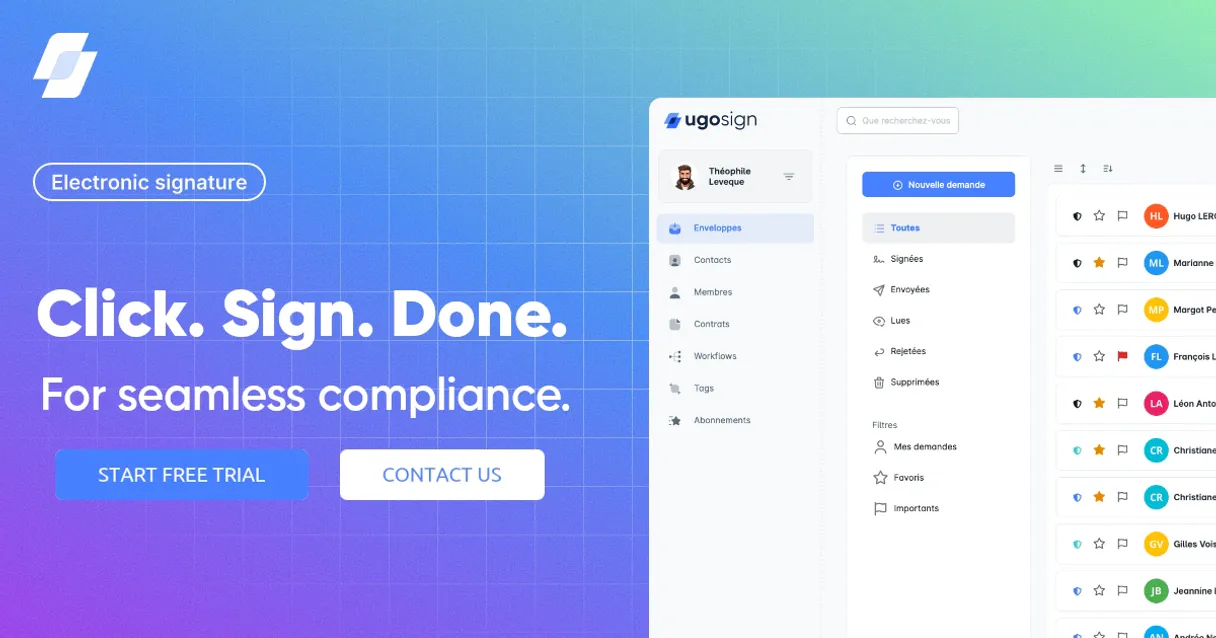
Ugosign MCP. Manage document signatures without leaving your agent.
 Gemini
 Works with every AI agent you already use
…and any MCP-compatible client









Just plug in your AI agents and start using Vinkius.
Ugosign connects your AI agent directly to advanced electronic signature workflows. Use this server to programmatically create, track, and manage legally compliant document signing requests.
Check document status in real-time, retrieve full audit trails, or list all active agreements without touching a web dashboard.
What your AI agents can do
Create signature request
Sends data required to create a new electronic signature request within Ugosign.
Get document
Fetches the specific details and metadata for a single document ID.
Get organization
Retrieves high-level data about your Ugosign account, including user counts or plan limits.
Create a new signature request containing necessary document details and recipient lists using create_signature_request.
Get the current status (e.g., pending, signed) for one specific signature request with get_signature_request.
Retrieve a list of all documents or a summary list of active signature requests using list_documents and list_signature_requests.
Fetch high-level details about your Ugosign account, such as remaining signing capacity, via get_organization.
Get the full, granular details of a specific document using get_document, including its version history and associated metadata.
Ask AI about this MCP
Supported MCP Clients
OAuth 2.0 Compatible Gemini Waiting for input…
Ugosign MCP Server: 6 Tools for Document Workflows
These tools allow your agent to manage the entire document lifecycle—from listing files to creating new signature requests—all without a web interface.
Make your AI actually useful.
Add this MCP to Claude, Cursor, or Windsurf and your AI stops guessing. It gets real tools to look things up, take action, and handle the stuff you keep doing by hand.
Start using Ugosign on Vinkius019dd17bcreate signature request
Sends data required to create a new electronic signature request within Ugosign.
019dd17bget document
Fetches the specific details and metadata for a single document ID.
019dd17bget organization
Retrieves high-level data about your Ugosign account, including user counts or plan limits.
019dd17bget signature request
Checks the current status and details for a single signature request ID.
019dd17blist documents
Provides a list of all documents currently stored or managed by Ugosign.
019dd17blist signature requests
Lists summaries of multiple signature requests, showing who needs to act and the current status.
Choose How to Get Started
Build a custom MCP for your own tools, or connect a ready-made integration from our catalog.
Build Your Own
Turn any API into an MCP. Import a spec, define Agent Skills, or deploy with MCPFusion.
- Import from OpenAPI, Swagger, or YAML specs
- Create Agent Skills with progressive disclosure
- Deploy to edge with MCPFusion framework
- Built in DLP, auth, and compliance on every call
- Real time usage dashboard and cost metering
- Publish to catalog or keep private
Make Your AI Do More
Start with Ugosign, then connect any of our 4,900+ other servers whenever your AI needs more. One click, no limits.
- Use this MCP plus 4,900+ others, all in one place
- Add new capabilities to your AI anytime you want
- Every connection is secured and compliant automatically
- Track usage and costs across all your servers
- Works with Claude, ChatGPT, Cursor, and more
- New servers added to the catalog every week
Independent Platform Disclaimer: Vinkius is an independent platform and is not affiliated with, endorsed by, sponsored by, verified by, or otherwise authorized by Ugosign. All third-party trademarks, logos, and brand names are the property of their respective owners. Their use on this website is strictly for informational purposes to identify service compatibility and interoperability.
VINKIUS INFRASTRUCTURE
Cloud Hosted
Managed infra
V8 Isolated
Sandboxed per request
Zero-Trust Proxy
No stored credentials
DLP Enforced
Policy on every call
GDPR Compliant
EU data residency
Token Compression
~60% cost reduction
Works with Claude, ChatGPT, Cursor, and more
The Model Context Protocol standardizes how applications expose capabilities to LLMs. Instead of operating in isolation, your AI gains direct access to external platforms, live data, and real-world actions through secure, standardized connections.
This server provides 6 capabilities that interface natively with Claude, ChatGPT, Cursor, and any MCP client. No middleware. No custom integration required.
Checking document status shouldn't require logging into three different portals.
Today, checking if an agreement is ready involves jumping through hoops. You check the CRM to see the deal stage; then you have to log into the signing platform and search for the contract ID; finally, you might email someone just to confirm it hasn't stalled in a pending folder. It’s context switching hell.
With the Ugosign MCP Server, you ask your agent directly: 'What is the status of the Acme Corp SOW?' The agent runs `get_signature_request` and gives you the answer instantly—signed, viewed, or pending. You get a single source of truth without leaving your terminal.
Ugosign MCP Server: Create Signatures with `create_signature_request`
Before this server, starting a new contract meant template management, knowing the right recipient IDs, and manually uploading files—a process that took minutes of careful clicking. It was high effort for low return.
Now, you give your agent the context: 'Start the onboarding package for Jane Smith.' The agent handles `create_signature_request`, managing the document uploads and correctly mapping all required recipients. You just tell it what to do.
What you can do with this MCP connector
Ugosign connects your AI agent directly to advanced electronic signature workflows. You use this server to programmatically create, track, and manage legally compliant document signing requests without ever touching a web dashboard.
Need to start a new agreement? You can run create_signature_request to send all the necessary data required for an electronic signature request, defining both the documents and the specific recipients who need to act on them.
To keep tabs on what’s happening across your organization, you've got two ways to list agreements. Run list_signature_requests to pull a summary of multiple active requests; this shows you exactly who needs to sign and gives you a quick read on the current status for every pending agreement. If you just want to see every document Ugosign is managing, use list_documents.
When you need deep status checks, you don't wanna rely on summaries. You can run get_signature_request with a specific ID to get the precise, current details and status for one single signing request. This tells you immediately if it’s pending, fully executed, or where else along the line it is stuck.
For document specifics, you've got get_document. Running this tool lets you pull all the granular metadata and specific details tied to a single document ID; that includes its entire version history and any associated data points.
Want an overview of your whole account? You can use get_organization to retrieve high-level information about your Ugosign account, checking things like user counts or if you're running low on signing capacity.
When all these tools work together with your agent, the process is clean. Your AI client handles the logic—you just tell it what data point you need. It executes the tool call and spits out structured JSON that your agent can use instantly to make decisions or update records. You're automating compliance; you aren't reading dashboards.
You can start by creating a workflow using create_signature_request. Then, if you need to know what happened with that agreement later, you run get_signature_request against the new ID. If you suddenly gotta check every document in the system—the ones drafted and the finalized ones—you call list_documents. You can also pull a summary of all active agreements at once using list_signature_requests, which tells you who needs to sign what right now.
It's all about precision. If you need full proof on a document, run get_document for its complete metadata and version history. And don’t forget your account health; check your limits with get_organization so you never get caught off guard by hitting capacity.
019dd17b-fe8c-7086-b572-3a9c363c8510 
How Ugosign MCP Works
- 1 First, subscribe to the server and provide your Ugosign API Key in your agent's settings.
- 2 Next, prompt your AI client (e.g., 'List all pending contracts'). The agent translates this into a specific tool call (like
list_signature_requests). - 3 The server executes the tool, retrieves the live data from Ugosign, and returns structured JSON to your agent for immediate use.
The bottom line is: you manage complex document approval workflows entirely through natural language prompts, without needing to log into a web portal.
Who Is Ugosign MCP For?
This is for Legal Counsel and Sales Operations staff who spend too much time switching between CRMs, file servers, and dedicated signing platforms just to check if a contract is ready. It’s for the developer building internal compliance dashboards that can't handle manual API calls.
Use this to run bulk checks on agreement statuses across hundreds of contracts and build an audit trail summary immediately after a major deal closes.
Automate the creation of signing requests for standard sales documents (like NDAs or SOWs) as soon as the contract is finalized in the CRM.
Run regular checks on organization details (get_organization) and list all signed documents (list_documents) to prove regulatory adherence for internal audits.
What Changes When You Connect
- Instant Status Checks: Instead of logging into Ugosign to find out if a contract is pending, you ask your agent. It runs
get_signature_requestand gives you the definitive status in seconds. - Bulk Oversight: Need to know how many contracts are active? Use
list_signature_requests. You get an immediate overview of every document awaiting action across your organization. - Automated Onboarding: When a sales deal closes, let your agent use
create_signature_requestinstantly. It builds the entire request—document, recipients, workflow—with one command. - Compliance Proofing: Need an audit trail? The server lets you access detailed metadata via various tools, giving you a structured record that manual exports can't match.
- Contextual Data Retrieval: You don't have to guess which document is right.
get_documentgives you the full details of any file ID, ensuring your agent uses the correct version.
Real-World Use Cases
The Quarterly Audit
A compliance analyst needs to prove every vendor agreement signed last quarter is accounted for. They tell their agent: 'List all documents from Q2.' The agent uses list_documents and then filters the results, providing a structured list that details the file ID, creation date, and final signatory.
The Deal Closer
A sales rep just finalized an order. Instead of manually sending emails to multiple parties, they prompt their agent: 'Create signature requests for the Acme Corp SOW.' The agent uses create_signature_request, initiating the entire workflow and tracking it via get_signature_request.
The Follow-Up Check
A legal team member has sent out three critical NDAs. They ask: 'What's the status of all active NDA requests?' The agent uses list_signature_requests, instantly telling them which documents are Pending and which ones have been Viewed, allowing for targeted follow-up.
The System Check
A developer building a dashboard needs to know if the organization has hit its signing limit. They query their agent: 'What is our current signing capacity?' The agent uses get_organization and reports the remaining quota, preventing workflow failure.
The Tradeoffs
Trying to copy/paste document details.
Manually logging into Ugosign, finding a contract ID, copying it, then pasting it into the agent prompt. This is slow and error-prone.
→
Just tell your agent what you need. For example: 'Check the status of signature request req_456.' The agent runs get_signature_request directly using the tool name.
Assuming all documents are visible.
Asking for a document by name, but not knowing if it's indexed or active. You might get an empty result and waste time.
→
Always start with list_documents to confirm the file ID exists before asking your agent to run get_document on it.
Writing a single, massive prompt.
Trying to ask for 'the list of all documents and then create a request for one of them' in one block of text. The agent might fail or only do half the job.
→ Break it up. First: 'List all active requests.' Second: 'Using the ID from that list, create a new signature request.' This sequence is reliable.
When It Fits, When It Doesn't
Use this server if your primary bottleneck is moving data or status checks between different systems (e.g., CRM to Signing Platform). You need an AI agent layer to interpret natural language into specific, transactional tool calls like create_signature_request or get_signature_request. Don't use it if you simply need to store documents—use a dedicated cloud storage service for that. If you just want a simple list of all users, check your identity provider instead; don't rely on list_documents for user data.
This server excels at managing the state and workflow of an agreement. Use it when you need to know 'Is this signed yet?' or 'Can we start a new one?' It's built around transactional integrity, making it reliable for compliance-critical steps.
Common Questions About Ugosign MCP
How do I check if a specific contract is signed using get_signature_request? +
Call get_signature_request and pass the unique request ID. This tool returns the document's current status—whether all required parties have completed their signature or if it’s still pending review.
Can I list all contracts that are currently awaiting signatures? Use list_signature_requests. +
Yes, running list_signature_requests gives you a summary of every active request. You can quickly filter this output to identify which documents are in 'Pending' status and require immediate follow-up.
What is the difference between list_documents and get_document? +
list_documents gives you a directory—a summary of all file IDs. get_document, however, pulls the full metadata for one specific file ID, including version history and detailed audit trail information.
How do I find out how many signatures we can process? Use get_organization. +
Run get_organization. This tool reports your account's current status, helping you verify remaining signing capacity or check overall organizational details required for compliance.
If I use the `create_signature_request` tool and pass invalid data, what happens? +
The system immediately throws a validation error. This response tells your AI client exactly which JSON field is incorrect or missing required information. You fix that specific field and retry.
Are there rate limits when calling `list_signature_requests`? +
Yes, the server implements standard API rate limiting to maintain stability for all users. If you hit a limit, your AI client gets a clear error code (429), and it specifies when you can try again.
What kind of credentials do I need when running `get_organization`? +
You must provide an active Ugosign API Key for the agent to connect. This key links all retrieved organization data directly back to your specific account and team.
When using `get_document`, how do I ensure the metadata is compliant? +
The tool retrieves detailed audit trails, including timestamps for every view or status change. This built-in compliance data lets you prove exactly when and by whom the document was accessed.
How do I get my Ugosign API Key? +
Log in to your Ugosign account, navigate to the Developer API or Integrations section, and copy your secret Bearer Token.
Can I track the status of a specific signature request? +
Yes, use the get_signature_request tool with the unique ID to see if it is 'pending', 'viewed', or 'signed'.
Does it support multiple recipients? +
Absolutely. You can specify one or more recipients when creating a new signature request via the create_signature_request tool.
Use it with your favorite AI tools
Connect this server to Cursor, Claude, VS Code, and more.