
8x8 Contact Center MCP. Audit queues and agent performance via chat.
 Gemini
 Works with every AI agent you already use
…and any MCP-compatible client









Just plug in your AI agents and start using Vinkius.
8x8 Contact Center MCP Server gives your AI agent real-time insight into your call center. You can monitor live queue sizes, check agent availability, and audit historical calls using natural language queries.
It brings complex CCaaS metrics into your chat interface, letting you audit performance and find bottlenecks instantly.
What your AI agents can do
Get realtime metrics
Retrieves the current, live metrics for all active queues and agents.
List agent interactions
Lists historical agent interactions, allowing you to filter by specific dates and times for audits.
List queue metrics
Gets aggregated historical performance data for specific queues.
Retrieves current operational metrics for all queues and agents, identifying immediate staffing or capacity issues.
Lists and reviews past agent interactions, providing metadata and timestamps for deep-dive audits.
Accesses aggregated historical performance data to understand patterns and overall capacity needs over time.
Ask AI about this MCP
Supported MCP Clients
Gemini Waiting for input…
8x8 Contact Center MCP Server: 3 Tools for Monitoring
Analyze live metrics, audit historical interactions, and track queue performance by running these three specific tools through your AI client.
019d7542get realtime metrics
Retrieves the current, live metrics for all active queues and agents.
019d7542list agent interactions
Lists historical agent interactions, allowing you to filter by specific dates and times for audits.
019d7542list queue metrics
Gets aggregated historical performance data for specific queues.
Choose How to Get Started
Build a custom MCP for your own tools, or connect a ready-made integration from our catalog.
Build Your Own
Turn any API into an MCP. Import a spec, define Agent Skills, or deploy with MCPFusion.
- Import from OpenAPI, Swagger, or YAML specs
- Create Agent Skills with progressive disclosure
- Deploy to edge with MCPFusion framework
- Built in DLP, auth, and compliance on every call
- Real time usage dashboard and cost metering
- Publish to catalog or keep private
Make Your AI Do More
Start with 8x8 Contact Center, then connect any of our 4,700+ other servers whenever your AI needs more. One click, no limits.
- Use this MCP plus 4,700+ others, all in one place
- Add new capabilities to your AI anytime you want
- Every connection is secured and compliant automatically
- Track usage and costs across all your servers
- Works with Claude, ChatGPT, Cursor, and more
- New servers added to the catalog every week
What you can do with this MCP connector
Your AI agent gives you real-time eyes on your whole 8x8 Contact Center. You can check queue sizes and agent status without leaving your chat. It brings complex call center metrics right into your conversation, so you can audit performance and find bottlenecks instantly.
get_realtime_metrics pulls the current, live metrics for every active queue and agent, letting you spot staffing or capacity issues right away. list_agent_interactions lists past agent interactions, so you can filter by specific dates and times when you're doing an audit. list_queue_metrics gets aggregated historical performance data for specific queues, helping you track long-term trends and understand overall capacity needs.
How 8x8 Contact Center MCP Works
- 1 Subscribe to the 8x8 Contact Center server and enter your 8x8 API Key and Client Secret.
- 2 Direct your AI agent to analyze a specific operational question (e.g., 'What was the average wait time on the Sales queue last week?').
- 3 The agent executes the necessary tool calls, processes the data, and returns a natural language summary of the findings.
The bottom line is, you ask a question about your call center, and your agent delivers the answer by running the right reports.
Who Is 8x8 Contact Center MCP For?
Operations Managers, Contact Center Supervisors, Quality Assurance Teams, and Business Analysts. These roles need to move beyond clunky, multiple-tab dashboards. You need a single chat interface that lets you ask complex questions about staffing, performance, and historical calls, and get the answer immediately.
Checks queue health and agent status on the fly without opening a separate monitoring dashboard.
Audits historical interaction logs and performance trends to figure out where staffing needs adjusting.
Pulls specific agent interaction data quickly for performance reviews and compliance checks.
Extracts key contact center metrics for reports by just asking the AI agent a question.
What Changes When You Connect
- Real-Time Status: Use
get_realtime_metricsto immediately see if your queues are backed up or if agents are tied up. You get an instant pulse check without navigating a complex dashboard. - Deep History:
list_agent_interactionslets you drill down into specific historical calls. You can review metadata and timestamps for every agent, which is essential for QA and compliance. - Trend Analysis:
list_queue_metricspulls aggregated historical data. This helps Ops Managers see long-term patterns, letting them optimize staffing levels months ahead of time. - Focus on Data: Instead of building custom reports, you talk to the data. Your AI agent runs the necessary tools and just gives you the summarized answer you need.
- Time Saved: You skip the manual process of jumping between the queue dashboard, the agent status board, and the historical reporting tool. Everything is in one conversation.
- Precision: You can filter interaction logs using
list_agent_interactionsby specific date ranges, ensuring you only pull the exact data points you need for a review.
Real-World Use Cases
Sudden spike in wait times
The supervisor notices the 'Billing' queue wait time is climbing rapidly. They ask their agent: 'What is the current live status of the Billing queue?' The agent runs get_realtime_metrics and reports that agent capacity is maxed out, allowing the supervisor to immediately re-route staff.
Investigating poor agent performance
A manager needs to review an agent's handling of a specific complaint from last Tuesday. They ask the agent to run list_agent_interactions, filtering by the date and agent ID. The agent returns the full log, including call duration and resolution status, for immediate review.
Forecasting staffing needs
The Ops Manager needs to know if the 'General' queue is trending poorly before the next quarter. They ask the agent to analyze historical data using list_queue_metrics. The agent provides an aggregated view, showing a clear upward trend in average wait times.
Compliance audit of calls
QA needs to pull every interaction involving a specific product code from the last month. They prompt the agent to use list_agent_interactions with detailed filters. The agent returns a manageable list of records, solving the manual spreadsheet export problem.
The Tradeoffs
Relying on manual dashboard cross-referencing
The manager checks the queue dashboard for current wait times, then opens the agent roster to see who is available, and finally runs a separate report to check last week's call volume. This takes 15 minutes and involves copy-pasting data between three different screens.
→
Use your AI agent to consolidate this. Ask: 'Give me a status report: current queue wait times and total calls handled yesterday.' The agent runs get_realtime_metrics and list_queue_metrics and delivers a single, comprehensive report.
Assuming high volume means health
The team sees thousands of interactions in the log and assumes the system is fine, missing that 90% of those interactions were simple transfers that didn't resolve the core issue.
→
Use list_agent_interactions to filter the logs. Instead of just listing everything, ask the agent to only show interactions where the 'Resolution Status' was 'Escalated' or 'Failed'. This targets the actual problem data.
Checking only current metrics
The supervisor only checks the dashboard right before a meeting, missing out on key performance indicators (KPIs) like average wait time trends over the past quarter.
→
Use list_queue_metrics. Ask the agent: 'How has the average wait time changed for the Support queue over the last six months?' This gives you the long-term view needed for strategic planning.
When It Fits, When It Doesn't
Use this if you need to correlate real-time operational metrics with historical trends in a conversational way. You need to answer questions like, 'Did the surge in calls last Monday correlate with a dip in agent availability?' This server handles that. Don't use it if you just need a simple list of all records—use a basic data export tool instead. If your problem is purely about building a new dashboard visualization, use a dedicated BI tool. This MCP Server is for running instant, complex queries against existing 8x8 data, not for building new views.
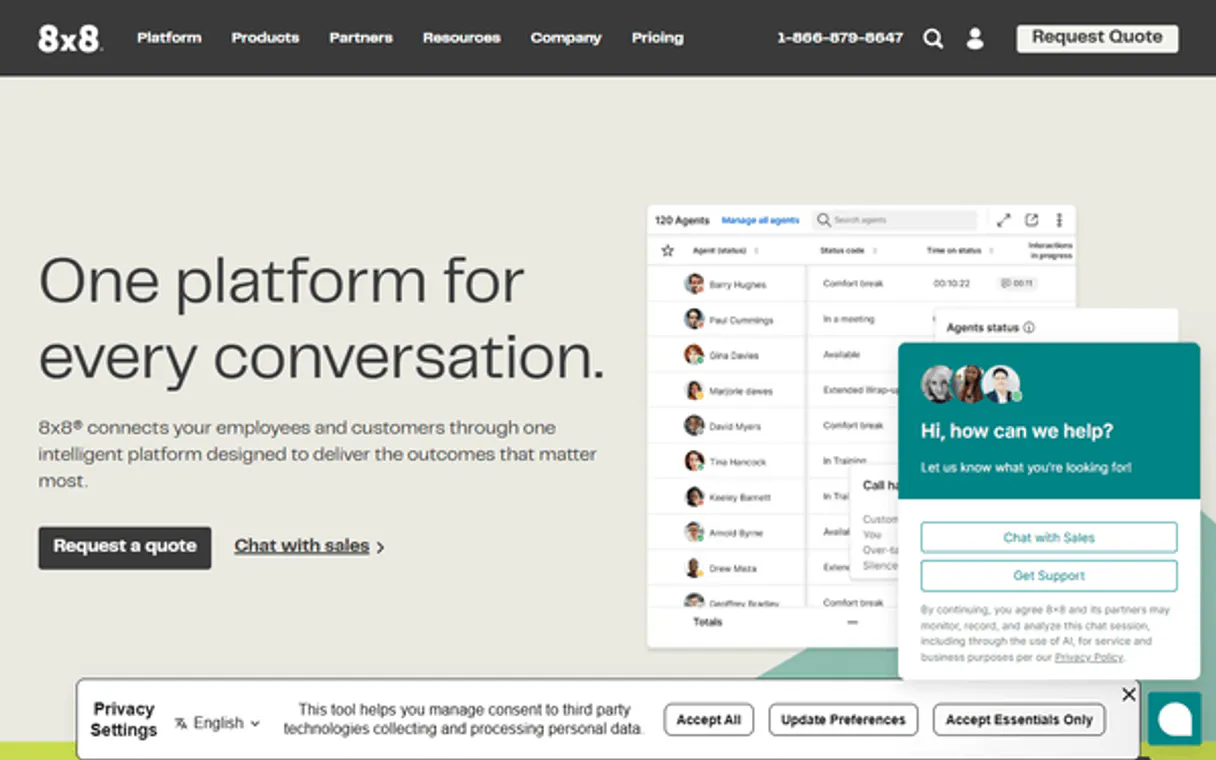
Independent Platform Disclaimer: Vinkius is an independent platform and is not affiliated with, endorsed by, sponsored by, verified by, or otherwise authorized by 8x8 Contact Center. All third-party trademarks, logos, and brand names are the property of their respective owners. Their use on this website is strictly for informational purposes to identify service compatibility and interoperability.
VINKIUS INFRASTRUCTURE
Cloud Hosted
Managed infra
V8 Isolated
Sandboxed per request
Zero-Trust Proxy
No stored credentials
DLP Enforced
Policy on every call
GDPR Compliant
EU data residency
Token Compression
~60% cost reduction
Works with Claude, ChatGPT, Cursor, and more
The Model Context Protocol standardizes how applications expose capabilities to LLMs. Instead of operating in isolation, your AI gains direct access to external platforms, live data, and real-world actions through secure, standardized connections.
This server provides 3 capabilities that interface natively with Claude, ChatGPT, Cursor, and any MCP client. No middleware. No custom integration required.
Available Capabilities
Checking operational status shouldn't require three different tabs.
Today, checking the health of your contact center is a multi-step process. You have to jump into the queue dashboard to see current wait times. Then, you have to open a separate tab to check agent availability. If you want historical data, you run a whole different report and wait for it to load. It's slow, and you're always juggling tabs and data sets.
With the 8x8 Contact Center MCP Server, you just ask your agent a question. You can ask for live queue status and historical trends in the same prompt. The agent runs the tools and delivers the combined answer, keeping you focused on the conversation, not the clicks.
8x8 Contact Center MCP Server: Real-time Metrics & Interactions
You eliminate the need to manually cross-reference data. Instead of pulling the live metrics from one tool, then running a separate historical report using another, you get a single, unified answer. The system handles the data stitching for you.
This server lets you treat your entire contact center data—live, historical, and structural—as a single data stream accessible via plain language. You stop looking at dashboards and start talking to the data.
Common Questions About 8x8 Contact Center MCP
How do I use the get_realtime_metrics tool with the 8x8 Contact Center MCP Server? +
You simply ask your agent for the live status, like, 'What is the current status of all queues?' The agent runs get_realtime_metrics and provides the current count of waiting calls and agent statuses.
Can I use list_agent_interactions to audit calls from last month? +
Yes. You instruct your agent to use list_agent_interactions and specify the date range you need. The agent pulls the detailed log, including call duration and resolution status.
Does the 8x8 Contact Center MCP Server provide general analytics? +
It provides targeted analytics. Use list_queue_metrics to see how a specific queue (like 'Sales') performed over time, giving you aggregated performance data for that queue.
Is the 8x8 Contact Center MCP Server just for live metrics? +
No. You can audit history. The combination of get_realtime_metrics and list_agent_interactions lets you compare what's happening now against what happened weeks ago.
How do I use list_queue_metrics to check historical performance for a specific department? +
Yes, you can filter by department. When calling list_queue_metrics, you must pass the department ID or name as a parameter. This lets you isolate performance data for specific operational units.
What kind of data does list_agent_interactions provide when auditing calls? +
The list_agent_interactions tool provides rich metadata for every interaction. You get timestamps, call duration, resolution status, and the agent ID, making detailed audits simple.
Does the 8x8 Contact Center MCP Server handle data for multiple time zones? +
The server handles multiple time zones automatically. When querying with any tool, specify the desired time zone in the parameters, and the resulting data will conform to that zone's offset.
What happens if I run get_realtime_metrics too often? +
The server implements rate limiting to protect your account. If you query get_realtime_metrics too frequently, your AI client will receive a 429 error, and you should wait a short period before trying again.
Can I see how many calls are currently waiting in a queue? +
Yes. Use the get_realtime_metrics tool to see live statistics, including the number of waiting calls and active agent status across all queues.
How do I audit an agent's interaction history? +
Use the list_agent_interactions tool. You can optionally provide a start and end time range to filter logs for specific periods.
Can I export performance data to other tools? +
Your AI agent can retrieve the data using list_queue_metrics, which can then be formatted or summarized for use in reports, spreadsheets, or other applications.
Use it with your favorite AI tools
Connect this server to Cursor, Claude, VS Code, and more.
More in this category

MeiQia
Leading live chat and customer CRM platform — manage conversations, messages, and customers via AI.
Botsonic
Train custom AI chatbots on your own data to deliver instant, accurate support that learns from your knowledge base.

Google Play Developer
Manage your Android apps - respond to reviews and check subscriptions via AI.
You might also like

BoxLock
Secure package deliveries with smart lockbox technology that verifies carriers and prevents porch theft at the door.

Xata (Serverless DB)
Manage your serverless databases via Xata — list organizations, manage projects, branches, and execute SQL queries directly from any AI agent.

Massive
Access historical stock dividend data and distribution records directly from any AI agent.