
Acuity Scheduling Alternative MCP. Manage every client booking and open slot conversationally.
 Gemini
 Works with every AI agent you already use
…and any MCP-compatible client









Just plug in your AI agents and start using Vinkius.
Use the `Acuity Scheduling Alternative` MCP Server to manage and audit your entire appointment system. Your agent can list all upcoming and historical appointments, check real-time availability for specific services, and handle bookings, rescheduling, or cancellations through natural conversation.
This lets you manage your schedule without ever logging into the Acuity dashboard.
What your AI agents can do
Cancel appointment
Cancels a specific appointment by its ID.
Create appointment
Books a new appointment for a client.
Get appointment
Retrieves the details for a single, specific appointment.
The agent pulls full records of client appointments, showing both upcoming and historical data, along with all relevant metadata.
You can check real-time availability for specific appointment types or calendars to find open booking windows.
The agent modifies the schedule by creating, rescheduling, or canceling appointments using natural language instructions.
List and categorize all available service types, calendars, and appointment categories to maintain system clarity.
Ask AI about this MCP
Supported MCP Clients
Gemini Waiting for input…
Acuity Scheduling Alternative MCP Server: 10 Tools for Scheduling
Use these tools to programmatically list, create, modify, and audit every element of your Acuity Scheduling setup.
019d8412cancel appointment
Cancels a specific appointment by its ID.
019d8412create appointment
Books a new appointment for a client.
019d8412get appointment
Retrieves the details for a single, specific appointment.
019d8412get availability
Checks and reports available time slots.
019d8412get me
Retrieves high-level account information for the Acuity account.
019d8412list appointment types
Lists all the service types you offer for booking.
019d8412list appointments
Retrieves a list of appointments, usually for a given date range or calendar.
019d8412list calendars
Lists all the separate calendars connected to your account.
019d8412list categories
Lists the main service categories used for grouping appointments.
019d8412reschedule appointment
Moves an existing appointment to a new date or time.
Choose How to Get Started
Build a custom MCP for your own tools, or connect a ready-made integration from our catalog.
Build Your Own
Turn any API into an MCP. Import a spec, define Agent Skills, or deploy with MCPFusion.
- Import from OpenAPI, Swagger, or YAML specs
- Create Agent Skills with progressive disclosure
- Deploy to edge with MCPFusion framework
- Built in DLP, auth, and compliance on every call
- Real time usage dashboard and cost metering
- Publish to catalog or keep private
Make Your AI Do More
Start with Acuity Scheduling Alternative, then connect any of our 4,700+ other servers whenever your AI needs more. One click, no limits.
- Use this MCP plus 4,700+ others, all in one place
- Add new capabilities to your AI anytime you want
- Every connection is secured and compliant automatically
- Track usage and costs across all your servers
- Works with Claude, ChatGPT, Cursor, and more
- New servers added to the catalog every week
What you can do with this MCP connector
You can use the Acuity Scheduling Alternative MCP Server to manage and audit your whole booking system using your AI agent. It lets your agent act like a real-time scheduling coordinator, handling everything from checking your client history to finding open time slots.
Audit Client and Appointment History
Your agent pulls full records of client appointments, showing both upcoming and historical data, and it can get specific details for any appointment using get_appointment. It can also list all appointments for a date range or calendar using list_appointments, and it pulls a list of all your connected calendars with list_calendars.
To see what services you offer, your agent lists all the main service categories using list_categories, and it lists every service type you use for booking with list_appointment_types. It also lets you see how your services are grouped by listing all available service types using list_appointment_types.
Find Open Time Slots
When you need to find open time slots, your agent checks real-time availability for specific appointment types or calendars using get_availability. You can also get high-level account information for the Acuity account with get_me.
Change and Cancel Bookings
Your agent handles modifications to the schedule. You can book a new appointment for a client with create_appointment, move an existing booking to a new date or time using reschedule_appointment, or cancel a specific appointment using cancel_appointment.
View Service Structure
Your agent keeps your service structure clear. It lists all the separate calendars connected to your account with list_calendars, and it lists all the main service categories used for grouping appointments with list_categories.
How Acuity Scheduling Alternative MCP Works
- 1 Subscribe to the server and provide your Acuity User ID and API Key.
- 2 Tell your AI client what you need: 'Check availability for a 60-minute call next Tuesday.'
- 3 Your agent executes the necessary tools (
get_availability,list_appointment_types, etc.) and gives you a direct, conversational answer.
The bottom line is that your AI client runs the complex scheduling logic in the background, so you just talk to it.
Who Is Acuity Scheduling Alternative MCP For?
Service providers, operations managers, and customer support staff need this. It’s for anyone whose job involves coordinating time and people. It cuts out the manual, frustrating process of logging into a dashboard, navigating menus, and clicking through screens just to find one piece of information or make one change.
Uses the agent to monitor daily client schedules and check immediate availability when a client calls or needs a quick reschedule.
Verifies that the team is booking and managing appointments correctly across different resources and ensuring the whole system runs smoothly.
Performs rapid appointment audits and reschedules client meetings instantly without ever having to log into the Acuity dashboard.
What Changes When You Connect
- Real-time slot checks: Instead of guessing, use
get_availabilityto instantly find open times for any service type. You know exactly what slots are free. - Full audit trail: With
list_appointments, you can pull up a complete list of appointments—past and present—and get detailed metadata on every client booking. - One-step booking changes: Need to move a client meeting? Use
reschedule_appointmentorcancel_appointment. The agent handles the API calls, not you. - Service structure overview:
list_appointment_typeslets you pull a list of every service you offer. This keeps your service catalog clean and easy for the agent to reference. - Account control: The
get_metool gives your agent account-level data. This helps keep your workflow accurate and ensures the agent knows who it's talking to. - Granular data retrieval: If you only need to know about one specific meeting,
get_appointmentgets those exact details without pulling an entire list.
Real-World Use Cases
The client calls with a last-minute change.
A client calls and needs to move their 45-minute consultation. Instead of manually checking the calendar and emailing the change, you ask your agent. The agent uses get_availability to confirm open slots, then runs reschedule_appointment to move it, and confirms the change, all in one go.
The team needs a full week's overview.
You need to see every appointment for your whole team next week. You prompt the agent to list_appointments for the week, getting a consolidated list. You then use get_appointment on any specific ID to pull deep details on John Doe's visit.
A new service needs to be added.
You decide to offer a 'Workshop' service. You ask the agent to list_appointment_types to see what's available, then use the server's tools to correctly create and categorize the new service offering.
Quickly checking if a time slot is free.
You't sure if a potential client can meet on Thursday. Instead of opening the dashboard, you just ask your agent to get_availability for 'New Client Intake' on Thursday. It instantly reports the available times.
The Tradeoffs
Treating the system as a simple database lookup
A developer tries to manually combine list_appointments and get_appointment calls, leading to redundant API calls and forcing the client to manage date ranges and filters manually.
→
Use the agent's natural language capability. Just ask, 'Show me all appointments for John Doe last month.' The agent handles the complex filtering and uses the underlying tools like list_appointments and get_appointment for you.
Handling availability manually
Manually checking calendar blocks or comparing multiple resources to see if a time slot works. This is slow and error-prone.
→
Use the dedicated get_availability tool. Tell the agent what service and when you need to check. It runs the logic and gives you only the available slots.
Forgetting to update the status
Rescheduling an appointment in one tool, but forgetting to manually update the corresponding calendar or metadata field in another system.
→
Use the reschedule_appointment tool. It handles the entire lifecycle, ensuring the booking is updated everywhere it needs to be.
When It Fits, When It Doesn't
Use this if your workflow involves time-dependent state changes. If you need to check a slot, and then potentially book it, or move it, you need this. The agent orchestrates the sequence of tools (e.g., get_availability -> create_appointment).
Don't use this if you just need to read static, non-time-sensitive data (e.g., listing your account name or service list). For that, get_me or list_appointment_types is fine. But if you need to act on that data, this server is what you need. It handles the state complexity for you.
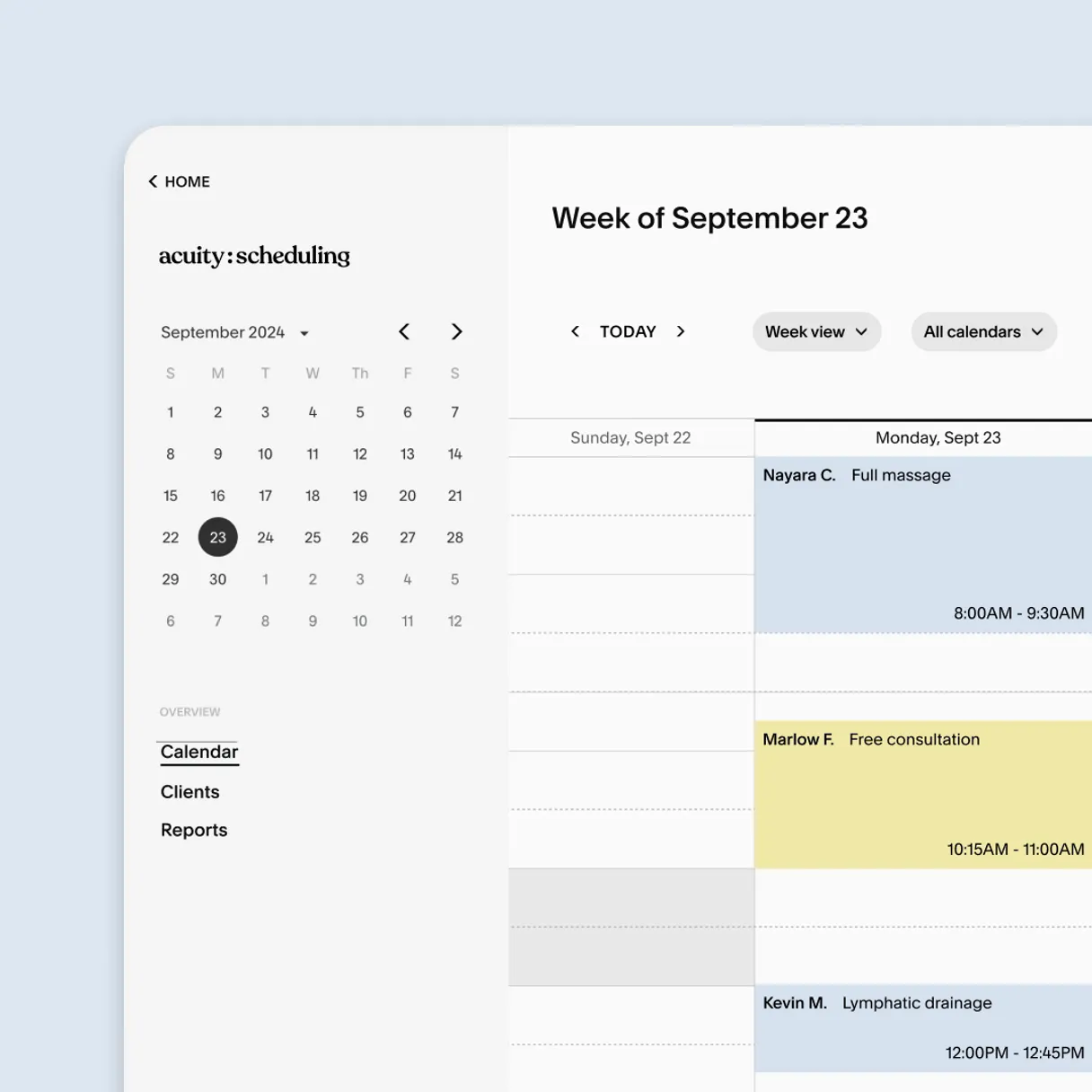
Independent Platform Disclaimer: Vinkius is an independent platform and is not affiliated with, endorsed by, sponsored by, verified by, or otherwise authorized by Acuity Scheduling. All third-party trademarks, logos, and brand names are the property of their respective owners. Their use on this website is strictly for informational purposes to identify service compatibility and interoperability.
VINKIUS INFRASTRUCTURE
Cloud Hosted
Managed infra
V8 Isolated
Sandboxed per request
Zero-Trust Proxy
No stored credentials
DLP Enforced
Policy on every call
GDPR Compliant
EU data residency
Token Compression
~60% cost reduction
Works with Claude, ChatGPT, Cursor, and more
The Model Context Protocol standardizes how applications expose capabilities to LLMs. Instead of operating in isolation, your AI gains direct access to external platforms, live data, and real-world actions through secure, standardized connections.
This server provides 10 capabilities that interface natively with Claude, ChatGPT, Cursor, and any MCP client. No middleware. No custom integration required.
Available Capabilities
Managing appointments used to be a mess of clicks and tabs.
Today, if you need to know a client's status, you open the main dashboard. You click the 'Appointments' tab. Then, you filter by date, maybe by client name, and then you click on the specific appointment to get the details. You're constantly moving between tabs and copying IDs.
With this MCP server, you just talk to your agent. You say, 'What did John Doe do last Tuesday?' and it runs the necessary tools (`list_appointments`, `get_appointment`) to give you the answer. It's done in plain conversation.
Acuity Scheduling Alternative MCP Server: Booking and Calendar Tools
Manual scheduling requires you to check availability, then manually book the slot, and then confirm the change across multiple views. These steps take time and often require you to jump between different tools.
Now, your agent manages the entire flow. You tell it to 'Book a follow-up call next week.' It handles the `get_availability` check and the `create_appointment` tool call. The booking happens automatically, no dashboard login required.
Common Questions About Acuity Scheduling Alternative MCP
How do I check availability using the `get_availability` tool? +
You ask the agent to check availability, specifying the service type and time frame. The agent then executes get_availability and reports back the open slots. It's simpler than using the web dashboard.
Can I reschedule appointments using the `reschedule_appointment` tool? +
Yes. Just tell the agent to reschedule the appointment, giving it the ID and the new date/time. The agent executes reschedule_appointment and confirms the change.
What if I need to cancel an appointment using `cancel_appointment`? +
You simply tell the agent to cancel the appointment, providing the ID. The agent runs cancel_appointment and confirms the action, freeing up the slot immediately.
Does `list_appointments` include historical data? +
Yes, list_appointments pulls a list of appointments, and the agent can retrieve detailed metadata for both upcoming and historical bookings.
How do I check my account details with `get_me`? +
Ask the agent to 'Show my account details.' It uses the get_me tool to pull account-wide information, keeping your workflow accurate.
How do I list all available appointment types using `list_appointment_types`? +
The list_appointment_types tool retrieves all service offerings. This lets you see what types of appointments (like 'Consultation' or 'Follow-up') your clients can book, ensuring your AI client knows all available services.
What is the difference between `list_calendars` and `list_appointments`? +
list_calendars shows all the distinct calendars associated with your account (e.g., 'Work,' 'Personal'). list_appointments pulls the specific scheduled events that exist on those calendars.
Can I get details for a single booking using `get_appointment`? +
Yes, get_appointment fetches detailed information for one specific booking. You just need to provide the unique ID of the appointment to get everything from the client details to the scheduled time.
Where do I find my Acuity User ID and API Key? +
Log in to your Acuity Scheduling account, go to Settings > Integrations > API, and you will find both there. Copy and paste them into the fields below.
Can the agent check real-time availability? +
Yes. Use the get_availability tool providing the Appointment Type ID and the target month. Your agent will return all open slots instantly.
Is it possible to reschedule an existing appointment? +
Yes. The reschedule_appointment tool allows your agent to move an existing booking to a new datetime using the original Appointment ID.
Use it with your favorite AI tools
Connect this server to Cursor, Claude, VS Code, and more.
More in this category

Buttondown Alternative
Automate your newsletter and subscriber management via Buttondown — manage lists, draft emails, and track tags directly from any AI agent.

YesNo
Get instant yes, no, or maybe decisions accompanied by fun GIFs to help your AI agent make choices or break ties.

SnipForm
Connect your AI agents to SnipForm to manage form submissions, block spam, handle webhooks, and analyze conversion data.
You might also like
Glama
Connect your AI agent to the Glama directory. Discover MCP servers dynamically, analyze attributes, and proxy external intelligence networks through a unified gateway natively.
NIST NVD
Access authoritative vulnerability and product data via NIST NVD — track CVEs, CPEs, and security history directly from your AI agent.

Diputación de Alicante
Access open data from the province of Alicante — query demographics, municipal budgets, public debt, and local festivals directly.