
Agile CRM MCP. Manage your contacts, deals, and tasks via chat.
 Gemini
 Works with every AI agent you already use
…and any MCP-compatible client









Just plug in your AI agents and start using Vinkius.
Agile CRM MCP Server handles sales and marketing automation. Your agent can manage contacts, audit sales deals, and track tasks directly from your chat interface.
It lets you create, update, and search contact profiles, list sales opportunities, and manage follow-up tasks without leaving your workflow.
What your AI agents can do
List contacts
Retrieves a list of all contacts stored in the CRM.
List deals
Retrieves a list of all active sales opportunities in the pipeline.
List tasks
Retrieves a list of all pending tasks and activities in the CRM.
The agent can list all contacts, search for specific contacts using an email address, and retrieve their full profile data.
The agent lists all active sales deals in the pipeline, allowing you to audit deal status and view opportunity details.
The agent lists existing CRM tasks and creates new tasks for the team to ensure nothing falls through the cracks.
The agent searches for a contact by email and pulls historical interaction logs to inform your next conversation.
Ask AI about this MCP
Supported MCP Clients
Gemini Waiting for input…
Agile CRM MCP Server: 4 Tools for CRM Automation
Use these four tools to let your AI agent read, write, and audit your core CRM data, from contacts to sales deals.
019d7549list contacts
Retrieves a list of all contacts stored in the CRM.
019d7549list deals
Retrieves a list of all active sales opportunities in the pipeline.
019d7549list tasks
Retrieves a list of all pending tasks and activities in the CRM.
019d7549search contact by email
Finds a specific contact by matching their email address.
Choose How to Get Started
Build a custom MCP for your own tools, or connect a ready-made integration from our catalog.
Build Your Own
Turn any API into an MCP. Import a spec, define Agent Skills, or deploy with MCPFusion.
- Import from OpenAPI, Swagger, or YAML specs
- Create Agent Skills with progressive disclosure
- Deploy to edge with MCPFusion framework
- Built in DLP, auth, and compliance on every call
- Real time usage dashboard and cost metering
- Publish to catalog or keep private
Make Your AI Do More
Start with Agile CRM, then connect any of our 4,700+ other servers whenever your AI needs more. One click, no limits.
- Use this MCP plus 4,700+ others, all in one place
- Add new capabilities to your AI anytime you want
- Every connection is secured and compliant automatically
- Track usage and costs across all your servers
- Works with Claude, ChatGPT, Cursor, and more
- New servers added to the catalog every week
What you can do with this MCP connector
Agile CRM MCP Server lets your agent handle your whole sales cycle. You can manage contacts, audit deals, and track tasks right from your chat. Your agent talks to the CRM and gets the job done, no need to leave your workflow.
Finding and Managing Contacts
- You can ask your agent to
list_contactsto get a full list of every contact you've got in the CRM. - If you know their email, your agent uses
search_contact_by_emailto pinpoint that specific contact and pull up their whole history. - The agent pulls up all the profile data you need on a contact.
Reviewing Sales Opportunities
- Your agent runs
list_dealsto show you every active sales deal in your pipeline, so you can audit the status and see all the opportunity details.
Managing Follow-Up Actions
- You can ask the agent to
list_tasksto see all the pending tasks and activities in the CRM. - The agent also creates new tasks for the team, making sure nothing slips through the cracks.
Client History
- Your agent searches for a contact by email and pulls up historical interaction logs, which helps you prep for your next conversation.
How Agile CRM MCP Works
- 1 Subscribe to the server and provide your Agile CRM Domain, Email, and REST API Key.
- 2 Tell your agent what you need—for example, 'List the top 5 contacts in the Northeast region.'
- 3 Your agent executes the necessary tools and returns the structured data (contacts, deals, or tasks) directly in your chat.
The bottom line is, your agent connects to your CRM data and lets you talk to your sales pipeline instead of clicking through dashboards.
Who Is Agile CRM MCP For?
Sales reps who need to update deal statuses on the fly. Marketing managers who need to audit contact lists. Customer Success staff who must look up client history quickly. Business owners who need a quick summary of sales performance.
Uses the agent to research prospects and update deal statuses without ever leaving the chat interface.
Uses the agent to audit contact lists, manage segment tags, and pull historical data for campaign planning.
Uses the agent to look up client history and generate follow-up tasks using simple commands.
Uses the agent to pull sales performance summaries and spot bottlenecks in the deal pipeline.
What Changes When You Connect
- Stop switching tabs to check deal status. You can list deals and audit your entire sales pipeline directly in the chat. Use
list_dealsto see what's happening right now. - Never miss a follow-up. Use
list_tasksto see all pending client meetings and actions, and create new tasks instantly. It keeps the whole team aligned. - Get instant account intelligence. Need to know a client's background? Run
search_contact_by_emailto pull historical interaction logs before making a call. - Keep your contacts organized. Use
list_contactsto see all records, making sure you have the latest data points and custom tags on hand. - Spot problems fast. Your agent monitors the data flow, letting you quickly identify overdue tasks or high-value deals that need attention.
Real-World Use Cases
A rep needs to prep for a meeting.
The rep asks the agent to run search_contact_by_email for the client. The agent pulls the contact's history and lists recent tasks. The rep can then review the full context and update the deal status using the data, all without leaving their primary workflow.
The marketing team needs a contact audit.
The manager asks the agent to run list_contacts and filter by custom tags. The agent returns the list, allowing the manager to see which segments need updating before a major campaign launch.
Need to see all open opportunities.
The business owner asks the agent to run list_deals. The agent lists all open deals and their values, allowing the owner to immediately identify which deals are stalled or need executive attention.
The team needs to clear up backlogs.
The project lead asks the agent to run list_tasks. The agent shows all overdue tasks, letting the team prioritize follow-ups and get back on track.
The Tradeoffs
Manual CRM Dashboard Diving
Logging into Agile CRM, clicking 'Contacts,' then filtering, then opening a new tab to check 'Tasks,' and finally switching to the 'Deals' tab. It takes five clicks and three minutes.
→
Just ask your agent. Tell it, 'List all contacts who have pending tasks.' The agent runs list_contacts and list_tasks together and gives you one structured answer.
Forgetting to Check the Source of Truth
Making a call about a client, then remembering later that the client had a major issue last week. You have to manually search for old emails or notes.
→
Before you talk to anyone, ask the agent to search_contact_by_email. It pulls the full interaction log, so you know the full story before you speak.
Overlooking Deal Stage Requirements
Assuming a deal is ready to close just because the contact looks good. You forget to check if the deal has the right technical metadata or if tasks are overdue.
→
Ask the agent to list_deals and filter by stage. Review the full data set to confirm the deal status and check for related tasks first.
When It Fits, When It Doesn't
Use this server if you need to keep your CRM data visible to your AI agent. It works best when you need to cross-reference multiple data types—for example, 'Show me tasks for deals over $10k.' If you only need to view a simple, static report (e.g., a PDF export), don't use it. Use a dedicated reporting tool instead. If your primary need is complex data modeling or building a custom UI from scratch, you'll need a full developer API wrapper, not just this agent layer. This tool is about conversational data retrieval and workflow auditing.
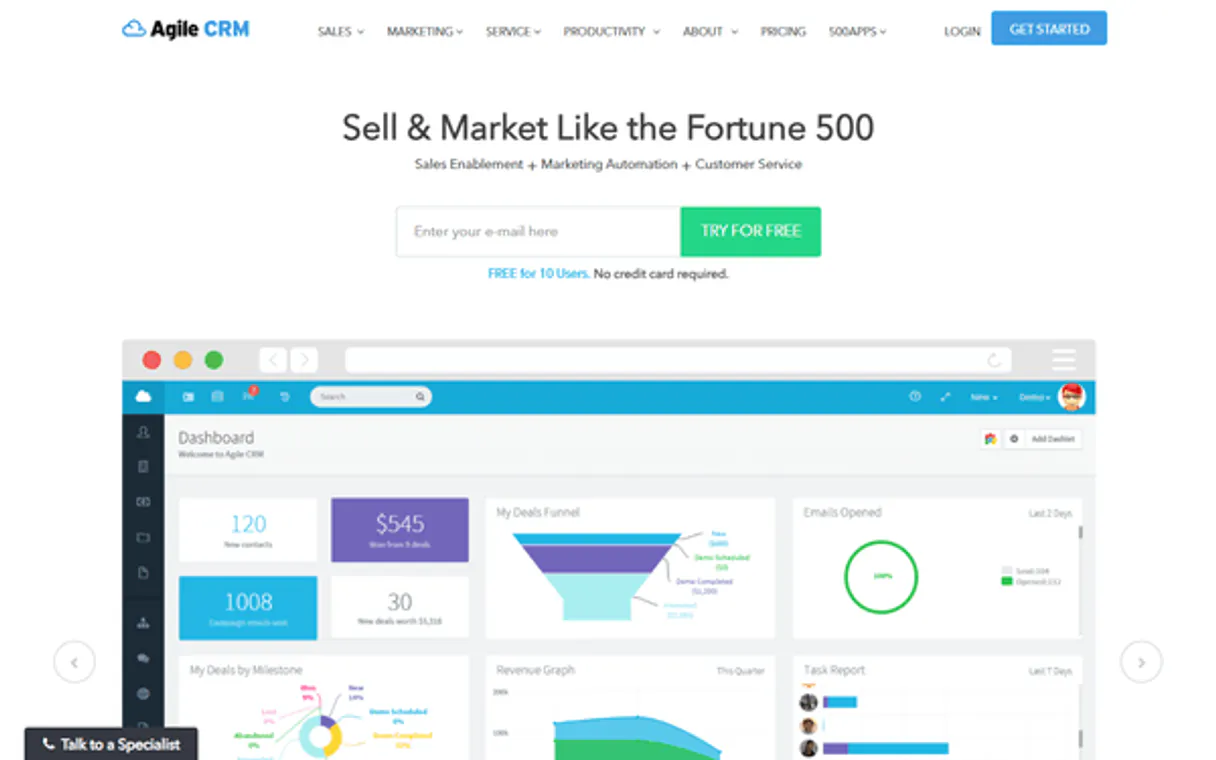
Independent Platform Disclaimer: Vinkius is an independent platform and is not affiliated with, endorsed by, sponsored by, verified by, or otherwise authorized by Agile CRM. All third-party trademarks, logos, and brand names are the property of their respective owners. Their use on this website is strictly for informational purposes to identify service compatibility and interoperability.
VINKIUS INFRASTRUCTURE
Cloud Hosted
Managed infra
V8 Isolated
Sandboxed per request
Zero-Trust Proxy
No stored credentials
DLP Enforced
Policy on every call
GDPR Compliant
EU data residency
Token Compression
~60% cost reduction
Works with Claude, ChatGPT, Cursor, and more
The Model Context Protocol standardizes how applications expose capabilities to LLMs. Instead of operating in isolation, your AI gains direct access to external platforms, live data, and real-world actions through secure, standardized connections.
This server provides 4 capabilities that interface natively with Claude, ChatGPT, Cursor, and any MCP client. No middleware. No custom integration required.
Available Capabilities
Juggling tabs to find a client's full story is a massive time sink.
Today, checking on a single client means hopping between the Contacts tab, the Deals tab, and the Tasks section. You copy the email, paste it into the contact record, then open the deal pipeline to see if they're moving forward. It's a manual, click-heavy process that guarantees you lose focus and waste time.
With the Agile CRM MCP Server, you just talk to your agent. You ask, 'What's the status of Jane Doe and her deal?' The agent runs the necessary checks—from searching the contact data to auditing the deals and tasks—and gives you the full picture in one response. No clicks required.
list_tasks: See every follow-up due without opening the CRM.
Manual processes require you to remember to log into the CRM and navigate to the 'Tasks' list. If you forget, or if the list is buried under other alerts, you miss critical follow-ups. You have to manually sort by date and filter by team member.
Now, you just ask your agent to run `list_tasks`. It retrieves the list of overdue and pending tasks, giving you an immediate, actionable overview of everything the team needs to handle. It puts the priority list right in your chat.
Common Questions About Agile CRM MCP
How do I use the list_contacts tool with Agile CRM? +
You ask the agent to list contacts. You can then refine that request by adding filters, like 'list contacts in California.' The agent handles the tool call and returns the filtered list.
Can I use search_contact_by_email to get more than just the contact name? +
Yes, search_contact_by_email pulls the full record. It gives you the contact's history, their current deal status, and any pending tasks associated with them.
What kind of data does list_deals show? +
The list_deals tool shows your sales pipeline. You get the deal name, its current stage, and its potential value, helping you track revenue opportunities.
Is list_tasks better than checking the CRM manually? +
Yes. list_tasks delivers a real-time, structured list of actions. It’s faster and less prone to human error than navigating the native CRM interface.
How do I handle authentication when using the `list_contacts` tool? +
You provide your Agile CRM REST API Key and Domain during setup. Your AI client uses these credentials to connect and authenticate all calls, keeping your data secure.
What happens if I try to `search_contact_by_email` for an email that doesn't exist? +
The tool returns a specific 'Contact Not Found' error message. Your agent can then ask you for an alternate email or search by a different identifier.
Does `list_deals` support filtering by deal stage or value? +
Yes, you can filter deals by stage, date range, or minimum value. This lets you narrow the focus, for example, to only 'Negotiation' stage deals over $10,000.
What's the best way to use `list_tasks` for team follow-ups? +
You can list tasks and then ask your agent to sort them by due date or assigned owner. This gives you a quick, organized view of who needs to follow up with whom.
How do I find my Agile CRM REST API Key? +
Log in to Agile CRM, go to Admin Settings > Developers & API. You will find your REST API Key listed there. Use this along with your account email for authentication.
Can I search for a contact by email? +
Yes! Use the search_contact_by_email tool. It provides a direct way to find a contact profile using their email address, returning their full history and properties.
Does this support custom properties? +
Yes, custom properties are included in the contact details retrieved via the API. You can also update them by specifying the property name and value.
Use it with your favorite AI tools
Connect this server to Cursor, Claude, VS Code, and more.
More in this category

Alai
Generate professional headshots and profile photos with AI that transforms selfies into studio-quality business portraits.

FeedBlitz
Manage mailing lists, RSS feeds, and email marketing campaigns through AI.

Elai AI Video
Equip your AI agent to generate AI videos, manage avatars, and track rendering status via the Elai.io API.
You might also like

Kelley Blue Book Valuation
Get vehicle valuations and market data via Kelley Blue Book — search cars, get trade-in values, and fair market pricing.

Trend Micro
Equip your AI agent with Vision One telemetry to investigate threats, audit endpoint activities, and manage security alerts natively.
MainWP
Manage multiple WordPress sites, updates, and security via the MainWP REST API.