
MainWP MCP. Manage Updates, Security, and Sites at Scale.
 Gemini
 Works with every AI agent you already use
…and any MCP-compatible client









Just plug in your AI agents and start using Vinkius.
MainWP MCP Server manages entire WordPress networks through a single AI interface. It lets your agent list all connected child sites, query pending updates for core, plugins, and themes across the whole network, and run security scans to check for known vulnerabilities or malware.
You can also trigger global synchronization or upgrade resources programmatically.
What your AI agents can do
Get pending updates count
Checks how many total updates are waiting across your connected sites.
List available updates
Shows a detailed list of pending core, plugin, and theme upgrades for the network.
List child sites
Retrieves a complete list of every child site linked to your MainWP account.
The agent lists every child site connected to your MainWP Dashboard.
You can get a quick count or a full list of pending updates for core, plugins, and themes across the network.
The server runs comprehensive malware or vulnerability scans across all connected sites.
An agent can force a global sync, fetching the absolute latest data from every child site simultaneously.
The tool lists all plugins and themes installed on any single site you specify.
You can execute resource upgrades for specific themes or plugins programmatically.
Ask AI about this MCP
Supported MCP Clients
Gemini Waiting for input…
MainWP MCP Server: 8 Tools for Site Management
These tools let your agent list child sites, check update status, run global security scans, and execute resource upgrades on any connected WordPress network.
019d75cdget pending updates count
Checks how many total updates are waiting across your connected sites.
019d75cdlist available updates
Shows a detailed list of pending core, plugin, and theme upgrades for the network.
019d75cdlist child sites
Retrieves a complete list of every child site linked to your MainWP account.
019d75cdlist site plugins
Displays all plugins installed on a single, specified WordPress site.
019d75cdscan network malware
Starts an immediate malware scan across the entire connected network of sites.
019d75cdscan network vulnerabilities
Runs a deep vulnerability assessment on all sites for known security flaws.
019d75cdsync child sites
Triggers a network synchronization to pull the newest data from every managed site.
019d75cdupgrade site resource
Executes an upgrade for a specific plugin or theme when you provide its details.
Choose How to Get Started
Build a custom MCP for your own tools, or connect a ready-made integration from our catalog.
Build Your Own
Turn any API into an MCP. Import a spec, define Agent Skills, or deploy with MCPFusion.
- Import from OpenAPI, Swagger, or YAML specs
- Create Agent Skills with progressive disclosure
- Deploy to edge with MCPFusion framework
- Built in DLP, auth, and compliance on every call
- Real time usage dashboard and cost metering
- Publish to catalog or keep private
Make Your AI Do More
Start with MainWP, then connect any of our 4,700+ other servers whenever your AI needs more. One click, no limits.
- Use this MCP plus 4,700+ others, all in one place
- Add new capabilities to your AI anytime you want
- Every connection is secured and compliant automatically
- Track usage and costs across all your servers
- Works with Claude, ChatGPT, Cursor, and more
- New servers added to the catalog every week
What you can do with this MCP connector
You're trying to juggle a dozen client sites—core updates, plugins, security patches—and you don't wanna log into twenty different dashboards just to check on 'em. This server lets your agent treat your whole MainWP network like it’s one single machine. It handles the deep maintenance operations across all connected child sites so you can stop wasting time hopping between logins.
The system starts by listing every site in your portfolio using list_child_sites, giving you a complete rundown of every child site linked to your account. Need an inventory? You can check what's running on any single spot with list_site_plugins, which displays all the plugins installed at that specific WordPress location.
When it comes to keeping things updated, this thing is clutch. Your agent first runs get_pending_updates_count to give you a fast tally of how many total updates—across core, plugins, and themes—are waiting across your entire network. If you need the full skinny, list_available_updates shows a detailed list of every single pending upgrade for the whole setup.
Once you decide what needs fixing, you can execute specific resource upgrades using upgrade_site_resource, pointing it right at a theme or plugin and getting that patch applied programmatically.
Security's another major headache, so we got coverage there. You don’t have to run checks manually; the server handles it for your agent. If you suspect trouble, running scan_network_malware starts an immediate malware sweep across every connected site. For a deeper dive into potential weaknesses, scan_network_vulnerabilities runs a deep assessment on all sites, checking for known security flaws.
You'll know exactly what the risk is without needing to babysit half-dozen different admin panels.
And when things get messy—when data might be out of sync across your clients—you can force it straight with sync_child_sites. This triggers a network synchronization, pulling the absolute newest data from every managed site simultaneously. It's how you ensure everyone’s running on the same page. Basically, whether you need to list the sites, count updates, run malware scans, check for vulnerabilities, sync everything up, or upgrade a specific piece of software, this server makes your agent do it all without sweat.
How MainWP MCP Works
- 1 First, subscribe to the MainWP server and provide your Dashboard URL and API Bearer Token.
- 2 Next, confirm 'Pretty Permalinks' are enabled in your WordPress dashboard settings.
- 3 Finally, tell your AI client what you need—like 'Check for pending updates on my network,' or 'Run a vulnerability scan.' The agent executes the necessary tool calls.
The bottom line is: it lets you control complex, multi-site WordPress infrastructure using simple chat commands instead of multiple web logins and API endpoints.
Who Is MainWP MCP For?
Anyone running more than three client websites needs this. Specifically, the agency owner tired of jumping between site dashboards to check for updates or security flaws at 2 AM. It's built for people who manage large-scale WordPress properties and can't afford downtime.
Uses the agent to list all client sites (list_child_sites) and check get_pending_updates_count across the board, giving them a single dashboard view of site health.
Automates resource upgrades (upgrade_site_resource) and synchronization (sync_child_sites) for large-scale deployments, ensuring consistency without manual intervention.
Runs targeted scan_network_vulnerabilities checks before a major release or uses list_site_plugins to audit the entire tech stack of a specific client site.
What Changes When You Connect
- Network Visibility: Use
list_child_sitesto see every site you manage in one command. You don't have to manually open a dozen dashboards just to know what's connected. - Proactive Security: Instead of waiting for something bad to happen, run
scan_network_vulnerabilities. This gives you proactive data on known flaws before an attacker finds them. - Update Triage: Need to know the scope of work? Running
get_pending_updates_counttells you the total number of patches needed across your entire network in seconds. - Deep Auditing: If a client asks, 'What plugins are running?', use
list_site_plugins. It gives you an instant inventory for any single site without manual database queries. - Reliable Deployment: When it's time to make changes, the combination of
sync_child_sitesand then executing updates keeps your entire network consistent and up-to-date. - Resource Control: The
upgrade_site_resourcetool lets you fix a specific component (like an outdated theme) without affecting other parts of the site.
Real-World Use Cases
Pre-Deployment Security Check
A client is launching a new e-commerce feature across five sites. Before giving the green light, the admin runs scan_network_vulnerabilities and scan_network_malware. The agent flags three critical issues—two outdated plugins and one theme with known CVEs. This allows the team to patch everything before launch.
Mass Update Management
A core WordPress update drops, affecting 30 client sites simultaneously. Instead of logging in 30 times, the admin runs list_available_updates and then uses get_pending_updates_count to confirm the scope. Finally, they trigger a global upgrade plan via upgrade_site_resource.
Client Inventory Audit
A client suspects their site is running old code. The administrator uses list_child_sites to find the right site and then runs list_site_plugins. This instantly gives them a full, clean list of every plugin installed for review.
System Data Refresh
After several hours of manual backend work on multiple sites, the admin needs to ensure the central dashboard has the current data. They simply execute sync_child_sites and are guaranteed they're working with real-time information.
The Tradeoffs
Checking sites individually
Logging into 15 separate client dashboards, running the update check on each one, then compiling a spreadsheet of results. This takes hours and misses inconsistencies.
→
Use list_child_sites to see them all at once. Then, run get_pending_updates_count or list_available_updates. The agent gives you the consolidated picture in seconds.
Assuming updates are safe
Running a major core update and immediately deploying it across 50 sites without checking for underlying vulnerabilities first. This can introduce new, unknown exploits.
→
Always run scan_network_vulnerabilities before any mass updates or syncs. Validate the foundation is secure first.
Forgetting to sync data
Running a scan or checking plugin lists, but forgetting that one site was edited manually since last night. The results are based on stale information.
→
Always run sync_child_sites first. This guarantees the agent is reading from the most current version of data across all sites.
When It Fits, When It Doesn't
Use this MCP Server if your job requires managing state and security across a group of interconnected WordPress installations (e.g., agencies, large departments). You need tools that aggregate status—like get_pending_updates_count or running global scans like scan_network_vulnerabilities. Don't use it if you only manage one small site; the overhead is overkill. If your primary goal is just writing content or managing a single database, stick to a dedicated CMS API. If you need advanced reporting that combines scan results with compliance data (like PCI status), this tool gives the raw inputs but won't write the final report—you still need an agent to synthesize the findings.
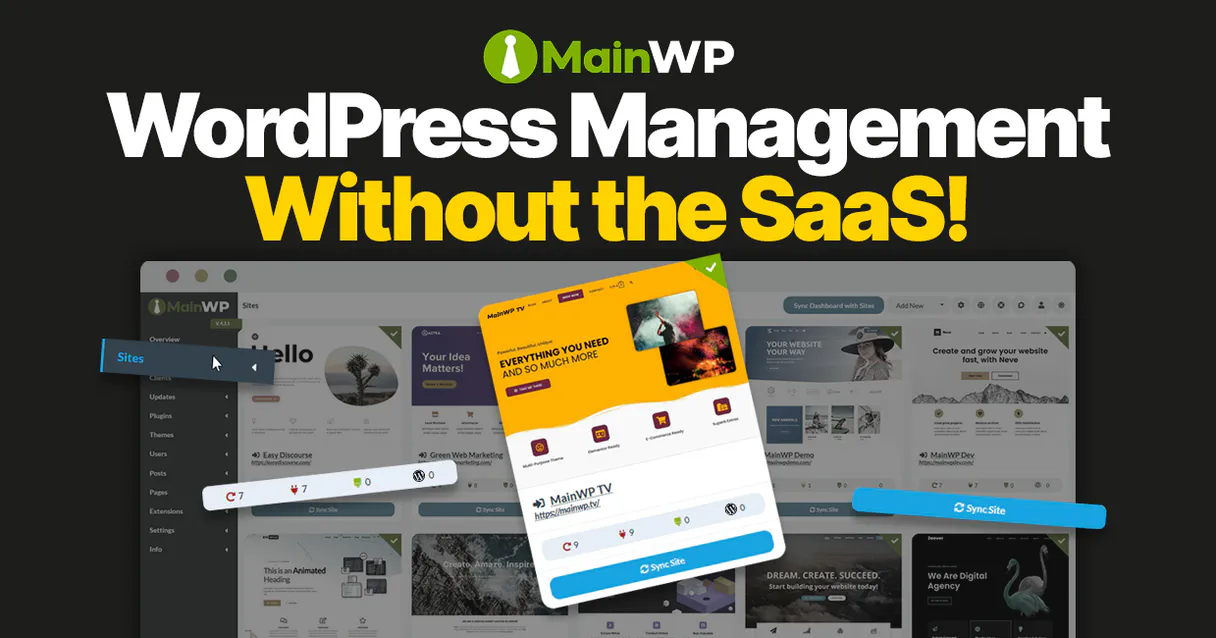
Independent Platform Disclaimer: Vinkius is an independent platform and is not affiliated with, endorsed by, sponsored by, verified by, or otherwise authorized by MainWP. All third-party trademarks, logos, and brand names are the property of their respective owners. Their use on this website is strictly for informational purposes to identify service compatibility and interoperability.
VINKIUS INFRASTRUCTURE
Cloud Hosted
Managed infra
V8 Isolated
Sandboxed per request
Zero-Trust Proxy
No stored credentials
DLP Enforced
Policy on every call
GDPR Compliant
EU data residency
Token Compression
~60% cost reduction
Works with Claude, ChatGPT, Cursor, and more
The Model Context Protocol standardizes how applications expose capabilities to LLMs. Instead of operating in isolation, your AI gains direct access to external platforms, live data, and real-world actions through secure, standardized connections.
This server provides 8 capabilities that interface natively with Claude, ChatGPT, Cursor, and any MCP client. No middleware. No custom integration required.
Available Capabilities
Checking 20 WordPress sites for updates is a nightmare of clicks and tabs.
Today, checking your network means jumping into Dashboard A, running the update check. Then you're out to Dashboard B—wait, it only shows plugins, not themes! You repeat that process 20 times, copying dates and counts into a massive spreadsheet just to figure out which sites are falling behind.
With MainWP MCP, you just tell your agent: 'Check the status for all client sites.' The agent runs `get_pending_updates_count` across every connected site and hands you one clear number. Done.
MainWP MCP Server: Control everything from a single chat window.
You no longer have to worry about remembering which specific API endpoint handles the malware check versus the vulnerability scan, or whether you ran `sync_child_sites` first. You just ask your agent to 'Audit and fix Site X.'
It takes all those complex steps—listing sites via `list_child_sites`, scanning with `scan_network_malware`, and upgrading resources using `upgrade_site_resource`—and wraps them into a single, reliable conversation. It just works.
Common Questions About MainWP MCP
How do I start managing my sites using MainWP MCP Server? +
You gotta subscribe to the server and pass it your MainWP Dashboard URL along with the API Bearer Token. After that, you're good to go.
Does `scan_network_vulnerabilities` check for malware too? +
Nah, they’re separate tools. If you want a deep security sweep, use scan_network_malware. For known coding flaws and CVEs, run scan_network_vulnerabilities.
What's the difference between updating plugins and using `upgrade_site_resource`? +
list_available_updates shows you what needs upgrading. You use upgrade_site_resource when your agent actually executes that specific plugin or theme update on a site.
If I modify a site manually, do I need to run `sync_child_sites`? +
Yeah, for sure. If you make changes outside the system (like an admin manual edit), running sync_child_sites ensures your agent reads the absolute latest data.
Can I list plugins on just one site using MainWP MCP Server? +
Yes. Just ask for a plugin audit and specify which child site you want to check. The list_site_plugins tool handles that specific inventory task.
If my MainWP API token is expired or invalid, what error does `list_child_sites` return? +
It returns a standard HTTP 401 Unauthorized error. Your agent must handle these status codes before attempting any read or write operations like listing sites or checking updates.
How fast is the response time for `get_pending_updates_count` across very large networks? +
It calculates and returns a single numerical count quickly. The function aggregates counts efficiently, meaning performance scales well even with hundreds of connected child sites.
When using `list_available_updates`, can I filter results to look only at core updates? +
The tool lists all three types: core, plugin, and theme. You must write logic to parse the returned JSON object structure and isolate the specific category of update you want.
Why is the API returning a 404 error? +
You must enable 'Pretty Permalinks' in your WordPress Dashboard (Settings > Permalinks). The REST API will not function with the 'Plain' setting.
How do I find my API Token? +
In your MainWP Dashboard, navigate to Settings > REST API and create a new API Key with 'Write' permissions. Your token is encrypted at rest and injected securely at runtime.
Can I update plugins across all sites? +
Yes, the upgrade_site_resource tool can target specific resources across the entire network by providing the necessary parameters in the JSON body.
Use it with your favorite AI tools
Connect this server to Cursor, Claude, VS Code, and more.
More in this category
Pingdom
Monitor website uptime and performance via Pingdom — list checks, track response times, and manage alerts directly from any AI agent.

Headscale (Tailscale Alternative)
Manage your private Tailscale network via Headscale — control users, nodes, and pre-auth keys directly from your AI agent.

Trigger.dev (Background Tasks & Jobs)
Manage background tasks and jobs via Trigger.dev — trigger tasks, monitor runs, manage schedules, and configure environment variables directly from your AI agent.
You might also like

Attio
Manage your CRM data with Attio — track objects, records, and relationships via AI.
Weatherbit
Get real-time weather, forecasts, historical data, severe alerts and air quality for any location worldwide.

Remote
Hire and pay global employees and contractors with compliant payroll, benefits, and employment infrastructure across 60+ countries.
