
Apptoto MCP. Manage client appointments and contact data instantly.
 Gemini
 Works with every AI agent you already use
…and any MCP-compatible client









Just plug in your AI agents and start using Vinkius.
Apptoto connects your AI agent directly to your scheduling and messaging platform. Use it to list all appointments, check client details, book new events, and manage your opt-in/opt-out mailing lists—all from a single chat window.
It handles the logistics of client communication and calendar management.
What your AI agents can do
Create event
Schedules a new appointment event and links it to an existing contact.
Get account check
Verifies your API connection and account status with Apptoto.
Get contact
Retrieves all specific details (name, phone, email) for a single contact.
The agent gets a specific contact's name, phone number, and email address using the get_contact tool.
The agent retrieves a list of all scheduled events using list_events or gets full details on one event using get_event.
The agent creates a new event on your calendar, linking it to an existing contact using create_event.
The agent lists all existing online bookings using list_bookings.
The agent lists all opt-in and opt-out lists used for automated communication via list_lists.
The agent fetches a list of all contacts in your system using list_contacts.
Ask AI about this MCP
Supported MCP Clients
Gemini Waiting for input…
Apptoto MCP Server: 8 Tools for Scheduling & Contacts
These tools let your agent read, write, and manage appointments, contacts, and messaging lists within Apptoto.
019d7551create event
Schedules a new appointment event and links it to an existing contact.
019d7551get account check
Verifies your API connection and account status with Apptoto.
019d7551get contact
Retrieves all specific details (name, phone, email) for a single contact.
019d7551get event
Gets all metadata for a specific, existing appointment event.
019d7551list bookings
Lists all online booking records and availability for new appointments.
019d7551list contacts
Retrieves a full list of every contact stored in Apptoto.
019d7551list events
Retrieves a list of all scheduled appointment events.
019d7551list lists
Lists all opt-in and opt-out messaging lists you manage.
Choose How to Get Started
Build a custom MCP for your own tools, or connect a ready-made integration from our catalog.
Build Your Own
Turn any API into an MCP. Import a spec, define Agent Skills, or deploy with MCPFusion.
- Import from OpenAPI, Swagger, or YAML specs
- Create Agent Skills with progressive disclosure
- Deploy to edge with MCPFusion framework
- Built in DLP, auth, and compliance on every call
- Real time usage dashboard and cost metering
- Publish to catalog or keep private
Make Your AI Do More
Start with Apptoto, then connect any of our 4,700+ other servers whenever your AI needs more. One click, no limits.
- Use this MCP plus 4,700+ others, all in one place
- Add new capabilities to your AI anytime you want
- Every connection is secured and compliant automatically
- Track usage and costs across all your servers
- Works with Claude, ChatGPT, Cursor, and more
- New servers added to the catalog every week
What you can do with this MCP connector
Apptoto lets your AI client handle all your scheduling and client comms. You'll use it to list appointments, check client info, book new stuff, and manage your mailing lists—all from one chat. It handles the whole logistics mess for you.
To get a specific client's name, phone, and email, your agent uses get_contact.
It can pull a list of every contact in your system using list_contacts.
For appointments, your agent pulls a list of all scheduled events with list_events or grabs all the details for one specific event using get_event.
Want to book a new time slot? It uses create_event to schedule the appointment and link it to an existing contact.
It'll also list all online booking records and availability for new appointments via list_bookings.
To manage your automated messages, your agent lists all opt-in and opt-out messaging lists with list_lists.
Before you start, your agent can verify your connection and account status with get_account_check.
How Apptoto MCP Works
- 1 You prompt your AI client: 'Check my schedule and find John Smith's email.'
- 2 The Apptoto MCP Server runs two tools:
list_events(for the schedule) andget_contact(for the email). - 3 Your agent gets a combined response showing both the scheduled events and the contact's email.
The bottom line is, your AI client treats Apptoto's backend tools like simple functions, making scheduling and contact lookups as easy as talking to a person.
Who Is Apptoto MCP For?
This is for the service professional or office manager who spends too much time switching between a CRM, a calendar app, and a messaging dashboard. You need to manage client logistics and appointments without leaving your main workflow. This saves time and prevents you from missing follow-ups.
Checks daily appointments and pulls up client details to confirm a meeting before it starts.
Monitors booking trends and uses the tools to confirm that automated reminders are correctly configured for all client lists.
Tracks potential client appointments and follows up with leads by gathering contact info and creating follow-up events.
What Changes When You Connect
- See who's in a meeting right now: Use
list_eventsto get a list of all upcoming appointments, orget_eventto pull full details on a single, specific meeting. - Never lose a client detail: Use
get_contactto pull a person's phone number and email address, even if you only know their name. - Book follow-ups in a chat: Use
create_eventto schedule a new meeting instantly, attaching it to a contact record. - Keep communications accurate: Use
list_liststo check your opt-in/opt-out status before sending an automated reminder via your agent. - Get an instant status check: Use
get_account_checkto verify your API connection status before running any other tools. It confirms the connection is live. - Track everything: Run
list_bookingsto see all online bookings and confirm availability without logging into a separate booking portal.
Real-World Use Cases
Need to follow up on a lead's meeting
A sales rep knows John Doe attended a demo, but they don't have his current email. They ask their agent to 'Get John Doe's contact info and draft a follow-up email.' The agent uses get_contact to retrieve the email and can then use that data to write the follow-up.
Client needs to book a new time slot
A client needs to reschedule their annual review. Instead of calling the office, they simply ask their agent to 'Check availability next Tuesday.' The agent runs list_bookings and identifies open slots, then uses create_event to book it.
Office Manager needs a full client list
The office manager needs a roster of all clients who haven't been seen in six months. They prompt the agent to 'List all contacts and filter out the inactive ones.' The agent uses list_contacts to pull the full dataset for review.
Running a mass campaign check
A marketing team needs to ensure their reminder emails only go to verified clients. They prompt the agent to 'List all messaging lists and confirm the active status.' The agent uses list_lists to verify the correct mailing lists are active.
The Tradeoffs
Manual data stitching
Copying the client's name from the CRM dashboard, opening the calendar to check availability, then logging into the email service to send a reminder. This involves 3-5 different tabs and 10+ clicks.
→
Let your agent handle the flow. First, use get_contact to pull the necessary name and email. Then, use list_events to check the calendar. Finally, use create_event to schedule the meeting and send the reminder all in one chat.
Over-relying on single searches
Searching for a client by name, finding the contact details, but forgetting to check if they have any recent appointments. You might miss crucial context.
→
Always combine tools. After using get_contact, immediately ask the agent to get_event for that contact. This ensures you get both the current details and their recent activity history.
Ignoring system status
Running a booking request or creating an event when the API key is expired, leading to a failed transaction and a delay in service.
→
Start with get_account_check. This tool verifies the API connection and account status immediately, preventing failed calls later on and ensuring the server is ready to work.
When It Fits, When It Doesn't
Use this if your core process involves managing client relationships—scheduling, communication, or contact data. You need to answer questions like, 'What did this client do last week?' or 'What's their phone number?' Use get_contact to pull details, and list_events to see history. If you are only checking basic availability without needing contact data, list_bookings is enough. Don't use this if your primary goal is data storage or data transformation; use a dedicated database tool for that. You're using this for action and retrieval, not for pure storage.
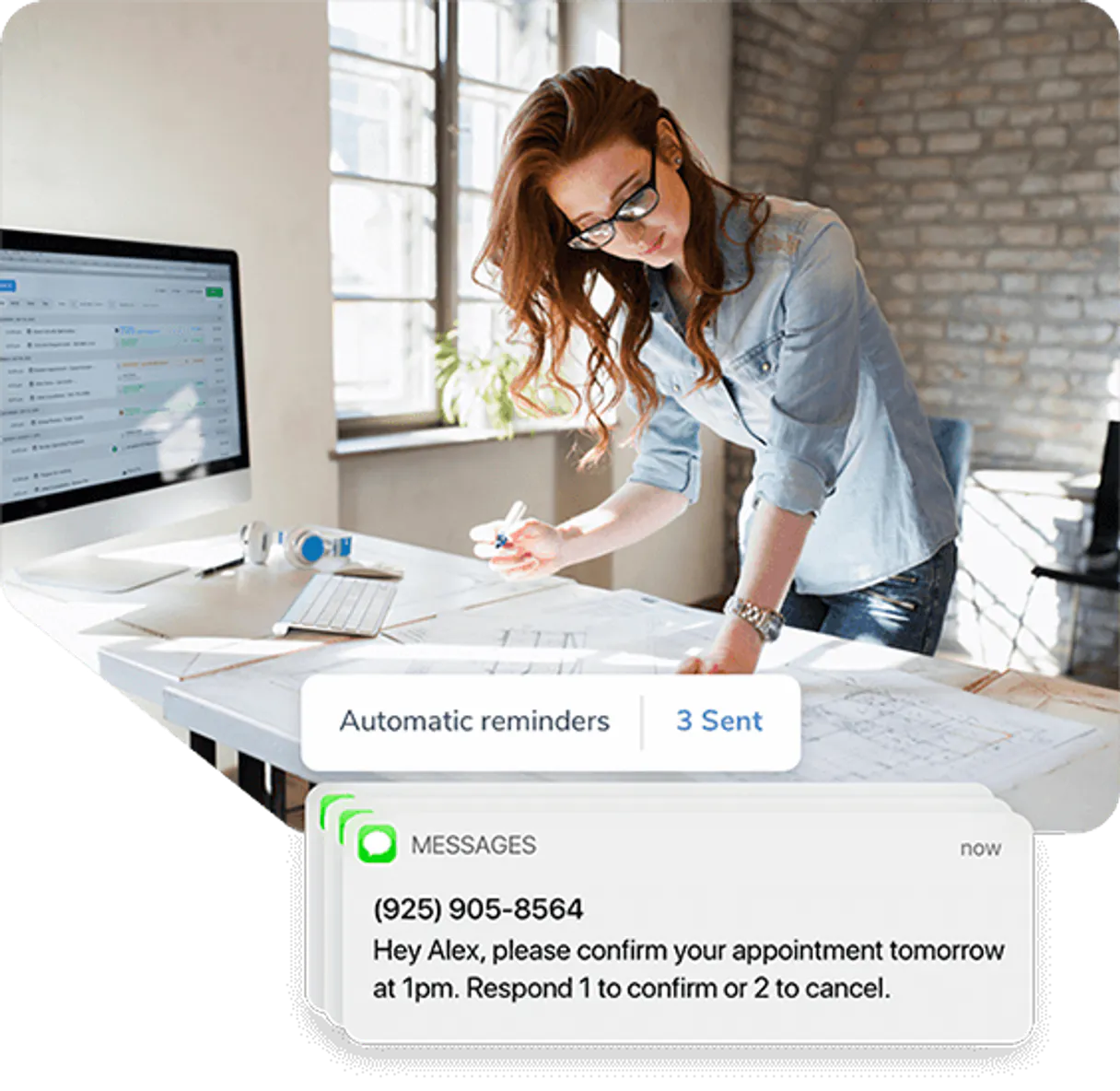
Independent Platform Disclaimer: Vinkius is an independent platform and is not affiliated with, endorsed by, sponsored by, verified by, or otherwise authorized by Apptoto. All third-party trademarks, logos, and brand names are the property of their respective owners. Their use on this website is strictly for informational purposes to identify service compatibility and interoperability.
VINKIUS INFRASTRUCTURE
Cloud Hosted
Managed infra
V8 Isolated
Sandboxed per request
Zero-Trust Proxy
No stored credentials
DLP Enforced
Policy on every call
GDPR Compliant
EU data residency
Token Compression
~60% cost reduction
Works with Claude, ChatGPT, Cursor, and more
The Model Context Protocol standardizes how applications expose capabilities to LLMs. Instead of operating in isolation, your AI gains direct access to external platforms, live data, and real-world actions through secure, standardized connections.
This server provides 8 capabilities that interface natively with Claude, ChatGPT, Cursor, and any MCP client. No middleware. No custom integration required.
Available Capabilities
Managing client follow-ups shouldn't require jumping between three different apps.
Today, if you need to follow up with a client, you'll jump through hoops. You check the CRM to get their phone number. Then you switch to your calendar app to see if they're free. Then you open your messaging platform to draft the reminder. You copy and paste data three times, and you spend more time clicking than actually talking to people.
With the Apptoto MCP Server, you just talk to your agent. You ask, 'What's the best time to talk to John Doe and what's his number?' The agent runs `get_contact` and `list_events` behind the scenes, giving you a single, actionable answer.
Apptoto MCP Server: Schedule and manage client data in chat.
You no longer have to manually check if the client's contact details are current or if the automated reminder lists are properly segmented. The agent can check the API status using `get_account_check` and then verify the proper mailing lists using `list_lists` before you even draft the message.
The difference is that the entire workflow—from checking connection status to confirming the right list is active—is managed by the agent. It's all handled in one chat window, keeping your focus on the client, not the tabs.
Common Questions About Apptoto MCP
How do I use the `get_contact` tool with Apptoto MCP Server? +
You provide the agent with a name or identifier. The agent uses get_contact to pull the full record, including phone and email. This is the fastest way to pull verified contact details.
Can I use `create_event` to book an appointment? +
Yes. You ask the agent to schedule the event, and it calls create_event, setting the date, time, and attaching it to a contact record.
What is the difference between `list_events` and `list_bookings`? +
list_events shows all scheduled appointments in your calendar. list_bookings shows the general availability and online booking records managed by Apptoto.
Does the Apptoto MCP Server support listing all contacts? Use `list_contacts`. +
Yes, you can use list_contacts. This tool gives you a complete list of every contact in your Apptoto system.
How do I check if the Apptoto MCP Server connection is working? Use `get_account_check`. +
Run get_account_check. This tool verifies your API key and account connection status, making sure all subsequent actions will succeed.
How do I check all the opt-in/opt-out lists using the `list_lists` tool? +
The list_lists tool shows every messaging list configured in Apptoto. You can use this to confirm which groups are active for SMS and email reminders.
What information can I retrieve using the `get_contact` tool? +
The get_contact tool pulls detailed records for a specific contact. This includes their name, phone number, and email address, letting your agent access full client details.
How do I list all online bookings using the `list_bookings` tool? +
The list_bookings tool retrieves all current and past online bookings. This gives a comprehensive view of your client's scheduling history.
How do I find my Apptoto API Key? +
Log in to Apptoto, go to Settings > API, and you will find your API Key there. If you don't see it, contact Apptoto support.
Can I create new appointments via the API? +
Yes, you can use the create_event tool to add new appointments to your Apptoto calendar. Provide the subject, start time, and end time.
Does Apptoto support two-way messaging? +
Yes, Apptoto supports two-way SMS and email messaging. While this server focuses on event and contact management, the contacts you retrieve feed into your messaging workflows.
Use it with your favorite AI tools
Connect this server to Cursor, Claude, VS Code, and more.
More in this category
Referly
Automate affiliate programs via Referly — manage partners, track conversions, and monitor workflows directly.

Google Chat Webhook Notifier
This MCP does exactly one thing: it sends messages to your Google Chat spaces. That's its only function, and nothing else. Incredible for giving your AI agents a voice.
FatSecret
Access millions of food items with calorie tracking, macro data, and serving sizes from the FatSecret platform used by 30M+ users worldwide.
You might also like

Amplitude
Analyze product data via Amplitude — get user activity, calculate retention, analyze funnels, and track revenue directly from any AI agent.

Stoplight
Connect your AI to Stoplight. Design, document, and manage your API lifecycle, exploring workspaces and schemas effortlessly.

Dynamic (Web3 Auth)
Manage Web3 authentication and user data via Dynamic — fetch user profiles, check wallet sanctions, and manage sessions directly from any AI agent.