
Zoho Projects MCP. Control tasks, milestones, and teams via natural language.
 Gemini
 Works with every AI agent you already use
…and any MCP-compatible client









Just plug in your AI agents and start using Vinkius.
Zoho Projects MCP Server connects your AI client directly to Zoho's full project management API (V3). It lets you list, create, and update tasks, projects, milestones, and user assignments using natural language commands.
Stop clicking through dashboards; start telling your agent what needs doing.
What your AI agents can do
Create project
Creates a new project within a designated portal using only the portal ID and project name.
Create task
Adds a brand-new task to an existing project, requiring the portal ID, project ID, and task name.
List milestones
Retrieves all current milestones associated with a specific project.
The server lets your agent list available portals and then retrieve detailed lists of projects within any given portal.
Your agent can create new tasks in a project, or update existing ones—like marking them 'Complete' or changing ownership.
It monitors key milestones and checks their associated target dates to give you an immediate sense of the schedule health.
The agent lists all users and participants tied to a specific project, giving instant team visibility.
You can list task lists or check the general project directory across your entire organizational setup.
Ask AI about this MCP
Supported MCP Clients
Gemini Waiting for input…
Zoho Projects: 9 Tools for Project Management
Use these nine tools to programmatically manage every aspect of a project—from listing the initial portals to updating individual task statuses.
019d762bcreate project
Creates a new project within a designated portal using only the portal ID and project name.
019d762bcreate task
Adds a brand-new task to an existing project, requiring the portal ID, project ID, and task name.
019d762blist milestones
Retrieves all current milestones associated with a specific project.
019d762blist portals
Lists every portal available in your account, helping you find the correct ID for other calls.
019d762blist project users
Shows all users and participants linked to a specific project ID.
019d762blist projects
Retrieves an inventory of all projects contained within a given portal.
019d762blist task lists
Lists every task list that exists inside a specific project.
019d762blist tasks
Retrieves all tasks belonging to a particular project ID, allowing you to audit the scope.
019d762bupdate task
Changes the status or details of an already existing task within your projects.
Choose How to Get Started
Build a custom MCP for your own tools, or connect a ready-made integration from our catalog.
Build Your Own
Turn any API into an MCP. Import a spec, define Agent Skills, or deploy with MCPFusion.
- Import from OpenAPI, Swagger, or YAML specs
- Create Agent Skills with progressive disclosure
- Deploy to edge with MCPFusion framework
- Built in DLP, auth, and compliance on every call
- Real time usage dashboard and cost metering
- Publish to catalog or keep private
Make Your AI Do More
Start with Zoho Projects, then connect any of our 4,700+ other servers whenever your AI needs more. One click, no limits.
- Use this MCP plus 4,700+ others, all in one place
- Add new capabilities to your AI anytime you want
- Every connection is secured and compliant automatically
- Track usage and costs across all your servers
- Works with Claude, ChatGPT, Cursor, and more
- New servers added to the catalog every week
What you can do with this MCP connector
You're done clicking through dashboards. This MCP server hooks your AI client right into Zoho Projects V3, letting you manage entire project lifecycles just by talking to your agent. You tell it what needs doing; it handles the API calls. It lets you list, create, and update everything—tasks, projects, milestones, user assignments.
Here’s what your agent can do with this setup.
Mapping Out Your Workspace:
Your agent starts by finding where all the action is happening. You'll use list_portals to see every portal available in your account and find the necessary ID for any other calls. Once you have that, you can call list_projects to pull an inventory of every project sitting inside a specific portal ID.
If you need a new spot on the board, it'll use create_project, letting you spin up a brand-new project using just the portal and project name IDs.
Digging Into Project Details:
Once you're in a project, your agent can give you the full picture. It uses list_task_lists to show every task list that exists within that specific project. You can then get an audit of all the actual tasks by running list_tasks, which retrieves every single task belonging to that project ID.
Need to know who's on it? Your agent runs list_project_users and shows you every user and participant linked to that project ID, giving instant team visibility.
Controlling Task Flow:
It’s not enough just to see the tasks; you gotta manage 'em. You can add a brand-new task using create_task, which needs the portal ID, project ID, and the task name to make it stick. When things change—a status update or ownership handover—you don't touch the web interface.
Your agent uses update_task to change the status or details of any existing task in your projects.
Tracking Progress and People:
Your agent keeps an eye on deadlines by running list_milestones, which pulls all current milestones associated with a specific project, letting you check their target dates. It also helps keep track of the overall structure using the general directory capabilities that allow you to list tasks lists or view the main project inventory across your whole organization.
It handles it all: finding the right portal, building out new projects, listing every task and sub-list within them, updating statuses on the fly, knowing who's assigned, and tracking those critical milestones. You just talk to your agent; it executes the API commands.
How Zoho Projects MCP Works
- 1 First, subscribe to the Zoho Projects server and input your Client ID, Secret, and Data Center Domain.
- 2 Next, tell your AI client what you need (e.g., 'Show me all projects in the Marketing portal').
- 3 The agent calls the necessary tools (
list_projects) using the API and returns structured data for you to review or act upon.
The bottom line is that your AI client handles the complex API calls, so you just talk project management naturally.
Who Is Zoho Projects MCP For?
Project Managers and Team Leads who are sick of switching between dashboards to get a status update. It's for the developer or ops engineer who needs to automate tedious tracking tasks without writing boilerplate code. If your job involves coordination across multiple teams, you need this.
Manages project health by using list_milestones and update_task to ensure deadlines are met without manually checking the dashboard.
Directly moves tasks through the pipeline, assigning ownership or changing status via natural language commands calling create_task or update_task.
Integrates project data into deployment scripts. Uses tools like list_projects and list_tasks to verify the required scope before a build starts.
What Changes When You Connect
- Stop manually listing projects. Use
list_projectsto get a full inventory of every project in a portal instantly, providing immediate scope visibility. - Move tasks without opening the dashboard. Your agent handles status changes using
update_task, letting you shift responsibility or mark work complete with a simple chat command. - Keep timelines accurate. Running
list_milestonesgives you an instant rundown of target dates and critical checkpoints, so nothing slips through the cracks. - Know who's involved at a glance.
list_project_usersshows every team member tied to a project, making accountability clear without clicking into settings. - Build projects faster. Use
create_taskorcreate_projectdirectly through your agent chat, skipping the setup steps and keeping momentum going.
Real-World Use Cases
Audit Scope Before Handover
A Project Manager needs to verify all tasks before handing off a project. Instead of clicking into five different dashboards, they tell their agent: 'Show me the full task list for Project X.' The agent runs list_tasks and gives them an immediate, consolidated report.
Crisis Task Status Update
A Team Lead needs to mark a critical task as done across multiple projects. They tell their agent: 'Update task ID 101 in Project Y to Complete.' The agent runs update_task instantly, saving minutes of manual dashboard work.
Onboarding New Team Members
An Ops Engineer needs a full roster for a new client project. They ask their agent: 'Who is on Project Alpha?' The agent runs list_project_users and returns the full team list, eliminating manual lookups.
Planning Next Quarter's Focus
A PM needs to see all potential projects. They run the system using list_portals first, then use list_projects on each one to map out future capacity and scope.
The Tradeoffs
Updating a task status blindly
A user just sees 'Task 101 needs updating' but doesn't know the exact ID or which project it belongs to. They might try searching for keywords in the UI, wasting time.
→
First, run list_tasks on the correct project to get all task IDs. Then, use update_task(id='101', status='Done'). Always confirm the ID first.
Trying to create a project without knowing the portal
A user tries to run 'create_project' but doesn't specify which main corporate portal it belongs in, leading to an API failure.
→
Always start by running list_portals to confirm your target ID. Then use that specific Portal ID when calling create_project(portal_id, project_name).
Overlooking the full scope of tasks
A user only checks the main task list but misses related sub-lists or milestones because they don't know where to look in the UI.
→
Use list_task_lists and then list_milestones sequentially. This two-step process ensures you map out both the immediate tasks and the long-term goals for the project.
When It Fits, When It Doesn't
Use this server if your primary bottleneck is coordination, status tracking, or data retrieval across multiple projects in Zoho. You need an agent to act like a hyper-efficient assistant that knows exactly which API endpoint to hit (e.g., 'I need the milestones for Project X,' not 'Show me project stuff').
Don't use this if you are building a custom UI from scratch, or if your primary goal is simply data export into a spreadsheet—a direct database connection might be faster. Also, if all your projects live outside of Zoho Projects, this won't help.
When in doubt, start by running list_portals to confirm the boundaries of your data before attempting any write operations like create_task or update_task.

Independent Platform Disclaimer: Vinkius is an independent platform and is not affiliated with, endorsed by, sponsored by, verified by, or otherwise authorized by Zoho Projects. All third-party trademarks, logos, and brand names are the property of their respective owners. Their use on this website is strictly for informational purposes to identify service compatibility and interoperability.
VINKIUS INFRASTRUCTURE
Cloud Hosted
Managed infra
V8 Isolated
Sandboxed per request
Zero-Trust Proxy
No stored credentials
DLP Enforced
Policy on every call
GDPR Compliant
EU data residency
Token Compression
~60% cost reduction
Works with Claude, ChatGPT, Cursor, and more
The Model Context Protocol standardizes how applications expose capabilities to LLMs. Instead of operating in isolation, your AI gains direct access to external platforms, live data, and real-world actions through secure, standardized connections.
This server provides 9 capabilities that interface natively with Claude, ChatGPT, Cursor, and any MCP client. No middleware. No custom integration required.
Available Capabilities
Status updates shouldn't take five clicks and a dozen tabs.
Right now, if you need to know the status of tasks across multiple projects, you open Project A, check its task list. Then you switch tabs for Project B, repeat the process. You end up clicking through three different dashboards just to answer a simple question: 'Where are we on Milestone Z?'
With the Zoho Projects MCP Server, your agent runs `list_tasks` or `list_milestones` directly in chat. It pulls all the necessary data from those projects and presents you with a consolidated status report. You get the answers immediately.
Zoho Projects MCP Server: Manage Project Data
Manual task management involves copying IDs, navigating between related list views (`list_task_lists` to `list_tasks`), and manually changing statuses in the UI. This is slow and prone to human error.
Now, you simply tell your agent: 'Mark Task 502 as complete.' The agent runs `update_task(id='502', status='Complete')`. It's fast, it's tracked, and it works every time.
Common Questions About Zoho Projects MCP
How do I find all the portals before listing projects in Zoho Projects? +
You must run the list_portals tool first. This returns a list of all available portal names and their unique IDs, which you need to reference for any subsequent project calls.
Can I update a task's status using the Zoho Projects MCP Server? +
Yes. You use the update_task tool. This requires knowing the specific task ID and what status you want to set it to (e.g., 'Complete').
Does list_tasks show me only active tasks in Zoho Projects? +
The list_tasks tool retrieves all tasks for a project. You'll need to filter the resulting data within your AI client if you only want to see 'Active' status items.
What do I use if I need to create an entirely new project in Zoho Projects? +
Use the create_project tool. You must provide both a valid portal ID and the name you want for the new project.
How do I use list_projects to filter results by specific criteria? +
The tool accepts filtering parameters, letting you narrow down projects without listing every single one. You pass the required metadata filters directly into the function call.
What level of access is needed when using list_project_users? +
You must have read-level permissions for Zoho Projects within the designated portal. The API validates your credentials against these scopes before running the query.
If I run create_task and receive an error, how do I troubleshoot it? +
The server returns a detailed JSON response explaining exactly why the task creation failed. Always check this object for missing IDs or invalid data points.
Does list_task_lists require a specific project ID to function? +
Yes, you must provide an existing Project ID when running this tool. It only lists the task structures available within that specified project's scope.
How do I find my Portal ID? +
Use the list_portals tool to retrieve all portals you have access to along with their unique IDs.
Which Data Center domains are supported? +
You can use any Zoho Data Center domain such as zoho.com (US), zoho.eu (Europe), zoho.in (India), zoho.com.au (Australia), or zoho.jp (Japan).
Can I update a task name without sending all other fields? +
Yes, the update_task tool uses the V3 PATCH method, allowing you to perform partial updates by only providing the fields you want to change.
Use it with your favorite AI tools
Connect this server to Cursor, Claude, VS Code, and more.
More in this category

The Botforge
Deploy custom AI chatbots for enterprise customer support with multilingual capability and deep integration into your tech stack.
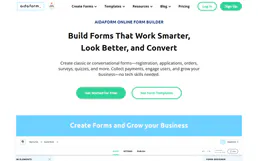
AidaForm
Design beautiful online forms, quizzes, and surveys that convert and collect structured data effortlessly.

Wrike
Manage tasks, projects, and folders on Wrike — the most versatile work management platform for teams.
You might also like

Telebroad
Connect your business phone system with cloud PBX that includes auto-attendant, call queues, and voicemail-to-email transcription.

PeerTube (YouTube Alternative)
Interact with decentralized PeerTube instances — manage video feeds, download content, and handle user registration via AI.
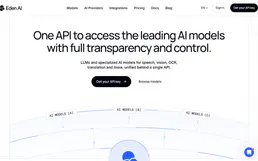
Eden AI
Equip your AI agent to manage unified AI workflows, track providers, and monitor API usage via the Eden AI platform.