
Archbee MCP. Manage technical docs and sync APIs via your AI client.
 Gemini
 Works with every AI agent you already use
…and any MCP-compatible client









Just plug in your AI agents and start using Vinkius.
Archbee MCP Server connects your AI agent directly to your knowledge base. It lets you manage documentation spaces, update technical docs in Markdown, sync OpenAPI specs (JSON/YAML), and search across your entire corporate wiki using natural language commands.
What your AI agents can do
Clone space
Creates an exact duplicate of an existing documentation space, keeping all its content and settings intact.
Create space
Sets up a brand new, empty documentation area within your Archbee organization.
Create space group
Organizes multiple existing and new spaces into a dedicated group for better structural navigation.
Your agent finds documents using search_docs, allowing you to query the entire knowledge base for specific topics.
You can create new files or modify existing ones using create_update_doc and get_doc.
The agent uses sync_openapi to map external OpenAPI definitions into your documentation structure, adding interactive features.
You maintain the organizational structure by calling tools like create_space, clone_space, or delete_space_group.
Files are managed via upload_file, allowing you to store raw assets for later use in documentation.
Ask AI about this MCP
Supported MCP Clients
Gemini Waiting for input…
Archbee: 19 Tools for Knowledge Management
These tools let your AI client perform specific operations across your documentation organization—from syncing APIs to deleting entire spaces.
019ea5e0clone space
Creates an exact duplicate of an existing documentation space, keeping all its content and settings intact.
019ea5e0create space
Sets up a brand new, empty documentation area within your Archbee organization.
019ea5e0create space group
Organizes multiple existing and new spaces into a dedicated group for better structural navigation.
019ea5e0create update doc
Writes a new document or overwrites an old one with specific content in Markdown format.
019ea5e0delete doc
Permanently removes a specified documentation file from the system.
019ea5e0delete space
Removes an entire documentation space and all its contained content permanently.
019ea5e0delete space group
Deletes a structural group that holds multiple spaces, cleaning up the overall organization view.
019ea5e0discard suggestion
Reverts or dismisses a suggested change document without applying it to the main content.
019ea5e0export organization
Downloads a full copy of all data contained within your entire knowledge base organization.
019ea5e0get display rules
Retrieves the specific rules that govern how content is displayed across different parts of the organization.
019ea5e0get doc
Pulls the full, current text and metadata for a single specified document.
019ea5e0import content
Takes raw Markdown content and inserts it into an existing or new document structure.
019ea5e0info openapi
Retrieves metadata about a specific OpenAPI definition that has been successfully synced to the system.
019ea5e0merge suggestion
Combines content from a suggested change document into its primary, live version.
019ea5e0publish space
Makes an entire documentation space visible in a specific environment (e.g., staging or production).
019ea5e0search docs
Executes a query across all documents to find relevant sections of content using natural language.
019ea5e0sync openapi
Connects an external OpenAPI definition (YAML/JSON) and embeds it into the appropriate documentation file.
019ea5e0update space
Changes the settings or metadata of a space without affecting its content, useful for versioning control.
019ea5e0upload file
Stores external assets like diagrams or PDFs into Archbee's internal file storage system.
Choose How to Get Started
Build a custom MCP for your own tools, or connect a ready-made integration from our catalog.
Build Your Own
Turn any API into an MCP. Import a spec, define Agent Skills, or deploy with MCPFusion.
- Import from OpenAPI, Swagger, or YAML specs
- Create Agent Skills with progressive disclosure
- Deploy to edge with MCPFusion framework
- Built in DLP, auth, and compliance on every call
- Real time usage dashboard and cost metering
- Publish to catalog or keep private
Make Your AI Do More
Start with Archbee, then connect any of our 4,700+ other servers whenever your AI needs more. One click, no limits.
- Use this MCP plus 4,700+ others, all in one place
- Add new capabilities to your AI anytime you want
- Every connection is secured and compliant automatically
- Track usage and costs across all your servers
- Works with Claude, ChatGPT, Cursor, and more
- New servers added to the catalog every week
What you can do with this MCP connector
You connect this server to your AI agent when you gotta work with technical docs or APIs—this ain't some basic search thing; it lets your agent actually do stuff inside your whole documentation setup.
Search Documentation
Your agent can run a query across all documents using search_docs, letting you dig into the entire knowledge base for whatever topic you need. You also get the ability to pull the full, current text and metadata for one specific file with get_doc. If you gotta find something deep in your docs, you just ask, and it finds the relevant sections of content.
Manage Document Content
You can write a brand new document or overwrite an old one using create_update_doc by dropping Markdown content right into it. Need to get raw data into place? You use import_content to take raw Markdown and stick it into an existing structure. If you need to save external assets—say, diagrams or PDFs—you store 'em with upload_file.
When you're done messing around with drafts, remember that discard_suggestion lets you ditch a suggested change document without applying it to the main content. To make sure your changes stick, use merge_suggestion to combine content from a suggestion into its live version. You can also modify a space's settings or metadata using update_space, which is key for keeping track of versions.
Synchronize API Specs
The agent uses sync_openapi when you connect an external OpenAPI definition—whether that's YAML or JSON—and embed it right into the proper documentation file. This adds all those interactive features, like 'Try It' functionality, straight into your docs. You can check out the metadata for a synced API using info_openapi.
Organize Spaces and Groups
You maintain the whole organizational structure with these tools. To set up a totally new documentation area, you call create_space. Need a replica of an existing space? Use clone_space; it copies everything—content, settings, the works—keeping it all intact. You can group multiple spaces, both old and new, into a dedicated container using create_space_group to keep your navigation tight.
When you're done with a structure or a space, you gotta clean up: you use delete_space for an entire area and everything in it, or you call delete_space_group to remove the structural group itself. You can also retrieve the specific rules that govern how all your content shows up by running get_display_rules.
When a space is ready to go live, you publish it with publish_space, making it visible in whatever environment you're targeting.
The Big Picture
You can make an entire copy of the whole deal—all data from your knowledge base organization—by calling export_organization and downloading a full backup. You also have the power to delete the structural group that holds multiple spaces using delete_space_group, cleaning up the overall view.
How Archbee MCP Works
- 1 Subscribe to the Archbee server and input your specific API Key.
- 2 Connect your preferred AI client (Claude, Cursor, etc.) to the Vinkius Marketplace endpoint.
- 3 Ask your agent a direct question or give a command. For example: 'Sync the attached OpenAPI YAML to the onboarding space.'
The bottom line is, you tell your AI agent what documentation change you need—whether it's creating a file or updating an API spec—and it executes the corresponding tool call.
Who Is Archbee MCP For?
This server is for teams where product knowledge lives in fragmented, hard-to-search documents. You're the developer who has to spend hours tracking down the right API endpoint definition across three different wikis just to write one README. Or maybe you’re a technical writer constantly fighting version control headaches. If your job involves making sure documentation stays current with product code, this is for you.
Manages the document lifecycle: publishing updates to staging environments using publish_space or restructuring content by calling create_space_group.
Syncs API definitions (JSON/YAML) into docs using sync_openapi so that the documentation stays accurate with the current code base. Also handles basic file uploads via upload_file.
Searches through historical product requirements and feature guides using search_docs to quickly answer complex 'how does this interact with X?' questions for stakeholders.
What Changes When You Connect
- Keep Docs Current: Instead of manually updating documentation when the API changes, use
sync_openapi. This tool maps external YAML/JSON definitions directly into a doc, keeping your guides accurate with zero manual effort. - Find Anything Fast: Forget clicking through folders. Use
search_docsto query every piece of technical writing in your organization instantly. You just ask the question; it finds the answer and cites the document ID. - Control Structure: Need to reorganize? The system lets you create, clone, or delete entire organizational units using tools like
create_spaceordelete_space_group, giving you granular control over your knowledge architecture. - Save Time on Drafts: When you have a block of raw text, don't copy-paste it manually. Use
import_contentto quickly push Markdown content into the correct document structure, saving context switching time. - Full Audit Trail: You can run
export_organizationto download a complete backup of all your knowledge base data at any time, giving you peace of mind about data integrity.
Real-World Use Cases
The API Definition Gap
A dev needs to write the 'Getting Started' guide for a new service. Instead of manually rewriting every endpoint from the OpenAPI YAML, they tell their agent: 'Sync this attached OpenAPI definition to the Getting Started space.' The agent runs sync_openapi, and the docs are immediately updated with interactive 'Try It' examples.
The Lost Requirement
A PM is preparing for a QBR and needs details on how Feature X interacts with Service Y. Instead of digging through fifty folders, they ask their agent to search_docs for 'Feature X interaction Service Y'. The agent runs the search and returns the three most relevant documents instantly.
The Knowledge Migration
A team is adopting a new internal wiki structure. Instead of rebuilding everything, they ask their agent to clone_space from the old 'Legacy' space to the new 'V2 Docs' space, then use update_space to change the metadata. They save hours.
The Quick Fix Documentation
A technical writer needs to quickly add a diagram and accompanying text to an existing guide. Instead of uploading the image and pasting the Markdown separately, they use upload_file for the asset and then follow up with create_update_doc, referencing the new file ID.
The Tradeoffs
Treating documentation like a simple folder.
Just uploading PDFs or Word docs and hoping people read them. You lose searchability, version control, and structured API definitions.
→
Always use upload_file for assets, but always manage the content using create_update_doc or import_content. If you're documenting an API, run sync_openapi instead of pasting YAML blocks.
Manual content copying.
Copying a section from the old wiki and manually pasting it into the new one. This is slow and guarantees version drift.
→
If you have raw text, use import_content. If you're moving structured data (like an API spec), always run sync_openapi to maintain integrity.
Accidentally deleting the wrong space.
Running a simple delete command without checking if the group contains other active, critical knowledge bases. Data loss is real.
→
Before using delete_space or delete_space_group, always run export_organization. This gives you a full backup to roll back to.
When It Fits, When It Doesn't
Use this server if your primary pain point is keeping technical documentation accurate, structured, and searchable. You need an AI agent that can perform specific CRUD operations on complex knowledge bases—like syncing APIs or managing spaces—not just answer trivia questions.
Don't use it if you only need a simple chat interface for general company FAQs (a basic Q&A bot works fine). Also, don't rely on this server to manage user accounts; its focus is purely content and structure. If your main goal is active workflow automation (e.g., 'When ticket status changes to Closed, send an email'), you need a messaging or ticketing platform integration instead.

Independent Platform Disclaimer: Vinkius is an independent platform and is not affiliated with, endorsed by, sponsored by, verified by, or otherwise authorized by Archbee. All third-party trademarks, logos, and brand names are the property of their respective owners. Their use on this website is strictly for informational purposes to identify service compatibility and interoperability.
VINKIUS INFRASTRUCTURE
Cloud Hosted
Managed infra
V8 Isolated
Sandboxed per request
Zero-Trust Proxy
No stored credentials
DLP Enforced
Policy on every call
GDPR Compliant
EU data residency
Token Compression
~60% cost reduction
Works with Claude, ChatGPT, Cursor, and more
The Model Context Protocol standardizes how applications expose capabilities to LLMs. Instead of operating in isolation, your AI gains direct access to external platforms, live data, and real-world actions through secure, standardized connections.
This server provides 19 capabilities that interface natively with Claude, ChatGPT, Cursor, and any MCP client. No middleware. No custom integration required.
Available Capabilities
Finding the right technical spec shouldn't take 20 minutes of clicking through folders.
Today, finding critical information means navigating a web of linked documents: checking the 'Architecture Guide,' cross-referencing the 'API V2 Spec,' and then manually searching the 'Client Integration Notes.' You end up switching tabs, copying snippets, and piecing together the answer in your head. It's exhausting.
With this MCP server, you tell your agent what you need—for instance, 'What are the authentication requirements for Service Z?' The agent runs `search_docs`, pulls from all relevant spaces, and gives you a consolidated, cited answer instantly.
The Archbee MCP Server: Sync OpenAPI definitions in place.
Without this server, if the engineering team changes an API endpoint, the technical writer has to be manually notified. Then, they have to copy the new YAML/JSON definition and update every single documentation page that references it—a process prone to human error.
Now, you simply provide the agent with the updated OpenAPI file and ask it to `sync_openapi`. The entire system handles the data mapping and embedding into the relevant doc trees. You get current docs without touching a document editor.
Common Questions About Archbee MCP
How do I search my Archbee docs using the search_docs tool? +
You just ask your agent naturally. For example: 'What is the rate limit for user profile creation?' The agent runs search_docs and returns a list of relevant documents, including which space they came from.
Can I update an existing document using create_update_doc? +
Yes. You provide the specific document ID and the new Markdown content. The agent handles overwriting the old data with the fresh version you supply.
What's the difference between clone_space and create_space? +
Use create_space when starting from scratch. Use clone_space when you need a perfect, functional copy of an existing documentation structure to reuse as a template.
I have raw OpenAPI YAML; which tool should I use? +
You must run the sync_openapi tool. This ensures that the API definition is not just pasted text, but is properly linked and available for interactive features inside Archbee.
If I need to permanently remove documentation, should I use the `delete_doc` or `delete_space` tools? +
Using delete_doc removes a single file. If you're removing an entire section, run delete_space. Be careful—these actions are irreversible and permanently remove data from your organization.
What steps do I take to make updated documentation live after running the `update_space` tool? +
Updating a space changes its metadata, but you must use the publish_space tool afterward. This command pushes the current state of your docs to a specific environment (like staging or production) where users can actually see them.
I have many related documentation spaces; how do I keep them organized using `create_space_group`? +
The create_space_group tool allows you to organize multiple individual spaces under one umbrella group. This improves structure and makes it easier for users to navigate large, interconnected knowledge bases.
How do I get a complete backup of my entire Archbee organization using the `export_organization` tool? +
Running export_organization pulls all your data—including documents, spaces, and settings—into one export package. This is how you take a full copy of your knowledge base for archiving or migrating to another platform.
Use it with your favorite AI tools
Connect this server to Cursor, Claude, VS Code, and more.
More in this category

Eden AI Alternative
Access 100+ AI models through a single API — route LLMs, generate embeddings, and execute specialized AI tasks like OCR and translation.

Open5e
Access the comprehensive Open5e database for D&D 5th Edition — search monsters, spells, classes, and magic items directly from your AI agent.

Permify
Manage fine-grained authorization and access control via Permify — write schemas, manage relation tuples, and perform real-time permission checks.
You might also like

Vectara
Empower your agent with Vectara's RAG capabilities. Search corpora natively, execute grounded chats, and manage indexed datasets easily.
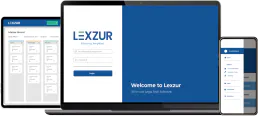
Lexzur
Manage legal operations with contract lifecycle tracking, matter management, and compliance workflows for corporate legal teams.

IT Compliance Password Gen
Generate unbreakable, cryptographically secure passwords. Enforce strict IT compliance rules, symbol constraints, and entropy requirements.