
Arcsecond.io MCP. Query astronomical data and manage observatory logs.
 Gemini
 Works with every AI agent you already use
…and any MCP-compatible client









Just plug in your AI agents and start using Vinkius.
Arcsecond.io MCP Server connects your AI agent to global astronomical data. Search for stars, galaxies, and planets to get official names, types, and precise coordinates (RA/Dec).
You can also manage observatory data by listing sites, telescopes, and tracking detailed observation night logs.
What your AI agents can do
Get account check
Verifies that your AI agent is properly connected to your Arcsecond account.
Get object
Retrieves detailed astrophysical data for a single, known astronomical object.
List datasets
Shows which datasets are available for a specific observatory.
Use search_objects or get_object to retrieve precise coordinates (RA/Dec), official names, and astrophysical metadata for any celestial body.
List available physical assets using list_observing_sites and list_telescopes associated with your observatory subdomain.
Retrieve structured records of past work by calling list_night_logs or checking available data sets with list_datasets.
Use get_account_check to confirm that the Arcsecond.io connection is active and properly authenticated for the current session.
Execute a broad search across object categories using search_objects, retrieving initial data points for later detailed queries.
Ask AI about this MCP
Supported MCP Clients
Gemini Waiting for input…
Arcsecond.io MCP Server: 7 Tools for Celestial Data
Use these tools to search for astronomical objects, list observatory assets, and retrieve detailed observation logs from Arcsecond.io.
019d7551get account check
Verifies that your AI agent is properly connected to your Arcsecond account.
019d7551get object
Retrieves detailed astrophysical data for a single, known astronomical object.
019d7551list datasets
Shows which datasets are available for a specific observatory.
019d7551list night logs
Lists the observation logs for an observatory subdomain, organized by date.
019d7551list observing sites
Retrieves a list of physical observing sites associated with your observatory.
019d7551list telescopes
Lists all telescopes and instruments connected to your observatory.
019d7551search objects
Finds and returns general information about astronomical objects like stars, galaxies, and planets.
Choose How to Get Started
Build a custom MCP for your own tools, or connect a ready-made integration from our catalog.
Build Your Own
Turn any API into an MCP. Import a spec, define Agent Skills, or deploy with MCPFusion.
- Import from OpenAPI, Swagger, or YAML specs
- Create Agent Skills with progressive disclosure
- Deploy to edge with MCPFusion framework
- Built in DLP, auth, and compliance on every call
- Real time usage dashboard and cost metering
- Publish to catalog or keep private
Make Your AI Do More
Start with Arcsecond.io, then connect any of our 4,700+ other servers whenever your AI needs more. One click, no limits.
- Use this MCP plus 4,700+ others, all in one place
- Add new capabilities to your AI anytime you want
- Every connection is secured and compliant automatically
- Track usage and costs across all your servers
- Works with Claude, ChatGPT, Cursor, and more
- New servers added to the catalog every week
What you can do with this MCP connector
Arcsecond.io connects your AI agent to global astronomical databases. You'll use this agent to search for stars, galaxies, and planets, getting official names, types, and precise coordinates (RA/Dec). You can also manage observatory data, listing sites, telescopes, and tracking detailed observation night logs. You'll first use get_account_check to verify that your agent is properly connected to your Arcsecond account.
To find general info on celestial objects, use search_objects. For deep dives, get_object pulls detailed astrophysical data for a single, known object. You can check what datasets are available for an observatory using list_datasets. To see physical assets, list_observing_sites retrieves a list of sites, and list_telescopes lists all instruments connected to your observatory.
You'll review past work by calling list_night_logs, which lists observation logs organized by date.
How Arcsecond.io MCP Works
- 1 First, your agent uses
get_account_checkto confirm your Arcsecond.io credentials are connected. - 2 Next, you prompt your agent with a request, such as 'Find the coordinates for M31.' The agent then calls
search_objectsorget_object. - 3 Finally, the server returns the requested object's name, type, and coordinates, allowing your agent to use that data in subsequent calls, like
list_datasets.
The bottom line is you tell your agent what you want in plain English, and it handles the multi-step database queries for you.
Who Is Arcsecond.io MCP For?
The professional astronomer who spends hours writing complex queries across multiple data sources. The data scientist who needs to automate object data retrieval into a research pipeline. The observational scientist who needs to quickly check the status of multiple telescopes and sites before a night's work. This saves hours of manual database interaction.
Uses get_object to pull coordinates and metadata for specific celestial bodies, bypassing manual database query writing.
Integrates search_objects and list_datasets into automated scripts to analyze astronomical trends and build research models.
Checks operational status by calling list_observing_sites and list_telescopes to verify equipment readiness.
What Changes When You Connect
- Find object coordinates instantly. Instead of running a complex query to find the RA/Dec for a galaxy, your agent just runs
search_objectsand gives you the precise coordinates immediately. - Track operations without logging in. You don't need to manually navigate logs. Your agent calls
list_night_logsand pulls detailed observation records for any date range. - Manage equipment status easily. Need to know what telescopes are up? Use
list_telescopes. It pulls the current inventory and status for your observatory subdomain. - Compare multiple sites quickly. Instead of checking several manual dashboards, running
list_observing_sitesgives you a complete list of all your operational locations in one API call. - Access deep object details. Don't just get a name; use
get_objectto pull detailed metadata, including visual magnitude and classification, for deeper research.
Real-World Use Cases
Planning a Stargazing Session
An amateur stargazer wants to find a target. They ask their agent to find the coordinates for the 'Pleiades.' The agent runs search_objects, returns the necessary coordinates, and the stargazer gets the detailed metadata needed for planning, all in one flow.
Auditing Observatory Operations
The observatory manager needs to check if the main telescope was used last week. They prompt their agent to 'Show me logs for the last 7 days.' The agent runs list_night_logs, consolidating the data from the backend into a readable summary.
Automating Research Pipelines
A data scientist needs to process data from multiple sources. They ask their agent to 'Find all data sets related to the M31 galaxy.' The agent runs list_datasets and get_object, giving the scientist the exact data sources needed for their analysis.
Verifying Site Readiness
Before deployment, a researcher must confirm all gear is connected. They ask their agent to 'List all active telescopes and sites.' The agent executes list_telescopes and list_observing_sites, providing a comprehensive operational checklist.
The Tradeoffs
Sequential API Calls
First, opening the site dashboard to get the site list. Then, opening the telescope inventory page. Finally, searching for the object manually, copy-pasting coordinates into a spreadsheet.
→
Ask your agent to run a multi-step query: 'List all sites, then list all telescopes at those sites, and find the coordinates for the Andromeda Galaxy.' The agent coordinates list_observing_sites, list_telescopes, and search_objects for a single output.
Ignoring Object Metadata
Finding a galaxy and only getting its name. This forces you to manually look up its visual magnitude or classification in a separate database.
→
Use get_object directly. It pulls the full metadata—magnitude, type, classification—in one call, giving you all the details right away.
Manually Checking Logs
Logging into the observatory portal to check night logs for a specific date range. This involves clicking dates, filtering observations, and downloading multiple CSVs.
→
Just ask your agent to 'Show me the night logs for last week.' It runs list_night_logs and aggregates the necessary observation and calibration data.
When It Fits, When It Doesn't
Use this if you need to combine data from multiple domains: e.g., 'What telescopes were used to observe objects near Site X last month?' This server handles the orchestration. Don't use it if you just need to know the general operating hours of a specific location; a simple contact lookup tool is better. If your need is simply to generate a report from existing local files, you don't need this—you just need a file processing utility. This server is for retrieving and synthesizing external, structured scientific data.
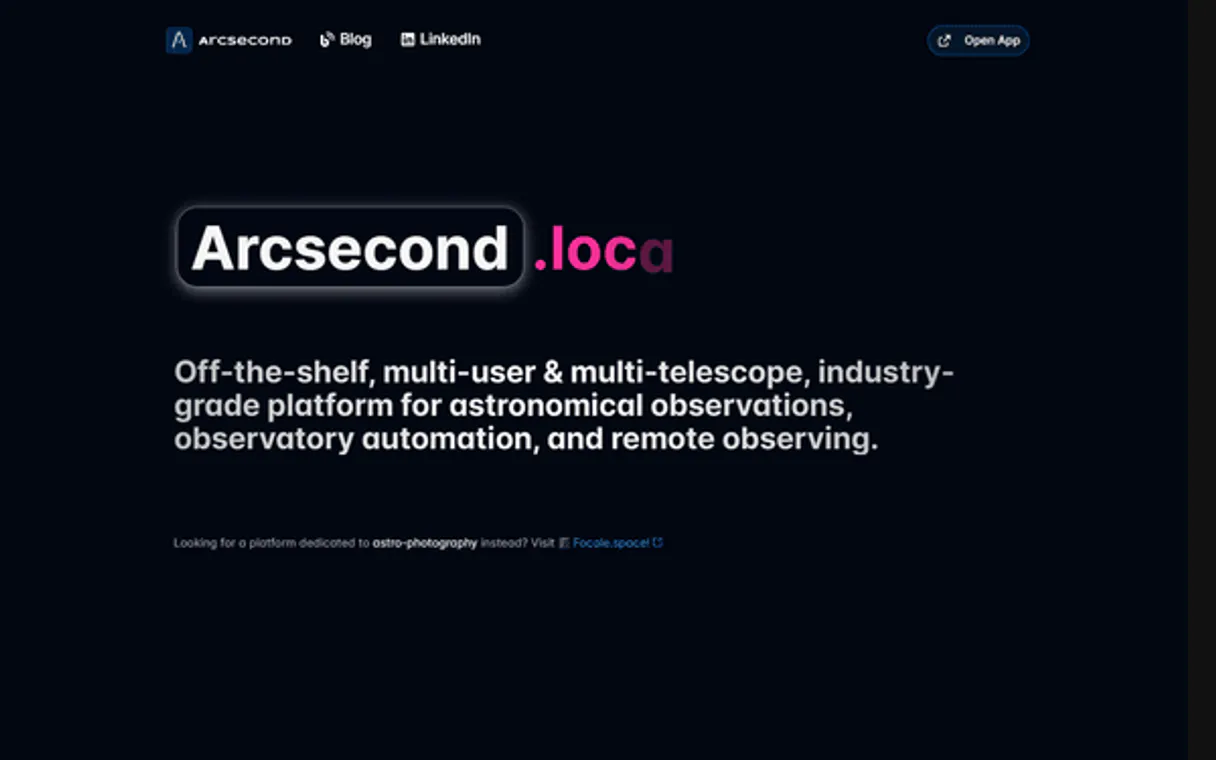
Independent Platform Disclaimer: Vinkius is an independent platform and is not affiliated with, endorsed by, sponsored by, verified by, or otherwise authorized by Arcsecond.io. All third-party trademarks, logos, and brand names are the property of their respective owners. Their use on this website is strictly for informational purposes to identify service compatibility and interoperability.
VINKIUS INFRASTRUCTURE
Cloud Hosted
Managed infra
V8 Isolated
Sandboxed per request
Zero-Trust Proxy
No stored credentials
DLP Enforced
Policy on every call
GDPR Compliant
EU data residency
Token Compression
~60% cost reduction
Works with Claude, ChatGPT, Cursor, and more
The Model Context Protocol standardizes how applications expose capabilities to LLMs. Instead of operating in isolation, your AI gains direct access to external platforms, live data, and real-world actions through secure, standardized connections.
This server provides 7 capabilities that interface natively with Claude, ChatGPT, Cursor, and any MCP client. No middleware. No custom integration required.
Available Capabilities
Manually checking observatory logs is a nightmare.
Right. So, let's look at the logs. Today, checking observation history means logging into the observatory portal, finding the subdomain, clicking through date ranges, and manually downloading several CSVs. You then have to stitch together the observations and calibration frames yourself. It’s a huge time sink.
With the Arcsecond.io MCP Server, you just ask your agent to 'Show me the logs for the last quarter.' It runs `list_night_logs` and gives you a consolidated, structured summary. You get the full history without touching a single dashboard.
Get the full picture with Arcsecond.io MCP Server
Before, you had to run three different steps: first, find the object using a search tool; second, check the site using a list site tool; and third, manually match those parameters to pull data. The system never let you combine them easily.
Now, the agent orchestrates it. You ask it to 'Find all objects observed by the McDonald Telescope.' It uses `list_telescopes` and `search_objects` internally, returning a single, filtered list. It just works.
Common Questions About Arcsecond.io MCP
How do I use the `search_objects` tool with Arcsecond.io MCP Server? +
You ask your agent to search for an object name or type. The tool returns the object's name, coordinates, and a basic classification. You can then use the returned data to call get_object for more detail.
Can `list_night_logs` show me observations for multiple sites? +
The list_night_logs tool tracks logs for a specific observatory subdomain. You must first use list_observing_sites to confirm the subdomain before querying the logs.
What is the difference between `search_objects` and `get_object`? +
search_objects finds general targets (like finding 'galaxies'). get_object requires a known object ID and pulls all the specific, detailed metadata for that single item.
How do I check my account status with `get_account_check`? +
You tell your agent to run get_account_check. It verifies your Arcsecond connection and reports whether your API keys are active and properly linked to your account.
Can I list all datasets with `list_datasets`? +
The list_datasets tool requires an observatory subdomain. You must specify the location first, then the tool will list the available datasets for that specific site.
How do I use `list_observing_sites` to see available observatories? +
You pass the observatory subdomain to list_observing_sites. This command returns a list of valid sites associated with that observatory. You can then use these site names to run other commands, like listing telescopes or datasets.
Can I use `list_telescopes` to see all instruments at a location? +
Yes, list_telescopes requires the observatory subdomain and site name. It returns a list of specific telescopes and their model numbers located at that site, allowing you to plan your observation setup.
If I need detailed metadata, which tool is better: `get_object` or `search_objects`? +
get_object is best for deep dives. Use it when you already have a specific object's name or coordinates. search_objects is for initial discovery, giving you a list of candidates.
How do I get my Arcsecond.io API Key? +
Log in to your Arcsecond.io account and go to your Profile page. You will find your Personal API Key there.
What is an observatory subdomain? +
If you are part of a specific observatory or organization on Arcsecond.io, your data is hosted on a subdomain (e.g., myobs.arcsecond.io). You can use this subdomain to access site-specific data.
Can I search for any astronomical object? +
Yes, the search_objects tool allows you to search across millions of objects in the SIMBAD, Gaia, and other astronomical databases integrated into Arcsecond.io.
Use it with your favorite AI tools
Connect this server to Cursor, Claude, VS Code, and more.
More in this category

PubMed
Search 37M+ biomedical research articles from the world's largest medical literature database — with full abstracts, authors, MeSH terms, and citation tracking.
NASA Media & Patents — Images, Videos & Technology Transfer
Search NASA's library of 140,000+ images and videos from every mission: Apollo, ISS, Hubble, Webb, Mars rovers, and more — plus browse NASA's technology transfer portfolio of patents and commercial spinoffs available for licensing.

Nord Pool
Access European electricity market data via Nord Pool — query day-ahead prices, auction volumes, cross-border flows, and consumption forecasts from any AI agent.
You might also like

OpenTrivia
Access a massive database of trivia questions — fetch quizzes by category, manage session tokens, and track global question statistics.
MessageFlow
Omnichannel communication via MessageFlow — send SMS, WhatsApp, and Email messages.
Shotstack
Render and edit videos programmatically with a cloud API that generates personalized video content at scale from templates.