
Authorize.net MCP. Manage full payment lifecycle via conversation.
 Gemini
 Works with every AI agent you already use
…and any MCP-compatible client









Just plug in your AI agents and start using Vinkius.
Authorize.net connects your merchant gateway to your AI client. You can process payments, manage refunds, capture holds, and audit settled transactions directly through natural conversation.
It lets you handle everything from Auth & Capture to voiding transactions and managing CIM profiles without leaving your chat interface.
What your AI agents can do
Add payment profile
Attaches a payment card to an existing customer profile (CIM).
Auth capture transaction
Runs a full transaction that both authorizes and captures funds instantly.
Auth only transaction
Places a temporary hold on a credit card without completing the sale.
Execute immediate Auth & Capture to move real funds, or use Auth Only to place temporary holds on card funds.
Refund settled transactions or void transactions that are still pending in a batch.
Create and retrieve Customer Information Manager (CIM) profiles, securely linking card details without exposing raw Primary Account Numbers (PANs).
Retrieve comprehensive data for any specific transaction ID or list all unsettled transactions awaiting batch closure.
Attach a new payment card to an existing CIM profile using add_payment_profile.
Ask AI about this MCP
Supported MCP Clients
Gemini Waiting for input…
Authorize.net MCP Server: 10 Tools for Payments
Use these tools to manage the entire payment lifecycle, from creating customer profiles to voiding unsettled transactions, all through your AI agent.
019d7555add payment profile
Attaches a payment card to an existing customer profile (CIM).
019d7555auth capture transaction
Runs a full transaction that both authorizes and captures funds instantly.
019d7555auth only transaction
Places a temporary hold on a credit card without completing the sale.
019d7555create customer profile
Builds a new, secure Customer Information Manager (CIM) profile.
019d7555get customer profile
Retrieves all details for a specific customer's stored payment profile (CIM).
019d7555get transaction details
Gets all detailed data for a specific, known gateway transaction ID.
019d7555get unsettled transactions
Lists all transactions that are currently pending and haven't closed in the nightly batch.
019d7555prior auth capture
Finalizes a transaction by capturing funds from a previously placed temporary authorization hold.
019d7555refund transaction
Issues a refund for a transaction that has already been successfully settled.
019d7555void transaction
Cancels a pending transaction that has not yet been settled or captured.
Choose How to Get Started
Build a custom MCP for your own tools, or connect a ready-made integration from our catalog.
Build Your Own
Turn any API into an MCP. Import a spec, define Agent Skills, or deploy with MCPFusion.
- Import from OpenAPI, Swagger, or YAML specs
- Create Agent Skills with progressive disclosure
- Deploy to edge with MCPFusion framework
- Built in DLP, auth, and compliance on every call
- Real time usage dashboard and cost metering
- Publish to catalog or keep private
Make Your AI Do More
Start with Authorize.net, then connect any of our 4,700+ other servers whenever your AI needs more. One click, no limits.
- Use this MCP plus 4,700+ others, all in one place
- Add new capabilities to your AI anytime you want
- Every connection is secured and compliant automatically
- Track usage and costs across all your servers
- Works with Claude, ChatGPT, Cursor, and more
- New servers added to the catalog every week
What you can do with this MCP connector
Yo, you gotta connect your Authorize.net merchant gateway to your AI client. You can run payment actions, handle refunds, manage customer data, and check transaction statuses—all through natural conversation. It lets you manage everything from authorizing and capturing funds to voiding transactions and setting up customer profiles without leaving your chat window.
Processing Payments
To move real money, you can execute a full transaction using auth_capture_transaction which authorizes and captures funds right away. If you just need to put a temporary hold on the card funds—like before shipping something—use auth_only_transaction. You can also finalize a previous temporary hold by capturing funds from an authorization using prior_auth_capture.
Handling Refunds and Voids
If a sale already settled, you can issue a refund using refund_transaction. If a transaction is pending and hasn't closed out in the nightly batch, you can cancel it with void_transaction.
Managing Customer Profiles
You can build a new, secure Customer Information Manager (CIM) profile with create_customer_profile. To get all the details on a customer's stored payment profile, you use get_customer_profile. And if a customer has a new card, you can attach it to their existing CIM record using add_payment_profile.
Checking Transactions
You can get all the specific data for any known transaction ID using get_transaction_details. You can also pull a list of all transactions that are currently pending and haven't closed out in the nightly batch with get_unsettled_transactions. Finally, you can review all the details for a specific transaction you're interested in using get_transaction_details.
How Authorize.net MCP Works
- 1 Subscribe to the secure MCP Server and provide your Authorize.net credentials (Login ID, Transaction Key, Environment mapping).
- 2 Your AI client sends a request to the server, referencing a specific action (e.g., 'void transaction 91230').
- 3 The server executes the necessary API call and returns the result (success, failure, or data) directly to your AI client for use.
The bottom line is you control complex payment flows using natural language, never needing to interact with the merchant gateway's web interface.
Who Is Authorize.net MCP For?
E-commerce Managers who need to handle post-return refunds on the fly. Financial Operations staff who must systematically track unsettled holds before batch processing. Sales Engineers who need to verify exactly why a card declined.
Executing post-return refunds dynamically and processing payments on the fly, managing the full payment lifecycle.
Systematically tracking unresolved unsettled holds and auditing nightly batch runs before initiating settlement.
Verifying the exact reason a payment declined (e.g., AVS or CVV failures) and processing complex payment logic.
What Changes When You Connect
- Handle refunds without manual lookups. Use
refund_transactionto process returns for settled sales, eliminating the need to log into the merchant portal to initiate credits. - Reduce fraud risk by separating payment steps. Use
auth_only_transactionto pre-authorize funds, then useprior_auth_capturelater, rather than running a single, all-in-one call. - Audit unsettled funds quickly. Call
get_unsettled_transactionsto list all pending batch items, allowing you to void or process them before the end-of-day cutoff. - Keep customer data secure. Use
create_customer_profileandadd_payment_profileto store card details in an isolated CIM profile, avoiding raw PAN exposure. - Debug declined payments instantly. Call
get_transaction_detailsto check AVS or CVV failure codes, telling you exactly why the card declined without guesswork. - Automate complex flows. You can orchestrate an entire payment lifecycle (Auth -> Void -> Refund) using distinct tools, mapping complex logic in pure dialogue.
Real-World Use Cases
Processing a post-return refund
A customer returns an item. Instead of manually logging into the merchant portal, the agent runs refund_transaction using the original transaction ID and amount, completing the credit immediately.
Checking for pending batch issues
It's 4:30 PM, and the daily batch hasn't closed. The agent runs get_unsettled_transactions to see exactly which items are stuck, then uses void_transaction on the specific IDs that need clearing.
Handling a delayed shipment payment
The sale happens now, but the product ships next week. The agent uses auth_only_transaction to place a temporary hold, and then later runs prior_auth_capture once the item ships.
Verifying a declined card
A payment fails. The agent runs get_transaction_details on the attempted ID, which returns the specific AVS or CVV failure code, telling the user why the card was rejected.
The Tradeoffs
Trying to process everything in one go
Asking the agent to 'process the payment and refund it if it fails.' This vague instruction forces the agent to guess the sequence, leading to incomplete or incorrect financial actions.
→
Use distinct tools. First, run auth_only_transaction to hold the funds. Then, if successful, run prior_auth_capture. Always break down the desired state change into specific, sequential tool calls.
Assuming CIM profiles are current
Using an old card number or profile ID for a refund, which causes the transaction to fail with a generic 'invalid profile' error.
→
First, run get_customer_profile to verify the current profile status. If necessary, use add_payment_profile to update the card details before attempting refund_transaction.
Overlooking the settlement state
Attempting to refund a transaction that was voided or never processed, causing the system to fail because the transaction is not in a settled state.
→
Always check the status first. Use get_transaction_details to confirm the transaction status is 'Settled' before calling refund_transaction. For pending items, use void_transaction.
When It Fits, When It Doesn't
Use this server if your workflow requires granular control over the payment lifecycle. You must be able to separate authorization, capture, and refund steps. This is for complex financial logic, not simple point-of-sale charges. Don't use this if you only need to process a single, immediate payment; those simple needs are handled by other payment processor tools. You need the explicit control over CIM profiles (add_payment_profile) and the ability to manage unsettled funds (get_unsettled_transactions).
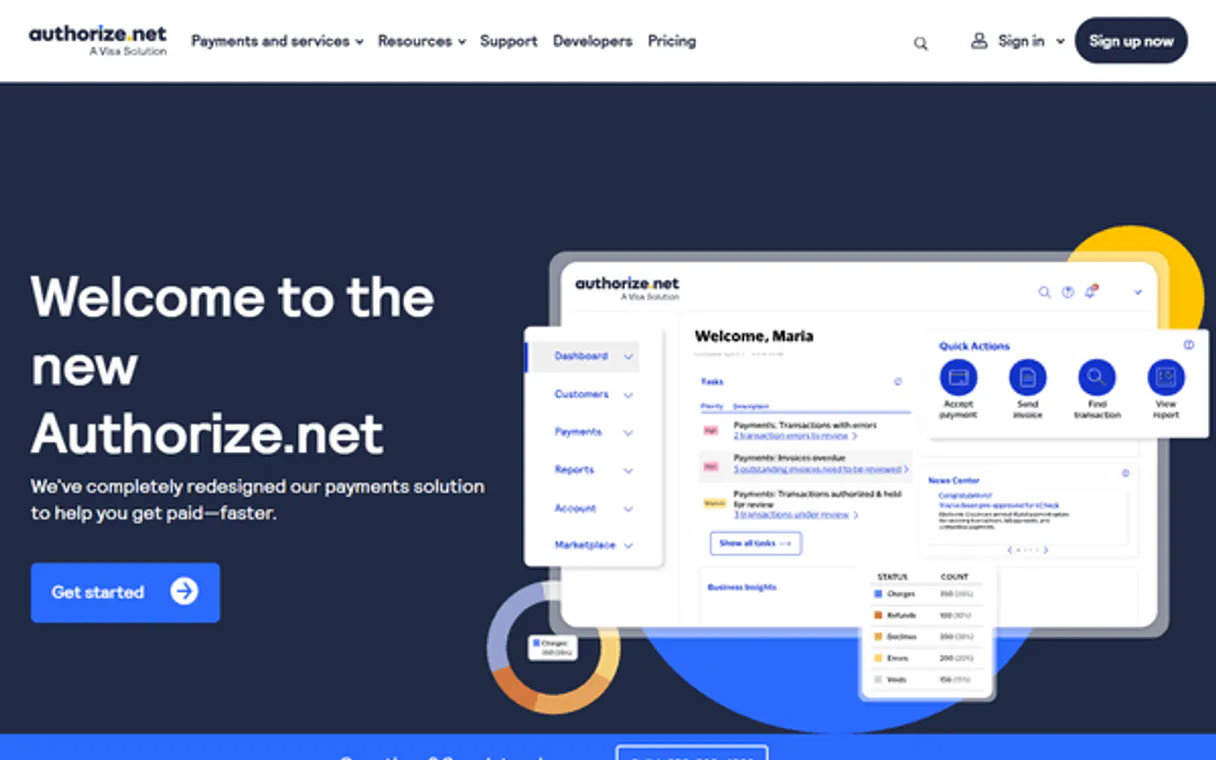
Independent Platform Disclaimer: Vinkius is an independent platform and is not affiliated with, endorsed by, sponsored by, verified by, or otherwise authorized by Authorize.net. All third-party trademarks, logos, and brand names are the property of their respective owners. Their use on this website is strictly for informational purposes to identify service compatibility and interoperability.
VINKIUS INFRASTRUCTURE
Cloud Hosted
Managed infra
V8 Isolated
Sandboxed per request
Zero-Trust Proxy
No stored credentials
DLP Enforced
Policy on every call
GDPR Compliant
EU data residency
Token Compression
~60% cost reduction
Works with Claude, ChatGPT, Cursor, and more
The Model Context Protocol standardizes how applications expose capabilities to LLMs. Instead of operating in isolation, your AI gains direct access to external platforms, live data, and real-world actions through secure, standardized connections.
This server provides 10 capabilities that interface natively with Claude, ChatGPT, Cursor, and any MCP client. No middleware. No custom integration required.
Available Capabilities
Dealing with refunds and holds shouldn't feel like a trip to the merchant portal.
Today, processing a post-return refund means logging into the merchant dashboard. You find the original transaction ID, confirm the amount, and then click 'Refund.' If the item was held, you might need to void it first, which means jumping between three different screens and copy-pasting IDs everywhere.
With the Authorize.net MCP Server, you just tell your agent to refund the item. The agent executes `refund_transaction` directly, using the stored transaction data. The whole process happens in conversation. You get the refund done without leaving your chat.
Authorize.net MCP Server: Manage card and transaction data with full control.
Manual steps that disappear include: locating the original transaction ID, verifying the settlement status, manually calculating the refund amount, and confirming the correct CIM profile for the refund.
Now, your agent manages the entire state machine. You ask for a refund, and it runs `refund_transaction`, checking the status and applying the logic correctly. It’s precise, auditable, and happens in one continuous flow.
Common Questions About Authorize.net MCP
How do I use the `auth_capture_transaction` tool? +
You use this tool when you are ready to complete a sale. It runs the transaction and instantly captures the funds. You must pass the necessary card and amount details to execute the full sale.
What is the difference between `void_transaction` and `refund_transaction` using Authorize.net? +
Voiding cancels a transaction that never left the system (it was pending). Refunding reverses a transaction that already settled and moved money. You must know the status to pick the right tool.
How does `get_unsettled_transactions` help with nightly batching? +
This tool lists all transactions that are stuck and waiting for the bank's nightly batch run. You can use this list to proactively void or resolve issues before they hit the main settlement process.
Can I update a card for a refund using `add_payment_profile`? +
Yes. If the card used for the original purchase is invalid, you must first run get_customer_profile and then use add_payment_profile to link the new card to the customer before attempting the refund.
How do I securely create a new customer profile using `create_customer_profile`? +
You call create_customer_profile first to establish the container. This action gives you a unique CIM ID, which you then use to attach payment cards via add_payment_profile.
What are the prerequisites for running `auth_capture_transaction`? +
You must use auth_capture_transaction only after successfully executing an auth_only_transaction hold. This sequence ensures funds are captured against a pre-approved authorization.
Can I check the details of a specific payment with `get_transaction_details`? +
Yes, get_transaction_details requires a specific gateway transaction ID. It pulls all settlement details, including AVS and CVV match status, for auditing.
What information is needed for the `refund_transaction` tool? +
The refund_transaction tool needs three things: the original transaction ID, the refund amount, and the masked or raw PAN and expiration date.
Can my AI safely create standard CIM profiles? +
Yes. The agent utilizes Authorize.net's API structure strictly intended for PCI-compliant scenarios. It successfully tokens the user emails converting them into shielded unique underlying node endpoints (Profile ID). Subsequent commands elegantly pin payment PAN inputs strictly onto that boundary.
Why would I use "Auth Only" instead of "Auth Capture"? +
An "Auth Only" is essential when shipping physical goods that aren't instantly ready. It guarantees the user's funds exist and freezes them for up to 30 days without legally withdrawing the cash. Once the shipment processes, your AI issues a Prior Auth Capture logically finishing the monetary path.
Is it possible to completely void transactions instead of waiting for a settlement? +
Yes. Authorize.net supports a strict "Void" capability on unsettled transactions. The AI can cancel a transaction if asked quickly within the same business day, preventing the funds from ever being captured in the overnight batch—saving you settlement and processing fees.
Use it with your favorite AI tools
Connect this server to Cursor, Claude, VS Code, and more.
More in this category

Walmart Marketplace
Manage your Walmart Marketplace catalog, inventory, and dynamic pricing natively.
Airwallex
Process global payments, manage multi-currency accounts, and track international transfers with enterprise-grade treasury tools.

BCB Inflação — IPCA, IGP-M, INPC e Expectativas
Brazilian inflation indices: IPCA (official CPI), IPCA-15 (advance reading), IGP-M (rent and contract index), INPC (minimum wage index), and Focus Survey market expectations for future inflation from Brazil's Central Bank.
You might also like

IQAir
Monitor air quality and weather — audit pollution data and cities via AI.

CrossRef
Search 140M+ scholarly works across all scientific disciplines — with DOI resolution, citation counts, author lookup, and full bibliographic metadata from the world's largest DOI registry.

ShippingBo
Orchestrate your e-commerce logistics with order management, warehouse operations, and carrier integration for French retailers.