
IQAir MCP. Audit real-time air quality and weather metrics globally.
 Gemini
 Works with every AI agent you already use
…and any MCP-compatible client









Just plug in your AI agents and start using Vinkius.
IQAir. Get real-time air quality and weather data for any city or location. This MCP Server connects your AI client to the AirVisual API, allowing you to audit pollution indices (AQI) and current weather conditions across the globe.
You can check your nearest city's air quality or list all supported locations in a specific country or state. Perfect for environmental research, health monitoring, or corporate sustainability audits.
What your AI agents can do
Check api status
Checks if the IQAir API service is currently running and accessible.
Get city air quality
Retrieves the current air quality index and weather for a specific city name.
Get nearest city air quality
Gets the air quality and weather for the city closest to the user's current IP location.
Confirms if the IQAir API is currently operational.
Retrieves real-time air quality and weather metrics for a single, specified city.
Retrieves real-time air quality and weather metrics for the city nearest to the requester's IP address.
Provides a structured list of all countries, states, or cities supported by the IQAir catalog.
Ask AI about this MCP
Supported MCP Clients
Gemini Waiting for input…
IQAir MCP Server: 6 Tools for Environmental Data
These tools let your AI agent systematically retrieve air quality data, check API status, and map out supported global locations.
019d8449check api status
Checks if the IQAir API service is currently running and accessible.
019d8449get city air quality
Retrieves the current air quality index and weather for a specific city name.
019d8449get nearest city air quality
Gets the air quality and weather for the city closest to the user's current IP location.
019d8449list supported cities
Lists all cities available within a specific state and country combination.
019d8449list supported countries
Lists every country that IQAir monitors for air quality data.
019d8449list supported states
Lists all states available within a specific country.
Choose How to Get Started
Build a custom MCP for your own tools, or connect a ready-made integration from our catalog.
Build Your Own
Turn any API into an MCP. Import a spec, define Agent Skills, or deploy with MCPFusion.
- Import from OpenAPI, Swagger, or YAML specs
- Create Agent Skills with progressive disclosure
- Deploy to edge with MCPFusion framework
- Built in DLP, auth, and compliance on every call
- Real time usage dashboard and cost metering
- Publish to catalog or keep private
Make Your AI Do More
Start with IQAir, then connect any of our 4,700+ other servers whenever your AI needs more. One click, no limits.
- Use this MCP plus 4,700+ others, all in one place
- Add new capabilities to your AI anytime you want
- Every connection is secured and compliant automatically
- Track usage and costs across all your servers
- Works with Claude, ChatGPT, Cursor, and more
- New servers added to the catalog every week
What you can do with this MCP connector
Check Environmental Status: Use check_api_status to confirm if the IQAir API is running. Get City Environmental Data: You can use get_city_air_quality to pull real-time air quality and weather metrics for any specific city. Get Local Environmental Data: get_nearest_city_air_quality gives you the air quality and weather for the city closest to your IP address. List Supported Locations: To see what's covered, you can call list_supported_countries to get every country IQAir tracks; you'll use list_supported_states to list all states within a country; and you can check list_supported_cities for all cities within a specific state and country combination.
How IQAir MCP Works
- 1 First, use
list_supported_countriesto confirm the country you need data for. - 2 Next, use
list_supported_states(with the country code) to get all available states. - 3 Finally, use
get_city_air_quality(with the state and city name) to pull the real-time AQI and weather data.
The bottom line is, you validate the location hierarchy first, then you get the data.
Who Is IQAir MCP For?
Anyone who needs location-specific environmental data on demand. This is for environmental researchers tracking pollution patterns, public health officials assessing local air quality for respiratory risk, or corporate sustainability leads auditing site locations across different regions.
Runs automated checks on pollution patterns across multiple global cities, retrieving official metadata straight into their workflow.
Verifies local air quality and tracks pollution trends to assess potential respiratory health risks in specific neighborhoods.
Performs rapid environmental audits of corporate sites or supply chain locations using natural language queries.
What Changes When You Connect
- Audit Pollution Data: Use
get_city_air_qualityto get real-time AQI and pollution markers for any specific city you name. You don't have to consult a manual or search a webpage. - Local Geo-Check: Run
get_nearest_city_air_qualityto check the air quality right where you are. It uses your IP to identify the nearest monitored city, saving you the step of manually checking your location. - System Validation: Keep your workflow running with
check_api_status. This tool confirms the API is live before you try to pull critical data, preventing immediate failure. - Structured Discovery: Need to know what data is available? Use
list_supported_countriesorlist_supported_statesto map out the full geographic reach of the IQAir catalog before querying.
Real-World Use Cases
Auditing a New Corporate Site
A sustainability manager needs to check the air quality at a potential new office in São Paulo, Brazil. Instead of visiting a third-party website, they ask their agent: 'What is the air quality in São Paulo?' The agent calls get_city_air_quality and returns the real-time AQI and pollutant levels, letting the manager make a data-driven decision.
Assessing Local Health Risks
A public health analyst is concerned about air quality near a facility. They ask their agent to check the nearest monitored city. The agent calls get_nearest_city_air_quality, identifies the nearest location, and reports the AQI and main pollutant (e.g., PM2.5), giving the analyst immediate, localized data.
Mapping Data Coverage
A researcher needs to know what countries are even included in the dataset. They start by calling list_supported_countries. This gives them a list of all available markets. Next, they use list_supported_states to narrow down the scope, ensuring they don't waste time querying unsupported regions.
Cross-Functional Climate Planning
A team lead needs to compare pollution data across three different states. They use list_supported_states to get the list, and then they loop through the results, calling get_city_air_quality for each city in the target states. This automates the manual process of checking dozens of city dashboards.
The Tradeoffs
Assuming Location Data
The user just types 'What's the air quality in the big city?' and expects the agent to guess the location.
→
Always start by validating the location. Call list_supported_countries first. Then, use list_supported_states to narrow it down, and finally use list_supported_cities before calling get_city_air_quality. This prevents bad data calls.
Skipping Status Checks
The agent tries to run get_city_air_quality during a known API maintenance window, resulting in a generic failure message.
→
Before running any major query, always call check_api_status. This tells your agent whether the whole service is operational, saving time and preventing unnecessary error handling.
Mixing Data Types
The user tries to query a state name that isn't recognized by the API's structure.
→
Use the hierarchy tools. Call list_supported_countries to get the correct country code. Then, use list_supported_states with that code. Only then should you attempt to find a city using list_supported_cities.
When It Fits, When It Doesn't
Use this server if your primary need is real-time, specific environmental data (AQI, temperature, humidity) tied to a known geographic location. The tools are designed for structured data retrieval: you must validate the location using the list_supported_countries -> list_supported_states -> list_supported_cities sequence before calling get_city_air_quality.
Don't use this if you need historical trends (e.g., pollution data from last month) or if you are analyzing satellite imagery. For those cases, you need a different type of data service. If you only need a general list of all global pollution data, a simple search engine is faster; this tool provides structured, API-driven data only. Always check check_api_status first, even if you think the API is up.
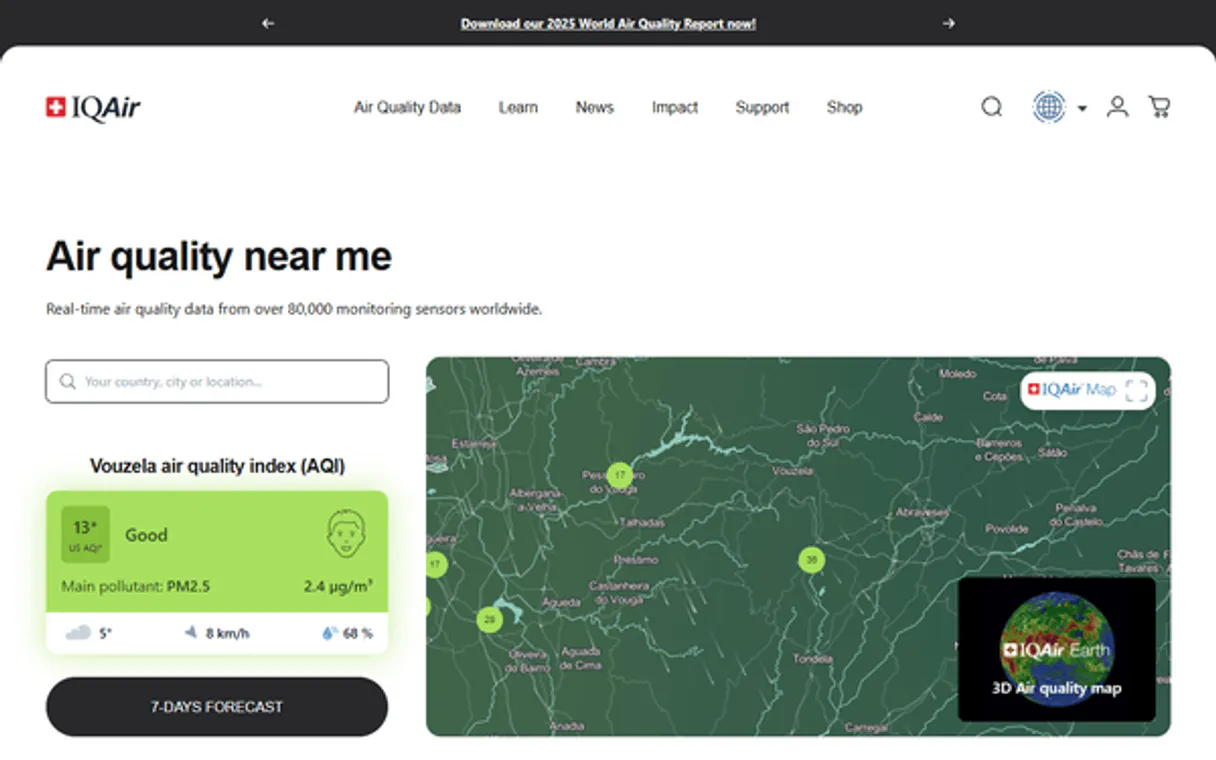
Independent Platform Disclaimer: Vinkius is an independent platform and is not affiliated with, endorsed by, sponsored by, verified by, or otherwise authorized by IQAir. All third-party trademarks, logos, and brand names are the property of their respective owners. Their use on this website is strictly for informational purposes to identify service compatibility and interoperability.
VINKIUS INFRASTRUCTURE
Cloud Hosted
Managed infra
V8 Isolated
Sandboxed per request
Zero-Trust Proxy
No stored credentials
DLP Enforced
Policy on every call
GDPR Compliant
EU data residency
Token Compression
~60% cost reduction
Works with Claude, ChatGPT, Cursor, and more
The Model Context Protocol standardizes how applications expose capabilities to LLMs. Instead of operating in isolation, your AI gains direct access to external platforms, live data, and real-world actions through secure, standardized connections.
This server provides 6 capabilities that interface natively with Claude, ChatGPT, Cursor, and any MCP client. No middleware. No custom integration required.
Available Capabilities
Getting current air quality data used to be a mess of dashboards and search pages.
Before this MCP server, getting a full environmental audit meant jumping between multiple government portals or third-party websites. You'd copy-paste city names, toggle between temperature and pollution graphs, and spend minutes just confirming the data source was live and accurate.
Now, your agent handles it. You just ask: 'What's the air quality in Los Angeles?' You get the real-time AQI, the main pollutants (like PM2.5), and the current weather—all in one clean block of data. No clicking, no copy-pasting. Just the answer.
IQAir MCP Server: Audit pollution data and weather metrics
You don't have to manually check if the API is up before you start your research. You just call `check_api_status` to confirm the system is running. Then, you can rely on the agent to pull the data for any city, from checking the nearest location with `get_nearest_city_air_quality` to gathering detailed metrics using `get_city_air_quality`.
Common Questions About IQAir MCP
How do I check the air quality in a city using get_city_air_quality? +
You need to provide the full city name to the agent. The agent then retrieves the real-time AQI and weather data for that specific city. You'll get the current pollutant level and the temperature/humidity.
Does IQAir MCP Server handle historical pollution data? +
No, this server provides real-time data only. It gives you the current air quality index and weather conditions, not pollution trends from previous days or months.
How can I find out if a city is supported by IQAir MCP Server? +
You must use the location listing tools first. Start with list_supported_countries to get the list of countries, then use list_supported_states to find the states, and finally list_supported_cities to confirm the city.
What if I don't know the city name? +
Use get_nearest_city_air_quality. This tool uses your IP address to automatically identify the closest monitored city and provides the data for that location, saving you the guesswork.
How do I use `list_supported_countries` to find available regions? +
It lists every country supported by the IQAir API. You can run this tool first to map out the full geographic scope before checking specific states or cities.
What should I use if I want to check the air quality for my current location? (Using `get_nearest_city_air_quality`) +
The get_nearest_city_air_quality tool automatically uses your IP address. It retrieves real-time air quality and weather for the monitored city closest to you, saving you manual location input.
How do I verify if the IQAir API is working before building my agent? (Using `check_api_status`) +
Calling check_api_status instantly confirms the API's operational status. This lets you validate the connection health before running complex data queries.
If I need to list all monitored cities in a state, which tool should I use? (Using `list_supported_states` and `list_supported_cities`) +
First, use list_supported_states to verify the state. Then, use list_supported_cities with the state and country parameters to get a complete list of available cities.
How do I find my IQAir API Key? +
Log in to your IQAir dashboard, create a new key in the API section, and copy it. Copy and paste it below.
Does the agent use the server's IP for nearest city? +
Yes. The get_nearest_city_air_quality tool automatically uses the requester's IP address to identify and audit the nearest monitored location.
Are weather details included with air quality? +
Yes. Every city data retrieval includes current weather metadata such as temperature, humidity, and atmospheric pressure alongside the AQI.
Use it with your favorite AI tools
Connect this server to Cursor, Claude, VS Code, and more.
More in this category

Lucidworks Fusion (AI Search & Discovery)
Manage AI-powered search via Lucidworks Fusion — execute semantic queries, index documents, and monitor ML training jobs.

Fortnite Map, Playlists & Engine Intelligence
The technical server for Fortnite engine data — track the island map, active gamemodes, and AES keys via AI.
Integrate.io (ETL & Data Integration)
Manage data pipelines via Integrate.io — list pipelines, monitor job runs, and audit data transformations.
You might also like

Canva
Empower your AI agents to manage Canva designs, upload branding assets, and trigger automatic exports directly from your chat.

BrandMentions
Monitor social listening and brand mentions via BrandMentions — track keywords, manage projects, and list influencers directly from any AI agent.

Megaphone
Podcast publishing and ad management via Megaphone — manage networks, podcasts, and campaigns.