
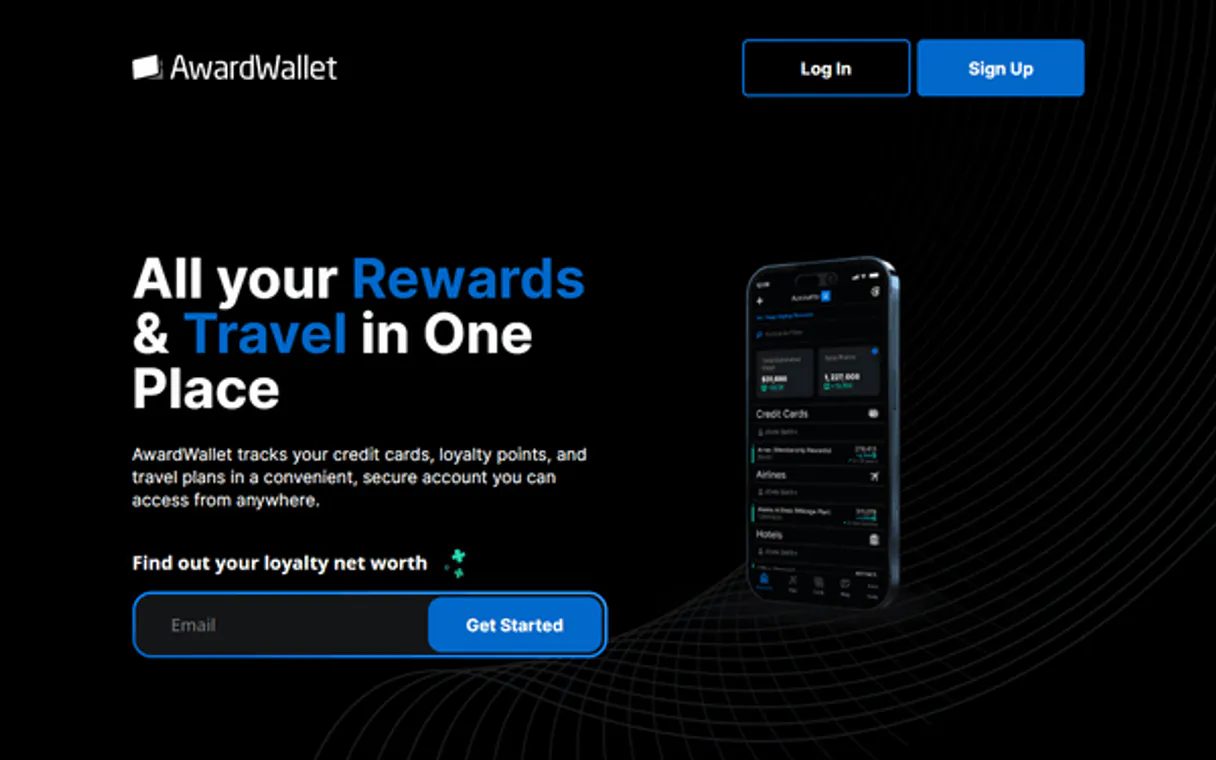
AwardWallet MCP. Consolidate every mile, point, and itinerary into one query.
 Gemini
 Works with every AI agent you already use
…and any MCP-compatible client









Just plug in your AI agents and start using Vinkius.
AwardWallet MCP Server lets your AI agent manage all your travel rewards and loyalty accounts. Connect it to monitor miles, track expiration dates for frequent flyer points, and pull unified trip histories from multiple programs—all through natural conversation.
What your AI agents can do
Create auth url
Generates a unique URL that allows a user to securely link their personal AwardWallet account to your business API.
Get account check
Verifies if the main AwardWallet Business API connection is active and working correctly.
Get account details
Pulls specific data fields, like current point balances or elite status level, for a given loyalty account.
It lists every user who has given the business account permission to access their private loyalty and travel data.
It verifies your connection and pulls specific details—like current mileage counts or point totals—for a single, defined loyalty program.
It compiles a list of all the different loyalty accounts (Marriott, Delta, etc.) associated with a particular user ID.
It pulls time-series data showing how an account's balance changed over a specific date range.
It retrieves both the full travel timeline (upcoming/past events) and detailed, multi-stop itineraries for specific users.
Ask AI about this MCP
Supported MCP Clients
Gemini Waiting for input…
AwardWallet MCP Server: 9 Tools for Loyalty Data Management
Use these nine tools to analyze account details, track historical spending, and manage user travel data across multiple loyalty programs.
019d7556create auth url
Generates a unique URL that allows a user to securely link their personal AwardWallet account to your business API.
019d7556get account check
Verifies if the main AwardWallet Business API connection is active and working correctly.
019d7556get account details
Pulls specific data fields, like current point balances or elite status level, for a given loyalty account.
019d7556get account history
Retrieves a record of changes (gains or losses) for an account over a specified time period.
019d7556get user accounts
Fetches a list of all loyalty accounts tied to a specific user ID.
019d7556get user itineraries
Gets detailed, structured records for past and future multi-stop trips planned by a user.
019d7556get user timeline
Retrieves a chronological list of all travel events (flights, hotels) associated with a single user.
019d7556list connected users
Returns a roster of every individual whose personal data has been authorized for your business account access.
019d7556list loyalty providers
Provides a full list of all the different loyalty programs that this server tracks and supports.
Choose How to Get Started
Build a custom MCP for your own tools, or connect a ready-made integration from our catalog.
Build Your Own
Turn any API into an MCP. Import a spec, define Agent Skills, or deploy with MCPFusion.
- Import from OpenAPI, Swagger, or YAML specs
- Create Agent Skills with progressive disclosure
- Deploy to edge with MCPFusion framework
- Built in DLP, auth, and compliance on every call
- Real time usage dashboard and cost metering
- Publish to catalog or keep private
Make Your AI Do More
Start with AwardWallet, then connect any of our 4,700+ other servers whenever your AI needs more. One click, no limits.
- Use this MCP plus 4,700+ others, all in one place
- Add new capabilities to your AI anytime you want
- Every connection is secured and compliant automatically
- Track usage and costs across all your servers
- Works with Claude, ChatGPT, Cursor, and more
- New servers added to the catalog every week
What you can do with this MCP connector
Listen up. AwardWallet gives your AI agent total control over every travel reward and loyalty account you use for work. You don't have to juggle a dozen airline websites just to check an expiration date or see how many points you got last quarter. This server pulls all that data into one place, letting your agent talk directly to your rewards programs.
Getting Set Up
To get going, you first use create_auth_url—this spits out a secure URL. You'll send that link to the user so they can connect their personal AwardWallet account right into your business API setup. After you confirm the connection, running get_account_check tells you immediately if the main business connection is active and working its magic.
If it fails, you know exactly where the problem is.
Who You're Tracking
The server keeps tabs on every person who gives your company permission to see their private travel data. Use list_connected_users to pull a roster of every single individual whose loyalty data you can access. If you need to know what programs are even supported, run list_loyalty_providers; that spits out the full list of all the different airline or hotel reward systems this server tracks.
Viewing User Accounts and Balances
When your agent needs to dive into a specific user's records, you first call get_user_accounts. This tool compiles a complete list of every single loyalty account—like Marriott, Delta, or whatever else—that belongs to that particular user ID. Once you have the program name, you use get_account_details to pull immediate specifics on one defined program.
That gives you things like their current point balance or what elite status level they've hit.
For a deeper dive into how those points accumulate—or vanish—you run get_account_history. This tool retrieves time-series data, showing exactly how that account's balance changed over a specific date range. You can see every gain and every loss in one place.
Mapping Out Travel Life
The server handles two types of trip data: the overall timeline and the detailed itinerary. If you use get_user_timeline, your agent pulls a simple, chronological list of everything that happened to or is happening for that user—flights, hotel stays, car rentals, the whole shebang.
For multi-stop trips, you use get_user_itineraries. This tool gives you structured records detailing both past and future journeys. It’s perfect for seeing every segment of a trip, from the first flight to the final night at the hotel, all pulled into one view. You'll get detailed information on those multi-stop plans.
The Bottom Line
You can manage user data access using list_connected_users, check program availability with list_loyalty_providers, and track everything from a simple point balance (get_account_details) to full travel timelines (get_user_timeline) and detailed itineraries (get_user_itineraries). Your agent handles all this heavy lifting, letting you stop worrying about which website key you need. You'll just ask your AI client for the data, and it gets it.
How AwardWallet MCP Works
- 1 Your AI agent uses
list_connected_usersto confirm who needs data access. - 2 You prompt the agent with a request (e.g., 'Check Jane Doe's points'). The agent then runs
get_user_accountsusing Jane's ID. - 3 Finally, the server returns the specific point balances and expiration warnings from multiple providers in one response.
The bottom line is you don't need to switch between apps; you just ask your agent for the data you need.
Who Is AwardWallet MCP For?
Corporate Travel Managers and Operations Analysts. If you spend time manually logging into multiple airline or hotel sites—or worse, digging through old confirmation emails—you'll want this. This is for anyone who needs a single pane of glass for company travel spending and employee rewards.
Uses it to automatically audit corporate expenses against loyalty status and track team members' accrued points without individual input.
Runs reports to monitor group policy compliance, checking expiration dates across multiple employee accounts using get_user_accounts.
Coordinates complex multi-leg trips by pulling the combined travel timeline and itinerary details for all attendees at once.
What Changes When You Connect
- Stop manually checking expiration dates. Using
get_account_detailsimmediately flags which points are about to expire, letting you know exactly what needs booking before the clock runs out. - You don't need to dig through email chains for trip info. Running
get_user_timelinegives a clean, single view of every flight and hotel stay for any user in your organization. - Audit corporate spending instantly. By running
get_account_history, you see the precise date and method by which points were earned or spent, simplifying expense reports. - Manage who sees what data. The
list_connected_userstool lets you confirm exactly which individuals have granted access, keeping your compliance clean. - Get a complete picture of rewards. Instead of checking one site at a time, using
get_user_accountslists every single program (Marriott, Delta, etc.) attached to a person.
Real-World Use Cases
The Quarterly Audit
An operations analyst needs to verify if all 50 employees in the sales department have adequate elite status for the coming quarter. They use list_connected_users to confirm access, then loop through their IDs calling get_user_accounts and get_account_details to build a single compliance report.
The Last-Minute Trip Plan
An executive assistant is booking a multi-city trip. Instead of compiling emails, she runs get_user_itineraries for the team lead's ID, instantly getting confirmation numbers and flight details from all legs, then uses get_user_timeline to confirm past travel patterns.
The Point Check
A business traveler needs to know how many points they have across their airline accounts. They run list_loyalty_providers first, then use get_user_accounts and get_account_details to pull the specific balances for Delta, American, and United in one go.
The Team Onboarding
A manager is setting up a new team. They run list_connected_users to see who has been onboarded so far. If someone's data isn't showing, they can use the guide from create_auth_url to help them get connected.
The Tradeoffs
Assuming single-source data
Trying to write a script that just pulls flight details without first ensuring the user has linked their account via create_auth_url.
→
Always start by generating an authorization URL using create_auth_url. Then, use get_user_timeline with the authenticated ID. This ensures the agent actually has permission to pull travel data.
Confusing user-level vs. account-level queries
Asking for 'all accounts' without specifying a user ID, which results in an empty or generic error response.
→
You must first run list_connected_users to get the target ID. Then you can use get_user_accounts(user_id) to pull all relevant loyalty programs for that specific person.
Asking for future data without context
Prompting for 'the next trip' when the user hasn't traveled recently, causing the agent to fail or return old information.
→
Use get_user_timeline first. This establishes the current pattern and date range. Then, use get_user_itineraries to pull specific details for the upcoming trip you care about.
When It Fits, When It Doesn't
Use this server if your workflow requires aggregating personal travel data from multiple, disparate sources (e.g., combining Marriott points with Delta miles). If your goal is solely to check a single balance and you already have the API key, then maybe not. But if you need visibility across time—like checking get_account_history or getting a full trip overview via get_user_itineraries—this is mandatory.
Don't use it if your primary need is to generate reports on non-travel data (e.g., HR records). For that, you need an API designed for those specific systems. If you just want a list of all supported programs without querying them, list_loyalty_providers handles that niche task perfectly.
Independent Platform Disclaimer: Vinkius is an independent platform and is not affiliated with, endorsed by, sponsored by, verified by, or otherwise authorized by AwardWallet. All third-party trademarks, logos, and brand names are the property of their respective owners. Their use on this website is strictly for informational purposes to identify service compatibility and interoperability.
VINKIUS INFRASTRUCTURE
Cloud Hosted
Managed infra
V8 Isolated
Sandboxed per request
Zero-Trust Proxy
No stored credentials
DLP Enforced
Policy on every call
GDPR Compliant
EU data residency
Token Compression
~60% cost reduction
Works with Claude, ChatGPT, Cursor, and more
The Model Context Protocol standardizes how applications expose capabilities to LLMs. Instead of operating in isolation, your AI gains direct access to external platforms, live data, and real-world actions through secure, standardized connections.
This server provides 9 capabilities that interface natively with Claude, ChatGPT, Cursor, and any MCP client. No middleware. No custom integration required.
Available Capabilities
Tracking rewards points shouldn't require logging into ten different airline websites.
Right now, tracking team travel benefits is a nightmare. You open the corporate portal, then you open Delta’s site, then Marriott’s page—all just to see if John has enough points for that flight next month. It's slow, it's prone to human error, and nobody knows what program they are missing.
With AwardWallet, your agent handles the logins. You ask, 'What rewards does Sarah have?' and it uses tools like `get_user_accounts` and `get_account_details` to pull every relevant balance into one clean response. The answer is instantaneous.
AwardWallet MCP Server: See a user's entire travel history at once
Before this, finding out what a team member was doing last year meant piecing together confirmation numbers from emails and manually cross-referencing dates across shared calendars. It took half an hour of copy-pasting.
Now, calling `get_user_timeline` gives you the full record—flights, hotels, rental cars—in a structured format. You get the entire picture without touching a single calendar invite.
Common Questions About AwardWallet MCP
How do I start using AwardWallet MCP Server to check points? +
You first need to generate an authorization link by calling create_auth_url. This lets the user safely connect their account. After that, you can use get_user_accounts with the user's ID.
What is the difference between `get_user_itineraries` and `get_user_timeline`? +
get_user_timeline gives a chronological list of all travel events (flights, stays). get_user_itineraries pulls highly detailed, multi-segment plans for specific trips.
Can I use AwardWallet MCP Server to see which programs are supported? +
Yes. Use the list_loyalty_providers tool. This quickly gives you a comprehensive list of all reward systems that this server is designed to track.
I need to know when points expire; what tool should I use? +
Use get_account_details. When querying an account, the tool specifically checks and reports on expiration dates for those loyalty points.
How do I use `create_auth_url` to onboard a new user? +
The tool generates a unique authorization URL. You pass this link to your client; the user clicks it and completes the sign-in process, granting your business account access.
I need to manage who can view my data; what does `list_connected_users` do? +
It pulls a list of every user authorized under your business account. This lets you audit exactly which people's travel and loyalty data you have access to.
Before I run any queries, should I use `get_account_check`? +
Yes, running this first confirms the API connection is active. It verifies that your AwardWallet Business API key is valid and functional before you attempt to retrieve data.
How do I audit a user's activity over time using `get_account_history`? +
This tool retrieves transaction logs, not just the current balance. You get a detailed timeline of when points were earned or spent and by whom.
Can the AI automatically notify me about points that are expiring soon? +
Yes! You can ask the agent to check for upcoming point expirations across all connected users. It will use the get_connected_user_accounts tool to identify balances at risk and report them to you in seconds.
How do users authorize my business account to see their travel data? +
Simply ask the agent to run the create_auth_url tool. It will generate a unique authorization link that you can share with your users. Once they click and approve, their data becomes visible to your agent.
Is it possible to retrieve full flight confirmation details through the AI? +
Yes. The get_itinerary tool allows the agent to fetch complete trip details, including confirmation numbers, flight times, and hotel addresses for any shared trip.
Use it with your favorite AI tools
Connect this server to Cursor, Claude, VS Code, and more.
More in this category

Gmelius
Turn Gmail into a collaborative workspace with shared inboxes, email delegation, and workflow automation for teams.

Relay Workflow Automation
List, run, and manage workflow automations via Relay API.
Rows
Automate spreadsheets via Rows.com — manage tables, data values, and folders with AI agents.
You might also like
UserStack User-Agent Lookup
Universal User-Agent intelligence — detect devices, browsers, and OS via AI.

Dropbox Sign
Get documents signed electronically with legally binding e-signatures, templates, and audit trails your business can trust.

CoinLore
Access real-time cryptocurrency data, market stats, exchange info, and social metrics directly from any AI agent.