
Axle MCP. Dispatching and tracking the entire fleet from chat.
 Gemini
 Works with every AI agent you already use
…and any MCP-compatible client









Just plug in your AI agents and start using Vinkius.
Axle MCP Server. Manage your entire logistics operation through your AI client. Track real-time vehicle GPS, audit driver duty status, check Hours of Service (HOS), and retrieve shipping documents using natural language.
Your agent coordinates the full supply chain lifecycle, from dispatch planning to final delivery verification.
What your AI agents can do
Get account check
Verifies the Axle connection status and overall system health.
Get driver
Retrieves specific profile details for an identified driver.
Get driver availability
Checks how many hours of service (HOS) a driver has left for the day.
The agent retrieves the last known GPS location and technical details for any vehicle in the fleet.
The agent audits driver profiles, checks their current duty status, and confirms remaining Hours of Service (HOS).
The agent lists all active shipments and updates shipment details or load statuses using natural language.
The agent finds and retrieves scanned paperwork and shipping documents tied to specific loads.
The agent lists all vehicles or all drivers currently registered in the system.
Ask AI about this MCP
Supported MCP Clients
Gemini Waiting for input…
Axle MCP Server: 12 Tools for Logistics Data
Use these 12 tools to query vehicle locations, driver records, load statuses, and associated documents through your AI agent.
019d7557get account check
Verifies the Axle connection status and overall system health.
019d7557get driver
Retrieves specific profile details for an identified driver.
019d7557get driver availability
Checks how many hours of service (HOS) a driver has left for the day.
019d7557get load
Gets detailed information for a single, specific shipment or load.
019d7557get vehicle
Retrieves specific details about a single vehicle in the fleet.
019d7557get vehicle location
Gets the last known GPS location of a specified vehicle.
019d7557list documents
Finds and pulls scanned shipping documents associated with specific shipments.
019d7557list drivers
Lists every driver profile currently registered in the system.
019d7557list loads
Lists every active shipment or load currently in the system.
019d7557list vehicles
Lists all vehicles belonging to the entire fleet.
019d7557update driver status
Changes a driver's current duty status (e.g., from 'Driving' to 'On Duty').
019d7557update load
Updates key details for a specific shipment or load.
Choose How to Get Started
Build a custom MCP for your own tools, or connect a ready-made integration from our catalog.
Build Your Own
Turn any API into an MCP. Import a spec, define Agent Skills, or deploy with MCPFusion.
- Import from OpenAPI, Swagger, or YAML specs
- Create Agent Skills with progressive disclosure
- Deploy to edge with MCPFusion framework
- Built in DLP, auth, and compliance on every call
- Real time usage dashboard and cost metering
- Publish to catalog or keep private
Make Your AI Do More
Start with Axle, then connect any of our 4,700+ other servers whenever your AI needs more. One click, no limits.
- Use this MCP plus 4,700+ others, all in one place
- Add new capabilities to your AI anytime you want
- Every connection is secured and compliant automatically
- Track usage and costs across all your servers
- Works with Claude, ChatGPT, Cursor, and more
- New servers added to the catalog every week
What you can do with this MCP connector
Axle MCP Server. Your AI client runs your whole logistics operation. You don't gotta open some massive dashboard; your agent handles complex supply chain monitoring through a simple chat. Your agent coordinates the full supply chain lifecycle, from dispatch planning to final delivery verification.
Tracking Vehicles and Loads
Your agent checks the last known GPS location and technical details for any vehicle in the fleet using get_vehicle_location and get_vehicle. You can also list every vehicle in the fleet with list_vehicles and pull detailed info for a specific shipment or load with get_load. It’ll pull all the shipping documents associated with specific loads when you call list_documents.
Managing Drivers and Status
To check a driver's profile, you use get_driver and list_drivers. You can see how many hours of service (HOS) a driver has left for the day with get_driver_availability. If a driver's status changes, your agent changes it for you using update_driver_status. You can also check the overall system connection status and system health by running get_account_check.
Handling Shipments
Your agent lists every active shipment or load with list_loads. You can update key details for a specific load or shipment using update_load.
Here's the rundown:
- Get Vehicle Info: Call
list_vehiclesto see all your trucks, orget_vehiclefor deep specs on one. You useget_vehicle_locationto find where it is right now. You'll get the load details withget_load. - Driver Stuff: You check a driver's basic info with
get_driveror see all registered drivers usinglist_drivers. You'll know what HOS they got left withget_driver_availability, and you'll update their status withupdate_driver_status. - Loads and Docs: You list all active shipments with
list_loads, and you update them withupdate_load. If you need the paperwork, calllist_documentsto pull all scanned shipping documents for specific loads.
How Axle MCP Works
- 1 Subscribe to the Axle server and provide your API Key and Base URL.
- 2 Connect your preferred AI client (Claude, Cursor, etc.) to the MCP endpoint.
- 3 Ask your agent a natural language question, like 'Where is TRUCK-101?' or 'What's John Doe's HOS?'
The bottom line is, your AI client speaks to Axle, and Axle returns the specific, actionable data you need without you touching a single dashboard.
Who Is Axle MCP For?
The logistics coordinator who spends hours clicking between multiple dashboards to confirm a load's status, or the fleet manager who needs to know if a driver is compliant with HOS limits without manual checks. This is for people who need real-time operational answers, not just data dumps.
Checks the status of multiple loads and pulls necessary delivery documentation to verify shipment progress.
Monitors the real-time GPS location and technical health of every vehicle in the fleet.
Performs rapid checks on driver Hours of Service (HOS) to ensure every trip meets regulatory safety requirements.
Identifies shipment bottlenecks and updates dispatch workflows directly from a chat interface.
What Changes When You Connect
- See real-time GPS coordinates instantly. Instead of logging into a dedicated mapping platform to find a vehicle's location, your agent runs
get_vehicle_locationand gives you the last known position in a chat response. - Maintain compliance without manual checks. Running
get_driver_availabilityimmediately tells you a driver's remaining Hours of Service (HOS), flagging issues before they become regulatory problems. - Handle complex updates in one chat thread. Updating a load's status or dispatch details is a single command using
update_load, eliminating the need to navigate through multiple data entry forms. - Audit paperwork instantly. Instead of opening a load, then searching for documents, your agent runs
list_documentsand pulls the needed paperwork right into the conversation for review. - Manage the entire fleet roster. Use
list_vehiclesorlist_driversto get an immediate overview of every asset and personnel currently in the system.
Real-World Use Cases
Finding a driver's compliance status
A compliance officer needs to know if John Doe can legally drive today. They ask their agent, and the agent runs get_driver_availability. It reports John Doe's remaining HOS and current status, solving the problem without logging into the compliance portal.
Dispatching a new load update
An operations lead learns a load is delayed. They tell their agent to run get_load and then update_load with the new ETA. The system updates the record and provides confirmation, letting the lead move on to the next dispatch.
Checking a vehicle's immediate status
A dispatcher needs to know where TRUCK-101 is right now. They ask the agent, who runs get_vehicle_location and gives the last known GPS coordinates. This prevents wasted time calling the driver just to find out the general area.
Building a manifest for an audit
A logistics coordinator needs to pull all shipping paperwork for a specific load. They prompt the agent to run list_documents for that load ID, and the agent retrieves all required scanned manifests instantly.
The Tradeoffs
Trying to update load status manually
Going into the load management dashboard, finding the specific load, clicking 'Edit', and then changing the status dropdown. This is slow and requires many clicks.
→
Just tell your agent to run update_load and specify the load ID and the new status. The whole operation happens in one chat message.
Getting fleet status from multiple sources
Opening the mapping app for location, logging into the HR portal for driver status, and then opening the dispatch system for load details. This is fragmentation hell.
→
Let your agent orchestrate it. Ask for a summary, and the agent runs get_vehicle_location, get_driver_availability, and list_loads in sequence to give one cohesive answer.
Listing all assets for a broad overview
Clicking 'View All' on the vehicle page, which loads thousands of records and times out. This fails to provide a quick summary.
→
Use list_vehicles or list_drivers to get a filtered list, or use specific tools like get_vehicle if you only need details on one asset.
When It Fits, When It Doesn't
Use this server if your primary bottleneck is information retrieval or simple state updates. Specifically, if you need to correlate a vehicle's location with a driver's HOS or a load's document history, this is built for you. Don't use it if you need to run predictive simulations (e.g., predicting traffic delays 4 hours out) or if your system requires complex financial calculations like insurance underwriting. For those, you need a dedicated optimization platform or a specialized data warehouse tool. Stick to what it does: real-time tracking and status management.

Independent Platform Disclaimer: Vinkius is an independent platform and is not affiliated with, endorsed by, sponsored by, verified by, or otherwise authorized by Axle. All third-party trademarks, logos, and brand names are the property of their respective owners. Their use on this website is strictly for informational purposes to identify service compatibility and interoperability.
VINKIUS INFRASTRUCTURE
Cloud Hosted
Managed infra
V8 Isolated
Sandboxed per request
Zero-Trust Proxy
No stored credentials
DLP Enforced
Policy on every call
GDPR Compliant
EU data residency
Token Compression
~60% cost reduction
Works with Claude, ChatGPT, Cursor, and more
The Model Context Protocol standardizes how applications expose capabilities to LLMs. Instead of operating in isolation, your AI gains direct access to external platforms, live data, and real-world actions through secure, standardized connections.
This server provides 12 capabilities that interface natively with Claude, ChatGPT, Cursor, and any MCP client. No middleware. No custom integration required.
Available Capabilities
Checking a vehicle's status shouldn't require three different logins.
Today, you check a vehicle's location on a mapping dashboard. Then, you log into the HR portal to check the driver's current status. Next, you jump to the dispatch system to verify the load's paperwork. You're jumping between three different screens, copying IDs, and waiting for three different system loads.
With the Axle MCP Server, you just ask your agent: 'What's the status of TRUCK-101?' The agent runs `get_vehicle_location` and checks the driver's status with `get_driver`—all in one conversation. You get the answer without leaving the chat window.
Axle MCP Server: Track Vehicle & Load Status
Manual process involves calling the driver to confirm their status, then logging into the load system to see the status, and finally opening the document archive to find the manifest. It's a phone call, two logins, and a deep folder search.
Now, ask your agent to 'Check the status of load #9876.' The agent runs `get_load`, checks the documents with `list_documents`, and confirms the driver's compliance using `get_driver_availability`. It gives you the full picture in a single response.
Common Questions About Axle MCP
How do I check a driver's HOS using the get_driver_availability tool? +
You ask your agent to check the HOS for a specific driver ID. The agent calls get_driver_availability and returns the remaining hours and the driver's current duty status.
Can I list all shipments using list_loads, and what details do I get? +
Yes, list_loads shows all active shipments. You get basic details like the load ID, destination, and current high-level status. You then use get_load for the full details on any single load.
What is the best way to find a vehicle's current location with get_vehicle_location? +
You provide the vehicle's ID to your agent. The agent uses get_vehicle_location to pull the last known GPS coordinates and the timestamp of the reading.
How do I update the status of a driver's status using update_driver_status? +
You tell your agent which driver and what the new status is. The agent runs update_driver_status to change the official status in the system.
How do I get detailed information about a specific vehicle using get_vehicle? +
You use get_vehicle and provide the vehicle ID. This returns the vehicle's make, model, VIN, and current maintenance status. You can verify if the vehicle needs service or if its operational parameters are within spec.
What is the difference between list_vehicles and get_vehicle_location? +
list_vehicles shows all vehicles in the fleet with basic details. get_vehicle_location fetches only the last known GPS coordinates and time stamp for a specific vehicle ID.
How do I ensure the connection is working before running complex commands using get_account_check? +
Run get_account_check first. This verifies your API key, Base URL, and overall network connectivity. It confirms the system is ready before you attempt tracking or updating loads.
When should I use list_documents versus get_load? +
Use get_load for high-level shipment details like origin, destination, and current status. Use list_documents to retrieve the actual scanned manifests and required paperwork attached to a specific load.
How can I check if a vehicle is currently moving? +
Use the get_vehicle_location tool. It returns the last known GPS coordinates, speed, and heading for the specified vehicle ID.
Can I update a driver's status through the agent? +
Yes. Use the update_driver_status tool and provide the new duty status (e.g., 'On Duty', 'Driving', or 'Off Duty') to keep your logs accurate.
How do I access shipping documents for a load? +
Use the list_documents tool. It retrieves all scanned paperwork associated with your shipments, allowing your agent to audit or summarize the contents.
Use it with your favorite AI tools
Connect this server to Cursor, Claude, VS Code, and more.
More in this category

Flexport
Manage global freight shipments, purchase orders, and logistics documents via AI agents with Flexport.

DCL Logistics
Equip your AI agent to manage order fulfillment, track shipments, and monitor warehouse inventory via the DCL Logistics API.
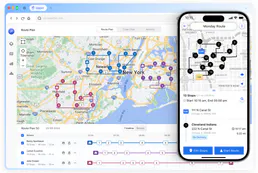
Upper Route Planner
Plan delivery routes for multiple drivers with optimization algorithms that minimize drive time and maximize daily stops.
You might also like

Gipuzkoa Irekia
Access open data from Gipuzkoa (Spain) — search datasets, explore resources, and query organizations or thematic groups directly from any AI agent.

KnowBe4 (KMSAT Reporting)
Audit security awareness — list users, track phishing tests, and monitor risk scores.

Moneybird
Manage your accounting via Moneybird — list invoices, track contacts, and oversee estimates directly from your AI agent.