
Ayanza MCP. Control your project tasks and team wikis from chat.
 Gemini
 Works with every AI agent you already use
…and any MCP-compatible client









Just plug in your AI agents and start using Vinkius.
Ayanza MCP Server gives your AI agent control over your entire project workspace. It lets you manage tasks, access team wikis, and oversee projects without ever opening a dashboard.
Your agent can list tasks, create new milestones, update statuses, and pull specific team knowledge just by talking to it.
It acts like a digital coordinator for your team's entire workflow.
What your AI agents can do
Create task
Creates a new task record in Ayanza.
Delete task
Removes an existing task from Ayanza.
Get me
Retrieves the current user's profile information from Ayanza.
Your AI agent can list, create, update, and delete specific tasks within Ayanza.
You can list all projects or get detailed status reports for a single, specified project.
The server lists available wiki pages, allowing your agent to retrieve specific team documentation.
You can list all users in the Ayanza workspace to understand who is on the team and what roles they hold.
Your agent can modify the status or description of an existing task in real time.
Ask AI about this MCP
Supported MCP Clients
Gemini Waiting for input…
Ayanza MCP Server: 10 Tools for Project Management
These tools allow your AI agent to manage the full lifecycle of tasks, projects, and knowledge within Ayanza.
019d7557create task
Creates a new task record in Ayanza.
019d7557delete task
Removes an existing task from Ayanza.
019d7557get me
Retrieves the current user's profile information from Ayanza.
019d7557get project
Gets specific details for one Ayanza project.
019d7557get task
Retrieves all data points for a specific Ayanza task.
019d7557list projects
Lists all active projects in the Ayanza workspace.
019d7557list tasks
Lists all tasks across the entire Ayanza workspace.
019d7557list users
Lists all users registered in the Ayanza workspace.
019d7557list wiki pages
Lists all available wiki pages in Ayanza.
019d7557update task
Modifies the status, description, or assignment of an existing Ayanza task.
Choose How to Get Started
Build a custom MCP for your own tools, or connect a ready-made integration from our catalog.
Build Your Own
Turn any API into an MCP. Import a spec, define Agent Skills, or deploy with MCPFusion.
- Import from OpenAPI, Swagger, or YAML specs
- Create Agent Skills with progressive disclosure
- Deploy to edge with MCPFusion framework
- Built in DLP, auth, and compliance on every call
- Real time usage dashboard and cost metering
- Publish to catalog or keep private
Make Your AI Do More
Start with Ayanza, then connect any of our 4,700+ other servers whenever your AI needs more. One click, no limits.
- Use this MCP plus 4,700+ others, all in one place
- Add new capabilities to your AI anytime you want
- Every connection is secured and compliant automatically
- Track usage and costs across all your servers
- Works with Claude, ChatGPT, Cursor, and more
- New servers added to the catalog every week
What you can do with this MCP connector
Ayanza gives your AI agent control over your whole project workspace. You can manage tasks, check team wikis, and oversee projects without ever touching a dashboard. Your agent'll act like a digital coordinator, letting you list tasks, create milestones, update statuses, and pull specific team knowledge just by talking to it.
Manage Tasks
Your agent can list all tasks across the entire workspace using list_tasks, and it can also list all active projects with list_projects. You can create a brand-new task record with create_task, and if you need to clean up, it'll delete an existing task using delete_task. To update a task, your agent uses update_task to modify the status, description, or assignment of any task.
You can also get all the details on a single task using get_task, or even pull your own profile info with get_me.
Review Projects
Want to see what's going on with a specific project? You use get_project to pull all the details for one Ayanza project. Need to know what projects are active? You can list them all with list_projects.
Access Team Knowledge
Your agent lists all available wiki pages using list_wiki_pages, so you can find team documentation right from your chat.
View Team Members
If you need to know who's on the team, your agent lists all registered users with list_users.
Update Task Details
Your agent can modify a task's status or description instantly using update_task. This lets you keep the team aligned without leaving your primary workflow.
How Ayanza MCP Works
- 1 Subscribe to the Ayanza server and enter your specific Ayanza API Token.
- 2 Connect your AI client (Claude, Cursor, etc.) to the Vinkius Marketplace.
- 3 Direct your AI agent to perform an action (e.g., 'List all projects in Ayanza').
The bottom line is, your AI agent uses the API token to talk directly to Ayanza, executing the request and sending the structured data back to your chat client.
Who Is Ayanza MCP For?
Project Managers, Engineering Leads, Operations Managers, and Knowledge Workers. If your job involves tracking dependencies across multiple systems, you need this. It's for anyone tired of context switching between a dashboard, a wiki, and a chat window.
Uses the agent to automate task status updates and get instant summaries of project health across multiple projects.
Accesses technical documentation via the wiki and manages sprint tasks directly within the chat interface.
Maintains workspace cleanliness by having the AI update or remove outdated tasks without logging into Ayanza.
Quickly pulls team guides and project context from the wiki or task list without leaving their primary workflow.
What Changes When You Connect
- Task Status Updates: Use
update_taskto change a task's status or description instantly. You don't have to navigate to a specific project board just to mark something done. - Instant Knowledge Access: The
list_wiki_pagestool lets your agent pull team guides or technical specs. You get the context you need without leaving your current chat window. - Full Project Visibility:
list_projectsgives a clean overview of every active project. You can then useget_projectto drill down on progress, all from a single command. - Team Structure Review: Running
list_usersshows who's in the workspace. This helps you assign tasks accurately and understand team ownership instantly. - Task Lifecycle Control: You can
create_taskordelete_taskon the fly. Need to flag something as obsolete? The agent handles the removal. - Comprehensive Task Review: Use
list_tasksandget_tasktogether. This lets you quickly audit all tasks or examine a single one's full history.
Real-World Use Cases
Auditing team capacity after a project phase
The Ops Lead needs to know which tasks are stalled. They ask their agent to run list_tasks and filter by status. The agent returns the list, and the Ops Lead uses get_task on the top three to identify ownership gaps, solving the problem without manual board scrubbing.
Starting a new feature kickoff
The PM needs to kick off a new effort. They prompt the agent: 'Create a new task called X and assign it to Project Y.' The agent uses create_task, and the PM follows up by using list_users to confirm the correct assignee, solving the initiation bottleneck.
Finding a missing compliance document
A Knowledge Worker can't find the Q4 budget policy. They ask the agent to run list_wiki_pages. The agent lists options, and the worker selects the correct guide, retrieving the policy details instantly, solving the knowledge retrieval headache.
Reviewing team responsibilities before a meeting
The Engineering Lead needs to know who is assigned to the core components. They ask the agent to list_users and cross-reference the results with get_project details. The agent compiles a list of owners, solving the pre-meeting coordination delay.
The Tradeoffs
Over-relying on the main dashboard
A user logs into Ayanza and clicks through 8 different tabs (Tasks, Projects, Wiki, Users) to gather status updates for a meeting. This takes 15 minutes and requires copy/pasting 5 different statuses into a document.
→
Instead, prompt your agent to list_projects and then ask it to get_task details for the key tasks. The agent compiles the required data points and presents a summary in the chat. This keeps all data in one place.
Manual status tracking via spreadsheets
The team maintains a massive, shared Google Sheet to track project milestones, updating cell by cell and relying on manual data entry. This leads to outdated data and version control issues.
→
Use update_task directly through the agent. When the task is done, tell the agent: 'Update task X status to Complete.' This writes the change directly to the source of truth, avoiding spreadsheet lag.
Ignoring team context
A PM tries to assign a task but forgets to check if the user is active or if the project even exists. The task fails, and the PM has to manually check list_users and list_projects to find the error.
→
First, run list_users to confirm the assignee exists. Then, use list_projects to confirm the project ID. Finally, use create_task with the validated parameters. This sequence prevents failures.
When It Fits, When It Doesn't
Use Ayanza MCP Server if your workflow requires synthesizing data from multiple, disparate sources (tasks, wikis, user lists) into a single, conversational summary. This is ideal for Project Managers or Ops Leads who need real-time context. Don't use it if you only need to view a single, simple list of data (e.g., 'Just list all users'). In that case, the list_users tool is enough. You need this server when you must act on the data—when you need to create_task, update_task, or combine data from list_wiki_pages and get_project to make a decision. It's about orchestration, not just retrieval.
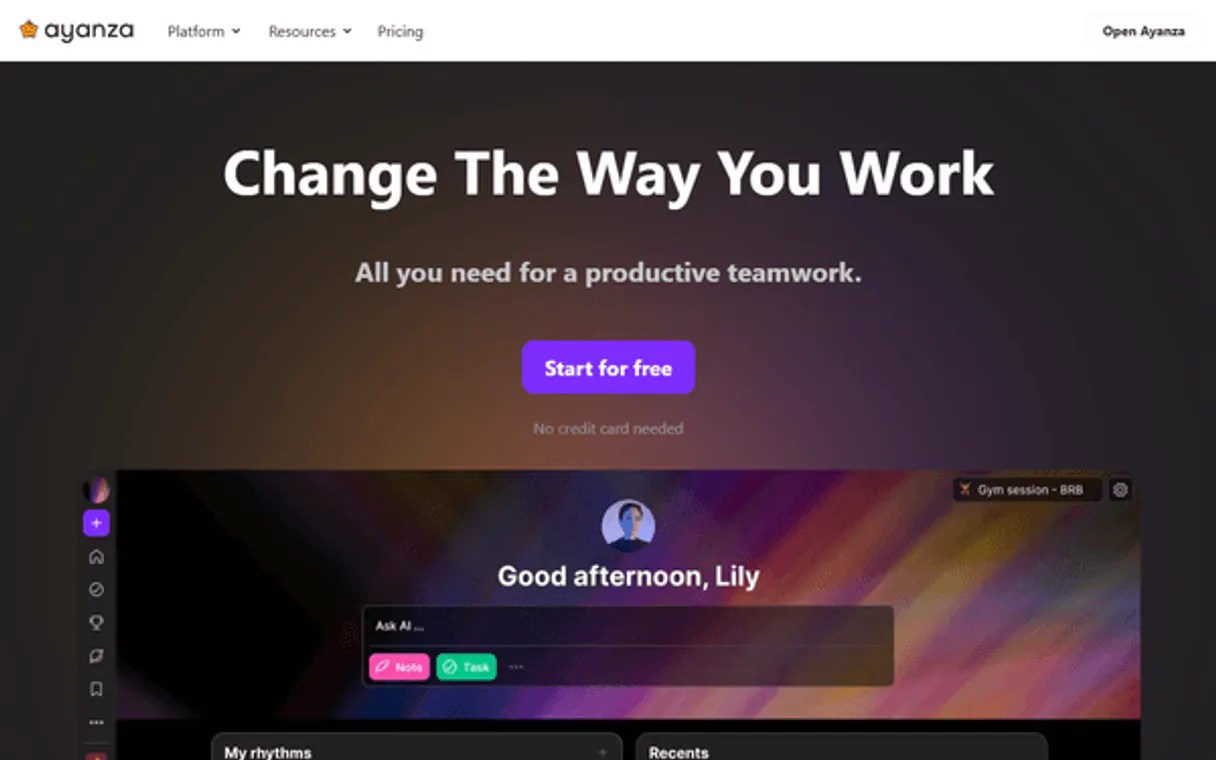
Independent Platform Disclaimer: Vinkius is an independent platform and is not affiliated with, endorsed by, sponsored by, verified by, or otherwise authorized by Ayanza. All third-party trademarks, logos, and brand names are the property of their respective owners. Their use on this website is strictly for informational purposes to identify service compatibility and interoperability.
VINKIUS INFRASTRUCTURE
Cloud Hosted
Managed infra
V8 Isolated
Sandboxed per request
Zero-Trust Proxy
No stored credentials
DLP Enforced
Policy on every call
GDPR Compliant
EU data residency
Token Compression
~60% cost reduction
Works with Claude, ChatGPT, Cursor, and more
The Model Context Protocol standardizes how applications expose capabilities to LLMs. Instead of operating in isolation, your AI gains direct access to external platforms, live data, and real-world actions through secure, standardized connections.
This server provides 10 capabilities that interface natively with Claude, ChatGPT, Cursor, and any MCP client. No middleware. No custom integration required.
Available Capabilities
Gathering a project status report shouldn't take five different tabs.
Today, pulling a project status means opening the project dashboard, clicking the 'Tasks' tab, filtering by 'In Progress,' then opening the 'Wiki' tab to find the latest requirements. You copy status updates into a document, then repeat this cycle for every stakeholder.
With this MCP Server, you tell your agent: 'Give me the status report for Project X.' The agent uses `list_projects` to verify the scope, then runs `list_tasks` and `get_project` to pull the key status indicators. You get a single, summarized answer in your chat window.
Ayanza MCP Server: Control task status and project data.
Manual process: You find a task that needs updating. You open the task details, manually change the status dropdown, and hit save. If you forget to save, the change is lost. You repeat this for every task.
Now, you just tell your agent: 'Update task XYZ status to Review.' The agent executes `update_task` and confirms the change. The action is immediate, verifiable, and done without leaving your workflow.
Common Questions About Ayanza MCP
How do I use the Ayanza MCP Server to list all my current tasks? +
Use the list_tasks tool. This command pulls a comprehensive list of all tasks across the entire workspace. You can then ask the agent to get_task for details on any specific task name or ID.
Can the Ayanza MCP Server help me find team documentation? +
Yes, run list_wiki_pages. This tool shows all available wiki pages. Once you know the name, you can ask the agent to retrieve the content of that page.
What is the best way to create a new task using the Ayanza MCP Server? +
Use the create_task tool. Just give the agent the name and description for the new task. The agent handles the record creation and sets the initial status.
Does the Ayanza MCP Server help me check who is on the team? +
Yes, the list_users tool pulls a list of every user in the Ayanza workspace. You can use this list to verify team membership before assigning work.
Can I update a task status with the Ayanza MCP Server? +
Use the update_task tool. You only need to reference the task ID and the desired new status. The agent changes the status immediately.
How do I list all projects using the `list_projects` tool in the Ayanza MCP Server? +
You simply ask your AI client to list projects. The agent runs list_projects and returns a list of every project name and ID in Ayanza. You can then select a project to get its full details or check its progress.
What is the scope of the `get_task` tool when using the Ayanza MCP Server? +
The get_task tool retrieves details for one specific task using its unique ID. This means you need the ID first. After getting the task details, you can use the update_task tool to modify its status or description.
How can I view team structure using the `list_users` tool in Ayanza? +
Using list_users gives you a roster of all accounts connected to your Ayanza workspace. This output includes user names, roles, and IDs, letting you understand who's on the team and who can be assigned tasks.
Can my AI agent create tasks in specific Ayanza projects? +
Yes! Your agent can list all projects to find the correct ID and then create tasks directly within that project context.
Is it possible to recover deleted tasks via the AI agent? +
Currently, the MCP server supports the deletion of tasks, but recovery must be handled directly within the Ayanza web interface.
Can the agent access private wiki pages? +
The AI agent can only access wiki pages that are visible to the user associated with the provided API token.
Use it with your favorite AI tools
Connect this server to Cursor, Claude, VS Code, and more.
More in this category

Ticket Tailor
Sell event tickets with low fees, custom branding, and seating charts that give you full control over the ticketing experience.

Guru
Manage enterprise knowledge cards, track collections, and search your wiki via AI agents with Guru.
MeisterTask
Organize team tasks with visual Kanban boards, recurring workflows, and integrations that connect to your favorite tools.
You might also like

MeaningCloud
Advanced text analytics for sentiment analysis, topic extraction, language detection, and automatic summarization.

Fastly
Manage edge computing and CDN via Fastly — monitor and activate service versions, manage domains and backends, and purge cache directly from any AI agent.

Deepgram
Transcribe speech to text with blazing speed and accuracy using neural networks trained on real-world audio at scale.