
Baota Panel MCP. Audit system health and server resources with AI.
 Gemini
 Works with every AI agent you already use
…and any MCP-compatible client









Just plug in your AI agents and start using Vinkius.
Baota Panel / 宝塔面板 API gives your AI agent full control over server infrastructure. It lets you read system metrics, check disk usage, audit databases, and monitor logs—all without ever logging into the web panel.
Use it to manage websites, track resources, and run operational checks on any hosted environment.
What your AI agents can do
Get disk info
Checks the current disk usage across the server.
Get network info
Retrieves the current network connection status of the server.
Get software list
Lists all software packages and plugins installed on the panel.
Retrieve real-time metrics like CPU load, RAM usage, and disk space using get_system_total and get_disk_info.
Generate a complete list of all active websites (list_sites) and associated FTP user accounts (list_ftp).
Get counts of pending tasks or review specific scheduled jobs using get_task_count and list_cron_tasks.
List every database on the server (list_databases) to verify data structures and existence.
Browse recent administrative activities via list_logs or check the installed software stack using get_software_list.
Ask AI about this MCP
Supported MCP Clients
Gemini Waiting for input…
Baota Panel / 宝塔面板 API: 10 Tools for System Audit
These ten tools let your agent gather every piece of diagnostic data from the Baota Panel, including disk usage, network status, and scheduled tasks.
019d841cget disk info
Checks the current disk usage across the server.
019d841cget network info
Retrieves the current network connection status of the server.
019d841cget software list
Lists all software packages and plugins installed on the panel.
019d841cget system total
Gathers overall system load information, including CPU and RAM usage.
019d841cget task count
Counts how many background or pending tasks are waiting to run on the server.
019d841clist cron tasks
Retrieves a detailed list of all scheduled cron jobs running on the system.
019d841clist databases
Lists every database configured on the server and retrieves its basic metadata.
019d841clist ftp
Provides a list of all active FTP accounts for access management.
019d841clist logs
Retrieves recent administrative and operational logs from the panel interface.
019d841clist sites
Generates a comprehensive list of all websites managed by the Baota Panel.
Choose How to Get Started
Build a custom MCP for your own tools, or connect a ready-made integration from our catalog.
Build Your Own
Turn any API into an MCP. Import a spec, define Agent Skills, or deploy with MCPFusion.
- Import from OpenAPI, Swagger, or YAML specs
- Create Agent Skills with progressive disclosure
- Deploy to edge with MCPFusion framework
- Built in DLP, auth, and compliance on every call
- Real time usage dashboard and cost metering
- Publish to catalog or keep private
Make Your AI Do More
Start with Baota Panel / 宝塔面板 API, then connect any of our 4,700+ other servers whenever your AI needs more. One click, no limits.
- Use this MCP plus 4,700+ others, all in one place
- Add new capabilities to your AI anytime you want
- Every connection is secured and compliant automatically
- Track usage and costs across all your servers
- Works with Claude, ChatGPT, Cursor, and more
- New servers added to the catalog every week
What you can do with this MCP connector
The Baota Panel API gives your AI agent total control over your server infrastructure. You won't have to manually click through dashboards or worry about logging into the web panel; instead, you just tell your agent what it needs to check, and it handles it. This lets your agent act like a live Site Reliability Engineer (SRE) for your entire hosted environment.
It manages websites, tracks resources, runs operational checks, and audits data—all without you touching a single dashboard button.
When you connect this API, you're giving your AI client direct read access to every core system function. You can audit server resources by checking the overall system load using get_system_total, which reports current CPU and RAM usage metrics. For disk space checks, you run get_disk_info to see exactly how much capacity you've used across all mounted drives.
You also check the network connection status with get_network_info to confirm everything's talking right.
To get a full inventory of what's running, your agent runs through several checks. It generates a complete list of every website hosted on the panel using list_sites. For user accounts, it pulls a list of all active FTP users via list_ftp, so you know exactly who has access. If you need to verify data structures, you can run list_databases to get metadata and see every database configured on the server.
Operational status is another thing your agent handles automatically. It counts how many background or pending tasks are waiting in line using get_task_count. You can also review scheduled jobs by calling list_cron_tasks, which pulls a detailed list of all cron entries running on the system. The API keeps track of what software's installed, letting you run get_software_list to see every package and plugin available on the panel itself.
For deep auditing, your agent checks everything related to activity and logging. You can retrieve recent administrative and operational logs using list_logs, which lets you see exactly who did what and when. If you need to manage system access points, you've got a dedicated function for listing all configured FTP accounts through list_ftp.
Finally, if your site management requires tracking specific records, the API includes tools to list every database on the server using list_databases.
This setup means you don't just read metrics; your agent uses them. You can verify resource availability and spot potential bottlenecks before they crash a site. You'll use this connection to manage critical operations—checking task queues, reviewing log history, or confirming software versions—all from within your preferred AI client. It’s about getting real-time data on every aspect of the server stack without ever needing an SSH session.
How Baota Panel MCP Works
- 1 You subscribe to this server, providing your Panel Host, API Secret Key, and API ID.
- 2 Your agent sends a request (e.g., 'What's the disk usage?') to the MCP endpoint.
- 3 The Baota Panel wrapper executes the necessary tool (like
get_disk_info) and returns clean, structured JSON data directly to your AI client.
The bottom line is that it turns a complex, multi-tab web interface into simple commands your agent understands.
Who Is Baota Panel MCP For?
This server is for the ops engineer who's tired of clicking through five different dashboards at 2 AM. You need immediate visibility across multiple system layers—from hardware health to application logs—without logging in manually.
Uses list_cron_tasks and get_task_count to verify scheduled jobs are running correctly, ensuring no background tasks fail silently.
Runs resource audits using get_disk_info, get_system_total, and get_network_info to pinpoint bottlenecks before they cause downtime.
Uses list_sites and list_databases together to verify site configurations and ensure all required data structures are present after a deployment.
What Changes When You Connect
- Stop guessing about performance. Use
get_system_totalto get instant CPU, RAM, and load average readings—you know exactly where the bottleneck is. - You never have to manually check resource tabs again. Run a single query that combines disk usage (
get_disk_info) with network status (get_network_info). - Keep track of who has access.
list_ftpgives you an immediate, auditable roster of every user account set up on the panel. - See what's running in the background. A quick call to
list_cron_taskslets you confirm if critical maintenance jobs are scheduled for today. - Build a full audit trail. Combining
list_sites,get_software_list, andlist_databasesgives your agent a complete picture of the entire stack, from code base to data layer.
Real-World Use Cases
Investigating high latency on a live site
A developer reports slow loading times. Instead of checking logs manually, they ask their agent: 'Check the health of marketing-site.com.' The agent runs list_sites to confirm the site exists, then calls get_disk_info and get_system_total. If disk space is low or CPU usage spikes, they know exactly why it's slow.
Pre-deployment environment check
A DevOps engineer needs to confirm a clean slate before migrating. They ask the agent to list everything: list_databases, get_task_count (to ensure no pending jobs), and list_cron_tasks. This confirms that the target server is ready for deployment, eliminating guesswork.
Security audit of user access
The security team needs to verify who can access which parts of the infrastructure. They use list_ftp to see all accounts and then run list_logs to check for any unauthorized login attempts in the panel's activity log.
Troubleshooting a database connection failure
A web developer reports that their app can't connect. The agent checks list_databases first to confirm the DB name and status, then runs get_network_info to ensure the server itself has outbound connectivity. This pinpoints whether the issue is application-level or network-level.
The Tradeoffs
Checking one thing at a time
A user runs get_disk_info to check space. Then they run list_sites. They have two different results, and they don't know if the low disk is related to an old site backup.
→
Don't call tools in isolation. Ask your agent for a combined report: 'Check resource usage against all listed sites.' This combines get_disk_info with list_sites, giving context.
Assuming everything is running
The user assumes because the site exists (list_sites) that it's working. They miss a critical detail, like an old cron job failing silently.
→
Always audit background processes. After checking sites, call list_cron_tasks and check get_task_count. That verifies both scheduled jobs and current queue depth.
Overlooking the periphery
A developer fixes a website but forgets to notice that 15 old, unused FTP accounts still exist, creating unnecessary security risk.
→
Make list_ftp part of your routine audit. If you're touching one site, run list_sites, and then immediately follow up with list_ftp to sweep for stale credentials.
When It Fits, When It Doesn't
Use this server if you need an inventory checklist: a single point to gather status checks on disk space, network connectivity, running jobs, and configured accounts. This is ideal for routine health audits or pre-migration checks.
Don't use it if your problem is configuration (e.g., 'How do I change the PHP version?'). For that, you still need a GUI. Also, don't rely on it as a replacement for actual root access—it reports what's visible via API calls. If you only need to list sites and nothing else, calling get_system_total is unnecessary overhead. Use the minimal set of tools required by your specific question.
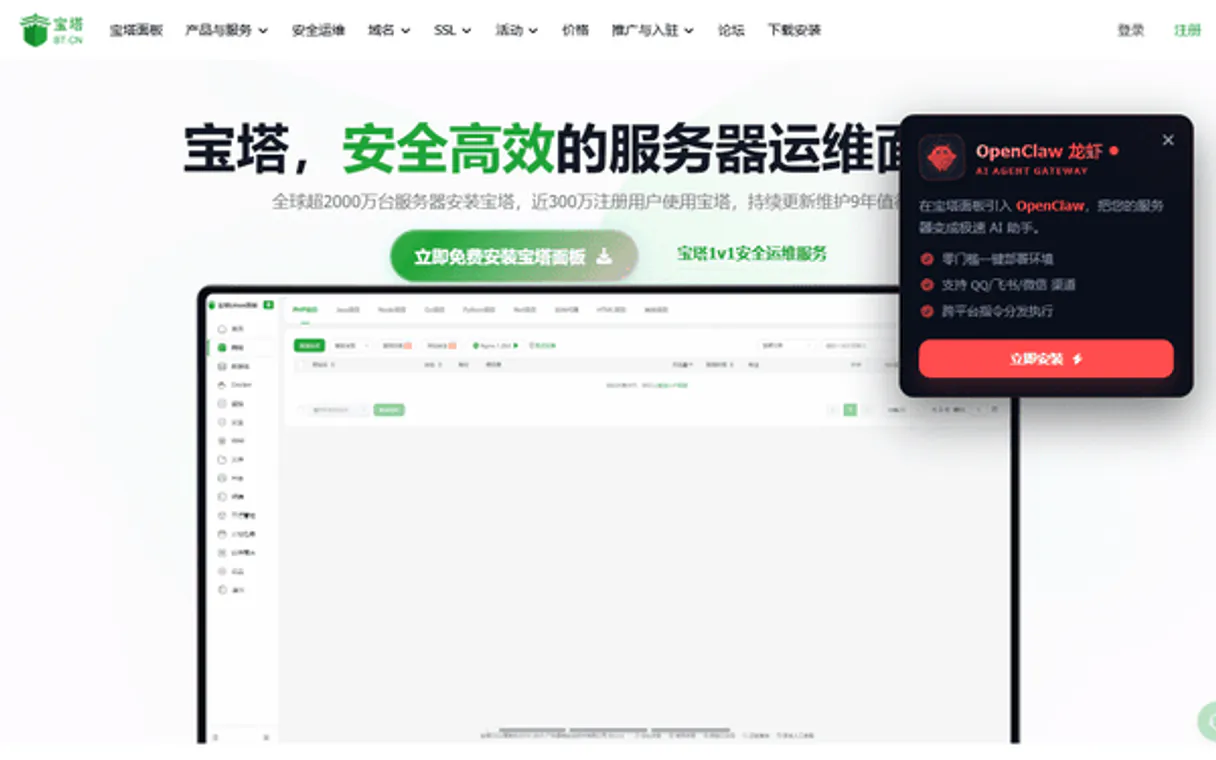
Independent Platform Disclaimer: Vinkius is an independent platform and is not affiliated with, endorsed by, sponsored by, verified by, or otherwise authorized by Baota Panel / 宝塔面板 API. All third-party trademarks, logos, and brand names are the property of their respective owners. Their use on this website is strictly for informational purposes to identify service compatibility and interoperability.
VINKIUS INFRASTRUCTURE
Cloud Hosted
Managed infra
V8 Isolated
Sandboxed per request
Zero-Trust Proxy
No stored credentials
DLP Enforced
Policy on every call
GDPR Compliant
EU data residency
Token Compression
~60% cost reduction
Works with Claude, ChatGPT, Cursor, and more
The Model Context Protocol standardizes how applications expose capabilities to LLMs. Instead of operating in isolation, your AI gains direct access to external platforms, live data, and real-world actions through secure, standardized connections.
This server provides 10 capabilities that interface natively with Claude, ChatGPT, Cursor, and any MCP client. No middleware. No custom integration required.
Available Capabilities
Checking server health used to mean jumping between five different dashboard tabs.
You'd check the 'System Status' tab for CPU/RAM load, then click into 'Disk Management' for space. Next, you'd switch to a 'Cron Jobs' section just to see what's scheduled next week. Finally, you'd open the 'Activity Log' panel—and copy-paste data across three different text files, trying to piece together why Site X went down.
With this MCP server, your agent handles that entire sequence in a single prompt: 'Give me a full health report on my infrastructure.' You get structured JSON results covering `get_disk_info`, `get_system_total`, and the last 10 entries from `list_logs`. It's all one shot.
Baota Panel / 宝塔面板 API: Get a full inventory of your sites, databases, and users.
Before this server, documenting the entire scope of the hosted environment was manual. You had to run separate queries for every site (`list_sites`), then manually check each one's associated data store by running `list_databases`, and finally, you had to hunt down all user accounts using a dedicated FTP section.
Now, your agent can combine those calls into a single, comprehensive report. It gives you the definitive status of every hosted element—the site, its database, and its access points—in one clean response.
Common Questions About Baota Panel MCP
How do I check if my websites are online using list_sites? +
The list_sites tool gives you the inventory of all configured sites. It doesn't check real-time uptime, but it confirms that the website configuration exists within the panel.
What is the difference between get_system_total and get_disk_info? +
get_system_total measures CPU/RAM usage—how hard the server is working right now. get_disk_info checks how much physical storage space you have left, which prevents disk-full shutdowns.
Can I use list_cron_tasks to find out if a job failed? +
The list_cron_tasks tool shows what is scheduled. To see if it failed, you should check the logs using list_logs, as failures are recorded there.
Does list_databases show me database credentials? +
No, list_databases only shows metadata and names of configured databases. It does not expose any passwords or credentials for the data stores.
How can I use list_ftp to audit which user accounts have access? +
It lists all existing FTP usernames and their associated directories. This lets you verify every external account on the server, helping pinpoint orphaned or unused credentials that need disabling.
Does list_logs support searching for specific error codes or keywords? +
Yes, you can filter logs by specific keywords and date ranges. This ability lets you quickly narrow down huge log files to find exactly when and where a particular error occurred.
What metrics does get_network_info provide for troubleshooting slow sites? +
It provides real-time data on bandwidth usage and active connections. You can use this to determine if site slowness is caused by internal resource strain or external network saturation.
If I see a high number from get_task_count, what does that mean for my server? +
A high count means there are many pending background tasks waiting to run. This suggests potential resource buildup; checking it helps you know if manual cleanup is needed to prevent service delays.
How do I find my Baota API Secret Key? +
Log in to your Baota Panel, go to [Panel Settings] -> [API Interface], enable the API toggle, and you will see your API Secret Key (api_sk).
Why do I need to whitelist my IP? +
Baota Panel requires all API callers to have their IP address explicitly whitelisted in the [API Interface] settings for security reasons. Without this, all requests will be blocked.
Can I check the system load in real-time? +
Yes! Use the get_system_total tool to retrieve current CPU, RAM, and system load averages, allowing your agent to monitor server performance instantly.
Use it with your favorite AI tools
Connect this server to Cursor, Claude, VS Code, and more.
More in this category

LeanCloud
Scalable backend-as-a-service platform — manage data classes, users, and push notifications via AI.

Groq
Empower LLM applications via Groq — perform ultra-fast LPU-accelerated chat completions, handle audio transcription and translation, and use JSON mode directly from any AI agent.

Gandi.net (Domain Registration & Hosting API)
Manage Gandi.net domains, DNS records, mailboxes, and hosting instances directly from your AI agent.
You might also like

Fieldfolio
Connect Fieldfolio to automate wholesale management — manage products, orders, and inventory directly from your AI agent.

Uber Eats
AI restaurant management: manage orders, menus, deliveries, and store operations via agents.

Dovetail
Analyze qualitative research data with AI-powered tagging, theme discovery, and insight synthesis for product and UX teams.