
BCB Câmbio MCP. Get official Brazilian FX rates and historical data.
 Gemini
 Works with every AI agent you already use
…and any MCP-compatible client









Just plug in your AI agents and start using Vinkius.
BCB Câmbio — Dólar PTAX, Euro e 150+ Moedas provides direct access to official Brazilian exchange rates from the Central Bank.
It handles daily PTAX dollar quotes, historical rate series for USD, and rates for over 150 foreign currencies against the BRL.
Use it to pull current and long-term financial data for complex cross-currency calculations.
What your AI agents can do
Get cotacao dolar
Gets the current PTAX quote for the US Dollar, including both buy and sell values.
Get cotacao moeda
Gets the current buy/sell quote for any foreign currency code (e.g., EUR, GBP).
Get dolar periodo
Gets the historical PTAX dollar rate series for a period up to one year.
Retrieves the official PTAX buy and sell rates for the US Dollar for a specific date.
Fetches the current buy and sell exchange rate for any foreign currency code (e.g., EUR, GBP).
Retrieves the historical PTAX dollar rate series for a period up to one year.
Pulls the commercial dollar series (buy/sell) using SGS for deep, long-term historical analysis.
Provides a complete list of all 150+ currency codes available in the Central Bank's system.
Ask AI about this MCP
Supported MCP Clients
Gemini Waiting for input…
BCB Câmbio MCP Server: 5 Tools for FX Data
Retrieve daily currency quotes, historical series, and the full catalog of 150+ currencies from the Central Bank of Brazil.
019d7559get cotacao dolar
Gets the current PTAX quote for the US Dollar, including both buy and sell values.
019d7559get cotacao moeda
Gets the current buy/sell quote for any foreign currency code (e.g., EUR, GBP).
019d7559get dolar periodo
Gets the historical PTAX dollar rate series for a period up to one year.
019d7559get dolar sgs
Gets the commercial dollar series (buy/sell) using SGS for long-term historical analysis.
019d7559listar moedas
Lists all 150+ currency codes available in the Central Bank's system.
Choose How to Get Started
Build a custom MCP for your own tools, or connect a ready-made integration from our catalog.
Build Your Own
Turn any API into an MCP. Import a spec, define Agent Skills, or deploy with MCPFusion.
- Import from OpenAPI, Swagger, or YAML specs
- Create Agent Skills with progressive disclosure
- Deploy to edge with MCPFusion framework
- Built in DLP, auth, and compliance on every call
- Real time usage dashboard and cost metering
- Publish to catalog or keep private
Make Your AI Do More
Start with BCB Câmbio — Dólar PTAX, Euro e 150+ Moedas, then connect any of our 4,700+ other servers whenever your AI needs more. One click, no limits.
- Use this MCP plus 4,700+ others, all in one place
- Add new capabilities to your AI anytime you want
- Every connection is secured and compliant automatically
- Track usage and costs across all your servers
- Works with Claude, ChatGPT, Cursor, and more
- New servers added to the catalog every week
What you can do with this MCP connector
This MCP Server connects your agent straight to the official foreign exchange rates from Brazil's Central Bank. You get reliable, current data for financial modeling and cross-currency calculations without needing an API key. You'll find five tools here:
get_cotacao_dolar gets the current PTAX quote for the US Dollar, giving you both the buy and sell values. get_cotacao_moeda fetches the current buy/sell exchange rate for any foreign currency code you specify, like EUR or GBP. To look at recent history, get_dolar_periodo retrieves the historical PTAX dollar rate series for a period up to one year.
If you need deep, long-term analysis, get_dolar_sgs pulls the commercial dollar series (buy/sell) using SGS. You can check every single currency code available in the Central Bank's system using listar_moedas, which lists all 150+ codes.
Need to crunch numbers? You're set. You use get_cotacao_dolar for today's official PTAX buy and sell rates on the dollar. You use get_cotacao_moeda to pull the current buy and sell rate for any other currency pair. If you're tracking recent market movements, get_dolar_periodo gives you the historical PTAX dollar rate series for up to a year.
For historical depth, get_dolar_sgs provides the commercial dollar series (buy/sell) using SGS, perfect for long-term studies. If you don't know what codes you need, listar_moedas gives you a complete list of all 150+ currency codes in the system.
How BCB Câmbio MCP Works
- 1 Your AI client calls a specific tool (e.g.,
get_cotacao_moeda) and provides the required parameters, like the currency code and date range. - 2 The MCP Server executes the call against the Central Bank’s data sources, fetching the specific rate data.
- 3 Your agent receives the structured financial data, which you can then use for immediate calculations or reporting.
The bottom line is you get direct, structured access to official Brazilian exchange rates from the Central Bank.
Who Is BCB Câmbio MCP For?
Financial analysts and treasury managers who need to model cross-border transactions or track currency volatility. This tool helps the ops engineer who's tired of clicking through multiple dashboards to find a single, reliable source for official FX rates.
Runs comparative reports, checking how a currency's rate changed between the PTAX and SGS series, or pulling 150+ rates for a portfolio valuation.
Determines the exact current buying and selling rates for multiple currencies to manage immediate foreign exchange exposure.
Feeds the historical dollar data (get_dolar_periodo or get_dolar_sgs) into a model to predict market trends or backtest strategies.
What Changes When You Connect
- Get the official PTAX rate for the USD instantly.
get_cotacao_dolarpulls the Central Bank's benchmark rate, removing reliance on third-party estimates. - Handle 150+ currencies in one workflow.
get_cotacao_moedaaccepts any standard currency code, letting you compare EUR/BRL against JPY/BRL without switching sources. - Model long-term trends accurately. Use
get_dolar_sgsto pull the commercial dollar series, which is more flexible for deep historical financial modeling than the standard PTAX series. - Track short-term fluctuations.
get_dolar_periodogives you the PTAX history for the last year, perfect for reviewing quarterly performance or recent market moves. - Build your own currency catalog. Run
listar_moedasto get a full list of all 150+ codes, ensuring your agent never tries to query a non-existent currency. - Calculate cross-currency values. Your agent can pull rates for different currencies and run conversions in a single, continuous workflow.
Real-World Use Cases
Valuing a Multinational Portfolio
A financial analyst needs to value a portfolio holding assets in Euros, Yen, and Pounds. They ask their agent to 'Calculate the BRL value of 1M EUR, 500k JPY, and 2M GBP based on today's rates.' The agent uses get_cotacao_moeda three times, pulling the current buy/sell rate for each currency and providing a single, summed BRL total.
Analyzing Long-Term Market Swings
A data scientist wants to see how the dollar behaved over the last decade. They use get_dolar_sgs to retrieve the SGS series data, which offers a deeper, more stable historical record than the standard PTAX period tool. This lets them build a reliable trend line for forecasting.
Checking Compliance for a Client Payment
A treasury manager needs to confirm the exact official rate for a payment coming in from France. They use get_cotacao_moeda with the EUR code and the current date. The agent confirms the precise buy/sell rate, ensuring the transaction adheres to the Central Bank's official guidelines.
Comparing Rate Sources
A quantitative researcher wants to compare the official PTAX rate (short-term) versus the commercial SGS rate (long-term). They run get_cotacao_dolar and then use get_dolar_sgs side-by-side, allowing them to immediately spot any differences between the two official data streams.
The Tradeoffs
Assuming the rate is always available
The user just asks, 'What's the rate for the Brazilian Real?' (The BRL is the base currency and not listed in the tool's scope).
→
You don't query the base currency. Instead, use listar_moedas first to confirm the currency code is supported, and then use get_cotacao_moeda for any foreign currency pair.
Trying to get a rate for a non-standard currency
The user requests a rate for a niche currency not supported by the Central Bank database.
→
Run listar_moedas to check the full catalog of 150+ codes. If the currency isn't in the list, you know the rate isn't available through the BCB Câmbio MCP Server.
Using the wrong history tool
Trying to get a 5-year history using get_dolar_periodo because it seems simple.
→
Remember that get_dolar_periodo is limited to one year. For anything longer, use get_dolar_sgs to access the specialized, long-term commercial series data.
When It Fits, When It Doesn't
Use this server if your workflow absolutely requires rates from the Central Bank of Brazil. You need the official, authoritative data for compliance, modeling, or reporting. Use get_cotacao_dolar for today's USD benchmark, and get_cotacao_moeda for any other single currency pair. If you need to compare rates across time, check the tool: get_dolar_periodo handles the recent, standard PTAX history (up to 1 year). For deep, multi-year financial analysis, the get_dolar_sgs tool is the correct choice because it accesses the more flexible commercial series. Don't use this if you only need general market estimates; this tool is strictly for official BCB data. If you just need a list of currencies, run listar_moedas first.
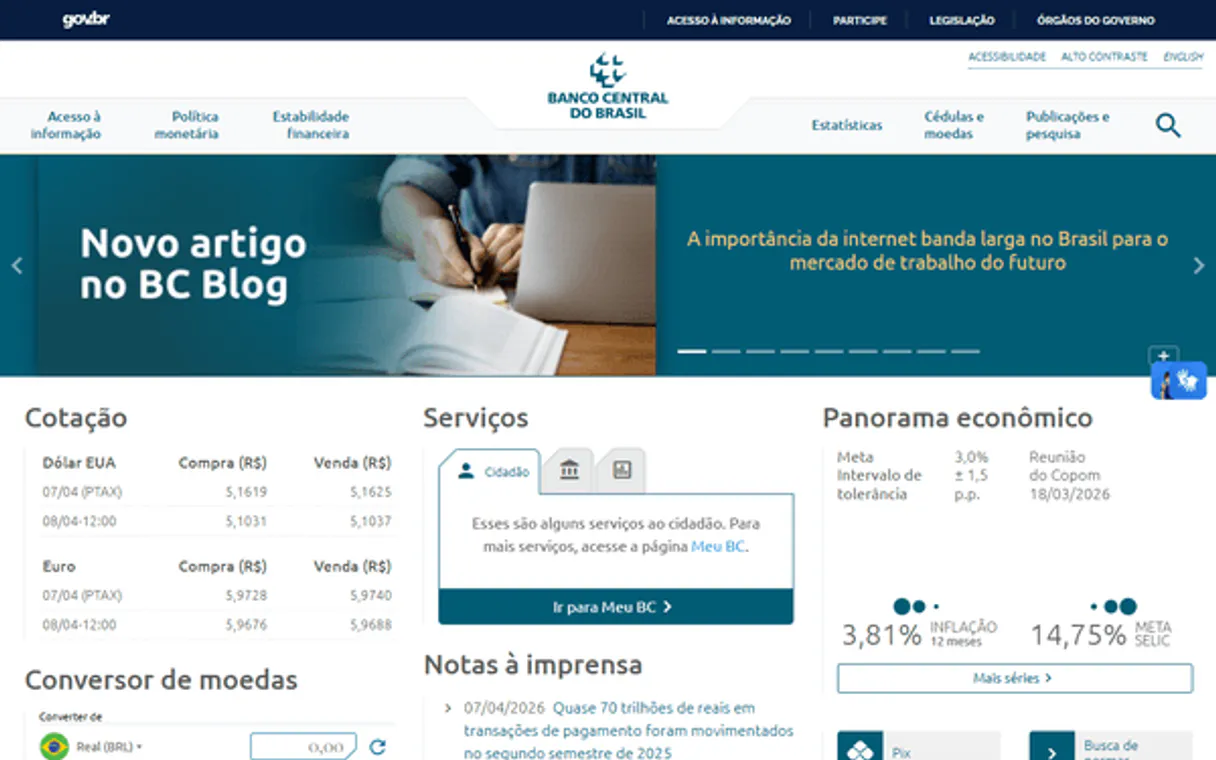
Independent Platform Disclaimer: Vinkius is an independent platform and is not affiliated with, endorsed by, sponsored by, verified by, or otherwise authorized by Banco Central do Brasil. All third-party trademarks, logos, and brand names are the property of their respective owners. Their use on this website is strictly for informational purposes to identify service compatibility and interoperability.
VINKIUS INFRASTRUCTURE
Cloud Hosted
Managed infra
V8 Isolated
Sandboxed per request
Zero-Trust Proxy
No stored credentials
DLP Enforced
Policy on every call
GDPR Compliant
EU data residency
Token Compression
~60% cost reduction
Works with Claude, ChatGPT, Cursor, and more
The Model Context Protocol standardizes how applications expose capabilities to LLMs. Instead of operating in isolation, your AI gains direct access to external platforms, live data, and real-world actions through secure, standardized connections.
This server provides 5 capabilities that interface natively with Claude, ChatGPT, Cursor, and any MCP client. No middleware. No custom integration required.
Available Capabilities
Manually tracking currency rates is a nightmare.
Today, getting a full cross-currency snapshot means logging into the Central Bank's website, finding the PTAX rate for the dollar, switching tabs for the Euro, and then manually finding the rate for the Yen. You copy the data into a spreadsheet, then cross-reference the dates to make sure everything lines up. It takes ten minutes and requires perfect manual discipline.
With BCB Câmbio MCP Server, your agent handles the whole process. You ask for a multi-currency comparison, and the agent calls `get_cotacao_moeda` for every pair, returning a clean, structured data set. You get the official rates instantly.
BCB Câmbio: Accessing PTAX and SGS Data
Before, pulling a long-term historical rate meant dealing with multiple, often inconsistent data feeds: one for the standard PTAX period, and another for the more reliable but complex SGS series. You'd spend time trying to reconcile the two different data formats and time limitations.
Now, the server gives you two distinct, specialized tools. You can use `get_dolar_periodo` for recent PTAX data, and `get_dolar_sgs` for the deep-dive, long-term SGS data. The data sources are isolated, giving you clarity and reliability.
Common Questions About BCB Câmbio MCP
What is the difference between `get_cotacao_dolar` and `get_cotacao_moeda`? +
Use get_cotacao_dolar when you need the official PTAX rate for the US Dollar. Use get_cotacao_moeda for any other specific currency code (like EUR or JPY).
Can I get the historical rate for the dollar using `get_dolar_periodo`? +
Yes, get_dolar_periodo retrieves the historical PTAX series for the dollar, but remember it is limited to a maximum of one year per query.
How do I list all the currencies available for rate checking? +
Run listar_moedas. This tool outputs the full catalog of all 150+ currency codes supported by the Central Bank's system.
Which tool should I use for very old financial data? +
Use get_dolar_sgs. This tool pulls the commercial dollar series via SGS, which is designed for long-term historical data, making it better than get_dolar_periodo for multi-year analysis.
When should I use `get_dolar_sgs` instead of `get_dolar_periodo`? +
Use get_dolar_sgs for long-term data. It provides the commercial dollar series (buy/sell) and is more flexible than PTAX for historical tracking. Both tools require specific date formatting.
How do I find the full list of currencies before using `get_cotacao_moeda`? +
You first call listar_moedas. This returns all 150+ currency codes, including exotic ones like CLP or MXN. Then, you pass the desired code to get_cotacao_moeda.
What date format do I use for historical queries like `get_dolar_periodo`? +
The format is MM-DD-YYYY. Remember that get_dolar_periodo has a limit of one year per request. Check the documentation for the exact date rules.
Does the server require an API key for any of the currency tools? +
No, the server doesn't require an API key. You can access all the currency tools directly through your AI client connection.
What is PTAX? +
PTAX is the official BRL/USD reference rate calculated by the Central Bank of Brazil. It's computed from daily consultations with foreign exchange dealers and is used as the benchmark for settling FX contracts, derivatives, and international transactions in Brazil.
Can I query currencies other than USD? +
Yes! The Central Bank holds an active catalog covering more than 150 different foreign exchange currencies against the Real (BRL). The AI will fetch daily crosses simply by mentioning the currency ticker.
Does it require an API authentication key or setup? +
No. The integration interfaces entirely with the Central Bank's open access OData portals. Subscribe the module and engage directly without generating account tokens.
Use it with your favorite AI tools
Connect this server to Cursor, Claude, VS Code, and more.
More in this category

Serviceform
Convert website visitors with chatbots, forms, and booking widgets that generate leads and collect data without friction.

Uber Eats
AI restaurant management: manage orders, menus, deliveries, and store operations via agents.

Walmart Orders & Fulfillment
Securely process e-commerce orders, manage fulfillment logistics, and handle customer returns.
You might also like

MiiTel Alternative
Automate MiiTel voice intelligence — list export queues, generate CSVs, and import call or meeting records via AI.
Beagle Security
Automate security testing via Beagle Security — list projects, start tests, and retrieve results directly from any AI agent.

CDC WONDER (Epidemiologic Data)
Access public health data from the CDC WONDER system, including mortality, births, and vaccine adverse events directly through your AI agent.