
Brandfolder MCP. Find the exact asset link without opening the UI.
 Gemini
 Works with every AI agent you already use
…and any MCP-compatible client









Just plug in your AI agents and start using Vinkius.
Brandfolder MCP Server. Manage your entire digital asset library from any AI agent. Use this server to search, list, and retrieve brand assets, collections, and organizational metadata without opening the Brandfolder UI.
It lets your agent find the exact campaign logo or vector file, and even update metadata or delete assets, right in the chat.
What your AI agents can do
Create cms asset
Injects a brand asset (image, document, etc.) into Brandfolder.
Get asset details
Retrieves detailed metadata for a specific digital asset.
Get brandfolder assets
Searches and retrieves digital assets across the entire Brandfolder.
Retrieves specific digital assets by searching across the entire Brandfolder repository.
Searches and retrieves digital assets that belong to a specific, defined Brandfolder Collection.
Pulls extensive metadata for a single digital asset, including its structural data and usage information.
Modifies metadata attributes (like tags or descriptions) on an existing digital asset.
Retrieves all attachments and tags associated with a specific asset, showing its full context.
Lists all global Brandfolders or all top-level organizations accessible by the API key.
Ask AI about this MCP
Supported MCP Clients
Gemini Waiting for input…
Brandfolder MCP Server: 10 Tools for Asset Management
Search, retrieve, and manage every digital asset, attachment, and organizational structure in Brandfolder using your AI agent.
019d7562create cms asset
Injects a brand asset (image, document, etc.) into Brandfolder.
019d7562get asset details
Retrieves detailed metadata for a specific digital asset.
019d7562get brandfolder assets
Searches and retrieves digital assets across the entire Brandfolder.
019d7562get collection assets
Searches and retrieves digital assets within a specific collection.
019d7562list asset attachments
Gets the direct CDN URLs and attachments stored behind an asset.
019d7562list asset tags
Retrieves the exact tags attached to an asset for structural verification.
019d7562list global brandfolders
Retrieves all main Brandfolders (logical asset containers) in the workspace.
019d7562list platform organizations
Retrieves all top-level tenant organizations accessible by your API key.
019d7562patch cms asset
Updates the metadata attributes of an existing digital asset.
019d7562wipe media asset
Permanently deletes a digital asset from Brandfolder.
Choose How to Get Started
Build a custom MCP for your own tools, or connect a ready-made integration from our catalog.
Build Your Own
Turn any API into an MCP. Import a spec, define Agent Skills, or deploy with MCPFusion.
- Import from OpenAPI, Swagger, or YAML specs
- Create Agent Skills with progressive disclosure
- Deploy to edge with MCPFusion framework
- Built in DLP, auth, and compliance on every call
- Real time usage dashboard and cost metering
- Publish to catalog or keep private
Make Your AI Do More
Start with Brandfolder, then connect any of our 4,700+ other servers whenever your AI needs more. One click, no limits.
- Use this MCP plus 4,700+ others, all in one place
- Add new capabilities to your AI anytime you want
- Every connection is secured and compliant automatically
- Track usage and costs across all your servers
- Works with Claude, ChatGPT, Cursor, and more
- New servers added to the catalog every week
What you can do with this MCP connector
You'll manage your whole digital asset library through any AI agent. This server lets your agent search, list, and update brand assets, collections, and metadata right in the chat, without you ever having to open the Brandfolder UI.
Search and find assets
Your agent can search and pull up specific digital assets across the entire Brandfolder repo using get_brandfolder_assets. You can also narrow the search to just the assets inside a specific collection by calling get_collection_assets. To check out all the assets within a collection, you use get_collection_assets. You can also get a full list of the main Brandfolders in the workspace with list_global_brandfolders, or see every top-level organization accessible with list_platform_organizations.
View asset details and metadata
When you know which asset you want, your agent can pull extensive metadata for it using get_asset_details. You can also check out every tag attached to an asset by running list_asset_tags, or see all the attachments stored with an asset, including direct CDN URLs, by calling list_asset_attachments.
Update asset metadata
Need to change something? Your agent can update the metadata on an existing asset using patch_cms_asset. You can also inject a new brand asset (like an image or document) directly into Brandfolder with create_cms_asset.
Manage asset relationships
To fully understand an asset's context, your agent retrieves all attachments and tags using list_asset_attachments and list_asset_tags. If you need to get rid of an asset permanently, you can wipe it using wipe_media_asset.
How Brandfolder MCP Works
- 1 Install the MCP Server and provide your personal Brandfolder API Token.
- 2 Your AI agent sends a natural language request (e.g., 'Find the Q3 logo for the finance campaign').
- 3 The agent executes the necessary tools (like
get_brandfolder_assetsorget_collection_assets), and the resulting assets, links, and metadata appear in the chat.
The bottom line is you use your AI client to run Brandfolder's underlying APIs directly, letting it search and manage assets without needing to log into the Brandfolder web interface.
Who Is Brandfolder MCP For?
Marketing Directors, Brand Managers, and Content Creators. If your job involves tracking down the correct version of a logo or making sure a pitch deck uses the latest approved collateral, this saves hours of searching and clicking. It lets you manage the brand's entire visual history from a single chat window.
Asks the agent to 'Find the hero image for the summer campaign and list its CDN link.' The agent runs get_brandfolder_assets and delivers the link immediately.
Asks the agent to 'Get the precise vector file for the new product line.' The agent pulls the asset and its full metadata using get_asset_details.
Uses the agent to check if a specific asset exists across multiple teams, running get_collection_assets to map internal sharing structures.
What Changes When You Connect
- Find assets instantly. Instead of navigating folders, your agent runs
get_brandfolder_assetsto search and pull high-res assets across the whole repository. - Map team structures. Use
get_collection_assetsto instantly list and map assets within specific, defined collections, showing who owns what. - Maintain brand standards. Need to know if a logo is approved? Use
list_asset_tagsto verify the exact tags attached to an asset. - Get direct links.
list_asset_attachmentspulls the CDN delivery URLs, so you get a usable link, not just a file name. - Update records. Use
patch_cms_assetto change metadata—like updating a campaign date—on an existing asset without manual uploads. - Audit the system. Run
list_platform_organizationsto check all top-level brand folders and understand your entire workspace topology.
Real-World Use Cases
Updating a campaign asset
The marketing team needs to update the logo usage guidelines. They ask the agent to check the current metadata for the master logo. The agent runs get_asset_details, reads the current tags, and then uses patch_cms_asset to add the new compliance tag.
Locating a specific pitch deck template
A salesperson needs the latest version of a pitch deck. Instead of searching through shared drives, they ask the agent. The agent uses get_collection_assets to find the correct collection and then retrieves the most recent PDF link.
Verifying asset access rights
A software engineer needs to confirm if a developer can access a specific asset CDN URL. The agent runs list_asset_tags and get_asset_details to validate both the asset's existence and its permissions structure.
Cleaning up old assets
A content manager needs to delete 50 old, unapproved assets. They ask the agent to identify the assets using get_brandfolder_assets and then execute wipe_media_asset on the list of IDs.
The Tradeoffs
Manual file searching
Going to the Brandfolder website, manually navigating through deep folder structures, clicking into collections, and downloading individual assets just to find one link.
→
Tell your agent to search using get_brandfolder_assets. It handles the navigation and delivers the asset link directly into the chat.
Checking asset details manually
Opening an asset, then clicking into the metadata tab, scrolling through fields to find the version number or owner.
→
Run get_asset_details through your agent. It pulls all the metadata fields into a clean, structured response immediately.
Updating metadata via a form
Finding the asset, then clicking 'Edit Metadata' and manually changing the date or owner tag in the web UI.
→
Use patch_cms_asset. Your agent handles the API call, taking the asset ID and the new metadata values you provide, and applies the update instantly.
When It Fits, When It Doesn't
Use this if you need to treat Brandfolder like a database—if your workflow requires checking metadata, filtering assets by tags, or programmatically updating records. You're building a process, not just looking at a folder. Don't use this if your only goal is to view the brand folder's visual structure once; the native UI is fine for that. If you only need to check the overall brand structure, start with list_global_brandfolders to scope your search, then narrow down with get_collection_assets or get_brandfolder_assets for the specific assets you need.
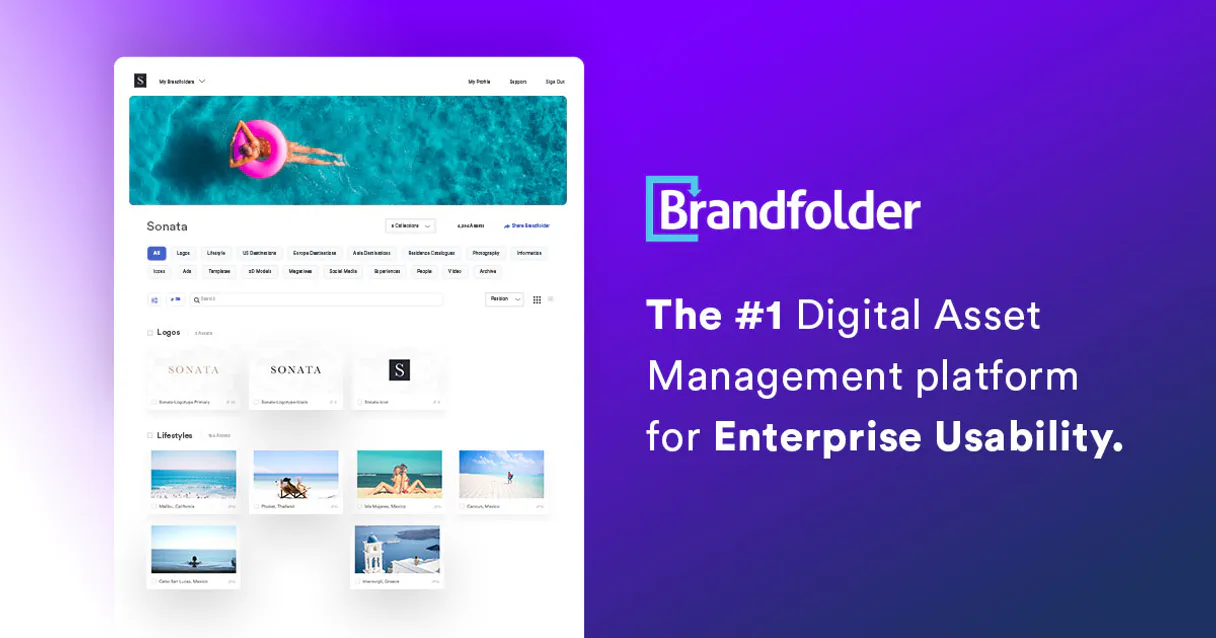
Independent Platform Disclaimer: Vinkius is an independent platform and is not affiliated with, endorsed by, sponsored by, verified by, or otherwise authorized by Brandfolder. All third-party trademarks, logos, and brand names are the property of their respective owners. Their use on this website is strictly for informational purposes to identify service compatibility and interoperability.
VINKIUS INFRASTRUCTURE
Cloud Hosted
Managed infra
V8 Isolated
Sandboxed per request
Zero-Trust Proxy
No stored credentials
DLP Enforced
Policy on every call
GDPR Compliant
EU data residency
Token Compression
~60% cost reduction
Works with Claude, ChatGPT, Cursor, and more
The Model Context Protocol standardizes how applications expose capabilities to LLMs. Instead of operating in isolation, your AI gains direct access to external platforms, live data, and real-world actions through secure, standardized connections.
This server provides 10 capabilities that interface natively with Claude, ChatGPT, Cursor, and any MCP client. No middleware. No custom integration required.
Available Capabilities
Finding the right logo shouldn't require navigating 12 folders.
Today, finding a single asset is a slog. You start in the main library, maybe go to the 'Q3' folder, then drill down into 'Marketing/Logos/Final Vectors'. You spend minutes clicking through directories, hoping you landed on the version that hasn't been superseded. Then you copy the link, and hope it works.
With the Brandfolder MCP Server, you just ask your agent. You tell it, 'Find the primary logo for the Q3 campaign.' The agent runs `get_brandfolder_assets`, filters the results based on your criteria, and gives you the exact, working CDN link instantly. No clicks, no wasted time.
Brandfolder MCP Server: Manage assets and metadata from chat.
Manual asset management involves separate steps: first, finding the asset; second, opening it to view metadata; third, using a separate tool to update the tags. These steps are disconnected and require switching context every time.
The MCP Server ties this together. You tell the agent to 'Update the asset tags and get the details for the Q3 logo.' It executes `get_asset_details` then `patch_cms_asset` in sequence, giving you a clean confirmation and the full updated metadata back. It's a single, programmatic action.
Common Questions About Brandfolder MCP
How do I use the `get_brandfolder_assets` tool with Brandfolder MCP Server? +
You tell your agent to search assets within the Brandfolder. You provide criteria like asset type or name, and the agent returns a list of matching assets and their metadata.
Can I list assets from a specific collection using `get_collection_assets`? +
Yes. You specify the collection name to the agent, and it runs get_collection_assets, providing only the assets contained within that specific group.
What is the difference between `get_asset_details` and `list_asset_tags`? +
get_asset_details retrieves all metadata (size, owner, date, etc.) for an asset. list_asset_tags only pulls the specific structural tags attached to that asset.
How do I update an asset's metadata with `patch_cms_asset`? +
You instruct your agent to run patch_cms_asset. You must provide the asset ID and the exact metadata attributes you want to change.
Does Brandfolder MCP Server help me find all possible brand folders? Use `list_global_brandfolders`. +
Yes. Running list_global_brandfolders retrieves a list of every major Brandfolder container in your entire workspace, giving you a top-level view of your assets.
How do I find all top-level organizational structures using `list_platform_organizations`? +
It retrieves all top-level tenant organizations visible with your API key. This is useful for verifying which main workspaces your account can access across different clients.
What is the function of `list_asset_attachments`? +
It pulls the actual CDN delivery URLs and any attachments tied to an asset. You get the direct link needed for embedding or download, not just the metadata.
How can I permanently remove an asset using `wipe_media_asset`? +
This tool deletes the asset from Brandfolder entirely. It’s a destructive action, so always confirm the asset ID before running it.
Can it search for specific file types like PDFs or PNGs? +
Absolutely. Through the list_assets capability, the AI can parse queries finding exactly what format you need among your organization's total index.
Can the AI return download links for an asset? +
Yes. Upon locating an asset, you can ask the AI to provide the CDN URL representing the final high-resolution source file directly in the chat.
Is my API token secure during the requests? +
Yes. The API Token is encrypted at rest and dynamically injected strictly at the runtime limit inside a secure sandbox container. Keys are never exposed within chat interactions.
Use it with your favorite AI tools
Connect this server to Cursor, Claude, VS Code, and more.
More in this category

Pixso
Collaborative design platform and UI/UX tool — manage design files, nodes, and teams via AI.

PlaceDog
Generate dog placeholder images with custom dimensions for your design and development projects.
APImage
Search and license editorial photography from one of the world largest press image archives for media and publishing.
You might also like

Railway Alternative
Manage cloud deployments via Railway — list projects, inspect services, track deployments and manage variables and volumes from any AI agent.
Katana
Automate manufacturing ERP workflows, sales orders, and inventory via Katana Cloud Manufacturing.

Elsevier ScienceDirect
Access millions of scientific, technical, and medical research articles and book chapters directly from your AI agent.