
APImage MCP Server with 10 Tools for Claude, Cursor, and AI Agents
 GDPR Free for Subscribers
Search and license editorial photography from one of the world largest press image archives for media and publishing. Vinkius routes your AI agents directly to APImage through a governed connection. 10 tools ready to use with Claude, ChatGPT, Cursor, or any AI agent — no hosting, no setup, connect in 30 seconds.
Ask AI about this server
Compatible with every major AI agent and IDE
 Gemini
* Every MCP server runs on Vinkius-managed infrastructure inside AWS - a purpose-built runtime with per-request V8 isolates, Ed25519 signed audit chains, and sub-40ms cold starts optimized for native MCP execution. See our infrastructure
What is the APImage MCP Server?
The APImage MCP Server routes AI agents like Claude, ChatGPT, and Cursor directly to APImage via 10 tools. Search and license editorial photography from one of the world largest press image archives for media and publishing. Powered by Vinkius — your credentials stay on your side of the connection, every request is auditable. Connect in under 2 minutes.
Built-in capabilities (10)
Tools for your AI Agents to operate APImage
Ask your AI agent "Generate an image of a futuristic city at sunset using the Flux model." and get the answer without opening a single dashboard. With 10 tools connected to real APImage data, your agents reason over live information, cross-reference it with other MCP servers, and deliver insights you would spend hours assembling manually.
Works with Claude, ChatGPT, Cursor, and any MCP-compatible client. Powered by Vinkius — your credentials never touch the AI model, every request is auditable. Connect in under two minutes.
Why teams choose Vinkius
One subscription gives you the infrastructure to connect your AI agents to thousands of MCP servers — and deploy your own to the Vinkius Edge. Your credentials stay yours. Your data flows directly between your agent and the API. DLP blocks sensitive information from ever reaching the model, kill switch for instant shutdown, and up to 60% token savings. Enterprise-grade routing and governance, zero maintenance.
Build your own MCP Server with our secure development framework →The APImage App Connector works with every AI agent you already use
…and any MCP-compatible client









Use all 10 APImage tools with your AI agents right now
Vinkius routes your AI agents to APImage through a governed proxy. Beyond a simple connection, you get full visibility into every action your agents perform, with enterprise-grade security and up to 60% savings on AI costs.
Check apimage status on APImage
Verify API connectivity
Enhance prompt on APImage
Enhance a generation prompt
Generate image on APImage
Optionally specify the model. Generate an image from a prompt
Get generation on APImage
Get generation details
Image to image on APImage
Transform an image with a prompt
Inpaint image on APImage
Inpaint a masked region
List generations on APImage
List generation history
List models on APImage
List available models
Remove background on APImage
Remove image background
Upscale image on APImage
Upscale an image
What the APImage MCP Server unlocks
Connect your APImage account to any AI agent and manage your entire image generation and editing workflow through natural conversation.
What you can do
- Text-to-Image — Generate images from text descriptions using multiple AI models (Flux, Stable Diffusion, DALL-E)
- Background Removal — Remove backgrounds from any image and receive transparent PNGs
- Prompt Enhancement — Automatically expand simple prompts into detailed descriptions for better results
- Image Upscaling — Increase image resolution by 2x or 4x while preserving quality
- Image-to-Image — Transform existing images based on text prompts while keeping general structure
- Inpainting — Fill in masked areas of images with AI-generated content based on text prompts
- Model Selection — Browse available AI models and choose the best one for each task
- Generation History — Review all previously generated images with prompts, parameters, and download URLs
How it works
1. Subscribe to this server
2. Enter your API Key from your APImage account settings
3. Start generating images from Claude, Cursor, or any MCP client
Who is this for?
- Designers — generate concept art and mockups directly from the code editor
- Marketing Teams — create campaign visuals and product images on demand
- Developers — automate asset creation for apps and websites
Frequently asked questions about the APImage MCP Server
Which AI image models are available?
Use the list_models tool to see all supported models. Current options include Flux 1 Dev, Flux 1 Schnell, Stable Diffusion XL, and DALL-E 3. Each model has different strengths for various visual styles.
Can my AI upscale an image and remove its background in one session?
Yes. Use upscale_image first to increase resolution, then remove_background on the result. Both tools accept image URLs, so you can chain operations seamlessly.
How does inpainting work?
The inpaint_image tool requires three inputs: the source image URL, a mask image URL (white areas = regions to fill), and a text prompt describing what to generate in those areas. The AI fills the masked regions while preserving the rest of the image.
More in this category

HeyGen
11 toolsAutomate AI video generation via HeyGen — manage avatars, videos, and templates directly from any AI agent.

Pexels
10 toolsRetrieve free high-quality stock media via Pexels — search photos, track videos natively, and explore curated visual collections entirely through AI constraints.
Zakeke
9 toolsManage customized product designs, 3D configurations, and orders via Zakeke.

Brandfolder
10 toolsAutomate digital asset management with Brandfolder — search assets, check organizations, and browse collections from any AI agent.
You might also like
pgvector (Vector Database)
6 toolsRun vector similarity searches, manage embedding tables, and build AI-powered retrieval pipelines — all directly inside your existing PostgreSQL database.
ClearSale
5 toolsManage e-commerce fraud prevention via ClearSale — submit orders for analysis, monitor fraud scores, and track status updates directly from any AI agent.
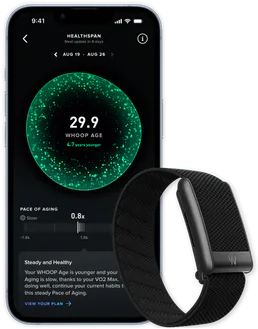
WHOOP
11 toolsTrack your WHOOP health metrics — workouts, sleep, recovery, strain, HRV and body measurements from any AI agent.

Cronitor (Cron Monitoring)
44 toolsMonitor cron jobs, heartbeats, and websites. Track performance, receive alerts, and manage uptime directly from your AI agent.
We built the connector to APImage. Now put your agents to work. Fully governed.
Vinkius is the AI Gateway with managed hosting. Stop building connectors. Every connection runs inside eight layers of security.
Hosted, sandboxed, and live on AWS. You don't provision anything. You don't maintain anything. You connect.
Every tool call, every token, every response. Logged and auditable. Data flows direct from APImage to your agent. Nothing is stored on our side. Ever.
Eight governance layers on every request. Sensitive data redacted before it reaches the model. Kill switch if anything goes sideways. Always on.