
Browse AI MCP. Pull web data and monitor sites without leaving your agent.
 Gemini
 Works with every AI agent you already use
…and any MCP-compatible client









Just plug in your AI agents and start using Vinkius.
Browse AI connects web scraping and monitoring directly into your AI agent. It lets you run robots, monitor websites, and pull structured data into your workflow via natural conversation.
Manage scraping jobs, check system status, and track changes on any site without leaving your chat interface.
What your AI agents can do
Create monitor
Sets up a new schedule to automatically track changes on a specific website.
Get bulk run
Retrieves detailed information about a specific batch of data extractions.
Get robot
Gets specific metadata and details for one of your defined web scrapers.
You can list all approved web scrapers and retrieve their specific details using the list_robots tool.
Trigger a robot run to pull data from a URL, then use list_tasks and get_task to monitor the job status and retrieve the final data.
Create and manage scheduled monitors using create_monitor and view existing schedules with list_monitors.
List and get details for bulk runs, allowing you to process and manage data from multiple sources at once.
Verify the overall operational status and queue load using get_system_status.
Ask AI about this MCP
Supported MCP Clients
Gemini Waiting for input…
Browse AI MCP Server: 10 Tools for Web Data Extraction
Manage all aspects of web scraping and monitoring—from listing robots to retrieving structured data—all through your AI agent.
019d7564create monitor
Sets up a new schedule to automatically track changes on a specific website.
019d7564get bulk run
Retrieves detailed information about a specific batch of data extractions.
019d7564get robot
Gets specific metadata and details for one of your defined web scrapers.
019d7564get system status
Checks the overall health and current queue load of the Browse AI service.
019d7564get task
Retrieves the status and final extracted data for a single web scraping job.
019d7564list bulk runs
Lists all executed bulk data extraction jobs for a given robot.
019d7564list monitors
Shows all active and scheduled website monitoring jobs for a robot.
019d7564list robots
Lists every approved web scraping robot you have set up.
019d7564list tasks
Shows a list of all past and pending data extraction jobs for a specific robot.
019d7564run robot
Starts a web scraping job immediately to pull data from a specific URL, creating a new task.
Choose How to Get Started
Build a custom MCP for your own tools, or connect a ready-made integration from our catalog.
Build Your Own
Turn any API into an MCP. Import a spec, define Agent Skills, or deploy with MCPFusion.
- Import from OpenAPI, Swagger, or YAML specs
- Create Agent Skills with progressive disclosure
- Deploy to edge with MCPFusion framework
- Built in DLP, auth, and compliance on every call
- Real time usage dashboard and cost metering
- Publish to catalog or keep private
Make Your AI Do More
Start with Browse AI, then connect any of our 4,700+ other servers whenever your AI needs more. One click, no limits.
- Use this MCP plus 4,700+ others, all in one place
- Add new capabilities to your AI anytime you want
- Every connection is secured and compliant automatically
- Track usage and costs across all your servers
- Works with Claude, ChatGPT, Cursor, and more
- New servers added to the catalog every week
What you can do with this MCP connector
Your AI client hooks up to Browse AI and lets you run web scrapers, monitor sites, and grab structured data—all through natural chat. You can manage scraping jobs, check the system's status, and track site changes without ever leaving your chat interface.
List and Inspect Robots
Check out all your approved scrapers with list_robots, or grab the specific details for one of them using get_robot.
Run and Track Data Extraction Tasks
Need data? Kick off a scrape by calling run_robot on a specific URL; you'll get a new task. You can then check the job's status and pull the final data using list_tasks and get_task.
Set Up Automated Site Monitoring
Set up automated change tracking with create_monitor for a specific site, and you can see all your current or scheduled jobs with list_monitors.
Manage Large Data Batches
Process multiple sources at once. You can list all completed bulk jobs with list_bulk_runs, and then pull detailed info for any specific batch using get_bulk_run.
Check System Health
Verify the whole operation's health and the current queue load by calling get_system_status.
How Browse AI MCP Works
- 1 Subscribe to the Browse AI MCP Server and provide your Secret API Key.
- 2 Use the agent to execute a command (e.g., 'List all my robots') or trigger a task (e.g., 'Run the price tracker on Amazon').
- 3 The server executes the request, and your agent receives the structured data or status update back into your conversation.
The bottom line is you get web data and monitoring alerts directly in your chat, eliminating the need to copy data out of a separate dashboard.
Who Is Browse AI MCP For?
The data analyst who needs to pull structured data from a competitor's price page without opening a browser. The growth marketer who needs to monitor product listing changes hourly. The developer who needs to embed web extraction logic into an agent's workflow.
Runs quick data extractions on specific URLs to build datasets or analyze market trends.
Sets up automated monitors to track competitor pricing changes or new product listings in real time.
Integrates web scraping logic into an agent's workflow, handling data extraction via natural language prompts.
What Changes When You Connect
- Get real-time data on competitor pricing. Instead of logging into a separate monitoring dashboard, you call
create_monitorand get alerts about price changes delivered directly into your agent's conversation. - Handle massive data sets easily. Use
list_bulk_runsandget_bulk_runto manage jobs that pull data from dozens of sources, summarizing the results right where you're working. - See what's broken immediately. Call
get_system_statusto check the Browse AI infrastructure health and see if the job queue is backed up, preventing failed runs before they happen. - Automate full research cycles. First, use
list_robotsto identify the right scraper. Then, userun_robotandget_taskto execute and retrieve the structured data in two steps. - Keep track of every job. The tools
list_tasksandget_tasklet you see the status and pull the final data for any specific web scraping task ID, making auditing simple.
Real-World Use Cases
Tracking a Competitor's Product Page
A growth marketer needs to know if a competitor changed their main product listing price. They ask their agent to run a monitor using create_monitor on the competitor's URL. The agent then sends an alert when the price changes, pulling the new data directly into the chat.
Analyzing Multiple Market Trends
A data analyst needs to compare prices across five different niche websites. They use the agent to list all relevant robots (list_robots) and then run them in bulk, managing the results using list_bulk_runs and get_bulk_run to get a single, consolidated data output.
Debugging a Failed Data Extraction
A developer runs a robot (run_robot) but the data is missing. They immediately check the status using list_tasks and then retrieve the output details with get_task, allowing them to quickly identify the failure point without navigating away from the code.
Building a Live Content Pipeline
A research team needs continuous monitoring of a site's legal terms. They set up create_monitor to watch for changes. When the agent detects a change, it notifies the user and provides the updated text snippet via the conversation.
The Tradeoffs
Treating web scraping like a one-time manual task
Running a single run_robot call, getting the data, and then having to manually repeat the process every day. This is high friction and requires constant human intervention.
→
Instead, use create_monitor to set up automated, scheduled monitoring. This keeps the process running in the background and only alerts your agent when a change is detected, minimizing manual effort.
Ignoring system capacity limits
Sending a sudden, massive burst of requests targeting get_system_status or list_tasks. If the service is under load, the agent might receive generic 'failed' errors without knowing why.
→
Always check get_system_status first. This tells you the current queue load and service health, ensuring your subsequent calls like run_robot are likely to succeed.
Assuming all data is available in one place
Trying to get the final data output by only calling list_robots and expecting structured results. The initial call only provides robot metadata, not the actual scraped content.
→
To get the data, you must first execute the job using run_robot (which creates a task ID). Then, use list_tasks to find the ID and get_task to retrieve the structured data.
When It Fits, When It Doesn't
Use this server if your goal is continuous web data ingestion and monitoring. You need to automate processes that involve scraping external websites—think price tracking, competitor monitoring, or content change detection. You must be comfortable with structured, API-driven workflows.
Don't use this if you just need to process data already inside your system. If your data is in a file or a database, use a standard database connector. Also, don't use this if you need to perform complex, non-web-related calculations (like financial modeling); you'll need a dedicated math library. The get_system_status tool is useful for checking the service health, but it doesn't perform any data actions itself.
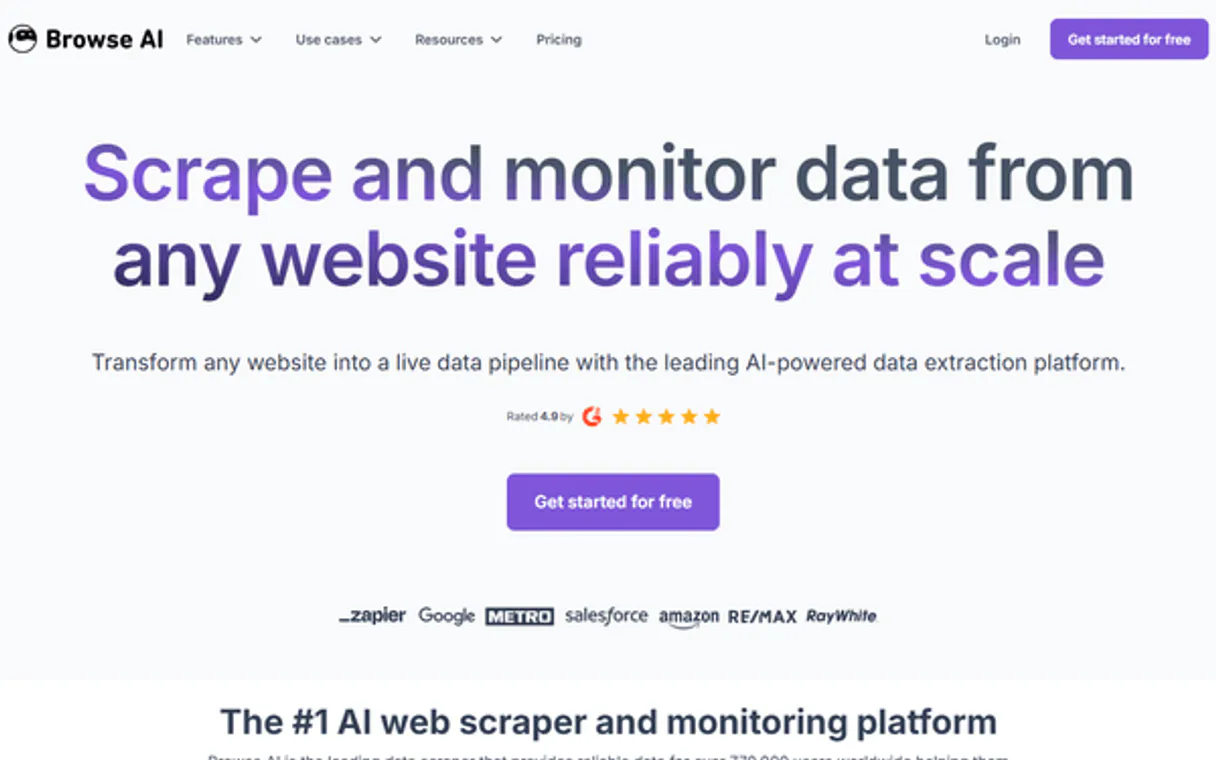
Independent Platform Disclaimer: Vinkius is an independent platform and is not affiliated with, endorsed by, sponsored by, verified by, or otherwise authorized by Browse AI. All third-party trademarks, logos, and brand names are the property of their respective owners. Their use on this website is strictly for informational purposes to identify service compatibility and interoperability.
VINKIUS INFRASTRUCTURE
Cloud Hosted
Managed infra
V8 Isolated
Sandboxed per request
Zero-Trust Proxy
No stored credentials
DLP Enforced
Policy on every call
GDPR Compliant
EU data residency
Token Compression
~60% cost reduction
Works with Claude, ChatGPT, Cursor, and more
The Model Context Protocol standardizes how applications expose capabilities to LLMs. Instead of operating in isolation, your AI gains direct access to external platforms, live data, and real-world actions through secure, standardized connections.
This server provides 10 capabilities that interface natively with Claude, ChatGPT, Cursor, and any MCP client. No middleware. No custom integration required.
Available Capabilities
Manually checking competitor prices is a massive time sink.
Today, monitoring a competitor requires opening tabs, navigating to their site, and manually copying the price data. If you're tracking five items, that's five separate logins and five copy-pastes, repeated every time you need an update.
With Browse AI, you simply tell your agent to monitor the URL. You use `create_monitor` to set the schedule, and the agent sends you an immediate, structured alert the moment the price changes. You get the data without opening a browser.
Browse AI MCP Server: Run data extractions in chat.
You no longer have to switch between your chat window and a separate web scraping dashboard. You ask your agent to run a robot on a URL, and the server handles the job execution and data retrieval, keeping the entire workflow contained in the chat.
This integration means you can orchestrate complex data pipelines—from checking the system status via `get_system_status` to running a full task via `run_robot`—all using natural conversation.
Common Questions About Browse AI MCP
How do I check if my web scraping task is finished using get_task? +
You use get_task by providing the task ID. The response confirms if the task was successful and delivers the captured data, or it tells you the current status if it's still running.
What is the difference between list_robots and list_tasks? +
list_robots shows you the metadata for all your web scrapers. list_tasks shows a history of actual scraping jobs (tasks) that have run, including their IDs and status.
Can I set up continuous monitoring using create_monitor? +
Yes. create_monitor schedules a job to automatically watch a website for changes. The server handles the timing and only notifies your agent when a defined change occurs.
Do I need to check get_system_status before running a robot? +
It’s smart to check get_system_status first. It gives you the queue status and overall health of the Browse AI infrastructure, preventing you from starting a job that might fail due to system overload.
How do I use list_robots to check my robot permissions? +
The list_robots tool shows all your approved scrapers and their metadata. This lets you confirm which robots are active and what data they are authorized to pull.
What's the difference between list_tasks and list_bulk_runs? +
list_tasks shows the status and results for individual, single-run data extractions. list_bulk_runs handles the status and results when you run data extraction across multiple sources at once.
If I run a robot using run_robot, how do I get the initial task ID? +
The run_robot tool immediately creates a task and returns a unique task ID. You use this ID with get_task to track its progress and eventually retrieve the captured data.
How can I manage or inspect multiple data sources using list_monitors? +
list_monitors provides a list of all scheduled monitoring jobs for a robot. You can use this to see what websites are being tracked and manage the schedules for changes on multiple sites.
Can I trigger a data extraction for a specific URL? +
Yes! Use the run_robot tool with the Robot ID and the target URL (origin_url). Your agent will create a new task in Browse AI to extract the data instantly.
How do I retrieve the data once a robot finishes its task? +
Simply ask the agent to get_task and provide the Task ID. If the status is 'successful', it will return the JSON structure containing all the captured data fields.
Can I list all the robots I have trained in my account? +
Yes. Use the list_robots tool. It will retrieve all the approved robots currently available in your Browse AI dashboard, including their names and unique IDs.
Use it with your favorite AI tools
Connect this server to Cursor, Claude, VS Code, and more.
More in this category
Internet Archive Metadata
Get detailed metadata, files, reviews, and stats for any Internet Archive item.

Epic Fhir
Access patient records via Epic's FHIR R4 API — search patients, review encounters, pull lab results and medications from any AI agent.
Airbyte
Monitor your Airbyte data pipelines via AI — track sync jobs, list sources, and check connections instantly.
You might also like
Shoplazza
Launch your cross-border e-commerce store with a platform optimized for global selling, multi-currency, and localized checkout.

Semrush
Grant your AI agent access to Semrush's massive SEO database to analyze competitor backlink profiles, track domain ranks, and research profitable keywords contextually.

iSpring Learn
Train employees with a corporate LMS that delivers SCORM courses, tracks certifications, and generates compliance reports.