
BrowserStack MCP. Track, debug, and manage cross-browser test pipelines.
 Gemini
 Works with every AI agent you already use
…and any MCP-compatible client









Just plug in your AI agents and start using Vinkius.
BrowserStack. Manages your entire cross-browser testing pipeline from your AI client. List projects, track build statuses, fetch granular session logs, and check concurrency limits without touching the dashboard.
Use it to debug why a test failed on Safari or Chrome, or to check if your current plan can handle a massive regression run.
It gives your agent direct access to the build history and environment specs you need for stable CI/CD.
What your AI agents can do
Delete build
Deletes a specified BrowserStack build using its unique ID.
Delete session
Deletes a specific BrowserStack session using its unique ID.
Get build
Gets all sessions within a specified BrowserStack automation build, returning results, OS/browser combos, and logs.
Retrieves a list of all automation projects configured in BrowserStack Automate, along with their IDs and build counts.
Fetches comprehensive information for a single project, including its name, group ID, and recent build history.
Retrieves a list of the latest builds, showing their names, unique IDs, current status (running, done, failed, etc.), and how long they ran.
Retrieves all sessions associated with a specific build ID, along with OS/browser combinations and the final test results for each session.
Fetches all details about one session, including its OS, browser, status, duration, and links to video and log files.
Pulls the raw text logs for a specific session, which is essential for debugging failed test steps.
Examines your current BrowserStack plan to report on available parallel sessions, sessions currently in use, and the queue length.
Ask AI about this MCP
Supported MCP Clients
Gemini Waiting for input…
BrowserStack MCP Server: 10 Tools for Test Management
These tools let your agent manage the entire lifecycle of your automated testing by listing projects, tracking builds, retrieving session logs, and checking plan limits.
019d7564delete build
Deletes a specified BrowserStack build using its unique ID.
019d7564delete session
Deletes a specific BrowserStack session using its unique ID.
019d7564get build
Gets all sessions within a specified BrowserStack automation build, returning results, OS/browser combos, and logs.
019d7564get plan
Retrieves your current BrowserStack plan details, including parallel session usage and queue length.
019d7564get project
Gets full details for a BrowserStack project, including its name, group ID, and linked recent builds.
019d7564get session
Retrieves all details for a specific BrowserStack session, including OS, browser, status, and video/log URLs.
019d7564get session logs
Gets the raw text execution logs for a specified BrowserStack session, useful for debugging failed tests.
019d7564list browsers
Lists all OS and browser combinations supported by BrowserStack for configuring automation capabilities.
019d7564list builds
Lists recent automation builds, showing their names, IDs, current status, and duration.
019d7564list projects
Lists all automation projects in BrowserStack, showing their names, IDs, and total build counts.
Choose How to Get Started
Build a custom MCP for your own tools, or connect a ready-made integration from our catalog.
Build Your Own
Turn any API into an MCP. Import a spec, define Agent Skills, or deploy with MCPFusion.
- Import from OpenAPI, Swagger, or YAML specs
- Create Agent Skills with progressive disclosure
- Deploy to edge with MCPFusion framework
- Built in DLP, auth, and compliance on every call
- Real time usage dashboard and cost metering
- Publish to catalog or keep private
Make Your AI Do More
Start with BrowserStack, then connect any of our 4,700+ other servers whenever your AI needs more. One click, no limits.
- Use this MCP plus 4,700+ others, all in one place
- Add new capabilities to your AI anytime you want
- Every connection is secured and compliant automatically
- Track usage and costs across all your servers
- Works with Claude, ChatGPT, Cursor, and more
- New servers added to the catalog every week
What you can do with this MCP connector
You're running cross-browser tests on BrowserStack, and you need to manage the whole mess without clicking around in the dashboard. This server gives your AI client direct access to the core APIs, letting you handle your entire testing pipeline right from your IDE or terminal. You can list all your projects and get full details for any single project, including its name, group ID, and recent build history.
Need to know what's going on with the builds? You can list the latest builds, getting their names, unique IDs, current status, and total duration. For any specific build, you can retrieve all associated sessions, which tells you the OS/browser combinations and the final test result for each one. Want to dig deep into one session? You can fetch all details for a specific session, including its OS, browser, status, and links to video and log files.
If a test fails, you can pull the raw text logs for that specific session, which is what you need for debugging. To check if your current plan can handle a massive regression run, you can examine your current BrowserStack plan to see available parallel sessions, sessions currently in use, and the queue length.
You'll also see a list of every OS and browser combination BrowserStack supports for configuring your automation capabilities. Finally, you can handle the cleanup—you can list all automation projects, and you can delete a specific build or session using its unique ID. You can also get your current project details, which includes its name, group ID, and recent build history.
How BrowserStack MCP Works
- 1 Subscribe to the server and provide your BrowserStack Username and Access Key.
- 2 Your AI client executes a tool call (e.g.,
list_builds) against the server. - 3 The server fetches the data from BrowserStack and returns a clean, structured summary directly to your chat interface.
The bottom line is, your agent acts as a direct proxy to the BrowserStack API, letting you manage your test suite state without ever leaving your IDE.
Who Is BrowserStack MCP For?
The QA Engineer who needs to know exactly why a test failed on an old OS version, or the DevOps specialist who needs to check the concurrent session limit before kicking off a massive nightly build. This is for anyone whose job depends on knowing the current, granular state of a complex, distributed testing environment.
Uses get_session_logs to pull the exact log output of a failing session directly into the IDE for rapid, focused debugging.
Uses get_plan to check parallel session concurrency limits and delete_session to clean up stuck, zombie execution sessions.
Uses list_builds to quickly parse build results and identify which features passed or failed without having to open the full CI/CD test report.
Uses list_browsers to verify the exact OS/browser configuration payload limits required when updating test scripts.
What Changes When You Connect
- See build status instantly. Use
list_buildsto see the status (running, failed, passed) of every recent test run, without opening the CI/CD dashboard. - Pinpoint failure causes. Run
get_session_logsto pull the raw text output from a failed test session directly into your IDE for rapid debugging. - Manage resources proactively. Use
get_planto check exactly how many parallel sessions your team has left and how long the test queue is. - Deep-dive into failures. Call
get_buildto get all session details for a failed build, revealing the specific OS and browser combination that caused the issue. - Keep your environment current. Run
list_browsersto check the exact OS/browser combinations required to update your test scripts for new capabilities. - Clean up mess. Use
delete_sessionordelete_buildto manually remove stuck or unnecessary test records.
Real-World Use Cases
Debugging a flaky test case.
A QA engineer runs a test that fails intermittently on an older version of Chrome. Instead of manually grabbing logs from the dashboard, they prompt their agent to run get_session_logs for the specific session ID. The agent returns the raw log snippet, immediately showing the NoSuchElementError and allowing the engineer to pinpoint the exact failing selector.
Checking deployment capacity.
A DevOps team lead is preparing for a major release and needs to run 50 parallel smoke tests. They prompt their agent to run get_plan. The agent confirms the plan allows 20 parallel sessions and reports that 18 are already in use. The lead knows they can't start the full suite until some sessions clear out.
Investigating a mysterious build failure.
A developer sees a build fail but doesn't know why. They ask their agent to run get_project to see the build history, then use get_build on the failed build ID. The agent returns a list of all sessions, allowing the developer to isolate the single session that failed and check its OS/browser specs.
Archiving old test data.
A test automator needs to clear out old, failed test records to keep the dashboard clean. They use list_projects to identify the project ID, then use delete_build on the old build ID, and finally delete_session on the specific session ID.
The Tradeoffs
Ignoring concurrency limits
Trying to launch 100 test builds simultaneously because the CI system allows it, only to find out that the BrowserStack plan only supports 20 parallel sessions. The excess builds fail silently or get stuck in the queue.
→
Always run get_plan first. This tool tells you your current parallel session usage and the queue length, so you know exactly how many concurrent threads you can safely launch.
Debugging by guessing the environment
A test fails, and the developer assumes it's a Safari issue, wasting time trying to reproduce it locally when the failure happened on an obscure OS/browser combo (e.g., Windows 7 on IE 11).
→
Use get_build or get_session to retrieve the exact OS and browser specs of the failed test run. This eliminates guesswork and points you straight to the failing environment.
Over-relying on the web dashboard
Having to switch context from the IDE to the BrowserStack website every time you need to check a log or build status, slowing down the entire debugging process.
→
Connect the server and let your agent run list_builds or get_session_logs. You get the data streamed right into your chat, keeping your focus on the code.
When It Fits, When It Doesn't
Use this server if your workflow requires real-time, granular status updates on cross-browser testing. You need to know why a test failed, not just that it failed. The key is accessing the state (logs, session details, build history). Don't use this if you only need to know if a test passed or failed generally; use a standard CI/CD report viewer instead. If your primary need is managing user accounts or billing data, this tool won't help. You need the specific, technical details that get_session_logs and get_plan provide to troubleshoot flaky tests.
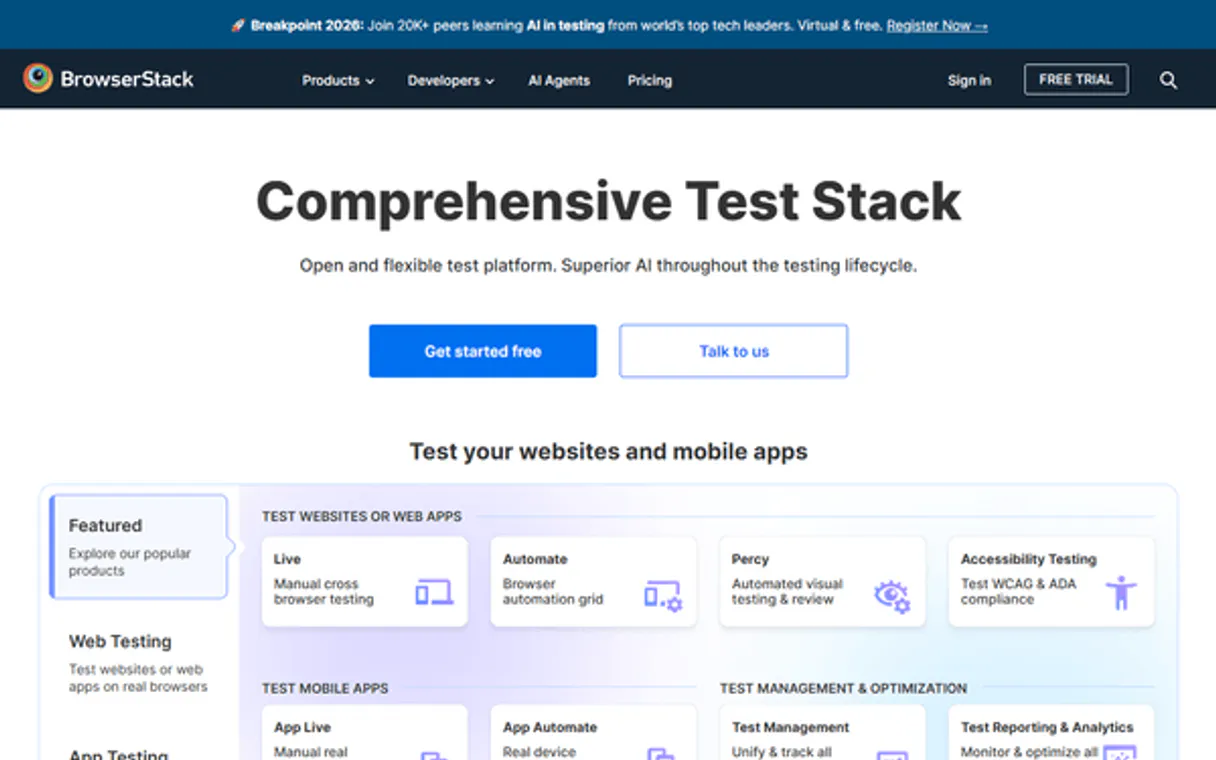
Independent Platform Disclaimer: Vinkius is an independent platform and is not affiliated with, endorsed by, sponsored by, verified by, or otherwise authorized by BrowserStack. All third-party trademarks, logos, and brand names are the property of their respective owners. Their use on this website is strictly for informational purposes to identify service compatibility and interoperability.
VINKIUS INFRASTRUCTURE
Cloud Hosted
Managed infra
V8 Isolated
Sandboxed per request
Zero-Trust Proxy
No stored credentials
DLP Enforced
Policy on every call
GDPR Compliant
EU data residency
Token Compression
~60% cost reduction
Works with Claude, ChatGPT, Cursor, and more
The Model Context Protocol standardizes how applications expose capabilities to LLMs. Instead of operating in isolation, your AI gains direct access to external platforms, live data, and real-world actions through secure, standardized connections.
This server provides 10 capabilities that interface natively with Claude, ChatGPT, Cursor, and any MCP client. No middleware. No custom integration required.
Available Capabilities
Debugging a failed build shouldn't mean jumping between tabs and dashboards.
Right now, when a test fails, you open the BrowserStack dashboard. You click the build ID, then the session ID. You scroll through a page to find the log link, then copy the text and paste it into your local IDE. This process takes 5–10 minutes of manual clicking and copy-pasting, and you often lose context in the meantime.
With this MCP server, you ask your agent to fetch the logs. It runs `get_session_logs` and returns the raw text snippet directly in your chat. You get the error message and the stack trace instantly, keeping your focus on the code, not the browser.
BrowserStack MCP Server: Manage build and session lifecycle
Manual checks involve logging into the platform, navigating to the project, and running separate queries for the plan status (`get_plan`) and the build history (`list_builds`). You have to piece together the concurrency limits and the test results manually.
Now, your agent handles it. You ask for the plan status, and it runs `get_plan` and tells you the remaining concurrency. You ask for the build history, and it runs `list_builds`. The system gives you a single source of truth, right where you're coding.
Common Questions About BrowserStack MCP
How do I check my parallel session capacity using the BrowserStack MCP Server? +
Use get_plan. This tool reports your total allowed parallel sessions, how many are currently running, and how many are waiting in the queue. This is key for preventing throttling.
Can I get the logs for a failed build using the BrowserStack MCP Server? +
Yes, you first use get_build to find the specific session ID within the build. Then, you run get_session_logs with that ID to pull the raw text execution logs.
What is the best way to see all my test projects with BrowserStack MCP Server? +
Run list_projects. This lists every project configured in your account, giving you the project names, IDs, and how many builds each has run.
How do I get the OS and browser compatibility list with BrowserStack MCP Server? +
Use list_browsers. This tool returns the full list of supported OS names and browser versions that your automation scripts must target.
If I need to clean up old test data, which BrowserStack MCP Server tools do I use? +
Use list_projects to find the IDs, then delete_build to remove old build records, and finally delete_session to remove specific session records.
How can I check the details of a specific project using the `get_project` tool? +
The get_project tool fetches all details for a given BrowserStack project. You get the project's name, group ID, and a list of all associated recent builds. This helps you keep track of where the project stands without manual dashboard navigation.
What information does the `get_session` tool provide about a specific test run? +
The get_session tool returns comprehensive data about a single test session. You get the name, OS, browser, status, duration, and even video and log URLs. This gives you a complete picture of exactly how that test ran.
How do I use the `list_builds` tool to track test execution history? +
The list_builds tool lists all recent builds, providing build names, IDs, and their statuses (running, done, timeout, failed). It also tells you the duration and how many sessions were run. This is key for tracking the overall health of your test suite.
Can my AI automatically read the logs of a failed Selenium test? +
Yes. When you ask it to investigate a recently failed build, the agent can use get_build to find the failed session, and then automatically call get_session_logs. It will download the raw textual execution steps directly into the chat and summarize why the UI test failed.
Is there a risk that my AI alters my testing scripts or repository code? +
No, this MCP server integrates exclusively with BrowserStack Automate API. It can read statuses, logs, and configurations, and can delete hung sessions or builds, but it has no connection to your actual codebase or git repository.
How can I resolve concurrent session limits preventing my pipeline from advancing? +
You can ask your agent to get_plan to inspect your parallel boundaries and verify if you are queuing. Then, the agent can look up stalled items via list_builds and execute delete_session or delete_build to manually unblock stuck processes.
Use it with your favorite AI tools
Connect this server to Cursor, Claude, VS Code, and more.
More in this category
Netlify Alternative
Modern web development platform — manage sites, deploys, and forms via AI.

Supabase
Connect your AI to Supabase. Execute database queries, manage users, and trigger PostgreSQL functions directly from your terminal.
Sentry Alternative
Monitor errors and application health via Sentry — query issues, inspect events, audit releases and check alert rules directly from any AI agent.
You might also like
Kingdee / 金蝶
Comprehensive enterprise ERP platform — manage materials, customers, and business flows via AI.

Apaleo
Manage hotel reservations, properties, rooms, rate plans, folios, invoices, and availability for your Apaleo PMS through natural conversation.

SWAPI - The Star Wars
Explore the Star Wars universe — query people, planets, films, and starships directly from the Star Wars API.