
BuiltWith Tech Lookup MCP. See a site's tech stack instantly.
 Gemini
 Works with every AI agent you already use
…and any MCP-compatible client









Just plug in your AI agents and start using Vinkius.
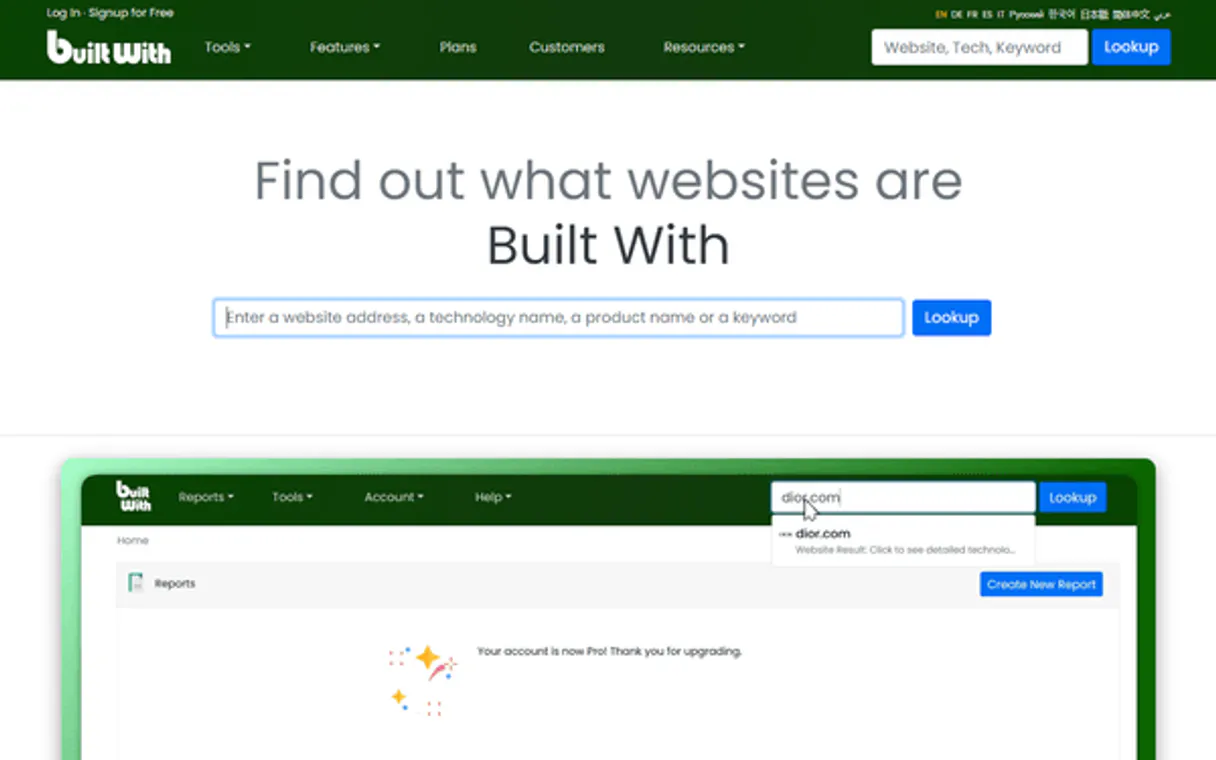
BuiltWith Tech Lookup MCP Server gives you immediate visibility into any website's technology stack. Run the `lookup_domain_tech` tool to detect the CMS, analytics, hosting, and frameworks used by millions of domains.
Use it for competitive research, lead qualification, or auditing digital infrastructure.
What your AI agents can do
Get domain company info
Retrieves basic company information associated with a domain.
Get domain keywords
Gets a keyword profile for a specific domain.
Get domain relationships
Finds infrastructure relationships and connections for a domain.
The agent runs the lookup_domain_tech tool to retrieve a complete list of technologies, including CMS, frameworks, and analytics, for a given domain.
The agent uses the get_free_domain_profile tool to check if a domain is built on common platforms like WordPress or Shopify.
The agent runs get_domain_keywords to get a keyword profile and assess the search focus of a target domain.
The agent uses get_domain_relationships to identify the hosting, CDN, and other infrastructure connections for a domain.
The agent runs the get_domain_trust tool to get trust indicators and assess the general reputation of a domain.
The agent uses get_tech_domain_lists to generate a list of domains that rely on a specific technology.
Ask AI about this MCP
Supported MCP Clients
Gemini Waiting for input…
BuiltWith Tech Lookup MCP Server: 8 Tools for Domain Analysis
Use these tools to analyze a domain's technology, keywords, relationships, and market trends.
019d8421get domain company info
Retrieves basic company information associated with a domain.
019d8421get domain keywords
Gets a keyword profile for a specific domain.
019d8421get domain relationships
Finds infrastructure relationships and connections for a domain.
019d8421get domain trust
Retrieves trust indicators to gauge a domain's perceived reputation.
019d8421get free domain profile
Gets basic technology categories for a domain without consuming premium credits.
019d8421get tech domain lists
Retrieves a list of domains that are using a specific technology.
019d8421get tech trends
Provides usage trends for specific web technologies, like React or Shopify.
019d8421lookup domain tech
Looks up the complete technology stack, including CMS, for a given domain.
Choose How to Get Started
Build a custom MCP for your own tools, or connect a ready-made integration from our catalog.
Build Your Own
Turn any API into an MCP. Import a spec, define Agent Skills, or deploy with MCPFusion.
- Import from OpenAPI, Swagger, or YAML specs
- Create Agent Skills with progressive disclosure
- Deploy to edge with MCPFusion framework
- Built in DLP, auth, and compliance on every call
- Real time usage dashboard and cost metering
- Publish to catalog or keep private
Make Your AI Do More
Start with BuiltWith Tech Lookup, then connect any of our 4,700+ other servers whenever your AI needs more. One click, no limits.
- Use this MCP plus 4,700+ others, all in one place
- Add new capabilities to your AI anytime you want
- Every connection is secured and compliant automatically
- Track usage and costs across all your servers
- Works with Claude, ChatGPT, Cursor, and more
- New servers added to the catalog every week
What you can do with this MCP connector
BuiltWith Tech Lookup MCP Server lets your agent see exactly what powers any website. It runs the lookup_domain_tech tool to get a full list of technologies—CMS, frameworks, analytics, and everything else—for any domain. You can use this for competitive research, qualifying leads, or checking digital infrastructure.
To check if a site uses a specific platform, your agent runs get_free_domain_profile to look for common systems like WordPress or Shopify. You can figure out a domain's search focus by having it run get_domain_keywords, which gets a keyword profile for that site. If you gotta audit the site's plumbing, your agent runs get_domain_relationships to find the hosting, CDN, and other infrastructure connections.
You can check a domain's reputation by having it run get_domain_trust and retrieving trust indicators. Need to know which sites use a specific tech? Your agent uses get_tech_domain_lists to generate a list of domains that rely on that technology. You can also track usage trends for technologies like React or Shopify by running get_tech_trends.
Lastly, your agent can grab basic company info with get_domain_company_info and find connections with get_domain_relationships.
How BuiltWith Tech Lookup MCP Works
- 1 Subscribe to the BuiltWith Tech Lookup server and enter your API Key.
- 2 Prompt your AI client (Claude, Cursor, etc.) to analyze a domain (e.g., 'What tech does example.com use?').
- 3 The agent calls the necessary tool, and you receive a detailed report of the domain's full technology profile.
The bottom line is, you feed it a domain and it spits out a technical breakdown of everything that site uses.
Who Is BuiltWith Tech Lookup MCP For?
B2B sales teams need to qualify leads by seeing what tech they already use. Web developers and agency owners use this to research competitor stacks and find migration opportunities. Security researchers need to map a target domain's infrastructure to spot potential vulnerabilities. Market analysts track tech adoption trends to gauge market health.
Qualifies a lead by identifying their tech stack before calling. Knowing they use Magento instead of Shopify changes the entire sales pitch.
Researches a competitor's site using lookup_domain_tech to map their tech stack and find ways the client could upgrade or migrate.
Maps a target domain's infrastructure using get_domain_relationships to identify hosting providers, CDNs, and potential third-party dependencies.
Tracks the adoption rate of specific web technologies by using get_tech_trends across many domains.
What Changes When You Connect
- Identify the CMS right away. Running
lookup_domain_techtells you if a site is on WordPress, Shopify, or Magento, which is critical for sales pitches. - Map infrastructure dependencies. Use
get_domain_relationshipsto see the hosting and CDN setup for a domain, helping you audit a client's current setup. - Gauge domain reputation. The
get_domain_trusttool gives you objective trust indicators, which is better than guessing a site's reliability. - Benchmark competitors. Run
get_domain_keywordsto see a domain's core search focus, letting you compare it directly to your own marketing strategy. - Track market shifts. The
get_tech_trendstool shows usage patterns for technologies (like React or Shopify), giving you foresight into market growth areas. - Find adoption targets. Use
get_tech_domain_listswhen you need to find dozens of sites that use a specific technology, rather than just one.
Real-World Use Cases
A sales team needs to qualify a lead.
The rep asks the agent to run lookup_domain_tech on the prospect's site. The agent returns that the site is built on an outdated version of a CMS. The rep now knows exactly which upgrade path to sell, avoiding general discovery calls.
An agency needs to scope a client migration.
The owner runs get_domain_relationships and lookup_domain_tech on the client's current site. They see a complex, multi-layered infrastructure. This immediately flags the project as high complexity and dictates a specific phased development plan.
A security researcher audits a target.
The researcher runs get_domain_relationships and get_domain_trust to map all external dependencies and check for known security weaknesses in the domain's setup. This builds a risk profile before any engagement.
A market analyst tracks industry growth.
The analyst asks the agent to check get_tech_trends for 'AI-powered APIs'. The resulting data shows a sharp uptick in usage, confirming the technology is commercially viable and worth investing in.
The Tradeoffs
Asking for everything at once
Prompting the agent: 'Give me everything about example.com, including its tech, trust, keywords, and relationships.' This leads to a slow, resource-heavy dump of unrelated data that is hard to synthesize.
→
Break the research down. Start with lookup_domain_tech to get the tech stack. Then, follow up with get_domain_relationships to map the infrastructure, and finally get_domain_keywords to understand the site's focus. This sequential approach yields actionable data.
Assuming a single tool works for all data
Relying only on get_free_domain_profile because it's fast. This only gives basic tech categories and misses the detailed CMS or advanced analytics that lookup_domain_tech provides.
→
For a full picture, always use lookup_domain_tech. If you only need a quick check, use get_free_domain_profile. Don't mistake basic detection for deep profiling.
Ignoring the competitive landscape
Researching a competitor's site and only noting the CMS. This misses the context of their infrastructure or market focus.
→
Always combine lookup_domain_tech with get_domain_keywords and get_domain_relationships. The tech stack tells you how they built it; the keywords tell you why they built it.
When It Fits, When It Doesn't
Use this server if you need to understand the underlying components of a website—the technical blueprint, the infrastructure, and the market context. You need to know how a site operates, not just what it looks like. If your goal is simply to check if a domain is available, use a basic domain registrar tool instead. If you only care about the company's legal name, use a general business directory service. You must use this server when you need to map the relationship between the tech (e.g., lookup_domain_tech), the market focus (get_domain_keywords), and the physical structure (get_domain_relationships).
Independent Platform Disclaimer: Vinkius is an independent platform and is not affiliated with, endorsed by, sponsored by, verified by, or otherwise authorized by BuiltWith. All third-party trademarks, logos, and brand names are the property of their respective owners. Their use on this website is strictly for informational purposes to identify service compatibility and interoperability.
VINKIUS INFRASTRUCTURE
Cloud Hosted
Managed infra
V8 Isolated
Sandboxed per request
Zero-Trust Proxy
No stored credentials
DLP Enforced
Policy on every call
GDPR Compliant
EU data residency
Token Compression
~60% cost reduction
Works with Claude, ChatGPT, Cursor, and more
The Model Context Protocol standardizes how applications expose capabilities to LLMs. Instead of operating in isolation, your AI gains direct access to external platforms, live data, and real-world actions through secure, standardized connections.
This server provides 8 capabilities that interface natively with Claude, ChatGPT, Cursor, and any MCP client. No middleware. No custom integration required.
Available Capabilities
Manual tech audits are a huge time sink.
Today, checking a competitor's tech stack means opening the site, right-clicking, using browser extensions, and cross-referencing dozens of scattered reports. You spend hours guessing if a CMS is WordPress or a custom build, and you're never sure you got the full picture.
With the BuiltWith Tech Lookup MCP Server, your agent runs `lookup_domain_tech` and gives you the full profile in seconds. It tells you everything—the CMS, the ad networks, the frameworks—without you lifting a finger.
BuiltWith Tech Lookup MCP Server: Domain & Tech Analysis
You used to have to jump between a basic CMS detector and a separate analytics tool, hoping they covered the same domain. You'd end up with two different reports that contradicted each other's findings.
Now, you run the server. It pulls all the data together. You get a single, authoritative view of the domain's entire digital footprint.
Common Questions About BuiltWith Tech Lookup MCP
How do I use the `lookup_domain_tech` tool? +
You pass the domain name to the agent and ask it to run the tool. This command retrieves the complete technology stack, detailing everything from the CMS to the JavaScript frameworks.
Is the `get_free_domain_profile` tool reliable? +
Yes, it provides basic technology categories without costing credits. It's a good quick check, but for the full, deep profile, you still need to run lookup_domain_tech.
What does `get_domain_relationships` actually find? +
This tool maps the domain's infrastructure connections. It shows you things like hosting providers, CDNs, and other third-party services that the site relies on.
Can I use `get_domain_keywords` for more than just SEO? +
The tool gives you a keyword profile. This helps you understand the core topics and search focus of a domain, which is useful for competitive analysis beyond SEO.
Do I need to run all 8 tools for a full profile? +
No. For most tasks, lookup_domain_tech provides 80% of the data. Use the other tools—like get_tech_trends or get_domain_trust—when you need specific data points, like market trends or reputation scores.
How do I handle API rate limits when using `get_tech_domain_lists`? +
The builtwith API handles standard rate limiting. If you hit a limit, your AI client should pause and retry the request after a short delay. Check the specific error code for guidance on when to resume.
What kind of data does `get_domain_trust` provide? +
It provides trust indicators for a domain, detailing its perceived reliability. This includes data on reputation, security, and historical domain activity.
Is the `get_tech_trends` tool suitable for analyzing niche technologies? +
Yes, it tracks usage trends for specific technologies, like Shopify or React. You input the technology name and get data showing its adoption curve.
Can I detect if a site uses Shopify? +
Yes! Use the lookup_domain_tech tool. The response will include any detected eCommerce platforms, including Shopify, Magento, or WooCommerce.
What kind of technologies can BuiltWith identify? +
BuiltWith identifies thousands of technologies including CMS, Analytics, JavaScript Libraries, Advertising, Widgets, Hosting, and Email Services.
Is there a limit to how many sites I can lookup? +
The usage depends on your specific BuiltWith API plan. Each call to lookup_domain_tech consumes one API credit from your account.
Multi-server workflows that include BuiltWith Tech Lookup MCP
Detect Product-Market Fit Signals Using MCP
Tech stack analyzed, company growth verified, traction signals scored , verify product-market fit from the outside before you write the check
Run Technical Due Diligence Using MCP Servers
Funding data pulled, tech stack analyzed, diligence report built , evaluate startup infrastructure without asking for a demo
Screen Accelerator Applications Using MCP
10,000 applications received, companies verified, fake traction filtered , shortlist the real startups from the noise in hours, not weeks
Spot Competing Startups Using MCP Servers
Tech stacks compared, market overlap mapped, duplicate startups flagged , catch two batch companies building the same product before Demo Day embarrasses everyone
Use it with your favorite AI tools
Connect this server to Cursor, Claude, VS Code, and more.
More in this category

eSputnik
Omnichannel marketing automation with eSputnik.

Copysmith
Generate marketing copy, product descriptions, and ad variations at scale with AI trained on high-performing content.

Sensors Data
Orchestrate Sensors Data analytics — manage events, query user profiles, and monitor data ingestion directly from any AI agent.
You might also like

Modrinth
Search and manage Minecraft projects via Modrinth — discover mods, resource packs, and plugins directly from your AI agent.

Transifex
Localize your projects efficiently using AI Agents with the official Transifex integration.

Asana
Automate project management via Asana — list workspaces, query projects, and inspect tasks and sections directly from any AI agent.