
Cal.com MCP. Manage bookings and coordinate availability via AI.
 Gemini
 Works with every AI agent you already use
…and any MCP-compatible client









Just plug in your AI agents and start using Vinkius.
Cal.com MCP Server manages your professional scheduling and booking flow. Use your AI agent to list all upcoming meetings, create new bookings for specific templates, or check your availability across different organizations.
It's built to coordinate meetings and manage calendar details without opening your native calendar app.
What your AI agents can do
Cancel booking
Cancels an existing booking using its ID. Note that this action cannot be undone.
Create booking
Creates a new booking for a specific event type at a time that is available.
Create event type
Creates a new meeting template, defining a new type of event for your calendar.
Lists all your current bookings and retrieves full details for any specific appointment ID.
Creates a new booking on a specific event type at a given time, provided the slot is open.
Lists, gets details for, or creates entirely new meeting templates (event types).
Accesses and lists your organizational schedules and memberships to determine when you can meet.
Cancels an existing booking using a specific booking ID.
Ask AI about this MCP
Supported MCP Clients
Gemini Waiting for input…
019d7567cancel booking
Cancels an existing booking using its ID. Note that this action cannot be undone.
019d7567create booking
Creates a new booking for a specific event type at a time that is available.
019d7567create event type
Creates a new meeting template, defining a new type of event for your calendar.
019d7567get booking
Retrieves detailed information about a specific booking ID.
019d7567get current user
Retrieves your core profile details, including name, email, timezone, and default schedule.
019d7567get event type
Gets the configuration details for a specific meeting template.
019d7567get schedules
Lists all the availability schedules and memberships associated with your accounts.
019d7567list bookings
Lists every booking currently recorded on your Cal.com account.
019d7567list event types
Lists all the meeting templates (event types) currently configured.
019d7567list memberships
Lists all organizational and team memberships you belong to.
Choose How to Get Started
Build a custom MCP for your own tools, or connect a ready-made integration from our catalog.
Build Your Own
Turn any API into an MCP. Import a spec, define Agent Skills, or deploy with MCPFusion.
- Import from OpenAPI, Swagger, or YAML specs
- Create Agent Skills with progressive disclosure
- Deploy to edge with MCPFusion framework
- Built in DLP, auth, and compliance on every call
- Real time usage dashboard and cost metering
- Publish to catalog or keep private
Make Your AI Do More
Start with Cal.com, then connect any of our 4,700+ other servers whenever your AI needs more. One click, no limits.
- Use this MCP plus 4,700+ others, all in one place
- Add new capabilities to your AI anytime you want
- Every connection is secured and compliant automatically
- Track usage and costs across all your servers
- Works with Claude, ChatGPT, Cursor, and more
- New servers added to the catalog every week
What you can do with this MCP connector
Your AI agent manages your professional scheduling and booking flow with Cal.com. Use it to list upcoming meetings, create new bookings for specific templates, or check your availability across different organizations. It handles the whole booking lifecycle without you ever opening your native calendar app.
Audit Bookings
- You can use
list_bookingsto see every booking currently on your Cal.com account. For any specific appointment ID,get_bookingpulls all the detailed info, including who's attending and the status. You can also usecancel_bookingto cancel an existing booking; just know that action can't be undone.
Manage Templates
- Need a new meeting type?
create_event_typelets you build a fresh meeting template for your calendar. You can also uselist_event_typesto see every template you've set up, orget_event_typeto pull the specific configuration details for one.
Plan Meetings
- When you're ready to book something,
create_bookingmakes a new booking for a specific event type at a time you know is open.
Check Availability
- To figure out when you can meet, you've got
get_scheduleswhich lists all the availability schedules and memberships linked to your accounts. You can also runlist_membershipsto see all the organizational and team memberships you belong to. To get basic user info,get_current_userretrieves your core profile details, including your name, email, timezone, and default schedule.
How Cal.com MCP Works
- 1 Subscribe to the server and provide your Cal.com API Key and API Version.
- 2 Your AI agent uses natural language to determine the intent (e.g., 'Book a 30-minute call with John').
- 3 The server calls the appropriate tool (e.g.,
create_booking), and the result is returned to your AI agent for follow-up actions.
The bottom line is you keep your calendar management inside your AI workflow, instead of switching apps.
Who Is Cal.com MCP For?
The sales director who needs to confirm availability for five different stakeholders across multiple time zones. The operations manager who has to manually track and cancel dozens of meeting invites weekly. The developer who needs to write complex, stateful scheduling logic into a new service.
Needs to check if a prospect is free for a demo and book a slot without leaving their CRM or communication tool.
Needs to audit the schedule for a project, listing all associated meetings and verifying who is attending.
Integrates complex scheduling rules—like ensuring a meeting only happens if a specific team membership is active—into an automated agent pipeline.
What Changes When You Connect
- Check your availability before you commit. Use
get_schedulesto list all available schedules and memberships, confirming your free time before trying to book a meeting. - Build complex booking logic. Use
create_bookingto schedule an appointment, but first, useget_event_typeto pull the exact template details required for the booking. - Handle scheduling changes instantly. Instead of logging into the web app, just tell your agent to
cancel_bookingan appointment by ID. It sends the cancellation notice automatically. - Maintain clean records. Use
list_bookingsto audit your calendar schedule. This lets you pull a complete list of all current appointments for review. - Standardize meeting types. Use
list_event_typesto see what templates you have, andcreate_event_typeif you need to build a new meeting format.
Real-World Use Cases
The SDR needs to confirm availability for a demo.
A prospect needs a 30-minute slot next week. Instead of guessing, the agent runs get_schedules to check availability. If a slot is found, the agent calls create_booking with the correct event type, and the prospect is booked—all without leaving the chat window.
The PM needs to audit a project's meeting history.
The team needs to see every meeting related to 'Project Phoenix'. The agent calls list_bookings to get a full list of IDs. Then, it uses get_booking on specific IDs to pull detailed metadata for reporting.
The Dev needs to enforce membership rules.
A meeting should only be bookable if the user is a member of the 'Platinum Tier' team. The agent first runs list_memberships to validate access. If valid, it can proceed to create_booking.
The Assistant needs to adjust a meeting last minute.
A client cancels a meeting. The assistant receives the request and immediately calls cancel_booking with the ID. The system handles the necessary notifications and updates the calendar status.
The Tradeoffs
Calling the API manually.
Having to open the Cal.com website, navigate to the booking page, manually enter dates, and hit 'save' for every single scheduling change.
→
Use your AI agent to handle the workflow. Tell your agent: 'Book me a 30-minute call on Thursday.' The agent runs get_schedules and create_booking for you.
Guessing the booking ID.
When a meeting changes, you don't know the exact booking ID, so you have to manually search through old emails or the web interface to find it.
→
First, run list_bookings to see a list of recent meetings. Then, use get_booking with the correct ID to get the full details and confirm the status.
Overwriting templates.
Manually changing the default meeting duration or required fields because the template settings are buried deep in the web dashboard.
→
Use list_event_types to see what templates exist. If you need a new one, use create_event_type to build the template programmatically.
When It Fits, When It Doesn't
Use this if your primary need is automating the process of scheduling, not just viewing data. You need to perform actions like creating, canceling, or validating availability. For example, if you need to check if a 30-minute slot is available, you use get_schedules first, and then create_booking. Don't use this if you just want to read a list of names; use a simple directory lookup tool instead. If your workflow requires checking membership status before acting, list_memberships is key. If you only need to read the details of one meeting, get_booking is enough. Don't overcomplicate it: use the specific tool for the specific job.
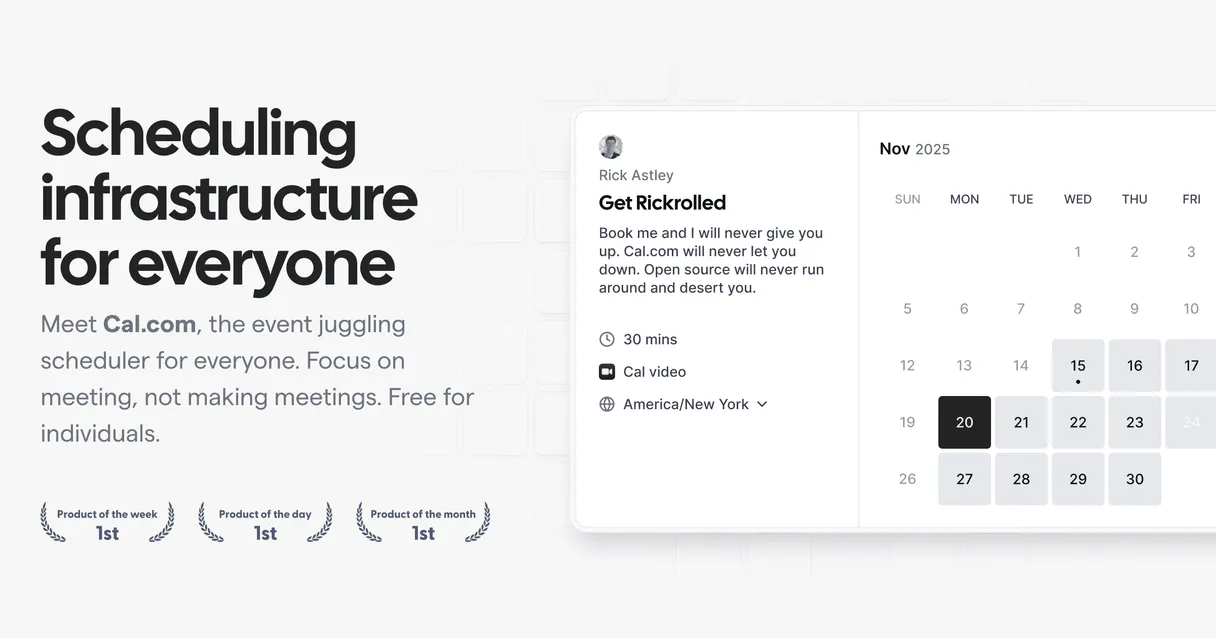
Independent Platform Disclaimer: Vinkius is an independent platform and is not affiliated with, endorsed by, sponsored by, verified by, or otherwise authorized by Cal.com. All third-party trademarks, logos, and brand names are the property of their respective owners. Their use on this website is strictly for informational purposes to identify service compatibility and interoperability.
VINKIUS INFRASTRUCTURE
Cloud Hosted
Managed infra
V8 Isolated
Sandboxed per request
Zero-Trust Proxy
No stored credentials
DLP Enforced
Policy on every call
GDPR Compliant
EU data residency
Token Compression
~60% cost reduction
Works with Claude, ChatGPT, Cursor, and more
The Model Context Protocol standardizes how applications expose capabilities to LLMs. Instead of operating in isolation, your AI gains direct access to external platforms, live data, and real-world actions through secure, standardized connections.
This server provides 10 capabilities that interface natively with Claude, ChatGPT, Cursor, and any MCP client. No middleware. No custom integration required.
Available Capabilities
Scheduling shouldn't require jumping between multiple tabs.
Right now, setting up a meeting means opening the calendar app. You navigate to the booking page, check your availability, and then, if you're free, you have to select a template and hit 'confirm.' If you're changing a meeting, you often have to find the old ID and manually cancel it, then start the whole process over.
With the Cal.com MCP Server, you just talk to your agent. You tell it the desired meeting details. The agent runs `get_schedules` to check availability and then uses `create_booking` to handle the entire process. You get the confirmation and the details, period.
Cal.com MCP Server: Control the booking lifecycle.
You don't have to manually check what templates exist or remember the exact slug for a meeting type. Your agent can run `list_event_types` to discover all available formats and then use `get_event_type` to pull the exact configuration details it needs for the booking.
The difference is control. You manage the entire booking process—from template definition to final cancellation—all through structured, repeatable calls. You're not limited by the UI's workflow.
Common Questions About Cal.com MCP
How do I use the `list_bookings` tool with Cal.com MCP Server? +
The list_bookings tool provides a list of every booking on your Cal.com account. It's useful for auditing your calendar and seeing all scheduled events in one place.
Can I use `create_booking` if I don't know the event type slug? +
No. You must first use list_event_types to find the correct slug, and then use get_event_type to get the full configuration before calling create_booking.
Does `cancel_booking` work if the meeting is already canceled? +
cancel_booking expects a valid, active booking ID. If the ID belongs to a meeting that's already canceled, the tool will return an error, telling you it can't find it.
What is the difference between `list_bookings` and `get_booking`? +
list_bookings gives you a list of all appointments. get_booking takes one specific ID and returns all the deep details about just that single booking.
How do I check my team's access before booking? +
Run list_memberships to see all organizations and teams you are part of. This confirms if the required access level for the booking exists.
What is the purpose of the `list_event_types` tool? +
It lists all templates you can book. This tool helps you see what event types (like '30 Minute Coffee') are available and what their slugs are before you try to book something.
How do I use `get_current_user` to manage my profile? +
This tool retrieves your core profile data, including your name, email, and default timezone. Use it first if you need to confirm the account details your AI agent is using.
If I use `create_booking`, what information must I provide? +
You must provide the specific event type and a time slot that is currently available. The booking process validates that the start time fits within an open slot.
Can I cancel a booking using the agent? +
Yes! Use the cancel_booking tool with the Booking ID. Your agent will trigger the cancellation in Cal.com, notifying all participants automatically.
How do I see the list of all my upcoming meetings? +
Simply ask the agent to list_bookings. It will retrieve the list of all scheduled meetings from your Cal.com account, including start times and attendee details.
Does the integration allow creating a new event type? +
Yes. Use the create_event_type action and provide the title, slug, and duration. The new scheduling template will be created in your account instantly.
Use it with your favorite AI tools
Connect this server to Cursor, Claude, VS Code, and more.
More in this category

Retool
Connect your AI assistant to Retool to inspect applications, audit users, review connected resources, and monitor workflows directly from chat.

GitLab
Manage projects, track issues, and oversee CI/CD pipelines via AI agents with GitLab.

HTML to Markdown Converter
Stop LLMs from skipping website content. Convert massive HTML files into clean Markdown deterministically without data loss.
You might also like
Paymo
Control agency workflows via Paymo — trace tasks, submit time entries, structure project milestones, and securely fetch invoices using AI.

ZooAnimals
Access a comprehensive database of zoo animals—retrieve random species, filter by type, and inspect specific animal details directly from your AI agent.

Worldpay
Process payments, manage refunds, and audit settlements on Worldpay — the global leader in payment processing technology.