
Cannlytics Strain API MCP. Analyze strain effects and profiles in seconds.
 Gemini
 Works with every AI agent you already use
…and any MCP-compatible client









Just plug in your AI agents and start using Vinkius.
Cannlytics Strain API connects structured cannabis data—including effects, flavors, and genetic profiles—directly to your AI client. Search for strains by name, retrieve detailed biological data, and discover related strains based on shared characteristics.
This tool provides a reliable, open data source for researchers, industry professionals, and consumers.
What your AI agents can do
Get effects
Retrieves the positive, negative, and medical effects reported for a specific cannabis strain.
Get flavors
Gets the flavor profile (e.g., earthy, citrus) reported for a specific cannabis strain.
Get similar strains
Finds other strains that share genetic or characteristic traits with a specified strain.
Get a complete record for any specific cannabis strain using its name or ID.
Find strains across the whole Cannlytics database using general keywords or partial names.
Pull a list of positive, negative, and medical effects associated with a specific strain.
Get the specific flavor characteristics (e.g., earthy, citrus) reported for a given strain.
Ask AI about this MCP
Supported MCP Clients
Gemini Waiting for input…
Cannlytics Strain API MCP Server: 5 Tools for Strain Data
Use these tools to search for strains, get full profiles, and extract specific data points like effects or flavors from the Cannlytics database.
019d7568get effects
Retrieves the positive, negative, and medical effects reported for a specific cannabis strain.
019d7568get flavors
Gets the flavor profile (e.g., earthy, citrus) reported for a specific cannabis strain.
019d7568get similar strains
Finds other strains that share genetic or characteristic traits with a specified strain.
019d7568get strain
Retrieves all detailed information, including genetics and profiles, for a specific cannabis strain.
019d7568search strains
Searches the database for strains using keywords or partial names.
Choose How to Get Started
Build a custom MCP for your own tools, or connect a ready-made integration from our catalog.
Build Your Own
Turn any API into an MCP. Import a spec, define Agent Skills, or deploy with MCPFusion.
- Import from OpenAPI, Swagger, or YAML specs
- Create Agent Skills with progressive disclosure
- Deploy to edge with MCPFusion framework
- Built in DLP, auth, and compliance on every call
- Real time usage dashboard and cost metering
- Publish to catalog or keep private
Make Your AI Do More
Start with Cannlytics Strain API, then connect any of our 4,700+ other servers whenever your AI needs more. One click, no limits.
- Use this MCP plus 4,700+ others, all in one place
- Add new capabilities to your AI anytime you want
- Every connection is secured and compliant automatically
- Track usage and costs across all your servers
- Works with Claude, ChatGPT, Cursor, and more
- New servers added to the catalog every week
What you can do with this MCP connector
Cannlytics connects structured cannabis data—including effects, flavors, and genetic profiles—right into your AI client. You'll search for strains by name, pull detailed biological data, and find related strains based on shared traits. This is a solid, open data source for researchers, industry folks, and even consumers.
Search the entire database
Use search_strains to look up strains across the whole Cannlytics database using keywords or partial names.
Look up core strain details
Run get_strain to get a complete record for any specific cannabis strain, including all its genetics and profiles.
Retrieve reported effects
Call get_effects to pull a list of positive, negative, and medical effects associated with a specific strain. You'll also use get_flavors to get the specific flavor characteristics—like earthy or citrus—reported for a given strain.
Discover similar strains
get_similar_strains finds other strains that share genetic or characteristic traits with a specified strain.
How Cannlytics Strain API MCP Works
- 1 Subscribe to the Cannlytics server and input your API key.
- 2 Your AI client uses a natural language prompt (e.g., 'What are the effects of Strain X?')
- 3 The agent invokes the appropriate tool (e.g.,
get_effects) and returns the structured data.
The bottom line is that your AI client handles the API calls, so you just need the API key set up on the Vinkius Marketplace.
Who Is Cannlytics Strain API MCP For?
Researchers, botanists, and industry professionals need this. If your job requires correlating genetic data with consumer-facing information, this saves hours of manual database cross-referencing. It gives you a single, structured source for strain profiles.
Accessing structured strain data to build studies or perform market analysis on chemical profiles.
Integrating verifiable strain effects and flavor data into product recommendations or educational tools.
Quickly cross-referencing a client's needs (e.g., 'needs something for anxiety') against multiple strains and their medical/energetic profiles.
What Changes When You Connect
- Get a complete profile on a strain. Instead of checking five different data sheets,
get_strainpulls all the core data—genetics, effects, and flavors—into one structured response. - Pinpoint related options fast. If a customer likes Strain A, use
get_similar_strainsto immediately suggest three genetically related alternatives, minimizing your search time. - Understand the full spectrum of impact. Use
get_effectsto separate positive, negative, and medical outcomes for a strain, giving clients a balanced view. - Quickly find the right strain. If you only know a keyword ('Blue'),
search_strainsnarrows the entire database down to a list of candidates, letting you choose the target for deeper calls. - Know the taste. Don't rely on vague descriptions.
get_flavorsprovides specific flavor compounds (like 'earthy' or 'sweet') to match a customer's preference.
Real-World Use Cases
Initial discovery of a candidate strain
A researcher needs data on all 'Blue' strains. They start by calling search_strains with the keyword 'Blue'. This returns a list of 5 candidates. They then select 'Blue Dream' and use get_strain to pull the full technical profile for immediate analysis.
Comparing a known strain to alternatives
A budtender recommends 'OG Kush'. To build confidence, they run get_similar_strains on 'OG Kush'. The agent returns a list (Skywalker OG, Bubba Kush). The budtender then runs get_effects on 'Skywalker OG' to compare the impacts directly.
Determining suitability for a specific condition
A customer needs relief for 'sleep.' The agent first uses search_strains for 'sleep' related strains. The user then runs get_effects on the top result, checking the 'Medical' category to confirm its benefit for sleep.
Profiling a complex, unknown strain
A lab scientist gets a sample and needs a full profile. They use get_strain to pull the primary data, then get_flavors to nail down the chemical notes, and finally get_similar_strains to place it taxonomically within the known database.
The Tradeoffs
Jumping straight to details
Asking only 'What are the flavors of Sour Diesel?' and stopping there. You get a list of flavors, but no context on the strain's genetics or overall medical profile.
→
First, call get_strain for 'Sour Diesel' to get the full context. Then, if needed, call get_flavors to add the specific flavor details. This ensures you have the complete picture, not just one isolated data point.
Searching with too many keywords
Querying the database for 'blue, energetic, and earthy'. The system might fail or return incomplete data because the search function expects a name or simple keyword, not a complex conjunction of traits.
→
Use search_strains to narrow the list by name first. Once you have a specific strain name, use get_effects and get_flavors separately to filter by traits. This sequential approach keeps the data clean.
Assuming all data is in one place
Thinking that the general description covers everything. The system needs specific tool calls to pull out structured lists of effects or flavors.
→
Don't rely on conversational summaries. Always specify the tool needed. Use get_effects to get the list of effects, or get_flavors for the flavor profile. These tools deliver structured, usable lists.
When It Fits, When It Doesn't
Use this server if your goal is biological profiling—you need to move beyond simple definitions and correlate multiple, distinct data points (effects, flavors, genetics, related strains) into one usable dataset. If you are building a system that requires structured, verifiable data for medical or research purposes, this is the tool.
Don't use this if you just need a definition or a quick general lookup. For those simple tasks, a basic search engine or dictionary is enough. You must be prepared to use multiple tools in sequence (e.g., search_strains -> get_strain -> get_effects). The process isn't one call; it's a pipeline.
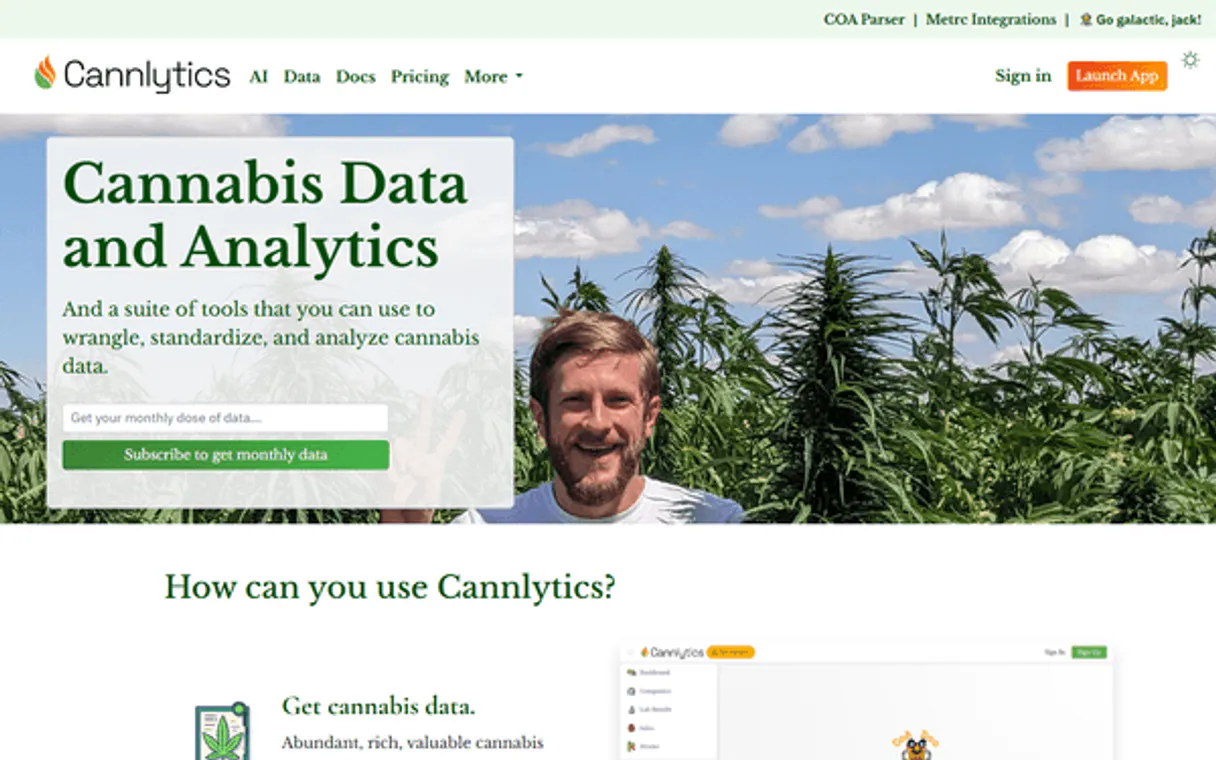
Independent Platform Disclaimer: Vinkius is an independent platform and is not affiliated with, endorsed by, sponsored by, verified by, or otherwise authorized by Cannlytics. All third-party trademarks, logos, and brand names are the property of their respective owners. Their use on this website is strictly for informational purposes to identify service compatibility and interoperability.
VINKIUS INFRASTRUCTURE
Cloud Hosted
Managed infra
V8 Isolated
Sandboxed per request
Zero-Trust Proxy
No stored credentials
DLP Enforced
Policy on every call
GDPR Compliant
EU data residency
Token Compression
~60% cost reduction
Works with Claude, ChatGPT, Cursor, and more
The Model Context Protocol standardizes how applications expose capabilities to LLMs. Instead of operating in isolation, your AI gains direct access to external platforms, live data, and real-world actions through secure, standardized connections.
This server provides 5 capabilities that interface natively with Claude, ChatGPT, Cursor, and any MCP client. No middleware. No custom integration required.
Available Capabilities
Finding reliable strain data shouldn't require multiple logins and manual cross-referencing.
Before this API, a researcher needed to log into the core genetics database to find a strain's primary record. Then, they had to switch to a separate flavor profile sheet to check the terpenes, and often a third tool to verify the medical or psychoactive effects. This meant hours of clicking, downloading CSVs, and manually comparing notes.
With Cannlytics, your AI agent handles the workflow. You ask for the strain profile, and the agent automatically pulls the full record, the flavor profile, and the key effects into one structured output. You get the full data set, ready for analysis, instantly.
Cannlytics Strain API MCP Server: Getting the Data
The manual steps that vanish are: navigating between disparate data sources; transcribing data from one sheet to another; and reconciling conflicting reports. You don't have to build the pipeline yourself.
The API delivers clean, structured data, whether you're using `get_effects` or `get_flavors`. This means your application consumes pure, reliable data, not a web page that might change its layout next week.
Common Questions About Cannlytics Strain API MCP
How do I get my Cannlytics API Key? +
Sign up on the Cannlytics platform, navigate to your account settings, and generate a new API key.
Can I see medical effects for strains? +
Yes, the get_effects tool returns positive, negative, and medical effects reported by users for each strain.
Does it include flavor profiles? +
Yes, use the get_flavors tool to see detailed flavor descriptors like earthy, sweet, citrus, and more.
Can I find similar strains to one I already know? +
Yes! Use the get_similar_strains tool to discover related strains based on genetics and shared characteristics.
What does the `search_strains` tool do for finding specific cannabis strains? +
The search_strains tool finds available strains by name or keyword. You simply tell your AI client what you're looking for, and the tool returns a list of matching strains from the database.
If I run `get_effects` on a strain, what kind of data do I get? +
You get a structured list of reported effects, categorized into positive, negative, and medical uses. This lets your AI client give you a full profile, not just a single effect.
How does `get_flavors` work to describe a strain's taste? +
It retrieves the flavor profile for a specific strain, listing various aromatic descriptions like earthy, sweet, or citrus. Your agent uses this to build a comprehensive taste description.
What's the difference between `get_strain` and `search_strains`? +
Use search_strains first to find the strain's exact name or ID. Then, pass that specific name to get_strain to pull all the detailed information you need.
Use it with your favorite AI tools
Connect this server to Cursor, Claude, VS Code, and more.
More in this category

RubyGems
Manage Ruby packages directly from your AI agent — search for gems, inspect versions, and track download statistics on RubyGems.org.

Zoho Creator
Low-code platform to build applications and manage records with AI using Creator API v2.1.
Extracta
Automate data extraction via Extracta — process documents into structured JSON, handle AI classification, and audit extraction history directly from any AI agent.
You might also like

Health XML Export Parser
Parse massive Apple Health or Google Fit XML exports safely without blowing up your AI's context window. Extracts actionable health metrics instantly.

PostHog Alternative
Manage product analytics and feature flags via PostHog — query events, inspect cohorts, toggle flags and create annotations from any AI agent.

World Bank Climate & Energy
Track CO2 emissions, renewable energy usage, deforestation, and electrification rates using official World Bank data.