
Canto MCP. Control your entire media library from your chat window.
 Gemini
 Works with every AI agent you already use
…and any MCP-compatible client









Just plug in your AI agents and start using Vinkius.
Canto MCP Server manages your entire media library. Use it to list, create, and organize folders and albums, search assets across your whole vault, and update metadata—all through conversation.
Your AI agent talks directly to your Canto DAM, letting you assign files, check EXIF data, or wipe old assets without clicking through dashboards.
What your AI agents can do
Assign asset album
Assigns a specific set of assets to a designated UI album.
Create canto album
Creates a new album within your Canto workspace.
Create canto folder
Makes a new folder structure inside your Canto vault.
Create new folders and albums, or list existing ones to map out your entire asset vault structure.
Search across all assets globally, or pull all assets that belong to a specific album.
Get technical image properties (like EXIF data) or patch custom tags and metadata across assets.
Assign specific assets to UI albums or create new collections to group related files.
Permanently delete specified media assets from the live database.
Ask AI about this MCP
Supported MCP Clients
Gemini Waiting for input…
Canto MCP Server: 10 Tools for Asset & Folder Management
Use these tools to manage the full lifecycle of your media assets, from searching the vault to deleting obsolete files.
019d7568assign asset album
Assigns a specific set of assets to a designated UI album.
019d7568create canto album
Creates a new album within your Canto workspace.
019d7568create canto folder
Makes a new folder structure inside your Canto vault.
019d7568get album assets
Retrieves all assets associated with a specific album ID.
019d7568get image metadata
Extracts technical properties and metadata from a single image asset.
019d7568global asset search
Searches across the entire Canto vault for assets matching specific criteria.
019d7568list canto albums
Lists all active, existing albums in your Canto account.
019d7568list canto folders
Lists all folders and directory paths in your Canto account.
019d7568patch image metadata
Updates or validates custom metadata fields for a specific image asset.
019d7568wipe media asset
Permanently deletes a specified media asset from the live Canto database.
Choose How to Get Started
Build a custom MCP for your own tools, or connect a ready-made integration from our catalog.
Build Your Own
Turn any API into an MCP. Import a spec, define Agent Skills, or deploy with MCPFusion.
- Import from OpenAPI, Swagger, or YAML specs
- Create Agent Skills with progressive disclosure
- Deploy to edge with MCPFusion framework
- Built in DLP, auth, and compliance on every call
- Real time usage dashboard and cost metering
- Publish to catalog or keep private
Make Your AI Do More
Start with Canto, then connect any of our 4,700+ other servers whenever your AI needs more. One click, no limits.
- Use this MCP plus 4,700+ others, all in one place
- Add new capabilities to your AI anytime you want
- Every connection is secured and compliant automatically
- Track usage and costs across all your servers
- Works with Claude, ChatGPT, Cursor, and more
- New servers added to the catalog every week
What you can do with this MCP connector
Your AI agent talks directly to your Canto DAM, giving you full control over your entire media library. You use it to list, create, and organize folders and albums, search assets across your whole vault, and update metadata—all through conversation. You can tell your agent to assign files, check EXIF data, or wipe old assets without clicking through dashboards.
Manage Folder and Album Structures
Your agent can list all existing folders using list_canto_folders and also list every active album with list_canto_albums. You can make a whole new folder structure inside your Canto vault with create_canto_folder, and you can spin up a new album with create_canto_album.
Search and Retrieve Assets
Tell your agent to search across the entire Canto vault using global_asset_search for assets that match specific criteria. You can also get all assets that belong to a specific album ID by calling get_album_assets.
Inspect and Update Metadata
Your agent extracts technical properties and metadata from a single image asset using get_image_metadata. You can also update or validate custom metadata fields for a specific image asset with patch_image_metadata.
Organize and Restructure Media
It lets you assign a specific set of assets to a designated UI album using assign_asset_album, or group related files by creating new collections.
Clean Up Assets
You can permanently delete a specified media asset from the live Canto database with wipe_media_asset.
How Canto MCP Works
- 1 Subscribe to the server and provide your Canto Domain and API Access Token.
- 2 Tell your AI client the goal (e.g., 'Find all marketing banners and put them in the 'Q4 Launch' folder').
- 3 The agent executes the necessary tool sequence (e.g.,
global_asset_search$\rightarrow$create_canto_folder$\rightarrow$assign_asset_album) and confirms the final state.
The bottom line is, your agent handles the whole workflow—from searching for a file to organizing it—without you needing to know the underlying API calls.
Who Is Canto MCP For?
The Brand Manager who needs to find a specific asset across years of content. The Content Strategist who must batch-update hundreds of image tags. The Marketing Operations Engineer who needs to automate the cleanup of old, orphaned media files. If your job involves moving or tracking visual assets, you need this.
Uses the server to search for brand assets, mass-tag images with updated campaign info, and organize event photography directly from a chat window.
Uses the server to generate new albums for deliverables and automatically update EXIF data across a set of images.
Uses the server to ensure product mockups are always tracked and assigned to the correct visual iteration album.
What Changes When You Connect
- Stop manually searching for assets.
global_asset_searchlets your agent query the entire vault instantly, finding assets by tag or partial name, not just by folder path. - Never lose track of deliverables again. You can use
get_album_assetsto pull all files linked to a specific album, guaranteeing you see every piece of content. - Fix asset organization in bulk. Instead of manually moving files, use
assign_asset_albumto group dozens of assets into a new album in one go. - Keep your assets clean. Use
wipe_media_assetto permanently delete obsolete data. This is the only way to truly remove files from the system. - Automate data validation.
get_image_metadataandpatch_image_metadatalet you check EXIF data and update custom tags across multiple images without opening a single file. - Build structure on the fly. You can run
create_canto_folderandcreate_canto_albumin sequence to provision complex, nested directories and collections immediately.
Real-World Use Cases
Need to consolidate all Q3 campaign images.
The Marketing team needs all images from the 'Q3 Marketing Pipeline' across multiple folders. They ask their agent to run global_asset_search. The agent finds 5 assets, then uses create_canto_album and assign_asset_album to gather all five into a new 'Q3 Campaign Review' album, solving the manual copy/paste problem.
Updating product mockups for a new release.
A Product Manager needs to ensure all product mockups have the correct 'V2.1 Approved' tag. They prompt the agent to run get_image_metadata on the asset ID and then patch_image_metadata to update the custom field. This instantly updates the metadata across hundreds of files.
Organizing event photos into structured collections.
The Content Creator shoots an event and needs to file the photos. They ask the agent to list_canto_folders to see where to put them, then use create_canto_folder for the event year, and finally assign_asset_album to group the best shots into a 'Best Of' album.
Cleaning up abandoned, old campaign assets.
The Ops Engineer knows the '2018 Fall' folder is full of junk. They ask the agent to identify assets in that folder and run wipe_media_asset on the specified IDs, ensuring the database is clean and only active files remain.
The Tradeoffs
Sequential API Calls
A user manually calls list_canto_folders to find the right path, then calls list_canto_albums to see what's in it, and then calls get_album_assets for every album—all one by one in a script.
→ Don't chain calls manually. Let your agent handle it. Give it a single prompt: 'List all active albums and find the assets in the top three.' The agent runs the sequence automatically.
Assuming Metadata is Always There
A developer tries to write a script that assumes every asset has a customFields tag, leading to runtime errors when a file is missing that data point.
→
Always use get_image_metadata first to validate the asset's current properties. Then, use patch_image_metadata only if the required field is present and needs changing.
Trying to Delete Data in Batches
A user attempts to delete 50 assets by listing all IDs and putting them into a massive delete request, which risks hitting API limits or failing on a single bad ID.
→
Use wipe_media_asset for targeted deletion. Identify the exact assets first (e.g., via global_asset_search) and then tell the agent to delete them one by one or in small, manageable batches.
When It Fits, When It Doesn't
Use this server if your workflow requires controlling the asset lifecycle: creating folders/albums, searching globally, or updating metadata. It's necessary when you need to act on the media, not just view it. Don't use it if your only goal is to view a file's contents—a simple file reader or viewer works fine. If you only need to read data from a single location (e.g., just listing folders), you might only need list_canto_folders. But if that listing needs to trigger a subsequent action (like creating a new album), you need the whole suite. The power is in the combination of tools.
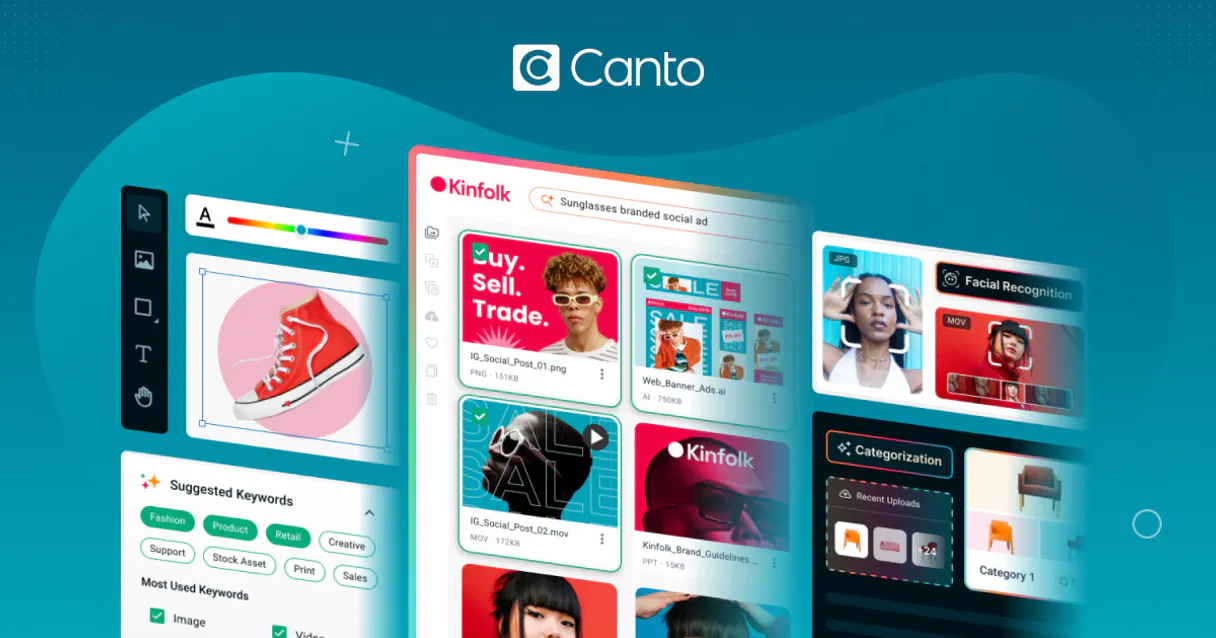
Independent Platform Disclaimer: Vinkius is an independent platform and is not affiliated with, endorsed by, sponsored by, verified by, or otherwise authorized by Canto. All third-party trademarks, logos, and brand names are the property of their respective owners. Their use on this website is strictly for informational purposes to identify service compatibility and interoperability.
VINKIUS INFRASTRUCTURE
Cloud Hosted
Managed infra
V8 Isolated
Sandboxed per request
Zero-Trust Proxy
No stored credentials
DLP Enforced
Policy on every call
GDPR Compliant
EU data residency
Token Compression
~60% cost reduction
Works with Claude, ChatGPT, Cursor, and more
The Model Context Protocol standardizes how applications expose capabilities to LLMs. Instead of operating in isolation, your AI gains direct access to external platforms, live data, and real-world actions through secure, standardized connections.
This server provides 10 capabilities that interface natively with Claude, ChatGPT, Cursor, and any MCP client. No middleware. No custom integration required.
Available Capabilities
Sifting through folders and albums is a massive time sink.
Today, finding a specific asset means clicking into the main DAM, navigating folder by folder, and then checking the asset's properties tab to see if it's tagged correctly. If the asset lives in a different folder, you repeat the clicks. It’s a deep, manual dive into directory structures.
With the Canto MCP Server, you just ask your agent. You say, 'Find all assets related to the Q3 launch.' The agent runs `global_asset_search` and gives you a list, skipping all the manual navigation. It delivers the list, ready for the next step.
Canto MCP Server: Automate the asset workflow.
Manual asset management involves logging into the DAM, manually copying asset IDs, checking them in a spreadsheet, and then going back to the UI to assign them to a folder or album. This process is tedious, error-prone, and takes hours.
Now, tell your agent the goal. It runs `get_image_metadata` on the list of IDs, validates the data, and then uses `assign_asset_album` to organize everything automatically. The whole process happens in the chat, and the assets are structured correctly.
Common Questions About Canto MCP
How do I use `global_asset_search` to find assets? +
You simply tell your agent what you're looking for. The agent translates your natural language query into the search parameters for global_asset_search. You can search across the whole vault, regardless of which folder the asset is in.
Can I use `patch_image_metadata` to update tags? +
Yes. You provide the asset ID and the new tag value (e.g., 'Approved'). The agent executes patch_image_metadata, updating the custom fields directly in Canto.
What is the difference between `create_canto_album` and `create_canto_folder`? +
A folder is a raw directory structure (create_canto_folder). An album is a curated collection of assets (create_canto_album) that you assign assets to using assign_asset_album.
Is `wipe_media_asset` irreversible? +
Yes, it's a destructive command. Using wipe_media_asset permanently deletes the file from the live database. Use this only when you are absolutely sure the data is obsolete.
Can I use `get_image_metadata` on a folder? +
No. get_image_metadata requires a specific asset ID. It reads technical data (like EXIF) from a file, not from a directory structure.
How do I manage or delete assets using the `wipe_media_asset` tool? +
This tool permanently deletes assets. When you call wipe_media_asset, the data is vaporized from the live database and cannot be recovered. Use it only when you are absolutely sure the assets are obsolete.
Does `get_album_assets` provide information about assets that are not directly linked? +
No, get_album_assets only retrieves assets explicitly associated with a given album. It reads the direct linking structure and does not scan for orphaned or related items.
What happens if I try to create a folder or album with a name that already exists? +
The server handles this by returning a specific conflict error. You need to check the API response for status code 409; this means the resource name is already in use, and you should try a different name.
Can my AI agent help me enforce metadata compliance across my Canto digital assets? +
Yes. You can instruct your AI to search for assets matching specific parameters or lacking required EXIF data, and automatically apply bulk updates to those customFields using the update metadata tool. Marketing teams use this to standardize their entire unstructured media library inside Canto in seconds.
Am I able to restructure my Canto hierarchy without using the web application? +
Absolutely. Ask your agent to list your current folders and albums, and you can map out a totally new structure. The agent can dynamically create new folders and albums, and immediately assign existing media to these new groupings via the API, preventing any orphaned storage scenarios.
Can the agent search for specific imagery based on broad keywords quickly? +
Yes, the AI uses Canto's global asset search to bypass manual navigation loops. It can query across boundaries to pull up exactly the campaign shots or product imagery you need. You can then request the deep metadata details of any returned image directly through the conversation.
Use it with your favorite AI tools
Connect this server to Cursor, Claude, VS Code, and more.
More in this category

Kapwing
Automate video and image rendering via Kapwing — create media from JSON, track render progress, and manage assets directly from any AI agent.

Art Institute of Chicago
Search and explore the Art Institute of Chicago's digital collection—artworks, artists, and gallery locations.

Canva
Empower your AI agents to manage Canva designs, upload branding assets, and trigger automatic exports directly from your chat.
You might also like

Groove
Manage your customer support tickets via Groove — list conversations, reply to customers, and monitor agent activity directly via AI.
Buenbit
Automate Crypto Exchange operations via Buenbit — track balances, extract asset tickers, and execute real-time trading directly from conversational AI.

Abstract API
Enrich and verify data — audit geolocation, emails, and VAT via AI.