
Channable MCP. Manage orders and inventory across every channel.
 Gemini
 Works with every AI agent you already use
…and any MCP-compatible client









Just plug in your AI agents and start using Vinkius.
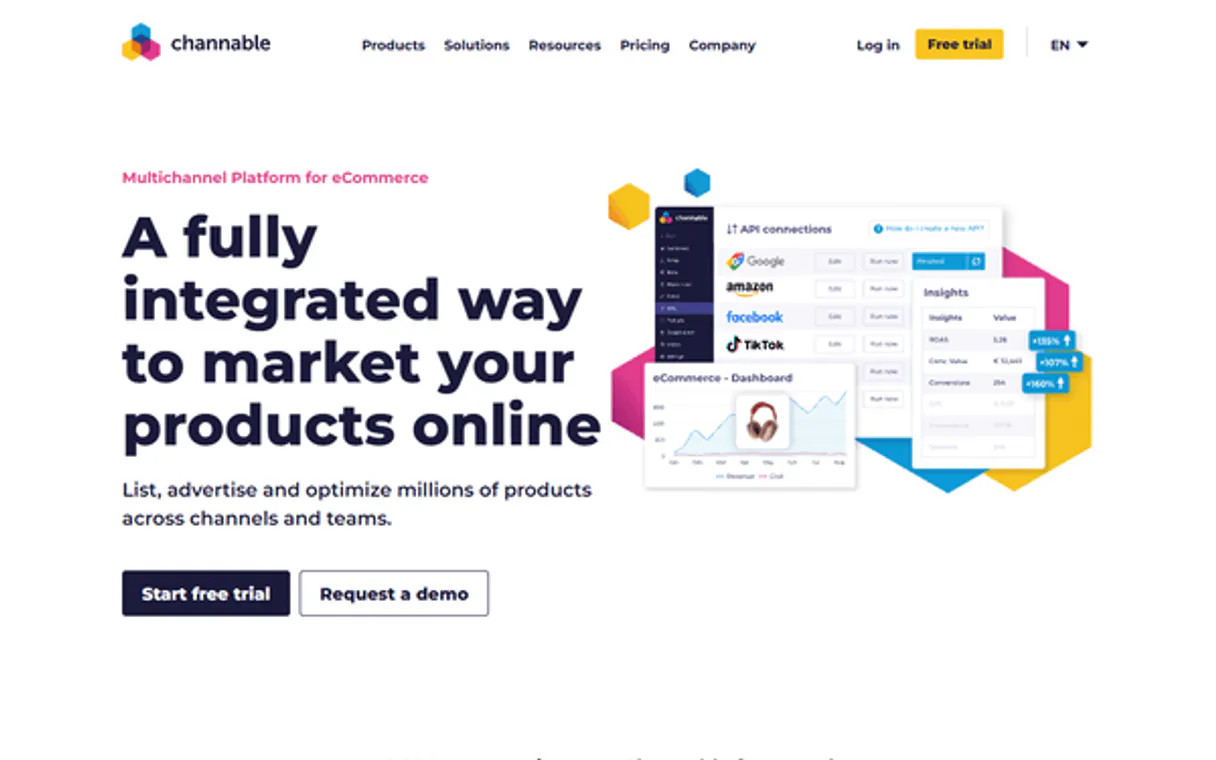
Channable. Manage all your marketplace orders and inventory in one place. This server lets your AI agent track sales, update stock, and handle returns across Amazon, eBay, bol.com, and more, all from chat.
It keeps your e-commerce operations running without needing to open the dashboard.
What your AI agents can do
Get order details
Gets detailed information for a specific order.
Get project summary
Retrieves summary data for a specific project.
List channable projects
Lists all projects connected to your company account.
Retrieves full information for a specific order ID.
Pulls summary data for a designated project.
Retrieves a list of all marketplace connections for a company.
Lists all active marketplace channels linked to a specific project ID.
Retrieves a list of customer return records for a project.
Pulls a list of orders from all connected marketplaces for a project.
Gets a list of shipments and their associated tracking details for a project.
Adjusts inventory levels for specific products within a project.
Ask AI about this MCP
Supported MCP Clients
Gemini Waiting for input…
Channable MCP Server: 8 Tools for Order & Inventory Ops
Use these tools to check order status, update stock, list returns, and view project metrics across all connected e-commerce channels.
019d756bget order details
Gets detailed information for a specific order.
019d756bget project summary
Retrieves summary data for a specific project.
019d756blist channable projects
Lists all projects connected to your company account.
019d756blist connected channels
Lists all marketplace channels active within a project.
019d756blist customer returns
Lists all customer returns for a specified project.
019d756blist marketplace orders
Lists recent orders from all connected marketplaces for a project.
019d756blist order shipments
Lists shipments and their tracking information for a project.
019d756bupdate product stock
Sets new inventory levels for products in a project.
Choose How to Get Started
Build a custom MCP for your own tools, or connect a ready-made integration from our catalog.
Build Your Own
Turn any API into an MCP. Import a spec, define Agent Skills, or deploy with MCPFusion.
- Import from OpenAPI, Swagger, or YAML specs
- Create Agent Skills with progressive disclosure
- Deploy to edge with MCPFusion framework
- Built in DLP, auth, and compliance on every call
- Real time usage dashboard and cost metering
- Publish to catalog or keep private
Make Your AI Do More
Start with Channable, then connect any of our 4,700+ other servers whenever your AI needs more. One click, no limits.
- Use this MCP plus 4,700+ others, all in one place
- Add new capabilities to your AI anytime you want
- Every connection is secured and compliant automatically
- Track usage and costs across all your servers
- Works with Claude, ChatGPT, Cursor, and more
- New servers added to the catalog every week
What you can do with this MCP connector
Your AI agent handles all your marketplace orders and inventory through Channable. It keeps your e-commerce running across Amazon, eBay, bol.com, and more—all from your chat. You won't have to open the dashboard to manage sales, update stock, or handle returns. Your agent can pull a list of recent orders from all connected marketplaces for a project; it'll also get detailed information for a specific order ID.
You can list all projects connected to your company account, and then list all active marketplace channels linked to a specific project ID. When you need to manage stock, your agent updates product stock levels for specific products within a project. You can check shipment and tracking info, getting a list of shipments and their associated tracking details for a project.
You can also list customer returns, pulling a list of customer return records for a project. Finally, you can view project summaries, pulling summary data for a designated project.
How Channable MCP Works
- 1 Subscribe to the server and enter your Channable API Token and Company ID.
- 2 Your AI client sends a request (e.g., 'What are the latest orders?').
- 3 The server executes the appropriate tool, pulls the data, and sends the result back to your AI client for natural language summary.
The bottom line is, you manage multi-channel sales operations without ever leaving your chat interface.
Who Is Channable MCP For?
The e-commerce operations manager who has to switch between Amazon Seller Central, eBay, and bol.com dashboards all day long. This is for anyone whose job involves keeping inventory synced and fulfilling orders across multiple storefronts. It's built for people who need to move fast and don't have time to click through five different websites.
Uses the agent to check order statuses, list returns, and update stock counts across all connected marketplaces simultaneously.
Runs the update_product_stock tool to ensure product counts are accurate across every single sales channel, preventing overselling.
Checks order details or return statuses for a customer by asking the agent, instead of logging into the customer portal.
Verifies shipment information and tracking numbers for high-volume marketplace orders using the agent.
What Changes When You Connect
- Stop jumping between Seller Central, eBay, and bol.com. Use
list_marketplace_ordersto pull order data from every connected channel into one view. - Avoid overselling. Use
update_product_stockto sync inventory counts across all marketplaces, guaranteeing your stock numbers are accurate everywhere. - Keep customers happy by handling returns instantly. Run
list_customer_returnsto view and manage return records directly in your chat. - Get a full picture of your business health. Use
get_project_summaryto see high-level metrics for all your active commerce projects. - Track everything from order placement to delivery. The
list_order_shipmentstool gives you all tracking numbers and shipment status updates. - Access core data on demand. Use
get_order_detailsto pull up any single order's full history without manual searching.
Real-World Use Cases
The Daily Order Check
An ops manager needs to know which marketplaces received orders overnight. They ask the agent to run list_marketplace_orders. The agent pulls data from Amazon, eBay, and bol.com, giving the manager a consolidated list they can action immediately.
Stock Correction after Sale
A product was sold manually on a side channel. The inventory specialist asks the agent to run update_product_stock for SKU 'XYZ' to 10 units. The server updates the stock and ensures that count is synchronized across all connected marketplaces.
Tracking a Missing Shipment
A customer asks for a tracking number. The logistics coordinator asks the agent to run list_order_shipments for the order ID. The agent immediately pulls the latest tracking details and sends them to the customer.
Handling a Bulk Return Wave
The support team has 30 returns to process. Instead of checking the dashboard, they ask the agent to run list_customer_returns to get a clean list of all return items and statuses for quick review.
The Tradeoffs
Using separate sheets for channels
Manually logging orders from Amazon into one Google Sheet and eBay into another, then cross-referencing them to check total stock or fulfillment status.
→
Let the agent run list_marketplace_orders to pull all sales data into one place. Then, use update_product_stock if you need to manually adjust the inventory count based on that combined data.
Ignoring project boundaries
Trying to run order checks without specifying which set of marketplaces (project) the orders belong to, leading to incomplete or mixed data.
→
Always start by running list_channable_projects to find the right project ID. Then, use list_connected_channels to confirm all relevant channels are active before running list_marketplace_orders.
Assuming data is always up-to-date
Believing that simply checking the order list is enough, but missing the actual shipment status or return data.
→
Always follow up. After checking orders with list_marketplace_orders, immediately run list_order_shipments to confirm the tracking status, and then run list_customer_returns to account for returns.
When It Fits, When It Doesn't
Use this if you need to manage complex, multi-channel operations and need real-time data access (e.g., checking orders across Amazon and eBay simultaneously). You need to act on the data—like updating stock or checking return status. Don't use this if your goal is simply to view a static report or generate basic, non-synced business intelligence; for that, a dedicated BI tool might be better. If you only need to see one channel's data, you might just use the channel's native API, but this server is better because it aggregates and lets your AI agent orchestrate multiple tools at once.
Independent Platform Disclaimer: Vinkius is an independent platform and is not affiliated with, endorsed by, sponsored by, verified by, or otherwise authorized by Channable. All third-party trademarks, logos, and brand names are the property of their respective owners. Their use on this website is strictly for informational purposes to identify service compatibility and interoperability.
VINKIUS INFRASTRUCTURE
Cloud Hosted
Managed infra
V8 Isolated
Sandboxed per request
Zero-Trust Proxy
No stored credentials
DLP Enforced
Policy on every call
GDPR Compliant
EU data residency
Token Compression
~60% cost reduction
Works with Claude, ChatGPT, Cursor, and more
The Model Context Protocol standardizes how applications expose capabilities to LLMs. Instead of operating in isolation, your AI gains direct access to external platforms, live data, and real-world actions through secure, standardized connections.
This server provides 8 capabilities that interface natively with Claude, ChatGPT, Cursor, and any MCP client. No middleware. No custom integration required.
Available Capabilities
Tracking sales and inventory across multiple marketplaces shouldn't feel like opening five different websites.
Right now, if you need to know what sold on Amazon, you log into Seller Central. If you need eBay data, you open the eBay portal. If you sell on bol.com, you open that dashboard. Then you open your spreadsheet to manually compile the list, cross-referencing which items sold, how many, and if they're shipped. It’s a massive, time-sucking, multi-tab process.
With this MCP server, you tell your agent, 'Give me all sales from the last 24 hours.' The agent runs `list_marketplace_orders`, pulls the data from Amazon, eBay, and bol.com, and gives you a single, actionable list. You get a unified view, period.
Update Product Stock with Channable MCP Server: Control your inventory from chat.
Instead of logging into the inventory dashboard and manually adjusting SKUs one by one, you just tell your agent, 'Set stock for TSHIRT-L-RED to 25.' The agent executes `update_product_stock` and handles the syncing across all channels.
You don't touch a dashboard. You just talk to your agent. That's how you keep your inventory accurate, no matter how many channels you sell through.
Common Questions About Channable MCP
How does the Channable MCP Server list all marketplace orders? +
It uses the list_marketplace_orders tool to pull order data from every connected channel. This means you get a single view of sales from all your marketplaces.
Can I use the Channable MCP Server to update product stock? +
Yes. You use the update_product_stock tool. This updates the inventory level and ensures the change syncs to all connected marketplaces.
What if I only need to check a single order? +
You run get_order_details. This pulls the full, specific details for one order ID, regardless of which marketplace it came from.
Does the Channable MCP Server handle returns? +
Yes, you use the list_customer_returns tool. It lets you list and manage customer return records directly from your chat interface.
Is this server limited to one type of marketplace? +
No. The server manages orders across all connected marketplaces you list, making it multi-channel capable.
How do I use the `list_connected_channels` tool with the Channable MCP Server? +
The list_connected_channels tool shows every marketplace channel linked to your project. This lets you verify exactly where your inventory and orders are being synced.
What is the process for getting detailed order information using `get_order_details`? +
You must provide the specific order ID and project ID to the get_order_details tool. This returns comprehensive data, including items purchased, seller details, and purchase dates.
Does the Channable MCP Server support multiple projects? +
Yes, the server manages multiple projects. You can first use list_channable_projects to see all available projects and then scope your operations to the correct one.
Can I update stock for multiple products at once? +
Yes! Use the update_product_stock tool. You can provide an array of SKU IDs and their new stock levels, and the agent will sync them across Channable.
How do I see orders from a specific marketplace like Amazon? +
Use the list_marketplace_orders tool with your project ID. The agent will return all recent orders, and you can see the originating channel (e.g., Amazon, eBay) for each.
Where do I find my Channable API Token? +
Log in to Channable, go to 'Company Settings' in the sidebar, and then select 'Channable API'. You can generate and copy your token from there.
Use it with your favorite AI tools
Connect this server to Cursor, Claude, VS Code, and more.
More in this category

Bloomreach
Manage your marketing automation via Bloomreach — list catalogs, campaigns, and customer segments directly from any AI agent.

WeChat Mini-Programs / 微信小程序
China's dominant mini-app ecosystem — manage users, phone numbers, and messaging via AI.

AdRoll
E-commerce marketing and retargeting — manage campaigns, ads, and performance via AI.
You might also like
OneSignal
Automate push notifications via OneSignal — send messages, manage segments, and track delivery stats directly from any AI agent.

AstrologyAPI
Leading global astrology platform — get daily horoscopes, birth charts, and numerology via AI.

SurveySparrow
Collect feedback with conversational surveys that feel like chat and boost completion rates across employee and customer programs.