
ChannelApe MCP. Manage orders, inventory, and suppliers via natural chat.
 Gemini
 Works with every AI agent you already use
…and any MCP-compatible client









Just plug in your AI agents and start using Vinkius.
ChannelApe connects your e-commerce back office to any AI agent. It lets you manage inventory and orders across all channels—Shopify, Amazon, etc.—by talking naturally to your client.
You can check stock levels, pull up specific order details, audit product catalogs, or list connected sales channels instantly.
What your AI agents can do
Get ape business info
Pulls core business profile settings and account information from ChannelApe.
Get ape order details
Retrieves comprehensive details for a specific order ID, showing all associated line items.
Get ape product details
Gets detailed metadata and specifications for a single product SKU or item name.
The agent lists current stock levels for specific products across multiple, connected distribution centers.
You retrieve full details on a single order, including items, customer info, and fulfillment status.
The system accesses your product catalog to provide detailed metadata for any specific item ID.
You get a list of all active sales channels (e.g., Shopify, Amazon) and their current operational status.
The agent pulls vendor data, giving you an overview of integrated suppliers and logistics partners.
You list all recent orders associated with the business account to track volume and status.
Ask AI about this MCP
Supported MCP Clients
Gemini Waiting for input…
ChannelApe MCP Server: 8 Tools for E-commerce Ops
These eight tools let your agent access everything from live inventory counts to historical order data, running complex e-commerce reports via conversation.
019d756cget ape business info
Pulls core business profile settings and account information from ChannelApe.
019d756cget ape order details
Retrieves comprehensive details for a specific order ID, showing all associated line items.
019d756cget ape product details
Gets detailed metadata and specifications for a single product SKU or item name.
019d756clist ape channels
Lists all connected sales channels (like Shopify or Amazon) and reports their current operational status.
019d756clist ape inventory
Lists the quantity of stock for products across multiple, specified distribution centers.
019d756clist ape orders
Retrieves a list of recent order IDs associated with the business account.
019d756clist ape products
Lists all available products in your entire business catalog, including basic SKU info.
019d756clist ape suppliers
Retrieves a list of integrated vendors and suppliers used for sourcing goods.
Choose How to Get Started
Build a custom MCP for your own tools, or connect a ready-made integration from our catalog.
Build Your Own
Turn any API into an MCP. Import a spec, define Agent Skills, or deploy with MCPFusion.
- Import from OpenAPI, Swagger, or YAML specs
- Create Agent Skills with progressive disclosure
- Deploy to edge with MCPFusion framework
- Built in DLP, auth, and compliance on every call
- Real time usage dashboard and cost metering
- Publish to catalog or keep private
Make Your AI Do More
Start with ChannelApe, then connect any of our 4,700+ other servers whenever your AI needs more. One click, no limits.
- Use this MCP plus 4,700+ others, all in one place
- Add new capabilities to your AI anytime you want
- Every connection is secured and compliant automatically
- Track usage and costs across all your servers
- Works with Claude, ChatGPT, Cursor, and more
- New servers added to the catalog every week
What you can do with this MCP connector
You connect your e-commerce back office to any AI agent and manage everything from inventory counts to order fulfillment without getting lost in a dashboard. You don't need to juggle multiple sites; you just talk to your client, and it handles the messy data pull for ChannelApe.
When you’re running operations, you can start by checking out your core business profile settings and account information using get_ape_business_info. That gives you a quick overview of where things stand with the main platform. You also need to know what channels are even live—you ask for it using list_ape_channels, and it spits out a list of every connected sales channel, telling you if Shopify's running fine or if Amazon's got some snags.
Inventory management is where this thing really shines. You can ask the agent to check stock levels across multiple distribution centers at once using list_ape_inventory. It doesn't just give you a total number; it breaks down exactly how many units of Product X are sitting in Warehouse A versus Warehouse B, which is huge when you gotta plan shipments fast.
If you need to know more about the product itself—like dimensions or material composition—you run get_ape_product_details and feed it a specific SKU or item name. For an even broader look at what you carry, you can list every available product in your entire catalog using list_ape_products, which gives you all that basic SKU info to start tracking.
When orders come in—and they always do—you don't have time for guesswork. You first run list_ape_orders to pull a rundown of the most recent order IDs, letting you gauge your daily volume. Then, you pick one ID and use get_ape_order_details. This pulls everything: who bought it, what specific line items they ordered, how much it cost, and where it's supposed to go next.
It’s a full audit of that single order right in front of you. If you need to know the history or volume trends, listing those recent orders is your starting point.
Managing suppliers keeps everything running smooth too. You run list_ape_suppliers and get an overview of every vendor and logistics partner integrated into your system—it's a quick way to keep tabs on who’s supplying what. For general oversight, you can also pull a complete list of all available products through list_ape_products, which ensures that if you gotta check the catalog status before listing something new, you have the full picture.
Seriously, this toolset lets you audit your whole operation in plain English. You're not wading through spreadsheets or clicking seven different tabs across four different websites; you just talk to your agent and it pulls all the data for you. It’s like having a dedicated ops guy who knows exactly where every piece of stock is and what status every single order has.
How ChannelApe MCP Works
- 1 First, subscribe to this server and provide your ChannelApe API Secret and Business ID.
- 2 Next, tell your AI client exactly what you need—for example: 'Show me the stock for WIDGET-123 in the West Coast DC.'
- 3 Your agent executes the necessary tools (
list_ape_inventoryorget_ape_product_details) and sends back a direct answer.
The bottom line is: you skip the dashboard clicks. You ask your AI client a question, and it pulls the data from ChannelApe for you.
Who Is ChannelApe MCP For?
Operations Managers who are tired of jumping between inventory dashboards, Sales Reps who need to check order status instantly, or Supply Chain Coordinators managing sourcing issues. This is built for people whose job involves coordinating physical goods and digital sales channels.
Uses the agent to check stock levels across multiple distribution centers or audit fulfillment status without opening a dashboard.
Quickly looks up detailed order information and product specs straight from the chat window when a customer calls in.
Verifies supplier contract details or checks which sales channels are currently reporting an 'offline' status.
What Changes When You Connect
- Get instant stock counts across multiple warehouses using
list_ape_inventory. You don't have to log into each DC portal; the agent runs the check for you. - Never waste time searching for product specs. Call
get_ape_product_detailsand get all SKU metadata instantly, right in your chat window. - When a customer calls with an order number, use
get_ape_order_details. You pull up the full history—items, dates, status—without ever navigating to the orders page. - Keep track of where your sales are happening.
list_ape_channelsshows you exactly which platforms are connected and if they're reporting an operational error right now. - Sourcing issues? Use
list_ape_suppliers. You can check vendor details alongside current inventory levels, making supply chain verification immediate. - See the whole picture by running
list_ape_ordersfirst. Then you have a batch of IDs to feed intoget_ape_order_detailsfor bulk status checks.
Real-World Use Cases
Checking stock before confirming a sale
A sales rep gets a call about an old widget. Instead of saying, 'I'll check,' they prompt their agent: 'What is the current stock for WIDGET-123?' The agent immediately calls list_ape_inventory and tells them, 'You have 150 units across all warehouses.' They confirm the sale instantly.
Auditing channel health post-outage
The operations team notices a system might be down. They prompt: 'List connected sales channels and their status.' The agent runs list_ape_channels and immediately flags the two problematic platforms, allowing them to restart services faster.
Handling complex returns
Customer service gets a request for an order from three weeks ago. They prompt: 'Get details for Order #1005.' The agent uses get_ape_order_details to pull the full record, showing exactly what was purchased and which return window applies.
Planning a new product line
An inventory planner needs specs for all current items. They prompt: 'List products in the catalog.' The agent calls list_ape_products, giving them every SKU so they can run deeper analyses on specific item metadata.
The Tradeoffs
Trying to read everything manually
A user tries to get stock, then orders, then suppliers. They open the dashboard for inventory, copy a product ID; then open the order page and search for that ID in the notes section. It takes 15 minutes of clicking.
→
Just ask your agent: 'What is the current stock (using list_ape_inventory) for products listed in recent orders (using list_ape_orders)?' The AI client chains the calls and gives one cohesive answer.
Assuming a single tool covers everything
A user only uses get_ape_product_details when they actually need to know if that product was ordered in the last 7 days. The tool won't help with time-based data.
→
To check sales history, you must first run list_ape_orders, then use a specific ID from that list to get granular details via get_ape_order_details.
Mixing up vendor and channel info
A user asks about 'Amazon's stock.' They confuse the sales channel with the physical inventory location, leading to a wrong answer.
→
To check Amazon’s status, use list_ape_channels. To check stock quantity for an item sold on Amazon, you must run list_ape_inventory.
When It Fits, When It Doesn't
Use this if your workflow involves coordinating multiple data points across different parts of the business: product specs and inventory counts and supplier status. You need a single source of truth that aggregates these siloed systems. Don't use it if you only need one thing, like just viewing the catalog (use list_ape_products) or checking vendor details (use list_ape_suppliers). If your task is simple—like 'What are my business settings?'—then a single tool call suffices. The power comes from chaining: using IDs found via list_ape_orders to then run get_ape_product_details. You need the coordination layer this server provides.

Independent Platform Disclaimer: Vinkius is an independent platform and is not affiliated with, endorsed by, sponsored by, verified by, or otherwise authorized by ChannelApe. All third-party trademarks, logos, and brand names are the property of their respective owners. Their use on this website is strictly for informational purposes to identify service compatibility and interoperability.
VINKIUS INFRASTRUCTURE
Cloud Hosted
Managed infra
V8 Isolated
Sandboxed per request
Zero-Trust Proxy
No stored credentials
DLP Enforced
Policy on every call
GDPR Compliant
EU data residency
Token Compression
~60% cost reduction
Works with Claude, ChatGPT, Cursor, and more
The Model Context Protocol standardizes how applications expose capabilities to LLMs. Instead of operating in isolation, your AI gains direct access to external platforms, live data, and real-world actions through secure, standardized connections.
This server provides 8 capabilities that interface natively with Claude, ChatGPT, Cursor, and any MCP client. No middleware. No custom integration required.
Available Capabilities
Checking stock and order status means logging into three different dashboards.
Today, figuring out if you can fulfill an order is a pain. You have to jump onto the Inventory platform to check stock levels; then you go to the Order Management system to confirm the sale date; finally, you might open the Supplier portal just to verify the item's origin. It’s three different logins and copy-pasting IDs.
With ChannelApe MCP, you tell your agent: 'Can I fulfill order #1005?' The agent calls `get_ape_order_details`, then checks stock using `list_ape_inventory`—all in the background. You get a single yes/no answer, right where you're chatting.
ChannelApe MCP Server: See immediate order and inventory status.
The biggest manual time sink is cross-referencing. You find an order ID via `list_ape_orders`, then you have to manually take the product name from that detail, and finally search for it in the catalog using `get_ape_product_details`. It's slow and prone to human error.
Now, your AI client handles this whole sequence. You ask about a specific order ID; the agent knows it needs to check both the fulfillment data AND the product metadata simultaneously. The result is accurate, fast, and requires zero manual steps.
Common Questions About ChannelApe MCP
How do I use list_ape_orders with my AI client? +
You simply ask your agent to 'List all recent orders.' It runs list_ape_orders and gives you a batch of order IDs. You then provide those IDs for deeper analysis.
Can I check stock using list_ape_inventory? +
Yes, list_ape_inventory lets you audit product quantities across various distribution centers instantly. It's the tool to use when you need a physical count of goods.
What is get_ape_order_details used for? +
get_ape_order_details pulls all available information for one specific order ID. Use it when customer service needs the full history or contents of a single purchase.
How do I check which sales channels are active with list_ape_channels? +
list_ape_channels gives you an operational status report for all connected platforms. It's crucial for diagnosing connectivity issues immediately.
How do I verify my connection credentials or account settings using get_ape_business_info? +
It fetches your core business profile and operational settings. A successful call confirms that your API secret and Business ID are active, letting you know if the connection is sound before running complex reports.
What specific data points can I get for a single item using get_ape_product_details? +
You retrieve comprehensive product metadata here. You'll get details beyond just the name, including SKU specifics and full catalog descriptions for quality control or listing updates.
When should I use list_ape_suppliers to manage my vendor relationships? +
Use this tool when you need visibility into your sourcing partners. It lists integrated vendors so you can quickly check their operational status and contact details without logging into separate supplier portals.
If I want a full list of every SKU, should I use the list_ape_products tool instead? +
Yes, list_ape_products pulls the complete catalog list. This is useful for auditing your entire product range and getting basic metadata across all items before running detailed inventory checks.
Can I check inventory levels across multiple warehouses? +
Yes! Use the list_ape_inventory tool. The agent will return stock levels across all your configured distribution centers and warehouses.
How do I see details for a specific customer order? +
Use the get_ape_order_details tool with the unique order ID. Your agent will fetch the full record, including line items and fulfillment status.
Where do I find my Business ID and API Secret? +
Login to your ChannelApe account and navigate to your business settings. Your Business ID is in the URL or settings page, and the API Secret can be generated in the API section.
Use it with your favorite AI tools
Connect this server to Cursor, Claude, VS Code, and more.
More in this category

Endorsal Testimonials
Equip your AI agent to manage testimonials, track display widgets, and approve reviews via the Endorsal API.

Clover
Manage orders, payments, inventory, customers, employees, and discounts for your Clover POS through natural conversation.
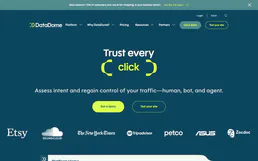
DataDome
Equip your AI agent to monitor bot protection, track threats, and audit protected endpoints directly via the DataDome API.
You might also like

PhotoPrism
Search, browse, and manage your PhotoPrism media library — find photos by metadata, retrieve thumbnails, and stream videos via AI.

Amazing Marvin
Manage your Amazing Marvin tasks, projects, and time tracking using AI Agents.

World Bank Labor & Trade
Analyze global unemployment, labor forces, trade balances (imports/exports), and FDI directly from the World Bank API.