
AlgoDocs MCP. Turn any document into structured JSON data.
 Gemini
 Works with every AI agent you already use
…and any MCP-compatible client









Just plug in your AI agents and start using Vinkius.
AlgoDocs. AI document extraction orchestration. Connect your AI agent to parse PDFs, images, and Word documents for high-accuracy JSON data.
Use it to automate data ingestion pipelines, audit extraction models, and manage document folders without ever leaving your chat interface.
It handles everything from parsing invoices and receipts to listing account usage.
What your AI agents can do
Get api usage
Retrieves your account's current API usage and billing statistics.
Get document data
Fetches the structured JSON data that was extracted from a specific document.
Get document status
Checks the current processing status of a document ingestion job.
Your AI agent takes a public URL and parses the contained document, returning structured JSON data.
Your AI agent verifies if a document processing job is complete and retrieves its current status.
Your AI agent shows the full hierarchy of your document processing folders and retrieves their metadata.
Your AI agent fetches current account status and records API usage statistics.
Your AI agent shows all available AI extraction models and their specific rulesets.
Ask AI about this MCP
Supported MCP Clients
Gemini Waiting for input…
AlgoDocs MCP Server: 10 Tools for Data Extraction
These tools let your AI agent manage the entire document lifecycle, from listing folders and checking usage to parsing documents and auditing extraction results.
019d754cget api usage
Retrieves your account's current API usage and billing statistics.
019d754cget document data
Fetches the structured JSON data that was extracted from a specific document.
019d754cget document status
Checks the current processing status of a document ingestion job.
019d754cget folder details
Retrieves metadata for a specific document processing folder.
019d754cget my account
Checks the overall status and details of your AlgoDocs account.
019d754clist extractor data
Returns bulk JSON results for data extracted by a specific AI extractor model.
019d754clist extractors
Lists all available AI extraction models and their unique rulesets.
019d754clist folders
Lists all the storage folders available for document processing projects.
019d754clist recent documents
Retrieves a list of the most recently parsed documents in your account.
019d754cupload document from url
Starts the process of parsing a document found at a public URL.
Choose How to Get Started
Build a custom MCP for your own tools, or connect a ready-made integration from our catalog.
Build Your Own
Turn any API into an MCP. Import a spec, define Agent Skills, or deploy with MCPFusion.
- Import from OpenAPI, Swagger, or YAML specs
- Create Agent Skills with progressive disclosure
- Deploy to edge with MCPFusion framework
- Built in DLP, auth, and compliance on every call
- Real time usage dashboard and cost metering
- Publish to catalog or keep private
Make Your AI Do More
Start with AlgoDocs, then connect any of our 4,700+ other servers whenever your AI needs more. One click, no limits.
- Use this MCP plus 4,700+ others, all in one place
- Add new capabilities to your AI anytime you want
- Every connection is secured and compliant automatically
- Track usage and costs across all your servers
- Works with Claude, ChatGPT, Cursor, and more
- New servers added to the catalog every week
What you can do with this MCP connector
You'll connect your AI agent to AlgoDocs for document extraction. Your agent can parse PDFs, images, and Word documents, turning complex files into structured JSON data. You can use it to automate data pipelines, audit extraction models, and manage your document folders, all without leaving your chat.
To start, your agent can take a public URL and parse the contained document, returning structured JSON data. You can check a document processing job's status to verify if it's finished. You'll also see the full hierarchy of your document processing folders and get their metadata. Your agent fetches your overall account status and tracks your API usage.
You can list all available AI extraction models and their specific rulesets. You'll get the structured JSON data that was extracted from a specific document. You can get a list of the most recently parsed documents in your account. You'll see bulk JSON results for data extracted by a specific AI extractor model.
You'll also see all the storage folders available for document processing projects. You can check your account's current API usage and billing statistics. You can check your overall account status and details.
How AlgoDocs MCP Works
- 1 Subscribe to the server and provide your AlgoDocs API Key.
- 2 Instruct your AI agent to perform a task, like 'Parse this invoice URL' or 'List all extractors'.
- 3 The agent calls the appropriate tool, and you receive the structured data or status update directly in the chat.
The bottom line is that you manage your entire document data pipeline—from ingestion to auditing—using natural conversation.
Who Is AlgoDocs MCP For?
The Operations Manager who needs to monitor document processing status across thousands of files, or the Data Entry Specialist who spends hours manually converting scanned PDFs and receipts into usable data. If your job involves turning unstructured documents into structured JSON, this is for you.
Automates the extraction of key data points—like invoice totals, vendor names, and line items—from batches of receipts and invoices.
Manages the data ingestion lifecycle. They use the tools to list folders, check document status, and audit extraction models across large document sets.
Integrates intelligent OCR and data parsing into custom applications, calling tools to handle data in production code.
What Changes When You Connect
- Convert scanned PDFs or images into structured JSON without manual typing. You get usable data immediately, which saves the manual labor of data entry.
- Audit your extraction models on the fly. Use
list_extractorsandlist_extractor_datato check if the correct ruleset is applying to your documents. - Manage entire document projects easily. Use
list_foldersandget_folder_detailsto keep track of where every document is processed. - Monitor large batches of documents. Instead of manually checking, use
get_document_statusto see the real-time processing status of any file. - Keep track of everything.
list_recent_documentsgives you a quick view of the latest files processed, andget_api_usageshows your current usage limits.
Real-World Use Cases
Processing a batch of vendor invoices
A finance analyst receives 50 invoices via email. Instead of downloading each PDF and manually inputting the totals, they ask their agent to run upload_document_from_url on the shared folder link. The agent parses all 50, and the user can then use list_extractor_data to pull all the structured JSON totals into a single spreadsheet.
Checking data consistency for a new extractor
A data operations engineer builds a new extractor model for HR resumes. Before full deployment, they use list_extractors to verify the model is active, then use get_document_data on a test file. This confirms the model works before touching production data.
Tracking a complex document workflow
An operations manager uploads a document and needs to know when it's ready. They use get_document_status repeatedly until the job is complete. Once done, they use get_document_data to pull the final structured JSON output.
Retrieving all data for a specific project folder
A developer needs all data from the 'Q3 Reports' folder. They first use list_folders to find the folder ID, then use get_folder_details to confirm the scope, and finally use list_recent_documents to get the necessary files for processing.
The Tradeoffs
Treating documents like simple text files
Copying text from a scanned PDF and pasting it into a database field. This loses formatting, headers, and critical metadata like dates or IDs.
→
Use upload_document_from_url or get_document_data. These tools parse the full document context (PDF, image, Word) and return accurate, structured JSON that retains all the necessary metadata.
Manually managing data schema updates
When a vendor changes their invoice format, the data team has to manually update the parsing logic, wasting days of developer time.
→
Use list_extractors and configure the model through the agent interface. This keeps the extraction logic centralized and callable via simple commands.
Ignoring processing state
Assuming a document is ready just because the upload succeeded. The document might still be processing, leading to empty or incorrect data calls.
→
Always check the status first. Run get_document_status immediately after uploading, and then use get_document_data only once the status confirms 'complete'.
When It Fits, When It Doesn't
Use this if your primary job is turning unstructured documents (invoices, receipts, scanned images, Word files) into clean, usable JSON data. You need to automate data ingestion and audit the extraction process. Don't use this if you just need to store raw files; use a standard cloud storage API instead. If you need to analyze the content of a document, but the structure is simple (e.g., just summarizing a plain text article), a simple text summarization tool is enough. AlgoDocs is for complex, structured data extraction, and you need to manage the lifecycle of that data—from upload to auditing.
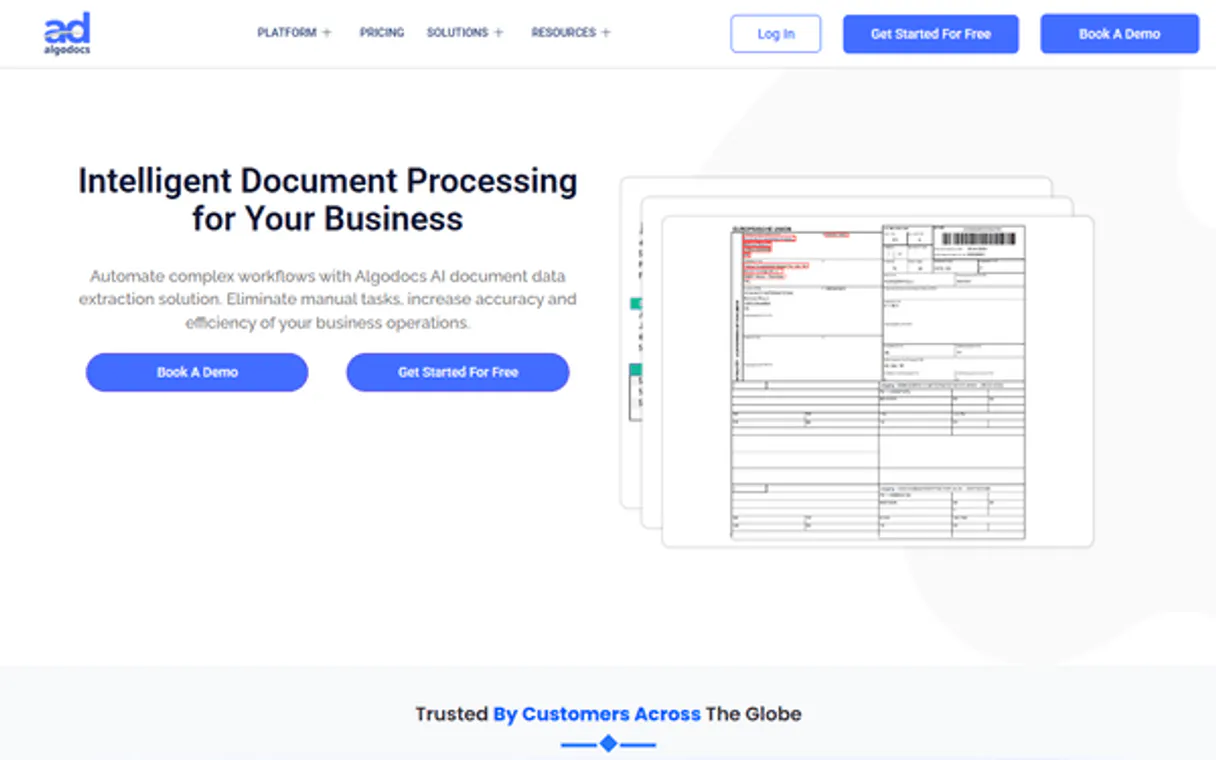
Independent Platform Disclaimer: Vinkius is an independent platform and is not affiliated with, endorsed by, sponsored by, verified by, or otherwise authorized by AlgoDocs. All third-party trademarks, logos, and brand names are the property of their respective owners. Their use on this website is strictly for informational purposes to identify service compatibility and interoperability.
VINKIUS INFRASTRUCTURE
Cloud Hosted
Managed infra
V8 Isolated
Sandboxed per request
Zero-Trust Proxy
No stored credentials
DLP Enforced
Policy on every call
GDPR Compliant
EU data residency
Token Compression
~60% cost reduction
Works with Claude, ChatGPT, Cursor, and more
The Model Context Protocol standardizes how applications expose capabilities to LLMs. Instead of operating in isolation, your AI gains direct access to external platforms, live data, and real-world actions through secure, standardized connections.
This server provides 10 capabilities that interface natively with Claude, ChatGPT, Cursor, and any MCP client. No middleware. No custom integration required.
Available Capabilities
Extracting data from PDFs and images used to be a nightmare of copy-pasting.
Today, pulling data from an invoice means opening the PDF, finding the total, copying it, pasting it into a spreadsheet, finding the vendor name, copying that, and so on. If you have a batch of 100 invoices, you repeat that cycle 100 times. It's slow, error-prone, and impossible to audit.
With AlgoDocs, you just point your agent at the document URL. The AI handles the parsing of the PDF, the extraction of the total, and the vendor name, giving you clean, structured JSON. You're done with the manual work.
AlgoDocs MCP Server: Get structured data from documents via your agent.
You don't have to jump between a document viewer, a database, and a spreadsheet to manage the process. The agent handles the full cycle: you call `upload_document_from_url` to ingest the file, then `get_document_status` to wait for completion, and finally `get_document_data` to get the structured payload. It keeps everything in the chat.
The difference is that the whole data pipeline—from the messy file to the clean data—runs inside your conversation. You never leave the chat.
Common Questions About AlgoDocs MCP
How do I use the `upload_document_from_url` tool with AlgoDocs? +
You provide the public URL to your agent. The tool handles the download and parsing of the document (PDF, image, Word) and begins the extraction process.
I need to see all my available extraction models using `list_extractors`. +
Running list_extractors returns a list of all models you have set up, including their IDs and names. This is how you know which ruleset to apply to a document.
What does `get_document_status` actually check? +
This tool checks the processing state of a document ID. It tells you if the document is queued, processing, failed, or ready for data extraction.
Can I see the extracted data for a document using `get_document_data`? +
Yes. You give the document ID to the tool, and it returns the complete, structured JSON payload containing all the extracted information.
Where do I find my usage stats using `get_api_usage`? +
How do I list all my project folders with `list_folders`? +
How do I check my account details or usage limits with `get_my_account`? +
Running get_my_account provides your current account status and usage quotas. This lets you confirm your API key is active and see how many API calls you have left for the billing cycle.
Can I retrieve bulk extraction results using `list_extractor_data`? +
Yes, list_extractor_data gathers structured JSON results for multiple documents. You can use this tool to review the extracted data from an entire batch of files at once.
How do I find my AlgoDocs API Key? +
Log in to AlgoDocs, go to your Account Settings, and you will find your API key there. You will need this along with your registered email for authentication.
What is an 'Extractor' in AlgoDocs? +
An Extractor is a set of rules and AI models configured to pull specific fields from a certain type of document (e.g., an Invoice Extractor). You must specify an extractor_id when uploading documents.
Can I retrieve data from a previously processed document? +
Yes! Use the get_document_data tool and provide the unique document_id. Your agent will retrieve the extracted structured data from AlgoDocs storage.
Use it with your favorite AI tools
Connect this server to Cursor, Claude, VS Code, and more.
More in this category

Vast.ai (GPU Rental Cloud API)
Rent high-performance GPUs for AI and deep learning. Search marketplace offers, deploy Docker containers, and manage your cloud GPU fleet.

Five9
Monitor agents, manage call states, and track real-time contact center stats via AI agents with Five9.

ElevenLabs Alternative
Generate lifelike speech, clone voices, and create sound effects using ElevenLabs' industry-leading AI audio technology.
You might also like

SBA (Small Business Administration)
Access official U.S. Small Business Administration data to check business size standards and retrieve geographic resource links.

OneNote
Connect your AI agent to Microsoft OneNote to search, read, extract, and append content to your personal or enterprise notebooks seamlessly.
eSignly Electronic Signature
Equip your AI agent to manage e-signature documents, track templates, and monitor audit trails via the eSignly API.